Establishing secure connection…Loading editor…Preparing document…

Letter Regarding Agreed Order of Possession

This template is fully customizable. Edit the text, fill out the fields, and send it for signature. Give it a try!
Letter Regarding Agreed Order of Possession

What a Letter Regarding Agreed Order of Possession Is

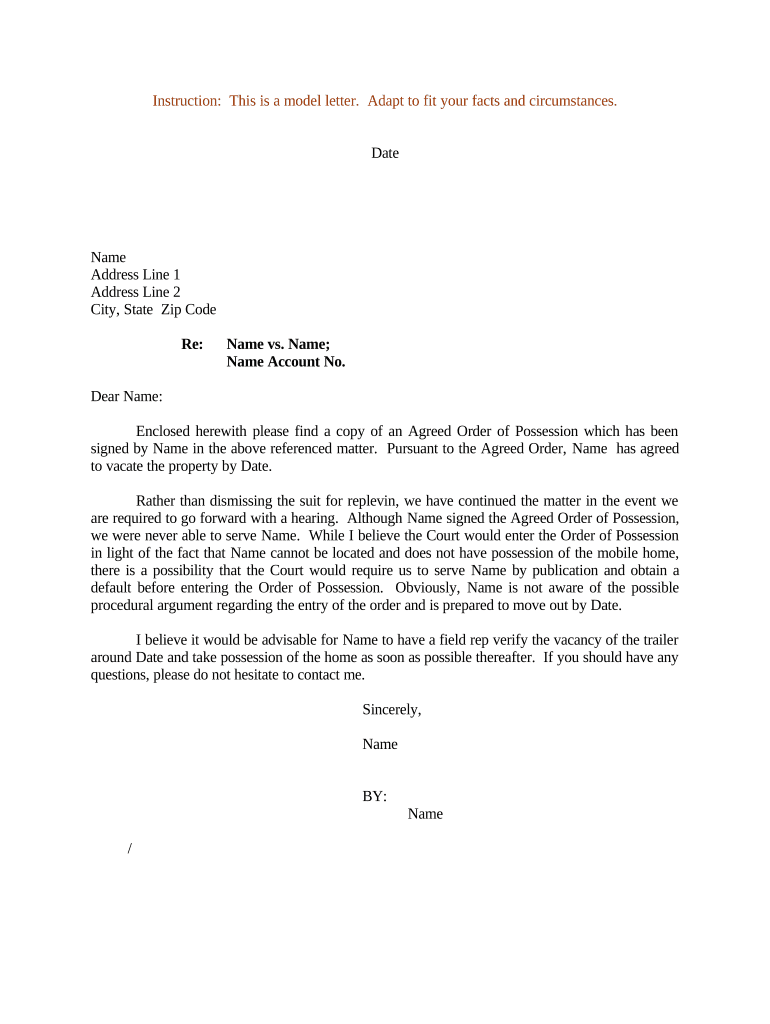
A Letter Regarding Agreed Order of Possession is a written notice used after parties reach a court-approved agreement or stipulated judgment that sets the date and terms for transfer of physical possession of real property. It documents the agreed possession timeline, any move-out requirements, and contact details for the party taking possession. The letter serves to inform tenants, occupants, property managers, and enforcement officers of the specific obligations established by the order so that the transfer of possession proceeds with clear expectations and minimal dispute.

Why a Clear Agreed-Order Letter Matters

A concise letter reduces ambiguity about dates, responsibilities, and enforcement steps, preserves a chain of written communications for courts or sheriffs, and helps prevent costly follow-up litigation or contested lockouts.

Why a Clear Agreed-Order Letter Matters

Who Typically Prepares and Receives This Letter

Several roles commonly draft, deliver, or receive an agreed-order letter; identify the party responsible before sending.

  • Landlords and property managers who need to confirm the tenant move-out date and access arrangements.
  • Attorneys for either party who prepare the written notice to ensure the letter matches the court order.
  • Sheriff or constable offices and process servers that require written documentation for execution of possession.

Delivering the letter through documented channels (certified mail, e‑mail with read receipt, or eSignature) ensures proof of delivery and reduces later disputes.

Essential Elements to Include in the Letter

Include clear, unambiguous terms so recipients and enforcement authorities can act without interpretation. The letter should mirror the court order and reference any conditions attached to possession.

Case Reference

Court case number and jurisdiction. Tie the letter explicitly to the agreed order so recipients can verify authority and avoid confusion.
Parties Named

Full legal names of landlord, tenant, and any third-party occupant. Accurate names prevent identity disputes during enforcement.

Possession Date

Exact date and time when the occupant must vacate and when the landlord assumes possession; avoid vague language like 'on or about.'

Access Instructions

How keys, utilities, and unit access will be handled and whether a lockout will occur; include contact person and phone number.

Compliance Steps

Any required actions by the occupant before vacating (cleaning, removal of belongings) and instructions for handling abandoned property.

Delivery Record

Method and date of delivery, signature or eSignature trace, and copies retained to document service and receipt.

Step-by-Step: Preparing and Sending the Letter

Follow these sequential steps to prepare an enforceable letter that aligns with the agreed order of possession.

  • 01
    Confirm Order: Review the court order to verify dates and any special conditions before drafting the letter.
  • 02
    Draft Letter: Mirror the order language, include contact details, and avoid ambiguous phrases or conditional terms.
  • 03
    Obtain Signatures: Have the authorized party sign; use an eSignature solution that captures an audit trail if not signing in person.
  • 04
    Serve and Record: Serve via documented method and retain proof of service for enforcement or court follow-up.

How the Letter Moves Through the Process

This flow outlines who reviews, approves, and uses the letter during enforcement of the agreed order of possession.

  • Drafting: Prepared by counsel or property manager to reflect the court-approved terms.
  • Approval: Reviewed by the authorized signatory to confirm accuracy against the judgment.
  • Service: Delivered via certified mail, personal service, or eSignature with delivery record.
  • Enforcement: Used by sheriffs or constables when executing possession under the order.

Digital Workflow Settings to Support Delivery and Proof

Configure your digital workflow to capture evidence of signing and delivery and to align with court or enforcement requirements.

Field Configuration
Signature Type Electronic signature with audit trail and timestamp
Authentication Email plus optional SMS code for stronger signer attribution
Delivery Receipt Enable read receipts and certified-mail equivalents where possible
Archival Store a PDF copy plus audit trail for retention compliance

Delivering the Letter Electronically — Platform Checklist

Use an eSignature workflow that captures signer identity, timestamps, and a tamper-evident record before serving the letter.

  • Audit Trail: Complete event log including IP, timestamp, and signer email
  • Export Formats: PDF export with embedded signature evidence
  • Authentication Options: Email link, SMS code, or stronger KBA per policy

Retain exported signed copies and the platform audit record to demonstrate delivery and authenticity to courts or enforcement officers.

Common Timing and Deadlines to Track

Track critical dates tied to the agreed order and service requirements so enforcement is timely and documentable.

Order Effective Date:

The date the court order becomes effective; possession terms flow from this date.

Possession Date:

The exact date/time specified for vacatur and landlord takeover.

Service Deadline:

When the letter must be served relative to the possession date as required by the order.

Enforcement Window:

Timing when sheriff may execute lockout per local scheduling and availability.

Retention Start:

Date when signed letter and audit trail must be archived under recordkeeping policy.

Key Milestones from Agreement to Possession

A sequential milestone view helps coordinate parties, counsel, and enforcement officers for a smooth possession transfer.

01

Agreement Finalized

Judge signs the stipulated order and it becomes enforceable.

02

Letter Drafted

Letter prepared to reflect the order and internal approval is obtained.

03

Letter Served

Letter delivered with proof of service to occupant and relevant agencies.

04

Possession Executed

Sheriff or authorized officer enforces the order on the scheduled date.

Common Preparation Mistakes to Avoid

  • Using informal or vague language that does not match the court order can lead enforcement officers to delay action or request corrected paperwork.
  • Failing to include precise case and court identifiers makes verification difficult and can stall sheriff execution or clerk processing.
  • Serving the letter without documented proof of delivery removes an important record and weakens the ability to demonstrate notice in court.
  • Relying on a simple signed image without an audit trail increases the risk of disputed authenticity if the letter is challenged.

Risks of Incorrect or Incomplete Letters

Enforcement Delay: Missing details can delay sheriff action and extend tenant occupancy.
Rejection by Sheriff: Incomplete documentation may be rejected for execution.
Additional Costs: Repeated filings, re-service, or extra process-server fees may result.
Court Sanctions: Inaccurate filings could lead to court-ordered corrections or sanctions.
Evidence Loss: Failure to retain signed records may weaken enforcement proof.
Tenant Dispute: Ambiguity can give rise to immediate challenges or appeals.

Typical eSignature Pricing and Capability Comparison for Sending and Archiving Notices

A comparison of common vendor entry points and core capabilities to consider when choosing an eSignature provider for delivering agreed-order letters.

signNow DocuSign Adobe Sign PandaDoc HelloSign
Starting Price $8/user/mo $15/user/mo $14/user/mo $19/user/mo $15/user/mo
Free Trial 7-day free trial Varies by vendor Varies by vendor Varies by vendor Varies by vendor
Bulk Send Yes Varies by plan Varies by plan Varies by plan Varies by plan
Audit Trail Yes Yes Yes Yes Yes
HIPAA Compliant Yes Yes Yes Varies by plan Varies by plan
Envelope Cap No cap 100 envelopes/user/year Varies by plan Varies by plan Varies by plan

Practical Examples of How the Letter Is Used

Real-world examples illustrate how a clear, documented letter supports enforcement and reduces disputes.

Property Manager Example

A regional manager prepares a letter matching the stipulated judgment language and serves it by certified mail to the tenant.

  • The sheriff accepted the certified copy for scheduling.
  • The documented service and matching language eliminated a follow-up hearing by proving timely notice and exact possession timing.

Legal Counsel Example

An attorney drafts the letter with precise case references and attaches the signed order before sending via eSignature.

  • Enforced quickly.
  • The sheriff executed possession on schedule and the signed audit trail was admitted in court when the tenant contested service validity.

Practical Tips for Drafting and Delivering the Letter

Adopt consistent drafting and delivery practices to reduce errors, speed enforcement, and preserve proof for courts and enforcement officers.

Match Court Language Exactly
Mirror the judgment wording for dates, parties, and enforcement rights to remove grounds for procedural challenges or delays.
Use Documented Delivery
Prefer certified mail, courier with tracking, or an eSignature workflow that provides a tamper-evident audit trail for proof of service.
Retain Full Audit Records
Keep the signed PDF plus the platform audit log that shows timestamps, IP addresses, and signing events to support later verification.
Clarify Abandoned Property Handling
State how personal property will be handled or stored after possession to avoid disputes and additional claims.

Frequently Asked Questions about Letters for Agreed Orders of Possession

Answers to common questions about drafting, delivery, enforceability, and recordkeeping for an agreed-order possession letter.


Need help? Contact support

be ready to get more
Join over 28 million airSlate SignNow users