Authorizing Clause
Explicitly state what partners authorize, including precise actions, monetary limits, and whether authority is one-time or ongoing. Ambiguity invites refusal by banks or counterparty disputes and complicates enforcement.
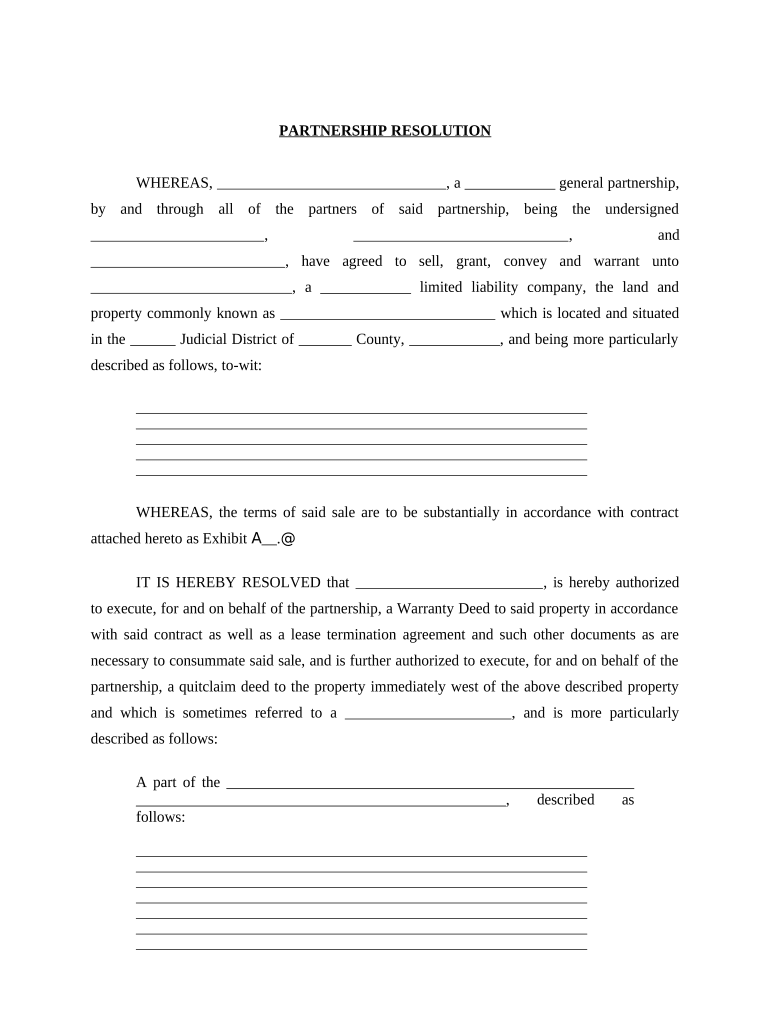
A Partnership Resolution documents partner authority, supports third-party acceptance (banks, title companies), and reduces internal disputes. It clarifies who may act, limits exposure, and produces an auditable record for regulatory or contractual scrutiny.

Partners and managers prepare or approve resolutions; banks, title companies, attorneys, and accountants commonly request them to verify authority.
Explicitly state what partners authorize, including precise actions, monetary limits, and whether authority is one-time or ongoing. Ambiguity invites refusal by banks or counterparty disputes and complicates enforcement.
List each authorized individual by full legal name and title, and specify signature format. Include alternates or deputies if permitted by the partnership agreement to prevent execution delays.
Identify the exact effective date in MM/DD/YYYY. The effective date controls when duties attach and when financial or property actions may be undertaken under the resolution.
Include a notary acknowledgement or space for remote online notarization when the bank or transaction requires verified signatures. Keep record of notary journal entries and audio-visual recording if RON is used.
State where the signed resolution will be kept (partnership minute book, digital archive) and retention period. Proper retention supports audits, bank compliance, and future partner disputes.
Attach related documents such as partnership agreement excerpts, meeting minutes, or prior resolutions. Cross-reference exhibits clearly to show authority and provide context to third parties.
| Field | Configuration |
|---|---|
| Signer Authentication | Email link plus optional SMS code for added identity verification. |
| Field Types | Signature, initials, date, text, conditional fields, and attachments allowed. |
| Routing Order | Define sequential signer order or parallel signing groups. |
| Storage | Save executed PDF and audit trail in secure cloud archive. |
Use an eSignature platform that supports PDF and DOCX, produces detailed audit trails, and stores executed copies securely for partner records.
| signNow | DocuSign | Adobe Sign | PandaDoc | HelloSign | |
|---|---|---|---|---|---|
| Starting Price | $8/user/mo | $15/user/mo | $14/user/mo | $19/user/mo | $15/user/mo |
| Free Trial | 7-day free trial, no credit card required | Free trial available through website sign-up | Free trial available for new users | Free trial available for basic plans | Free trial available on select plans |
| Bulk Send | Yes — bulk send available in plans | Yes — bulk send available on business plans | Yes — bulk send available on select plans | Yes — bulk distribution features supported | No — bulk send not available |
| Audit Trail | Yes — detailed audit trail included | Yes — detailed audit trail included | Yes — detailed audit trail included | Yes — detailed audit trail included | Yes — detailed audit trail included |
| HIPAA Compliant | Yes — HIPAA compliant; BAA available | Yes — HIPAA support; BAA available | Yes — HIPAA support; BAA offered | No — not HIPAA-ready by default | No — BAA not provided standardly |
| Envelope Cap | No envelope cap; unlimited sending | 100 envelopes/user/year limit | Varies by plan; check vendor limits | Varies by plan; contact sales | Varies; plan-dependent envelope limits |
Optica Ventures implemented electronic resolutions to accelerate partner approvals, bank onboarding, and investor documentation without in-person signings.
Martin Properties used digital resolutions to close real estate transactions and manage property-related authorizations remotely.