Establishing secure connection…Loading editor…Preparing document…

Letter Regarding Authorized Signatories for Partnerships or Corporations

This template is fully customizable. Edit the text, fill out the fields, and send it for signature. Give it a try!
Letter Regarding Authorized Signatories for Partnerships or Corporations

What this Letter Is and when it’s used

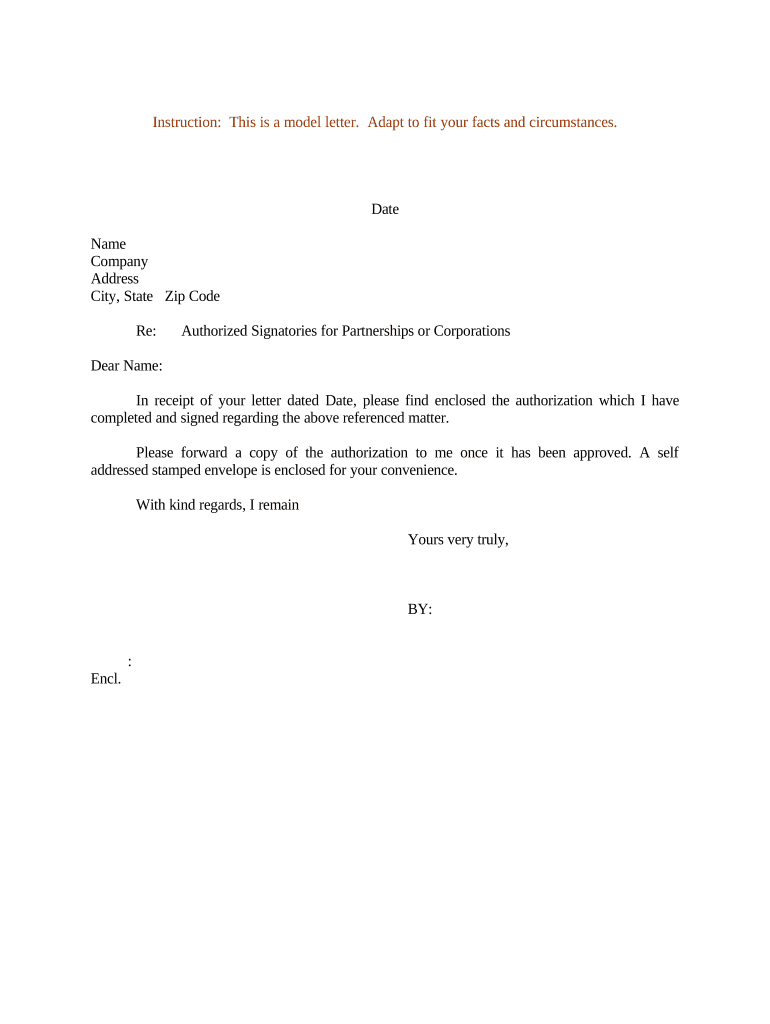
A Letter Regarding Authorized Signatories for Partnerships or Corporations identifies the individuals empowered to sign agreements, open or manage accounts, and act on behalf of the legal entity. It typically names the entity, lists each authorized signer and title, states the scope of authority, and is signed by an authorized corporate officer or partner. Organizations use this letter to update banks, vendors, insurers, and government payers. The letter can be presented with a corporate resolution or board minutes to confirm authority and reduce downstream disputes over signature validity.

Why an explicit signatory letter matters

A clear authorization letter reduces onboarding delays, prevents rejected transactions, and documents who may bind the entity for contracts, banking, and tax matters. It creates an auditable record that third parties can rely on when verifying authority.

Why an explicit signatory letter matters

Who typically prepares and relies on this letter

Organizations issue and accept these letters when formalizing which officers or partners have signing authority for specific types of transactions.

  • Corporate secretaries and general counsel — often prepare letters after board approval to update banks and counterparty records.
  • Managing partners and members — use the letter to delegate authority across funds, subsidiaries, or business units.
  • Bank compliance and vendor onboarding teams — rely on the letter to set account signers and payment approvers.

Maintain a signed copy with corporate records and provide certified copies to counterparties when requested to avoid repeated verification steps.

Typical signatory roles and who signs the letter

Corporate Secretary

The corporate secretary often drafts and affixes the company seal if required, certifies the board resolution authorizing signers, and provides the signed letter to banks and third parties as an official corporate record.

Managing Partner

A managing partner or designated officer signs on behalf of a partnership or limited liability company to confirm the list of authorized signatories and the scope of those signatory powers for external reliance.

Essential components to include in a professional authorization letter

A complete letter combines entity identity, explicit signer details, scope and limits of authority, an effective date, and a clear signature block backed by corporate approval where necessary.

Entity identification

Full legal name, entity type (e.g., partnership, S-corp, LLC), and federal EIN to avoid confusion with similarly named entities and ensure third parties can verify official records.
List of signatories

Each authorized signer listed by full legal name, job title, and any applicable identifier (employee ID or partner number); include specimen signatures when requested by banks.

Scope of authority

Describe what each signer can do (sign checks, enter contracts, open accounts), including monetary limits or transaction types that require separate board or partner approval.

Effective date and duration

Specify when the authorization begins and whether it continues until revoked, or ends on a fixed date; this avoids disputed transactions after personnel changes.

Corporate approval

Reference an attached board resolution, partnership vote, or meeting minutes that formally authorized the signers; include the date and document reference for verification.

Signature block

Provide space for the signing officer’s printed name, title, signature, and date. If required, include notary acknowledgement or witness lines per counterparty or state rules.

Step-by-step: preparing and issuing the authorization letter

Follow a concise workflow to produce a valid letter that third parties can accept without additional delays.

  • 01
    Confirm authority: Obtain the board resolution or partner vote authorizing the listed signers.
  • 02
    Draft letter: Populate entity details, signers, scope, and effective date clearly.
  • 03
    Sign and notarize: Have the authorized officer sign; notarize if the recipient requires it.
  • 04
    Distribute copies: Send certified copies to banks, major vendors, and internal records for reference.

Typical processing flow for e-submission

When you complete the letter electronically, follow these technical steps to ensure acceptance and an auditable record.

  • Upload document: Add the letter to your signing platform in PDF or DOCX format.
  • Place fields: Insert signature, date, and optional initials fields for each signer.
  • Authenticate signer: Select email, SMS code, or stronger authentication per recipient requirements.
  • Record and send: Send for signature; the platform captures timestamps and IP addresses for audit.

Recommended digital workflow settings for secure submissions

Configure these workflow options when sending the letter electronically to maximize acceptance and compliance.

Field Configuration
Authentication Method Email link plus optional SMS verification
Signature Type Electronic signature (audit trail); optional digital certificate
Recipient Order Sequential for approvals; simultaneous for parallel signings
Retention Setting Store PDF/A copy with audit log retention enabled

Technical requirements and compatibility notes

Ensure the signing platform supports the file formats and integrations your organization relies on.

  • Integrations: Salesforce, NetSuite, Microsoft 365, Google Workspace
  • File formats: PDF, DOCX, and optionally HTML
  • Authentication: Email link, SMS code, KBA, or advanced 2FA

Confirm recipient acceptance of electronic copies and, if required, enable notarization or certified PDF options before sending.

Common eSignature pricing and capability comparison

Basic starting prices, trial availability, bulk-send, audit trail, HIPAA support, and envelope caps vary across providers; signNow is listed first for comparison.

signNow DocuSign Adobe Sign PandaDoc HelloSign
Starting Price $8/user/mo $15/user/mo $14/user/mo $19/user/mo $15/user/mo
Free Trial 7-day free trial Varies by vendor Varies by vendor Varies by vendor Varies by vendor
Bulk Send Yes Yes Yes Yes No
Audit Trail Yes Yes Yes Yes Yes
HIPAA Compliant Yes Yes Yes No No
Envelope Cap No cap 100 envelopes/user/year Varies Varies Varies

Key security and compliance features to include or verify

Encryption in transit: TLS 1.2/1.3
Encryption at rest: AES-256
Audit trail: Timestamp, IP, and action log
Regulatory certifications: SOC 2 Type II
Healthcare compliance: HIPAA (BAA required)
FDA / records: 21 CFR Part 11 support

Common risks and penalties from incorrect or unauthorized letters

Incorrect tax reporting: 1099 penalties $60–$330 per form
Intentional disregard: $660+ per form, no cap
I-9 paperwork: $281–$2,789 per violation
Unauthorized transactions: Liability for contracts signed by unauthorized parties
Breach of fiduciary duty: Civil claims from partners or shareholders
Data exposure: Regulatory fines and remediation costs

Frequent preparation errors to avoid

  • Listing an incorrect or informal name for the entity, such as a trade name instead of the legal formation name, which causes banks to reject the letter.
  • Failing to attach or reference a board resolution or partnership vote, leaving third parties unable to verify the delegated authority.
  • Using vague authority descriptions such as 'business transactions' without monetary limits or transaction type, creating ambiguity for banks and vendors.
  • Not updating the letter after personnel changes, which can lead to acceptance of unauthorized signatures or delays while counterparties re-verify authority.

Real-world examples of authorization letters in use

These brief examples show how organizations applied an authorization letter to speed account setup and reduce verification steps.

Optica Ventures — Brian Fitzgibbons

Optica centralized partner signing authority to streamline vendor onboarding and banking.

  • The letter was used for account and vendor updates.
  • Brian Fitzgibbons said: "The interface is simple and easy-to-use for our team; more importantly, it is just as easy for our customers." The authorization letter removed repeat verification and shortened onboarding timelines.

Martin Properties — Tim Martin

A real estate firm used an authorization letter for escrow and management account signers.

  • Document sent electronically and notarized on request.
  • Tim Martin noted that executing documents online provided compliance and security benefits while enabling mobile signing across field and office teams, reducing turnaround time for property transactions.

When to issue or update the authorization letter

Timely issuance and updates avoid rejected transactions and ensure counterparties rely on current authority.

Upon account opening:

Provide a signed letter when opening bank or merchant accounts to authorize signers immediately.

After officer changes:

Update the letter whenever officers, partners, or signers change to prevent unauthorized signatures.

Before major transactions:

Issue or confirm authority prior to high-value contracts or financing to ensure acceptance.

For tax reporting:

Ensure the listed signers align with who may sign tax documents or third-party authorizations.

Annual review:

Review and reconfirm authorizations at least annually or as required by counterparties.

Key milestones from draft to archival

Use this sequential checklist to track the authorization letter from preparation through retention.

01

Draft and internal review

Prepare the letter and confirm alignment with bylaws or partnership agreement.

02

Obtain formal approval

Record board resolution or partner consent authorizing the signers.

03

Execute and notarize

Have the authorized officer sign and notarize if requested by recipients.

04

Distribute and archive

Provide certified copies to counterparties and retain an electronic copy with audit trail.

Frequently asked questions about authorization letters

Answers to common questions about validity, e-signatures, notarization, revocation, and recordkeeping for authorization letters.


Need help? Contact support

be ready to get more
Join over 28 million airSlate SignNow users