Establishing secure connection…Loading editor…Preparing document…

Agreement Establishing Party Wall with Grant of Land to Cure Encroachment

This template is fully customizable. Edit the text, fill out the fields, and send it for signature. Give it a try!
Agreement Establishing Party Wall with Grant of Land to Cure Encroachment

What this Agreement Is and when it applies

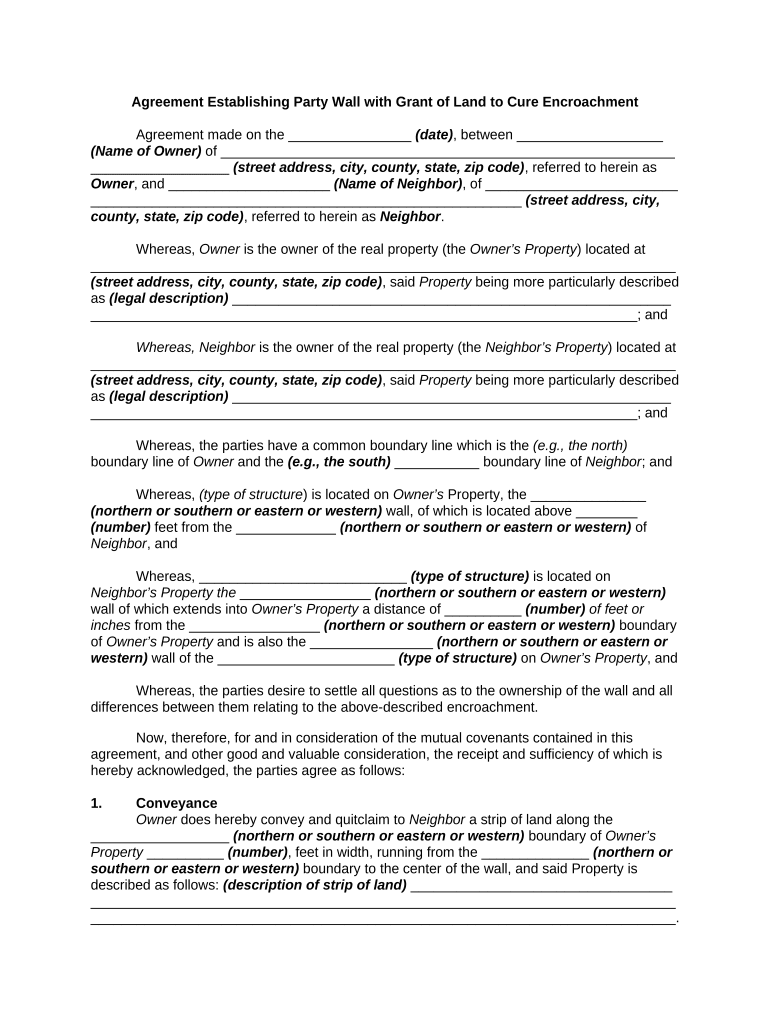
The Agreement Establishing Party Wall with Grant of Land to Cure Encroachment is a legal instrument used when an existing or proposed shared wall between adjoining properties requires formal allocation of ownership, maintenance duties, and a small conveyance of land to resolve an encroachment. The document sets the party wall boundaries, grants the necessary strip of land or easement to remove a technical encroachment, and records the parties' rights and obligations so title records reflect the corrected boundary and avoid future disputes.

Why parties use this agreement

This agreement clarifies boundary ownership, documents a corrective grant of land to eliminate an encroachment, and allocates maintenance, cost sharing, and liability for the party wall, reducing future title and boundary disputes when recorded with the county recorder.

Why parties use this agreement

Typical parties and stakeholders

Lead parties and service providers commonly involved in these agreements.

  • Adjacent property owners negotiating boundary correction and shared wall responsibilities.
  • Real estate attorneys or title companies preparing recording-ready legal descriptions and exhibits.
  • Contractors, engineers, or surveyors who produce the survey and construction details.

Each stakeholder has a distinct role: owners consent, professionals prepare legal exhibits, and the county recorder preserves notice to third parties.

Who signs and why

Owner-Grantor

A property owner who conveys the necessary strip or easement to eliminate an encroachment; typically provides legal descriptions, signs the grant language, and agrees to any indemnities and maintenance allocations required by the instrument.

Adjacent-Owner

The neighboring property owner who accepts the granted land or easement, agrees to the party wall rules, and signs acknowledgements required for recording, title insurance, and any lender consents.

Key compliance and document security points

Encryption: TLS 1.2/1.3 in transit
Data at rest: AES-256 encrypted storage
Audit trail: Timestamps and IP logs
HIPAA support: BAA available if needed
Regulatory standards: ESIGN and UETA compliance
Certifications: SOC 2 Type II available

Consequences of incomplete or incorrect agreements

Unrecorded correction: Clouds title
Faulty legal description: Leads to boundary disputes
Missing signatures: Agreement may be unenforceable
Improper notarization: Recorder may reject filing
Lender issues: Mortgagee consent may be required
Tax consequences: Potential reassessment risk

Common pitfalls to avoid

  • Using an imprecise survey or vague legal description that fails to cure the encroachment and invites subsequent boundary litigation.
  • Omitting lender or mortgagee consents when required by existing loan documents, which can create title objections during sale or refinancing.
  • Failing to notarize or witness signatures as required by the recording jurisdiction, causing rejection by the county recorder.
  • Neglecting to attach or reference the survey exhibit and site plans that demonstrate the corrected line and the exact area granted.

Step-by-step: completing the agreement

Follow these core steps when preparing and executing a party wall agreement with a grant to cure an encroachment.

  • 01
    Prepare survey: Obtain a current ALTA or boundary survey and marked exhibit.
  • 02
    Draft instrument: Have counsel prepare grant and party wall provisions.
  • 03
    Sign and notarize: All parties sign before a notary or RON provider.
  • 04
    Record with county: Submit instrument and exhibits to county recorder for indexing.

How execution and recording typically proceed

Execution and notice follow a predictable flow from agreement to public record.

  • Execution: Owners review, sign, and initial any exhibits.
  • Notarization: Complete notary acknowledgement or RON session.
  • Recording: File instrument and exhibit at county recorder's office.
  • Title update: Ensure title company reflects corrected boundary.

Core components the agreement should include

A professionally drafted agreement combines boundary detail, rights granted, and operational rules so future owners understand obligations and risks.

Party Wall Description

Clear definition of the wall location, materials, and which portions are shared versus owned in fee; include exhibit references and physical measurements to avoid ambiguity.
Grant of Land

Precise grant wording for the strip of land or easement being conveyed to cure the encroachment, with metes and bounds or parcel reference usable by the county recorder.

Legal Description

A recording-ready legal description matching the survey exhibit, containing county and parcel identifiers that title companies require for indexing and title insurance.

Survey Exhibit

Attached stamped survey showing original encroachment, corrected boundary, and dimensions; exhibits must be signed by the surveyor where state law requires.

Maintenance Allocation

Detailed rules allocating repair, replacement, cost-sharing, permitted alterations, and access rights for inspections or emergency work to minimize future disputes.

Insurance and Indemnity

Insurance requirements and mutual indemnities protecting each owner against claims arising from wall failure, construction, or third-party claims tied to the encroachment.

Digital workflow settings to consider

Configure your signing workflow to match the parties' order, authentication needs, and final delivery requirements.

Field Setting
Authentication Email link | SMS code optional
Signing Order Neighbor first | Owner second
Notary Option RON enabled | In-person allowed
Recording Package PDF/A bundle | Survey exhibit attached

Technical requirements for e-signature and file handling

Ensure the platform supports secure signing, notarization workflows, and export to recording-ready PDFs.

  • File formats: PDF, Word DOCX, and PDF/A for recording
  • Integrations: CRM, cloud storage, and county e-recording connectors
  • Authentication: Email, SMS code, and optional KBA

Choose a provider that produces tamper-evident signed PDFs, preserves an audit trail, and can integrate with storage or title systems for long-term access.

Key dates and timing to track

Track execution, notarization, recording, and post-recording title updates to ensure legal effect and clear notice.

Effective Date:

Enter as MM/DD/YYYY; governs when rights and obligations begin.

Notarization:

Complete at signing or via RON during execution.

Recording timeframe:

Record promptly; filing within 30 days recommended to give public notice.

Title endorsement:

Obtain title company update after recording, usually within 7–30 days.

Construction start:

Begin work only after recorded agreement or written consent.

Milestone timeline from negotiation to recorded notice

Use this sequence to manage approvals, signing, and public recording efficiently.

01

Negotiation and survey

Agree boundary line and obtain a stamped survey.

02

Draft and review

Counsel prepares instrument and parties review terms.

03

Execution and notarization

Signers execute before a notary or via RON.

04

Recording and title update

File at county recorder and confirm title reflects changes.

eSignature vendor comparison for executing and storing this agreement

Compare basic plan pricing and essential features for high-volume or one-off signing; signNow is shown first per vendor ordering rules.

signNow DocuSign Adobe Sign PandaDoc HelloSign
Starting Price $8/user/mo $15/user/mo $14/user/mo $19/user/mo $15/user/mo
Free Trial 7-day free trial Varies by promotion Varies by promotion Trial common Varies by promotion
Bulk Send Yes (premium) Yes Yes Yes No
Audit Trail Yes Yes Yes Yes Yes
HIPAA Compliant Yes Yes Yes No No

Real-world examples of resolving encroachments with e-signed agreements

Two concise examples show how electronic workflows and recording-ready documents resolved party wall encroachment issues.

Tim Martin — Martin Properties

When a neighbor wall encroached on a unit's setback, the parties agreed to a narrow conveyance and party wall rules.

  • Executed and notarized electronically for speed.
  • "I can process and execute all of these documents online with 100% compliance and built-in security. Whether on mobile or working offline, I can get forms back to their necessary parties efficiently."

Optica Ventures — Brian Fitzgibbons

A mixed-use building needed a formal party wall agreement before refinancing.

  • Survey and grant language attached as exhibits.
  • "The interface is simple and easy-to-use for our team; more importantly, it is just as easy for our customers."

Practical tips for accurate and efficient completion

Adopt these best practices to reduce rework, title objections, and recording delays.

Use a current stamped survey
Always attach a licensed survey with a clear exhibit; the recorder and title company will rely on the survey when indexing and issuing endorsements.
Confirm signatory authority
Verify that individuals signing for entities have authority; obtain corporate resolutions or manager certificates when required to avoid later challenges.
Notarize correctly
Complete a state-compliant notary acknowledgement or use RON where allowed; an incorrect notary block often triggers rejection by the recorder.
Coordinate with title
Provide the title company with instruments and exhibits pre-recording to confirm any endorsement conditions or lender consents needed.

Frequently asked questions about execution, recording, and validity

Answers to common procedural and legal questions encountered when using this agreement type.


Need help? Contact support

be ready to get more
Join over 28 million airSlate SignNow users