Establishing secure connection…Loading editor…Preparing document…

Petition for Injunction

This template is fully customizable. Edit the text, fill out the fields, and send it for signature. Give it a try!
Petition for Injunction

What a Petition for Injunction Is and When It’s Used

A Petition for Injunction is a court filing asking a judge to order another party to stop or to require action to prevent irreparable harm pending a full hearing. Typical forms include requests for a temporary restraining order (TRO), a preliminary injunction, or a permanent injunction; they combine a written petition, sworn affidavit or declaration, supporting exhibits, and a proposed order. The petition frames the legal standard, the facts showing imminent harm, the specific relief requested, and any bond or undertaking required by the court. Courts evaluate urgency, likelihood of success, and public interest when deciding relief.

Why Practitioners Use a Petition for Injunction

A properly drafted petition preserves the status quo, prevents immediate harm, and secures equitable relief before a full trial. It centralizes facts, sworn evidence, and the precise order sought so the court can act quickly.

Why Practitioners Use a Petition for Injunction

Who Prepares and Uses This Petition

Common users include litigants, corporate counsel, and public agencies that need prompt court intervention to stop imminent or ongoing harm.

  • Plaintiff and counsel: File the petition and submit sworn evidence supporting emergency relief; coordinate service on defendants.
  • Defendant and counsel: Respond to petitions, prepare opposition materials, and attend expedited hearings as ordered by the court.
  • Government agencies: Request injunctive relief in consumer protection, environmental, or public-safety matters under statutory authority.

Representative Roles and Responsibilities

Plaintiff Attorney

Prepares the petition, affidavits, and proposed order; identifies evidence and witnesses; ensures compliance with local civil rules and service deadlines to support temporary or preliminary relief.

Respondent Counsel

Evaluates the petition, files oppositions or motions to dismiss, and arranges expedited discovery or hearing scheduling; advises on bond and remedial options.

Essential Parts of a Professional Petition for Injunction

A complete petition groups legal grounds, factual chronology, sworn evidence, and a precise proposed order so the judge can assess immediate relief without ambiguity.

Case Caption

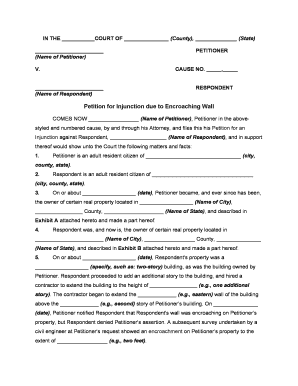
Court name and caption identifying parties, case number, and filing division; accurate captioning is required for proper docketing and service.
Relief Requested

Clear, narrowly tailored statement of the injunctive relief sought (TRO, preliminary, permanent) including exact prohibitions or affirmative actions requested.

Statement of Facts

Chronological, concise presentation of material facts demonstrating imminent harm and why monetary damages are inadequate to protect rights.

Legal Grounds

Short citation to controlling statutes or case law and the legal standard (likelihood of success, irreparable harm, balance of hardships, public interest).

Affidavit / Evidence

Sworn affidavit or declaration with exhibits (emails, contracts, photos) authenticated by the declarant; exhibits must be indexed and Bates-labeled where helpful.

Proposed Order

A proposed order in judge-ready format specifying effective dates, duration, emergency provisions, and any bond or undertaking.

Core Information Required on the Petition

Case Caption: Court and party identifiers
Parties: Full legal names
Relief Sought: Specific prohibitions or directives
Factual Summary: Concise timeline
Supporting Exhibits: Indexed evidence list
Bond Amount: Amount or waiver note

Step-by-Step: Filing a Petition for Injunction

Follow these core steps to prepare, file, and serve an injunction petition in civil court; local rules and emergency procedures vary by jurisdiction.

  • 01
    Draft Petition: Draft caption, facts, legal grounds, and requested order.
  • 02
    Assemble Evidence: Attach sworn affidavit(s) and exhibits indexed for the court.
  • 03
    File With Court: E-file or deliver the petition as required by local rules.
  • 04
    Serve Parties: Complete service using permitted methods before or after filing per court order.

Configuring an Online Petition Workflow

Set up a reusable digital workflow to populate petition fields, collect signatures, and attach exhibits consistently across filings.

Field Configuration
Signature Authentication Email link; optional SMS code for signer verification
Document Fields Conditional fields for bond, hearing date, and service method
File Types Accepted PDF, DOCX and searchable PDFs for exhibits
Template Save Save as reusable template for future filings

Where to File and How the Petition Moves Through the Court

A typical path runs from petition preparation to filing, judicial review, emergency relief (if granted), and service on opposing parties.

  • Prepare Petition: Assemble draft, affidavits, and exhibits in court-ready format.
  • Court E-Filing: E-file or hand-deliver per local electronic filing rules.
  • Judge Review: Court reviews materials and may schedule a hearing or grant ex parte relief.
  • Service of Process: Serve defendants by permitted methods and file proof of service.

Digital Signing and eSubmission: Practical Considerations

Electronic workflows should match court format and authentication requirements, and maintain an unambiguous audit trail and preserved originals for filing and service.

  • File Formats: PDF, DOCX, searchable PDF
  • Authenticator Options: Email link, SMS code, or stronger KBA
  • Common Integrations: E-filers, Google Workspace, NetSuite

Timing, Deadlines, and Hearing Expectations

Timelines vary by court, the relief sought, and whether an ex parte emergency application is necessary; confirm local rules for hearing windows and notice periods.

Emergency TRO:

Immediate or same-day hearing possible in urgent cases

Preliminary Hearing:

Often scheduled within days to weeks after filing

Service Deadline:

Prompt service required per court order or rule

Bond Deadlines:

Bond must be posted if ordered by the court

Permanent Relief:

Resolved at trial or by later motion

Key Milestones from Filing to Final Decision

The sequential milestones below reflect the typical lifecycle of an injunction petition and the court’s immediate checkpoints.

01

File Petition

Court accepts filing and assigns a case number.

02

TRO Consideration

Judge may grant immediate short-term relief without full notice.

03

Preliminary Injunction Hearing

Full hearing on interim relief and evidentiary record.

04

Final Ruling

Court resolves merits at trial or by dispositive motion.

Common Pitfalls to Avoid When Preparing the Petition

  • Incomplete affidavit: failing to provide sworn, contemporaneous facts undermines credibility and may lead to denial.
  • Unindexed exhibits: submitting unmarked or unreferenced evidence confuses the record and frustrates judicial review.
  • Improper service: missing or late service can result in vacated orders or dismissal for lack of notice.
  • Overbroad relief: asking for overly general or speculative relief increases the risk of denial or narrowing by the court.

Consequences of an Incorrect or Incomplete Petition

Dismissal Risk: Case may be dismissed
Denied Relief: Court can deny emergency relief
Sanctions: Potential monetary sanctions
Bond Forfeiture: Bond may be forfeited
Reputational Harm: Public litigation exposure
Waived Defenses: Procedural missteps can forfeit claims

Practical Use Examples

Two concise examples illustrate how petitions are used in common civil contexts and the evidence typically submitted.

Trade Secret

A business seeks an injunction to stop a former employee from using proprietary code submitted to the court with access logs and noncompete excerpts.

  • Immediate asset preservation required to prevent irreparable market harm.
  • The court granted a short-term TRO pending a preliminary hearing after reviewing sworn declarations and forensic evidence establishing likely success on the merits and risk of irreparable injury.

Property

A landowner files to enjoin a neighbor’s encroachment with survey maps and dated photos establishing boundary intrusion.

  • Photos and recorded deeds formed the core of the evidentiary record.
  • Following expedited briefing and a temporary order, the court scheduled a full hearing and ordered the defendant to desist until final adjudication.

Best Practices for Accurate, Efficient Petitions

Adopt consistent drafting, evidence organization, and e-filing templates to reduce errors and accelerate judicial review.

Create a Chronology
Prepare a one-page chronology of critical events with dates and exhibit references to orient the judge quickly and reduce fact-finding friction during an expedited hearing.
Index Exhibits
Number and bookmark exhibits; include a table of exhibits in the filing so the court and opposing counsel can locate supporting material without sifting through bundles.
Use a Proposed Order
Provide a clear, narrowly tailored proposed order the judge can sign; include exact effective dates and any post-hearing modification procedures.
Confirm Service Options
Plan service methods in advance and file proof of service immediately after completion; compliance with service rules prevents later procedural challenges.

eSignature Vendor Pricing and Feature Snapshot

Common eSignature vendors and typical entry-level pricing and feature availability relevant to filing and signing legal petitions are shown for comparison.

signNow DocuSign Adobe Sign PandaDoc HelloSign
Starting Price $8/user/mo $15/user/mo $14/user/mo $19/user/mo $15/user/mo
Free Trial 7-day free trial Varies Varies Varies Varies
Bulk Send Yes Yes Yes Yes No
Audit Trail Yes Yes Yes Yes Yes
HIPAA Compliant Yes Yes Yes No No
Envelope Cap No cap 100 envelopes/user/year Varies Varies Varies

Frequently Asked Questions and Troubleshooting

Answers to frequent procedural and technical questions when preparing or submitting a Petition for Injunction, including electronic signing and notarization considerations.


Need help? Contact support

be ready to get more
Join over 28 million airSlate SignNow users