Establishing secure connection…Loading editor…Preparing document…

Plea Agreement Form

This template is fully customizable. Edit the text, fill out the fields, and send it for signature. Give it a try!
Plea Agreement Form

What the Plea Agreement Form Is and Why It Matters

A Plea Agreement Form documents the negotiated resolution between a defendant and prosecutor when the defendant agrees to plead guilty or no contest to specified charges in exchange for specified concessions, such as reduced charges, sentencing recommendations, or dismissal of other counts. The form records the terms, the defendant's rights and waivers, factual basis for the plea, and signatures of the defendant, defense counsel, and prosecutor; it is typically submitted to the court for acceptance. Accuracy and clear consent are essential because the court may accept or reject the agreement and it becomes part of the court record once filed.

Why a Clear Plea Agreement Form Helps All Parties

A well-drafted Plea Agreement Form reduces ambiguity about terms, documents voluntary and informed consent, and helps courts and counsel evaluate whether the agreement meets legal and procedural standards.

Why a Clear Plea Agreement Form Helps All Parties

Who Typically Prepares and Signs a Plea Agreement Form

Common participants include the defendant, defense attorney, prosecuting attorney, and the presiding judge when the agreement is presented for acceptance.

  • Defense attorneys ensuring client understanding and voluntariness
  • Prosecutors documenting negotiated charges and recommended dispositions
  • Court clerks and judges reviewing and entering the agreement into the record

Typical Signers and Their Roles

Defendant

The person entering the plea must sign to confirm understanding of charges, rights being waived (trial, appeal), and that the plea is voluntary. Courts require this signature for acceptance of the agreement.

Defense Counsel

The defendant's attorney signs to confirm that they advised the client of constitutional rights, consequences, and alternatives, and that, in counsel's opinion, the plea is rational and voluntary given the facts and law.

Essential Data and Security Considerations

Defendant Name: Exact legal name
Charge Details: Charge codes and counts
Plea Type: Guilty or no contest
Agreement Terms: Sentencing recommendations
Signatures: Signed and dated
Court Filing: Docket number if filed

Consequences of Errors or Omissions

Invalid Consent: May render plea void
Missing Terms: Leads to disputes
Incorrect Identity: Possible voiding risk
Late Filing: Court may reject
Unauthorized Signer: Agreement may be unenforceable
Improper Waivers: Constitutional claims possible

Common Pitfalls to Avoid

  • Failing to document the factual basis for the plea, which can result in collateral challenges or court refusal to accept the agreement.
  • Using ambiguous language about sentencing recommendations or restitution that leaves parties and the court with conflicting interpretations.
  • Not confirming the defendant understands constitutional rights being waived, which may lead to appeals or collateral relief claims.
  • Submitting an unsigned or improperly dated agreement to the clerk, which can delay acceptance and court scheduling.

Step-by-Step: Completing a Plea Agreement Form

Follow these core steps to prepare and finalize a Plea Agreement Form accurately and consistently for court submission.

  • 01
    Draft Terms: Document charges, concessions, and sentencing recommendations.
  • 02
    Confirm Facts: Record the factual basis supporting the plea.
  • 03
    Advise Defendant: Explain rights and waivers in plain language.
  • 04
    Obtain Signatures: Collect signatures from defendant and counsel; prosecutor signs before filing.

How a Plea Agreement Moves Through the System

This outlines the typical routing from negotiation to court entry and recordation of the plea.

  • Negotiation: Prosecutor and defense agree on terms and conditions.
  • Documentation: Terms and factual basis are drafted into the form.
  • Signing: Defendant, counsel, and prosecutor sign the agreement.
  • Court Review: Judge reviews, asks questions, and accepts or rejects the plea.

Key Sections to Include in a Professional Plea Agreement Form

A complete form organizes negotiated terms, factual admissions, rights waived, sentencing recommendations, signature blocks, and explicit acknowledgements about consequences and appeal rights.

Charge Identification

Clear citation of statutes, charge descriptions, and court docket numbers to avoid ambiguity in enforcement and recordkeeping.
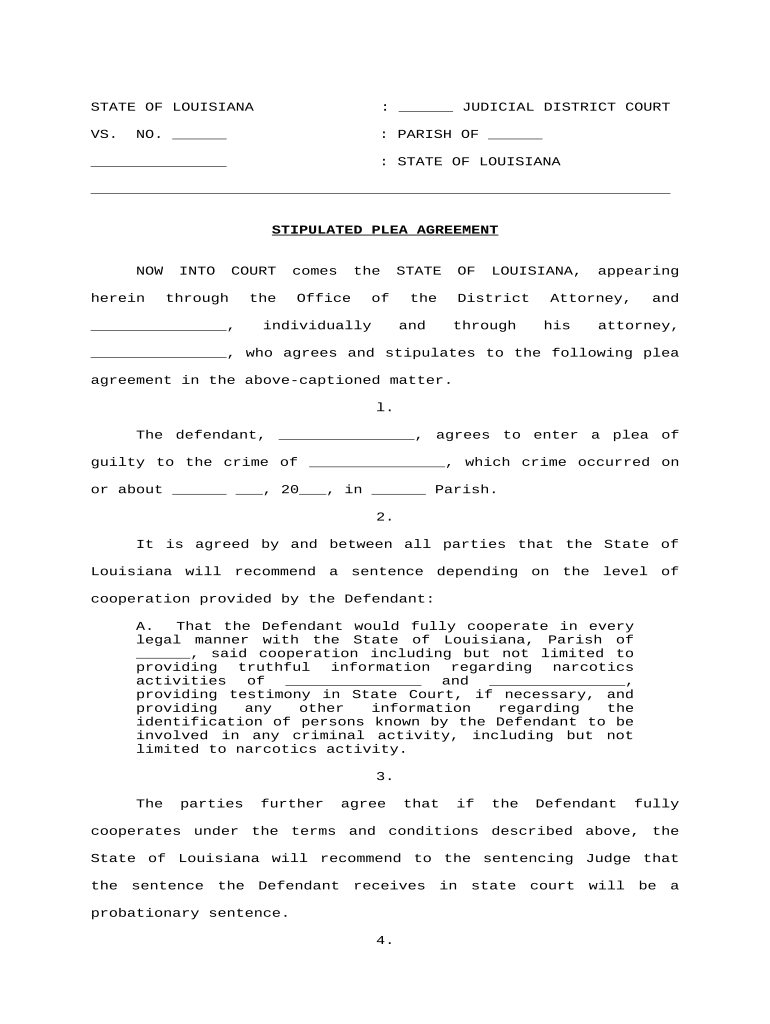
Plea Statement

Defendant's written admission (guilty/no contest) and concise factual basis linking conduct to the offense elements.

Concessions

Specific prosecutorial concessions, agreed counts to be dismissed, or recommended sentencing ranges and restitution terms.

Waivers and Rights

Explicit language documenting rights waived, including trial, jury, confrontation, and appeal rights where applicable.

Signatures

Signature blocks for defendant, defense counsel, prosecutor, and date lines; include counsel contact details for the record.

Court Action

Space for judge's acceptance or rejection, entry of judgment, and notation of sentence imposed if accepted.

Typical Digital Workflow Settings for eSubmission

Configure a clear electronic workflow to collect signatures, preserve audit trails, and deliver executed copies to court and parties.

Field Configuration
Signature Field Require signer name, signature, and date
Authentication Email link or SMS code for signer verification
Audit Trail Capture IP, timestamp, and actions
Delivery Auto-send signed PDF to court and counsel

Technical Considerations for eSigning and Filing

Ensure the platform you use supports secure signatures, documented audit trails, and file formats accepted by the court.

  • File Formats: PDF and PDF/A widely accepted
  • Authentication: Email or SMS code options
  • Audit Trails: Full action logs required

Confirm local court e‑filing rules before relying on electronic signatures; retain exports and audit reports as part of the official file.

Timing Considerations When Using a Plea Agreement

Certain plea timelines and deadlines vary by jurisdiction and case type; confirm local rules and calendar requirements early in negotiation.

Court Deadlines:

Scheduling and submission deadlines set by local court rules and judge orders

Sentence Entry:

Judge records sentence date when plea is accepted

Appeal Windows:

Post-conviction remedy deadlines vary; plea waivers may limit appeals

Document Retention:

Keep the original agreement per recordkeeping rules

E-Filing Cutoffs:

Electronic filing portals may have daily cutoff times

Key Milestones from Negotiation to Court Acceptance

Track these sequential milestones so the agreement progresses smoothly and the record is complete at each step.

01

Negotiation Complete

Terms finalized between counsel and prosecutor before drafting the form

02

Form Drafted

Plea form prepared with factual basis and waivers included

03

Signatures Collected

Defendant and counsel sign; prosecutor signs before submission

04

Court Review

Judge examines voluntariness and may accept or reject the plea

eSignature Pricing and Feature Comparison Relevant to Plea Agreement Workflows

Compare common SaaS pricing and feature dimensions for eSignature platforms used to prepare and deliver Plea Agreement Forms; signNow is listed first per platform naming conventions.

signNow DocuSign Adobe Sign PandaDoc HelloSign
Starting Price $8/user/mo $15/user/mo $14/user/mo $19/user/mo $15/user/mo
Free Trial Yes, 7-day free trial Varies by vendor Varies by vendor Varies by vendor Varies by vendor
Bulk Send Yes (Business Premium+) Yes Yes Yes Varies
Audit Trail Yes Yes Yes Yes Yes
HIPAA Compliant Yes Yes Yes No No

Frequently Asked Questions About Plea Agreement Forms

Answers to common questions about execution, electronic signatures, court submission, and recordkeeping for Plea Agreement Forms.


Need help? Contact support

be ready to get more
Join over 28 million airSlate SignNow users