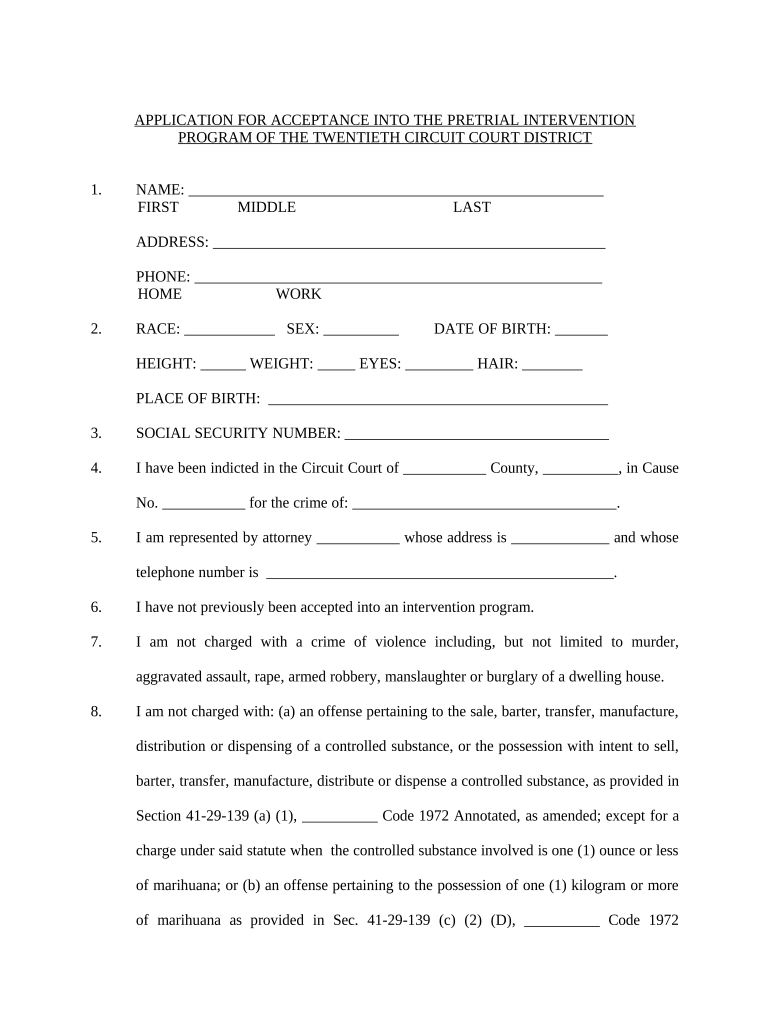
Pretrial Intervention
What a Pretrial Intervention agreement is and when it’s used
Why a clear, compliant Pretrial Intervention form matters
A professionally drafted Pretrial Intervention agreement reduces ambiguity about obligations, protects procedural fairness, and preserves a documented path to dismissal. Clear terms help courts, prosecutors, defense counsel, and participants understand requirements and evidentiary standards for successful completion.
Common users and stakeholders for Pretrial Intervention documents
Each stakeholder must confirm identity, authority to sign, and proper retention to avoid later disputes.
- Prosecutors and diversion coordinators who evaluate eligibility and set program terms.
- Defense counsel and public defenders who negotiate conditions and advise the defendant.
- Court clerks and probation officers who track compliance and prepare disposition paperwork.
Signers and authorized representatives
Defendant
The defendant (or legally authorized guardian) signs to indicate informed consent to program conditions, waivers, and release terms. Signature confirms understanding of consequences if requirements are not met and authorizes relevant records and reporting as specified.
Prosecutor / Court Official
A designated prosecutor, diversion coordinator, or judge signs to document offer and acceptance of diversion terms. This signature establishes the program's authority and creates a court record that can be referenced at disposition or when assessing compliance.
How to complete a Pretrial Intervention agreement step by step
-
01Gather case data: Enter court, case number, and charge information accurately.
-
02Specify conditions: List monitoring, service, or treatment obligations in plain language.
-
03Confirm authority: Ensure prosecutor or court official authorized to offer diversion signs.
-
04Execute and retain: Have all parties sign and save the final executed copy in the court file.
Configuring an electronic workflow for Pretrial Intervention forms
| Field | Configuration |
|---|---|
| Signature order | Set prosecutor/court first, defendant second |
| Authentication | Email link with SMS code for signer verification |
| Attachments | Require supporting release or provider referrals |
| Retention | Enable secure PDF with audit trail |
Where to send the executed agreement and who receives copies
-
Court Clerk: File final executed copy in the court docket or administrative case file.
-
Prosecutor's Office: Retain a signed copy in the diversion coordinator's file for compliance monitoring.
-
Defense Counsel: Provide counsel a copy to advise the defendant and track obligations.
-
Probation / Program: Deliver to supervising officer or program administrator for enrollment and tracking.
Technical considerations for eSigning and secure storage
Ensure the chosen solution supports required authentication, retention, and any jurisdictional notarization or records rules.
- Integrations: Salesforce, NetSuite, Microsoft 365
- File formats: PDF, DOCX, HTML
- Security: AES-256 at rest, TLS 1.2/1.3
Common preparation mistakes to avoid
- Leaving conditions vague or unenforceable, such as unspecified service hours or reporting timelines, which leads to disputes and inconsistent enforcement.
- Using inconsistent names or case numbers across copies, causing misfiling or difficulty connecting the agreement to the correct docket.
- Failing to document authority for the prosecutor or court official who offers diversion, which can be challenged at disposition.
- Not preserving a tamper-evident copy with an audit trail, increasing the risk of later contention about who signed and when.
Consequences and legal risks of incomplete or incorrect agreements
Common eSignature vendor pricing and capability snapshot
| signNow | DocuSign | Adobe Sign | PandaDoc | HelloSign | |
|---|---|---|---|---|---|
| Starting Price | $8/user/mo | $15/user/mo | $14/user/mo | $19/user/mo | $15/user/mo |
| Free Trial | 7-day free trial | Varies by vendor | Varies by vendor | Varies by vendor | Varies by vendor |
| Bulk Send | Yes | Yes | Yes | Yes | Yes |
| Audit Trail | Yes | Yes | Yes | Yes | Yes |
| HIPAA Compliant | Yes | Yes | Yes | No | No |
Real-world examples of eSignature use in legal and administrative workflows
Optica Ventures — COO
Administrators needed a simple signing interface for external clients
- Easy-to-use interface reduced calls and delays
- The team reported faster turnaround and fewer misfiled documents while preserving compliance and security.
BIS — CEO
Security and compliance were decisive requirements for legal workflows
- SOC 2 and ESIGN conformity were key
- Leadership chose an auditable eSignature solution to maintain chain-of-custody and reduce administrative burden on counsel and clerks.
Frequently asked questions about Pretrial Intervention forms and eSigning
-
Can the agreement be e-signed?
Yes. Electronic signatures are generally valid under the ESIGN Act and UETA for interstate and intrastate transactions. Confirm local court rules and any narrow statutory exceptions before relying solely on e-signatures for filings.
-
Are notarization or witnesses required?
Not typically for diversion agreements, but some jurisdictions or specific document attachments may require notarization or witnesses. Check the court's local rules or the applicable state statute before finalizing.
-
What if a signer’s name is wrong?
Inconsistent names can create administrative confusion and potential enforceability challenges. Correct errors promptly, document the correction in writing, and re-execute or initial changes when possible.
-
How long must records be retained?
Retention depends on federal, state, and court policies. Keep the executed agreement for the active supervision period and at least three years post-closure; HIPAA or other rules may require longer retention for certain records.
-
Can the agreement be revoked or amended?
Revocation or amendment typically requires written agreement of the parties and court approval if the original order was court-sanctioned. Follow any specified amendment procedure contained in the document.
-
What authentication level is recommended?
Use a moderate-strength signer authentication (email link plus SMS code or identity verification) for defendant signatures; stronger multi-factor methods are advisable where identity disputes or sensitive data are involved.