Establishing secure connection…Loading editor…Preparing document…

Release Property Form

This template is fully customizable. Edit the text, fill out the fields, and send it for signature. Give it a try!
Release Property Form

What a Release Property Form Is and When it’s Used

A Release Property Form documents the relinquishment of rights, claims, liens, or interests in a specific parcel of property or an item of personal property. Commonly used after debt repayment, lien satisfaction, repossession settlement, or as a formal release between contracting parties, it creates a record that the releasor has given up a specified interest. Properly completed and recorded (where required) the form updates title and public records, clarifies ownership for future transactions, and reduces the risk of future dispute about prior encumbrances.

Why the Release Property Form Matters

The form provides clear, written evidence that a claim, lien, or right has been surrendered and can be recorded to protect buyers, lenders, and title insurers. It reduces title defects and helps avoid costly legal disputes over ownership or encumbrances.

Why the Release Property Form Matters

Who typically completes a Release Property Form

Use the Release Property Form when a documented relinquishment is required for recording, closing, or settlement to protect downstream parties.

  • Property owners and grantors — completing releases after loans are paid off or disputes are resolved, often coordinating with title companies.
  • Lenders and lienholders — recording satisfactions or reconveyances to clear security interests from public records.
  • Buyers, title agents, and escrow officers — requesting and verifying releases to confirm marketable title before closing.

Step-by-step: Completing a Release Property Form

Follow these sequential steps to complete the form, verify authority, and record the release correctly.

  • 01
    Prepare the form: Gather legal description and party names.
  • 02
    Confirm authority: Verify signer capacity and corporate authorization.
  • 03
    Sign and notarize: Execute in presence of required notary or witnesses.
  • 04
    Record with county: File release at the appropriate recorder’s office promptly.

How release and recording typically flow

This overview describes the common routing from execution to public recording and distribution to stakeholders.

  • Draft: Prepare release with exact legal description.
  • Execute: Signer executes; obtain notary/witnesses.
  • Record: Submit to county recorder with fee.
  • Distribute: Provide copies to title, lender, buyer.

Digital workflow settings for online completion

Use a validated e-signature workflow and clear field mapping to reduce errors and speed recording.

Field Configuration
Signature Block Require signer name, title, date; set as required field
Notary Block Add notary acknowledgement field and optional audio-video for RON
Legal Description Use a multiline required text field to prevent truncation
Attachments Attach recorded instrument numbers or supporting payoff letters

Technical considerations for e-signing and recording

Ensure the vendor supports audit trails, appropriate encryption, and any RON recording formats required by your county recorder.

  • File formats: PDF, DOCX supported
  • Integrations: Works with title and storage systems
  • Authentication: SMS or email code

Key risks if a Release Property Form is incorrect or omitted

Unrecorded Release: Liens remain on title
Invalid Signatory: Release is challengeable
Improper Description: Wrong property referenced
Missing Notary: Recorder may reject
Delayed Recording: Priority disputes arise
Fraud Allegations: Potential civil liability

Common preparation mistakes to avoid

  • Using an informal property description or street address only, which can cause the county recorder to reject the instrument or produce an incorrect indexing result.
  • Signing without verifying the signer’s legal authority or corporate resolution, which can render the release void or subject to later challenge in court.
  • Failing to obtain required notarization or witness signatures consistent with state or county rules, leading to rejection or an incomplete public record.
  • Delaying recording after execution; priority disputes or intervening liens may arise between signing and recording, undermining the release’s intended effect.

Practical steps to ensure a valid and recordable release

Apply these best practices to reduce rejection risk and speed title clearance.

Verify legal description
Compare the form’s legal description to the recorded deed or security instrument. Use the exact metes and bounds or assessor parcel number; an incorrect or abbreviated description can prevent the recorder from properly indexing the release.
Confirm signer authority
For corporations or LLCs, attach evidence of board resolution or officer authorization. For individuals, confirm identity with government ID and match the name to recorded instruments to avoid later challenges to the release.
Obtain proper notarization
Follow state notary and witness rules. Where allowed, consider Remote Online Notarization with retained audio-video records and identity proofing to support admissibility and retention requirements.
Record and distribute promptly
Record the release with the county recorder as soon as possible, then provide certified or stamped copies to title companies, lenders, and buyers to confirm the lien or claim has been cleared.

Essential components to include in a professional Release Property Form

Ensure the form contains these six elements so it will be effective for recording and title clearance.

Parties

Full legal names and capacities (individual, trustee, corporate officer) for releasor and releasee; include entity identifiers like EIN or company type where applicable.
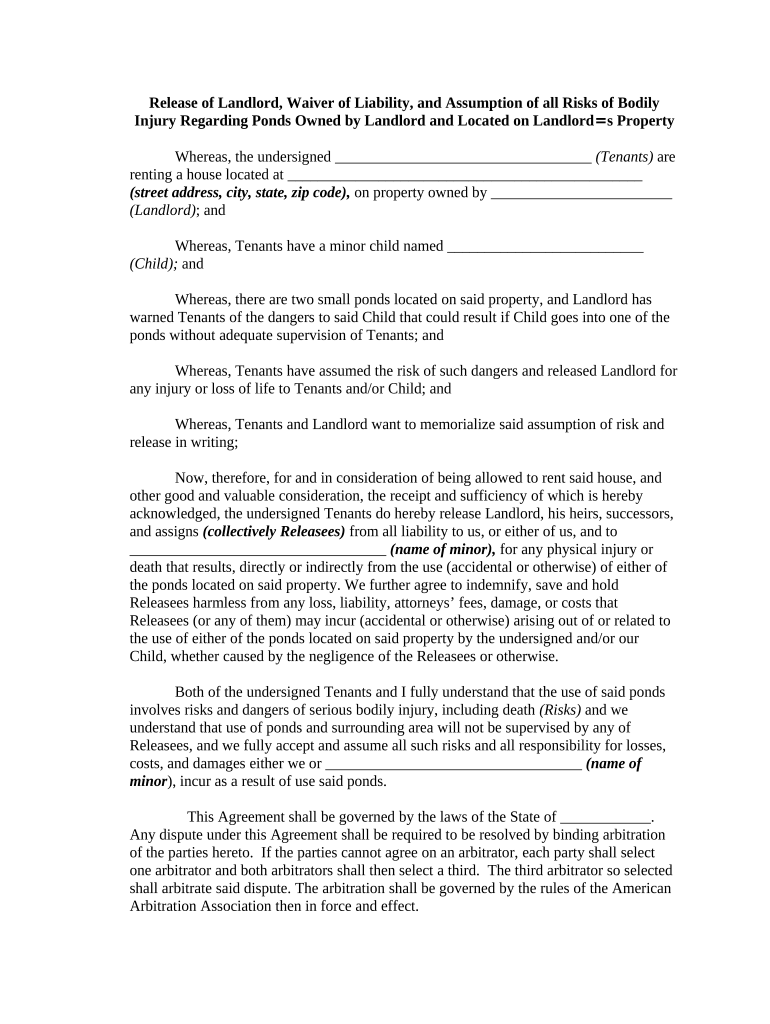
Legal Description

Complete legal property description or vehicle VIN/serial number, including assessor parcel number or book/page for recorder indexing to avoid ambiguity.

Recital of Claim

Clear recital identifying the instrument being released (recording date, instrument number, lien reference) so recorders and title examiners can tie the release to the original encumbrance.

Consideration

Statement of consideration or reason for release; specifying consideration can prevent later disputes about the transaction’s validity.

Notary Acknowledgement

A notary block formatted to state or local requirements; include space for date, commission number, and expiration where required by the recorder.

Recording Instructions

Clear instructions for county recorder filing: county name, fee enclosure, and return-to address so the recorded copy reaches the correct recipient.

Two practical examples of Release Property Form use

These scenarios illustrate common situations where a release resolves title or lien issues.

Landlord-Lien Release

A landlord releases a storage lien after full payment of back rent

  • The release cites the original lien instrument and payment date
  • Recorded at the county recorder and a certified copy was provided to the tenant and prospective buyer to clear title for sale.

Loan Payoff Satisfaction

A lender executes a release of mortgage upon loan payoff

  • The release references the mortgage recording book and page
  • The lender records the release and returns stamped copies to the borrower and title company to remove the lien from the title search.

eSignature provider pricing and capability comparison for Release Property Forms

Basic pricing and feature presence across common e-signature vendors to inform procurement and operational planning.

signNow DocuSign Adobe Sign PandaDoc HelloSign
Starting Price $8/user/mo $15/user/mo $14/user/mo $19/user/mo $15/user/mo
Free Trial 7-day free trial No No Yes, limited Yes, limited
Bulk Send Yes Yes Yes Yes No
Audit Trail Yes Yes Yes Yes Yes
HIPAA Compliant Yes Yes Yes No No

Frequently asked questions about Release Property Forms

Answers to common issues encountered during preparation, signing, and recording of Release Property Forms.


Need help? Contact support

be ready to get more
Join over 28 million airSlate SignNow users