Establishing secure connection…Loading editor…Preparing document…

Rules and Regulations for Tenants in Shopping Center

This template is fully customizable. Edit the text, fill out the fields, and send it for signature. Give it a try!
Rules and Regulations for Tenants in Shopping Center

What the Rules and Regulations for Tenants in Shopping Center Cover

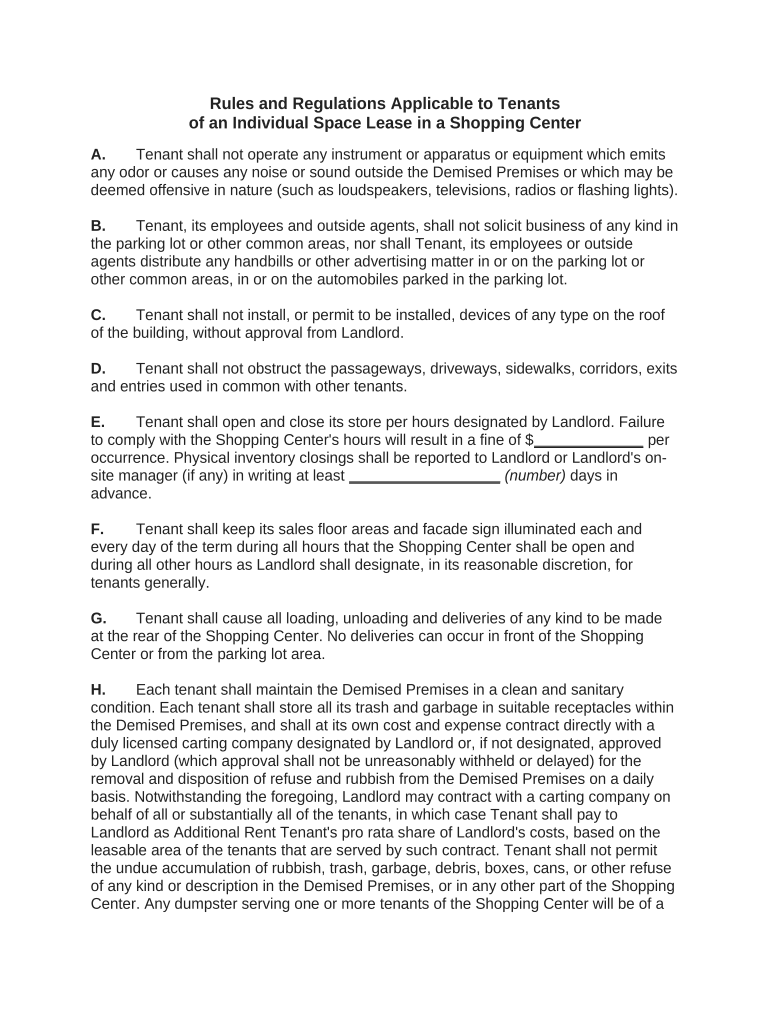
The Rules and Regulations for Tenants in Shopping Center is a lease addendum or handbook that defines operational standards, tenant obligations, and landlord expectations for businesses operating within a retail center. It typically covers hours of operation, signage and storefront standards, common-area use, maintenance responsibilities, safety and security procedures, insurance and indemnity requirements, and permitted uses. The document establishes routine approval processes and enforcement mechanisms and is used together with the primary lease to ensure consistent center operations and protect the landlord’s property, other tenants, and customers.

Why a Clear Set of Rules Matters for Shopping Centers

A concise rules document reduces ambiguity between landlord and tenant, protects property value, and supports consistent customer experience across tenants.

Why a Clear Set of Rules Matters for Shopping Centers

Who Prepares and Uses These Rules

The document is created by landlords or property management and distributed to prospective and existing tenants as part of lease negotiations or move-in procedures.

  • Landlords and shopping center management teams who set building-wide standards and enforce compliance.
  • Tenant business owners and operators required to follow signage, use, hours, and maintenance rules.
  • Legal counsel and leasing brokers who review, negotiate, or interpret specific provisions during lease execution.

Managers, tenants, and counsel should keep a signed copy on file; updates are typically distributed as amendments or new addenda.

Core Components to Include in Professional Tenant Rules

A comprehensive rules document organizes discrete subjects into enforceable sections so tenants and managers can find requirements quickly and apply consistent processes.

Permitted Use

Define allowed retail or service activities, any prohibited businesses, and restrictions on subleasing or assignment to protect tenant mix.
Hours & Operations

Specify standard center hours, holiday schedules, early openings or late operations approval procedures, and consequences for noncompliance.

Signage & Exterior

Describe signage size, materials, placement, branding guidelines, and the permit approval workflow required before installation.

Common Areas

Rules for use of sidewalks, loading docks, kiosks, and promotional displays, including reservation, insurance, and cleanup obligations.

Maintenance & Repairs

Tenant responsibilities for interior repairs, waste disposal, pest control, and processes for reporting landlord-maintained systems failures.

Insurance & Indemnity

Required policy types and minimum limits, additional insured endorsements, and procedures for delivering certificates to the landlord.

Step-by-Step: Implementing and Enforcing Tenant Rules

Follow a consistent sequence to issue, acknowledge, and file rules so both management and tenants have clear records.

  • 01
    Draft and Review: Prepare the rules and have legal counsel review for local compliance.
  • 02
    Distribute to Tenants: Provide the rules with the lease. Require tenant acknowledgement or signature.
  • 03
    Approve Tenant Requests: Process signage, use, and modification requests through an established approval workflow.
  • 04
    Monitor and Enforce: Record violations, issue notices, and apply remedies per the lease or addendum.

Typical Online Workflow Settings for Managing Rules and Approvals

Configure an online workflow for requests, approvals, and record retention to reduce manual processing and maintain a complete audit trail.

Field Recommended Setting
Notification Method Email plus in-system notification for accountability
Signature Method Electronic signature with audit trail
Authentication Level Email + SMS code or identity verification for critical approvals
Record Retention Store signed rules and approvals for lease term plus retention period

Where Signed Rules Are Filed and Who Receives Copies

Establish a straightforward routing plan so executed documents are accessible to operations, leasing, and tenant representatives.

  • Landlord Records: Primary executed copy retained in property management files.
  • Tenant Copy: Signed PDF delivered to tenant for their records and operations.
  • Leasing Office: Redacted version available to leasing and retail operations staff.
  • Legal Counsel: Counsel receives copies when disputes or amendments are anticipated.

Technical Considerations for Digital Distribution and eSigning

Use secure file formats, clear audit trails, and integration-friendly platforms to streamline signature collection and recordkeeping.

  • File Formats: PDF, DOCX accepted for fillable and signed copies
  • Integrations: Google Workspace, Microsoft 365, NetSuite, Box
  • Security Standards: TLS in transit; AES-256 at rest

Common Timelines and Deadlines to Track

Manage a calendar of pre-move-in requirements, periodic renewals, and approval lead times to avoid operational delays.

Proof of Insurance Deadline:

Provide current certificate before tenant move-in

Signage Approval Lead Time:

Submit detailed signage plans 30–60 days before installation

Tenant Modification Notice:

Provide 30 days’ written notice for significant interior work

Annual Compliance Review:

Management may request updated certificates or compliance forms yearly

Emergency Contact Update:

Tenant must update emergency contacts within 10 days of change

Common Mistakes When Preparing Tenant Rules

  • Using vague language for permitted uses that allows conflicting interpretations and subsequent tenant disputes.
  • Failing to require proof of insurance or correct additional-insured endorsements before occupancy, delaying claim coverage.
  • Neglecting local permit or sign code references, resulting in fines or forced removal of installed signage.
  • Not keeping signed amendments centrally filed, which complicates enforcement during tenant turnover or lease renewal.

Penalties and Risks from Incomplete or Incorrect Rules

Fines: Local code violations can lead to municipal fines
Lease Remedies: Material breaches may trigger cure notices or termination
Insurance Denial: Claims may be denied for noncompliant tenant acts
Legal Costs: Enforcement can generate attorney fees and litigation
Operational Disruption: Unapproved work can interrupt center operations
Liens: Contractor disputes can result in mechanics liens

eSignature Vendor Comparison for Managing Tenant Rules and Signatures

Comparison focuses on baseline pricing and feature availability useful for executing and storing tenant rules; signNow is listed first per platform comparisons.

signNow DocuSign Adobe Sign PandaDoc HelloSign
Starting Price $8/user/mo $15/user/mo $14/user/mo $19/user/mo $15/user/mo
Free Trial 7-day free trial, no credit card required Varies by plan Varies by plan Varies by plan Varies by plan
Bulk Send Yes Yes Yes Yes No
Audit Trail Yes Yes Yes Yes Yes
HIPAA Compliant Yes Yes Yes No No

FAQs: Common Questions About Tenant Rules and Digital Execution

Answers address typical points of confusion about enforceability, signatures, notarization, updates, and distribution of rules in U.S. jurisdictions.


Need help? Contact support

be ready to get more
Join over 28 million airSlate SignNow users