Establishing secure connection…Loading editor…Preparing document…

Letter Congratulating Bar Exam Passage

This template is fully customizable. Edit the text, fill out the fields, and send it for signature. Give it a try!
Letter Congratulating Bar Exam Passage

What the Letter Congratulating Bar Exam Passage Is

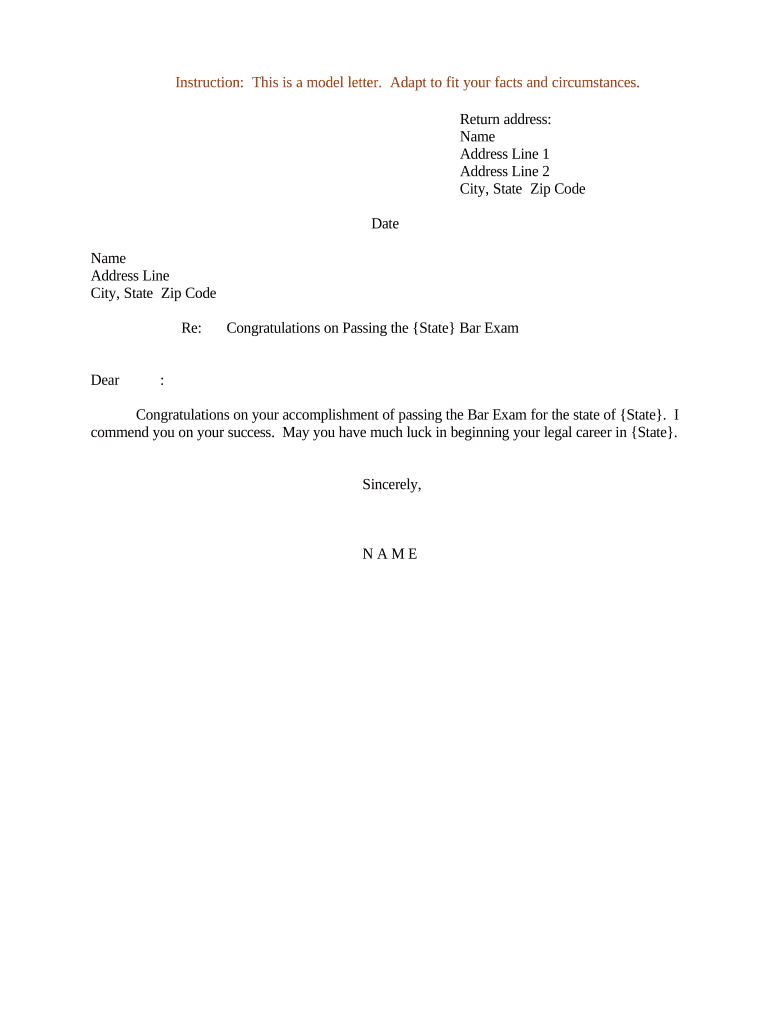
A Letter Congratulating Bar Exam Passage is a formal written communication acknowledging an individual’s successful completion of a bar examination. It typically identifies the recipient, references the exam and jurisdiction, offers congratulations, and may note next steps such as admission dates, oath ceremonies, or onboarding details for an employing firm. Organizations, supervisors, law schools, and colleagues use this letter to record the achievement, confirm relevant dates, and provide a professional record suitable for personnel files or graduate records.

Why a Formal Congratulatory Letter Matters

A formal letter creates an accurate, dated record of the accomplishment, supports personnel or academic files, and communicates professional recognition. It helps clarify next steps such as admission timelines and employment start dates while preserving a signed record for both sender and recipient.

Why a Formal Congratulatory Letter Matters

Common Senders and Recipients

Organizations and individuals create this letter when confirming bar passage or onboarding a newly admitted attorney.

  • Law firms announcing admission and start-date logistics to new associates.
  • Law schools notifying graduates and alumni offices of admission milestones.
  • Supervisors and mentors offering formal acknowledgment for personnel records.

Who Typically Signs It

Managing Partner

A senior firm leader often signs letters to newly admitted attorneys to confirm employment terms, start dates, and mentorship arrangements, providing authoritative confirmation for the recipient's personnel file.

Dean or Program Director

Academic administrators or alumni officers sign on behalf of a law school to acknowledge passage, invite participation in admission ceremonies, and document the milestone for institutional records.

Step-by-Step: Drafting and Sending the Letter

Follow these steps to prepare a clear, compliant letter and preserve an auditable record for internal files and the recipient.

  • 01
    Draft Content: Write recipient, exam, and next-step details clearly.
  • 02
    Review for Accuracy: Verify names, dates, and jurisdictional references.
  • 03
    Apply Signature: Sign physically or use a compliant e-signature.
  • 04
    Distribute and Archive: Send the recipient copy and save in records.

Standard Document Flow and Routing

Typical document routing balances timely recipient delivery with secure record retention for the sender's personnel or alumni files.

  • Prepare Document: Create letter template and fill fields.
  • Approve Internally: Obtain sign-off from HR or academic office.
  • Sign Electronically or Physically: Apply signature and date the letter.
  • Send Recipient Copy: Email or mail the signed letter and archive a copy.

How to Set Up an Online Workflow

Configure a simple online workflow to populate, sign, and archive the letter while capturing an audit trail for compliance.

Template Create reusable template with fixed and variable fields
Signer Authentication Set email or SMS verification per recipient
Field Types Use text, date, and signature fields appropriately
Reminders Enable automatic reminders for pending signatures
Storage Location Archive signed copies in secure document repository

Technical and Integration Considerations

Choose a platform that supports PDF/Word templates, preserves audit trails, and integrates with core systems.

  • Integrations: Salesforce, NetSuite, Microsoft 365 integrations
  • File Formats: PDF and DOCX supported for templates
  • Audit Requirements: Preserve timestamped audit trails

eSignature Solution Pricing Snapshot for Letter Distribution

A concise vendor comparison can help match platform capabilities to volume and compliance needs. signNow is listed first in this table for clarity; competitor columns use commonly published annual pricing where available.

signNow DocuSign Adobe Sign PandaDoc HelloSign
Starting Price $8/user/mo $15/user/mo $14/user/mo $19/user/mo $15/user/mo
Free Trial 7-day free trial, no card Varies by vendor Varies by vendor Varies by vendor Varies by vendor
Bulk Send Yes Yes Yes Yes No
Audit Trail Yes Yes Yes Yes Yes
HIPAA Compliant Yes Yes Yes No No

Common Pitfalls to Avoid

  • Using an incorrect or informal name for the recipient, causing administrative mismatch during admission.
  • Failing to specify the exam jurisdiction and date, leaving next-step timelines ambiguous for admissions offices.
  • Omitting the signature date, which can complicate recordkeeping and verification of when acknowledgements were issued.
  • Sending unsecured copies that expose personal data; avoid transmitting sensitive identifiers without appropriate protections.

Risks and Consequences of Incorrect Letters

Administrative Delay: Incorrect names or dates
Admission Issues: Ambiguous jurisdiction references
Record Discrepancy: Unsigned or undated copies
Privacy Exposure: Unprotected personal data
Professional Misrepresentation: Overstated employment terms
Compliance Gap: Missing audit trail

Essential Elements of a Professional Congratulatory Letter

A well-structured letter balances formal recognition with clear administrative details that the recipient and the sender's records require.

Clear Identification

Include recipient full name, sender identity, and organizational affiliation to ensure the letter serves as an accurate institutional record.
Exam Details

State the exam name and jurisdiction plus the date of administration to anchor admission and verification processes.

Congratulatory Tone

Use a professional, concise congratulatory statement without making legal promises about employment or admissions outcomes.

Next Steps

Outline expected actions such as oath ceremony date, documentation submission, or onboarding contacts and deadlines.

Signature and Date

Include a dated signature block with title to authenticate the letter for personnel and academic files.

Recordkeeping Note

State where the signed copy will be stored and how the recipient can request a certified copy if needed.

Practical Tips for a Professional Letter

Follow these practical practices to ensure clarity, compliance, and utility for personnel and academic records.

Use Full Legal Names and Titles
Enter the recipient’s legal name and the sender’s official title exactly as registered to avoid mismatches during admission checks.
Keep the Message Concise and Fact-Based
Limit the letter to acknowledgement, verified facts, and necessary next steps; avoid speculative or conditional employment promises.
Preserve an Audit Trail
When signing electronically, ensure the platform captures timestamps, signer attribution, and an immutable certificate of completion.
Store Signed Copies Securely
Archive signed letters in a secure document repository with access controls and retention rules aligned to institutional policy.

Representative Use Cases

These short scenarios show how organizations commonly use a formal letter to recognize bar exam passage and document related administrative steps.

Firm Onboarding

A law firm sends an official congratulatory letter to a new associate confirming admission and start-date logistics

  • The letter includes exam jurisdiction and oath ceremony date
  • The signed letter is archived in the associate's personnel file to support credential verification and payroll setup.

Academic Record

A law school issues a congratulatory notice to alumni noting bar passage and alumni services resources

  • The notice references the exam date and upcoming graduation events
  • The school retains the signed letter to update alumni databases and to support future verification requests.

Key Data Elements to Include

Recipient Name: Full legal name
Exam Details: Jurisdiction and date
Sender Identity: Organization and signer title
Signature Date: MM/DD/YYYY format
Contact Info: Phone or email for follow-up
Record Location: Where signed copy is stored

Timing and Delivery Expectations

Timing for issuing the letter depends on the sender’s internal processes; prompt issuance reduces administrative friction during admission and onboarding.

Issue Promptly:

Send within a few business days after confirmation

Reference Exam Date:

Include the exact exam date for verification

Oath / Admission Timeline:

Note expected oath or admission dates if known

Record Filing:

Archive signed copy immediately after sending

Recipient Requests:

Provide certified copies on request per institutional policy

Frequently Asked Questions

Answers to common questions about validity, signatures, notarization, and recordkeeping for the congratulatory letter.


Need help? Contact support

be ready to get more
Join over 28 million airSlate SignNow users