Establishing secure connection…Loading editor…Preparing document…

Letter Regarding Stock Sale Agreement

This template is fully customizable. Edit the text, fill out the fields, and send it for signature. Give it a try!
Letter Regarding Stock Sale Agreement

What the Letter Regarding Stock Sale Agreement Is

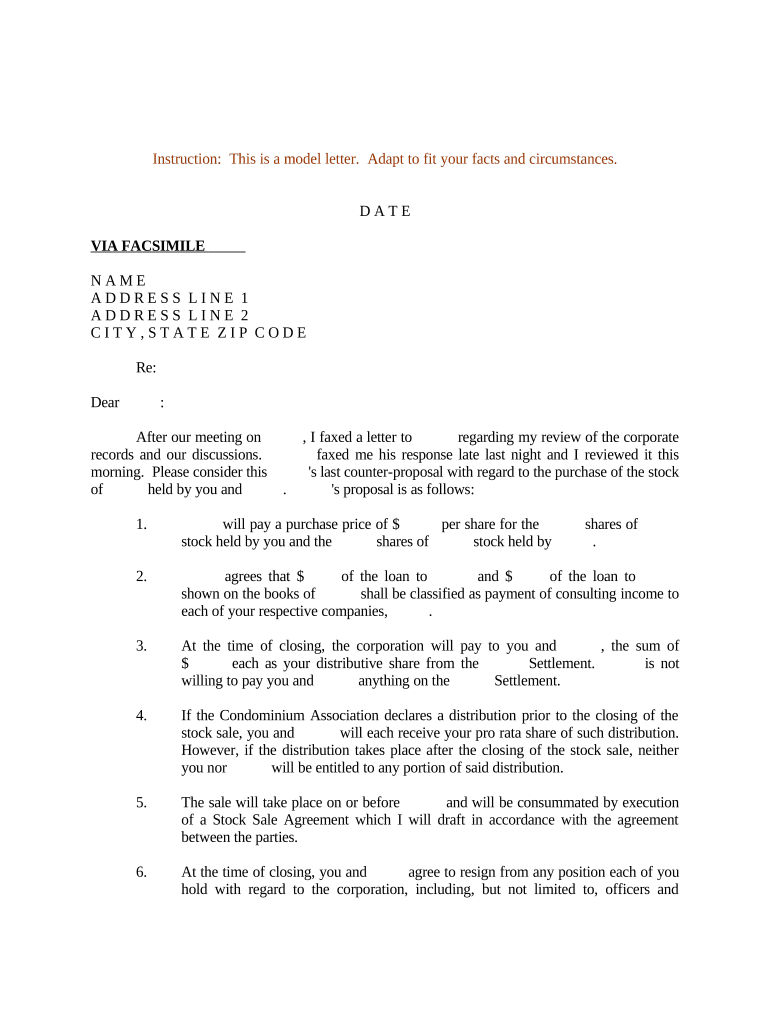
A Letter Regarding Stock Sale Agreement is a brief written communication that accompanies or summarizes a formal stock sale agreement. It identifies the parties, describes the shares being transferred, states the purchase price and effective date, and records closing conditions, escrow or payment instructions, and any representations relied upon by the parties. The letter is often used to notify transfer agents, brokers, or corporate records departments, and to create a concise record that complements the full sale contract and facilitates transfer and tax reporting.

Why a Clear Letter Matters for Stock Transfers

A concise covering letter reduces processing delays, clarifies key transaction points for transfer agents and custodians, and creates a dated record that supports enforcement and tax reporting. It helps avoid misunderstandings about price, number of shares, and closing conditions.

Why a Clear Letter Matters for Stock Transfers

Who Typically Prepares or Receives This Letter

The letter is used by parties and intermediaries to communicate transaction details and support transfer operations.

  • Selling shareholder or seller representative — prepares or reviews the letter to confirm sale terms and ensure signatures match identity documents.
  • Purchasing party or broker — verifies the described consideration and closing instructions before funding or accepting transfer.
  • Transfer agent, registrar, or corporate records department — uses the letter to update cap table and process share issuance or cancellation.

Accurate, consistent letters reduce administrative back-and-forth and create an auditable trail for corporate and tax records.

Key Roles and What They Do

Selling Shareholder

Individual or entity transferring stock; must confirm legal name, capacity to transfer, and provide required signature and documentation to avoid transfer delays or tax reporting errors.

Transfer Agent

Corporate or third-party registrar that records share transfers, issues new certificates or book-entry records, and enforces corporate transfer restrictions and documentation requirements.

Essential Parts of a Professional Letter Regarding Stock Sale Agreement

A professional letter is compact, factual, and references the underlying stock sale agreement while listing the data the transfer agent needs to complete the transaction.

Parties

Full legal names and entity types for seller(s) and buyer(s), including any fiduciary capacity or trustee information where applicable.
Stock Details

Exact class, par value (if any), certificate numbers or CUSIP, and the precise number of shares being transferred.

Purchase Price

Specify total consideration and per-share amount, including currency and whether any portion is deferred or contingent.

Effective Date

State the effective or closing date of the sale in MM/DD/YYYY form and note time zone if relevant for funding.

Conditions

List closing conditions, escrow instructions, required approvals, or regulatory clearances that affect transfer timing.

Signatures

Signature block for authorized signatories, printed names, titles, and a notarization or witness line if required by the recipient.

Step-by-Step: Preparing and Sending the Letter

Follow a simple, sequential process to prepare, verify, and distribute the letter and supporting documents for a smooth transfer.

  • 01
    Gather Documents: Collect the sale agreement, cap table, and ID documents.
  • 02
    Draft Letter: Summarize key terms and reference the sale agreement.
  • 03
    Review: Confirm parties, share counts, price, and authority.
  • 04
    Send and Retain: Deliver to transfer agent and keep a signed copy.

How Electronic Completion and Submission Typically Works

Digital workflows speed signing and delivery while preserving a detailed audit trail; follow the platform steps below when using eSignature tools.

  • Upload Document: Add the letter and supporting attachments in PDF or DOCX.
  • Place Fields: Insert signature, date, and text fields where needed.
  • Send for Signature: Assign signers and authentication method.
  • Receive Completed Package: Download signed copies and the audit trail.

Recommended eSignature Workflow Settings

Configure sender, signer, and retention settings to match corporate governance and transfer agent requirements.

Field Configuration
Signer Authentication Method Email link or SMS code for added verification
Signature Order Sequential signing to enforce approval flow
Reminder Schedule Automatic reminders at 3 and 7 days
Retention Settings Retain signed documents for at least seven years

Technical Requirements and File Formats

Use common, non-editable formats and platforms accepted by transfer agents and corporate recordkeepers.

  • Accepted Formats: PDF or DOCX preferred
  • Integrations: Connects with CRM and cloud storage
  • Mobile Support: Signable on smartphones

Ensure files are flattened or locked to prevent post-signing edits, include an audit trail, and choose a platform with TLS and AES encryption to meet corporate and regulatory expectations.

Sample eSignature Vendor Comparison for Letter Execution

Basic vendor features and pricing that matter when executing and storing signed letters; signNow is listed first per platform comparison guidance.

signNow DocuSign Adobe Sign PandaDoc HelloSign
Starting Price $8/user/mo $15/user/mo $14/user/mo $19/user/mo $15/user/mo
Free Trial 7-day trial Varies Varies Varies Varies
Bulk Send Yes Yes Yes Yes No
Audit Trail Yes Yes Yes Yes Yes
HIPAA Compliant Yes Yes Yes No No
Envelope Cap No cap 100 envelopes/user/year Varies Varies Varies

Penalties and Risks of an Incorrect or Incomplete Letter

Tax Reporting Errors: May trigger IRS penalties or backup withholding
Transfer Delays: Agent rejection delays settlement and ownership transfer
Breach Claims: Ambiguous terms can lead to disputes and litigation
Invalid Signatures: Non-binding if signature authority is lacking
Missing Consents: Required third-party approvals can void transfer
Regulatory Scrutiny: Securities rules or escrow breaches may incur fines

Common Preparation Mistakes to Avoid

  • Using inconsistent party names between the letter and the underlying sale agreement, which can cause transfer agents to reject the request and require reexecution.
  • Failing to specify certificate numbers, CUSIP, or exact share class, leaving ambiguity about which securities are transferred and delaying ledger updates.
  • Omitting or misspecifying the effective or closing date, which affects tax treatment and the timing of ownership rights and dividend entitlements.
  • Not confirming signatory authority or corporate resolutions, which can render a signature invalid and invite legal challenge or refusal by the transfer agent.

Security and Compliance Considerations for Electronic Letters

Encryption: TLS 1.2/1.3 in transit and AES-256 at rest
Certifications: SOC 2 Type II and ISO 27001 available
Regulatory Compliance: Compliant with ESIGN and UETA frameworks
HIPAA: HIPAA support available with BAA
Audit Trail: Detailed timestamp and IP-based records
Accessibility: WCAG 2.0 Level AA conformance

Key Timing and Tax-Related Deadlines to Consider

Certain tax and reporting deadlines intersect with stock transfers; confirm obligations before and after closing to avoid penalties.

Provide W-9 When Requested:

W-9s are provided on payer request; no fixed filing deadline

1099 Reporting Dates:

1099-NEC due to recipients and IRS by Jan 31 of the following year

Closing Date:

Set and document MM/DD/YYYY effective date to trigger ownership change

Transfer Agent Processing:

Allow multiple business days for verification and ledger updates

Tax Return Filing:

Include sale on applicable returns by April 15 or on extension

Frequently Asked Questions About the Letter Regarding Stock Sale Agreement

Answers to common operational and legal questions when preparing or sending the letter, focusing on execution, validity, and recordkeeping.


Need help? Contact support

be ready to get more
Join over 28 million airSlate SignNow users