Header and Date
A festive header and a dated line set the seasonal context and help the family retain the letter as a dated keepsake for future reference and memory-keeping.
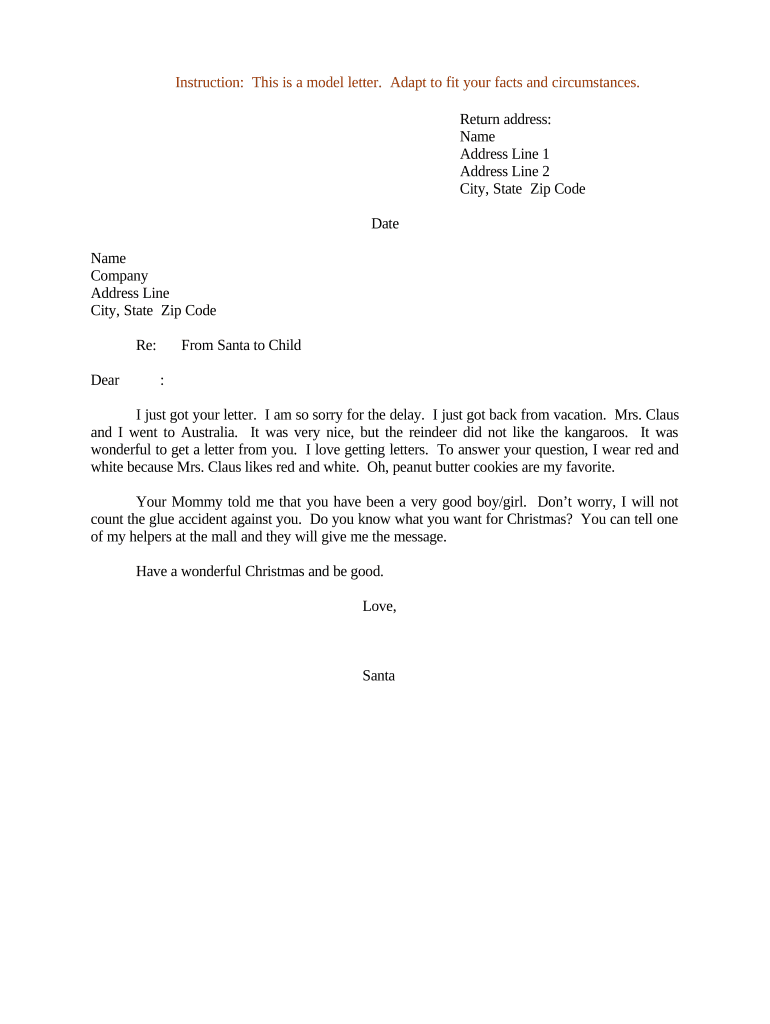
A well-crafted Letter from Santa to Child personalizes the holiday experience, supports behavior encouragement, and produces a memorable keepsake. It’s a low-cost way to engage children, reinforce positive actions, and create family traditions while maintaining optional digital delivery for convenience and recordkeeping.

Parents, guardians, teachers, holiday program coordinators, and nonprofit volunteers commonly prepare Letters from Santa to Child to personalize seasonal outreach and create positive interactions with children.
A festive header and a dated line set the seasonal context and help the family retain the letter as a dated keepsake for future reference and memory-keeping.
Address the child by name, using affectionate but age-appropriate language to create a sense of direct connection and warmth from 'Santa'.
Describe one or two positive behaviors observed, stated clearly and specifically, to reinforce the child's achievements without revealing private family details.
Mention general gift themes or categories rather than exact items to manage expectations and avoid conflicts while maintaining holiday excitement.
Offer a short encouraging sentence about growth or kindness to guide future behavior without issuing conditions or promises.
Close with a warm valediction and a readable signature. For e-signed copies, include date and a signer's attribution in the completion record.
Export the finalized letter as a PDF/A for consistent printing and long-term archiving; embedded fonts and layout preserve the intended appearance.
Keep an editable DOCX master for future personalization or group batch generation; useful when producing letters for classrooms or events.
Save visible signature or decorative header images as high-resolution JPEG or PNG for inclusion in the letter template or printed stationery.
Attach a brief internal note listing the personalization details used (achievements, preferences) for recordkeeping and repeatability.
| Field | Configuration |
|---|---|
| Template | Select a base layout, font, and header for consistent branding and readability |
| Personalization Tokens | Use tokens for name, age, and achievement to auto-fill multiple documents |
| Signature Field | Add a visible signature placeholder; enable audit trail if authenticity required |
| Delivery Method | Set to Print, Email PDF, or Secure eSign depending on recipient access |
Ensure file formats and platform settings support the chosen delivery channel and meet any privacy controls required.
| Criteria | Santa Letter | Holiday Certificate |
|---|---|---|
| Personalization Level | high | low |
| Suitable for Print | ||
| Common Use | keepsake | recognition |
| Privacy Sensitivity | moderate | low |
| signNow | DocuSign | Adobe Sign | PandaDoc | HelloSign | |
|---|---|---|---|---|---|
| Starting Price | $8/user/mo | $15/user/mo | $14/user/mo | $19/user/mo | $15/user/mo |
| Free Trial | 7-day free trial | Varies | Varies | Varies | Varies |
| Bulk Send | Yes | Yes | Yes | Yes | No |
| Audit Trail | Yes | Yes | Yes | Yes | Yes |
| HIPAA Compliant | Yes | Yes | Yes | No | No |