Establishing secure connection…Loading editor…Preparing document…

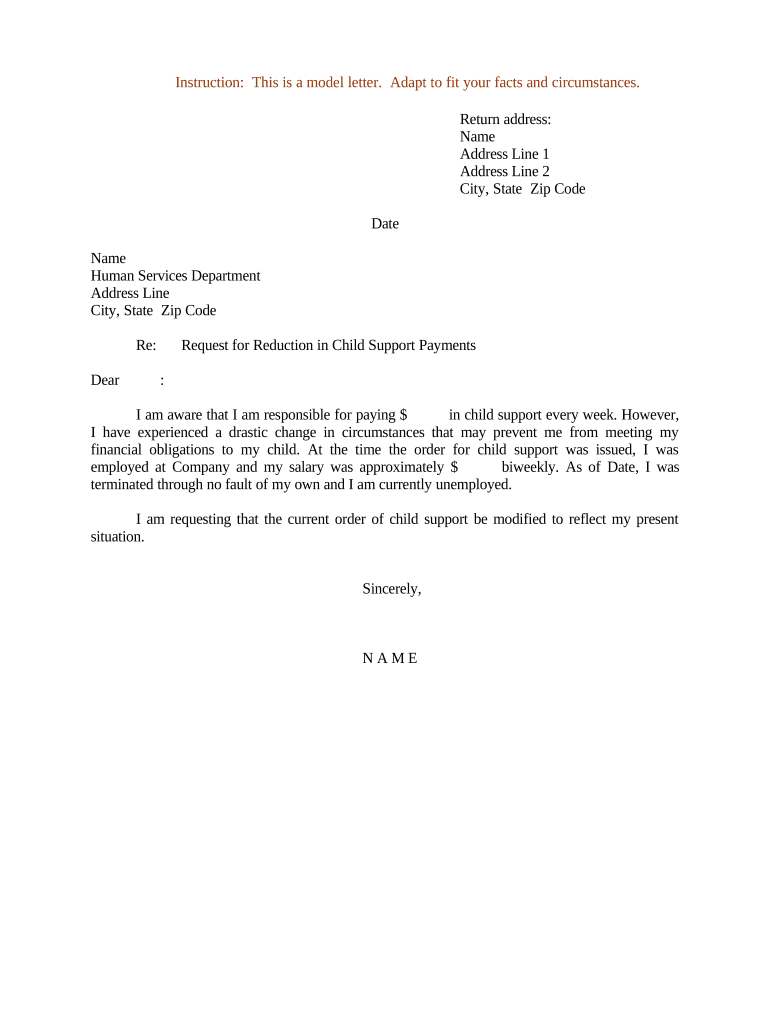
Sample Letter for Child Support

This template is fully customizable. Edit the text, fill out the fields, and send it for signature. Give it a try!
Sample Letter for Child Support

What the Sample Letter for Child Support Is

A Sample Letter for Child Support is a written statement used to document a parent's request for payments, confirmation of agreed support, or a record of past support exchanges. It can summarize payment amounts, dates, custody details, and any informal agreements before or after court orders. The letter is often used to clarify expectations between parents, support administrative requests, or accompany filings with child support agencies; accuracy and clear dates help preserve evidence for enforcement or modification proceedings.

Why a Clear, Consistent Child Support Letter Helps

A precise sample letter provides a consistent, documented record of support terms, payments, and timelines. It reduces misunderstandings, supports enforcement or modification requests, and creates a paper trail useful to agencies or courts when verifying compliance.

Why a Clear, Consistent Child Support Letter Helps

Step-by-step: Create and finalize your letter

Follow these steps to assemble a complete, accurate child support letter suitable for informal agreements or agency submission.

  • 01
    Prepare Details: Gather names, birthdates, payment records.
  • 02
    Draft Letter: State amounts, dates, and any terms clearly.
  • 03
    Review: Confirm accuracy and seek legal input if needed.
  • 04
    Sign and Share: Sign, date, and provide copies to involved parties.

Who commonly prepares and receives this letter

The Sample Letter for Child Support is used by parents, legal representatives, and agency staff to document or request support; it is also useful for employers when verifying income-withholding requests.

  • Noncustodial parents documenting payments or proposing informal agreements.
  • Custodial parents documenting missed payments, arrears, or agreed modifications.
  • Child support agency caseworkers or family law attorneys reviewing payment histories.

Use the letter as a supporting document with filings, wage-withholding requests, or informal settlement terms; confirm whether your state or agency requires additional forms.

Essential elements to include in a professional letter

A well-structured letter clearly identifies parties, children, payment terms, history, and contact information so agencies and courts can verify the facts quickly.

Party Identification

Include full legal names, addresses, phone numbers, and email addresses for all adults referenced in the letter for proper identification.
Child Details

Provide each child’s full name and birthdate so the support obligation is unambiguous and tied to the correct case.

Support Terms

State the regular payment amount, frequency, due date, and whether payments include healthcare, childcare, or educational expenses.

Payment History

Summarize past payments with dates and methods; attach receipts, bank records, or canceled checks to corroborate entries.

Agreed Modifications

Note any temporary or permanent changes to payment amounts, durations, or responsibilities, including start and end dates.

Signatures and Dates

Have the signing parties date and sign the letter; note whether signatures were witnessed, notarized, or electronically signed.

Privacy, security, and legal controls to consider

Encryption in transit: TLS 1.2/1.3
Encryption at rest: AES-256
HIPAA readiness: BAA available
Audit trail: Timestamps and IP logs
Regulatory compliance: ESIGN and UETA
Access controls: Multi-factor options

Legal risks and consequences of errors

Incorrect TIN: Backup withholding 24% (IRC §3406)
I-9 errors: Penalties $281–$2,789 per violation
False statements: Civil or criminal penalties possible
Missing dates: May weaken enforcement timelines
Unsigned letter: May be inadmissible in court
Altered records: Risks perjury or fraud charges

Common mistakes to avoid when preparing the letter

  • Using nicknames or initials instead of full legal names leads to identity confusion and may delay agency processing.
  • Omitting child birthdates or case numbers can prevent matching the letter to an existing support case in agency records.
  • Failing to attach supporting proof such as bank statements or receipts reduces the letter’s evidentiary value.
  • Not confirming whether the receiving court or agency requires notarization or a specific filing form can invalidate the submission.

Where to send or file the completed letter

Choose the recipient based on purpose: informal agreement, child support agency submission, or court filing; follow the recipient’s document format rules.

  • To the Other Parent: Send a signed copy by certified mail or secure eSignature.
  • Child Support Agency: Submit per state agency instructions and include case number.
  • Family Court: File as an exhibit with the clerk per local rules.
  • Employer: Provide when requesting income withholding orders.

How to customize the letter for electronic completion

Configure the document so fields validate names, dates, and payment amounts before submission to reduce errors and rework.

Field Configuration
Name Fields Require full legal name, no abbreviations
Date Fields MM/DD/YYYY format with date picker
Amount Fields Numeric validation with currency symbol
Attachments Require upload for proof of payments

Digital signing and delivery considerations

Use a platform that supports common file formats, audit trails, and optional stronger signer authentication for sensitive family law documents.

  • File Formats: PDF and DOCX supported
  • Integrations: Works with Google Workspace and Microsoft 365
  • Authentication: Email, SMS, or advanced options

Ensure the receiving agency or court accepts electronic copies and confirm whether notarization or witness signatures are still required before submitting.

Typical timelines and response expectations

Timelines depend on purpose and jurisdiction. Track response windows and statutory deadlines when filing with agencies or courts to avoid missed opportunities.

Immediate Use:

Use the letter immediately to document a new agreement.

Agency Response:

State agencies often acknowledge within 30–60 days.

Court Filings:

Local clerk timelines vary; check county rules.

Modification Requests:

Allow 30–120 days for review and hearing scheduling.

Record Keeping:

Retain copies until resolution and beyond per retention rules.

Key milestones from draft to court filing

Track these sequential stages to ensure timely evidence, agency processing, and potential court acceptance.

01

Draft Complete

Letter assembled with all payment history and details.

02

Signatures Obtained

Parties sign and date; notarize if required.

03

Submit to Agency

Send to state child support agency with case number.

04

File with Court

Attach as exhibit when requesting enforcement or modification.

eSignature vendor pricing comparison for executing and storing letters

This comparison lists common pricing and compliance features for eSignature vendors — signNow is listed first per provider data and includes options for plans suited to document workflows.

signNow DocuSign Adobe Sign PandaDoc HelloSign
Starting Price $8/user/mo $15/user/mo $14/user/mo $19/user/mo $15/user/mo
Free Trial 7-day free trial No No Yes, limited Yes, limited
Bulk Send Yes Yes Yes Yes No
Audit Trail Yes Yes Yes Yes Yes
HIPAA Compliant Yes Yes Yes No No
Envelope Cap No cap 100 envelopes/user/year Varies Varies Varies

Frequently asked questions about the Sample Letter for Child Support

Answers cover legal validity, notarization, electronic signatures, filing destinations, corrections, and revocation options for the letter.


Need help? Contact support

be ready to get more
Join over 28 million airSlate SignNow users