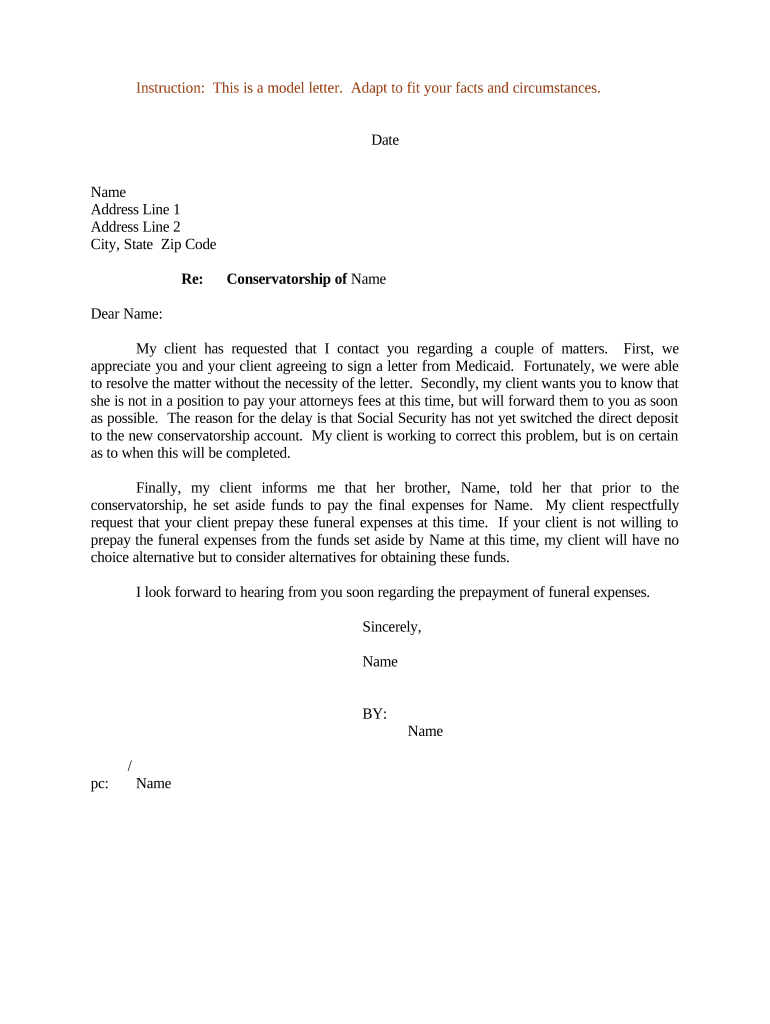
Sample Letter Conservatorship
What a Sample Letter Conservatorship Is
Step-by-Step: Prepare, Authenticate, and Share the Letter
-
01Gather Documents: Collect certified court order, conservator ID, and supporting records.
-
02Draft Letter: State authority, case number, powers, and attachments.
-
03Authenticate: Notarize if required or obtain court-certified copies.
-
04Send to Recipients: Deliver to banks, agencies, and providers with certified attachments.
Frequently Asked Questions on Acceptance and Verification
-
Is a notarized letter required?
Not always. Many institutions accept a certified copy of court-issued letters of conservatorship rather than a notarized letter. Check the recipient's policy and state law; some banks or healthcare providers may require notarization or additional identity verification before recognizing authority.
-
What attachments should I include?
Include a certified copy of the court order or letters of conservatorship, a government-issued photo ID for the conservator, and any court-issued documentation that clarifies powers. Providing these documents reduces bank or agency requests for additional proof and speeds acceptance.
-
Can I send the letter by email?
Emailing is common for initial delivery, but recipients may require original certified copies or notarized documents for account changes. For sensitive health or financial records, confirm acceptable delivery methods and whether electronic copies satisfy their verification procedures.
-
How do institutions verify authority?
Verification varies: banks use matching names, case numbers, and certified court copies; healthcare entities check patient identifiers and may require HIPAA authorizations; government agencies follow statutory protocols. Providing complete, accurate information minimizes manual verification steps.
-
What if names differ on accounts?
Provide aliases, prior names, or account identifiers in the letter and attach supporting documentation such as marriage certificates or prior court orders. Institutions often require proof linking the protected person to the account to accept conservator requests.
-
How to replace or update the letter?
Issue an amended letter with a new effective date and attach an updated certified court order. Notify recipients of the update and provide copies of the previous and revised letters to maintain an audit trail for actions taken under each version.
Why a Clear Conservatorship Letter Matters
A clear Sample Letter Conservatorship gives third parties immediate evidence of a conservator's legal authority, reduces delays with banks and providers, and documents the scope of powers in writing. It also creates a verifiable record to support lawful decisions for the protected person's care and finances.
Who Prepares and Relies on This Letter
Conservators, attorneys, fiduciaries, and institutional administrators commonly prepare this letter to verify authority and request acceptance by banks, insurers, and service providers.
- Conservators and guardians — Court-appointed individuals who must present proof of authority for financial and personal decisions.
- Estate and trust attorneys — Prepare documentation and liaise with institutions to resolve acceptance or procedural questions.
- Banks and custodians — Financial institutions that require formal proof before permitting account access or transaction authorization.
Risks When the Letter Is Incorrect or Incomplete
Common Preparation Mistakes to Avoid
- Using informal language or vague powers leads institutions to reject requests and ask for certified court documents, prolonging access to accounts and services.
- Mismatched names or case numbers between letter and court order cause verification failures and require additional submissions or in-person visits.
- Failing to attach certified copies of the court order causes repeated requests for proof and delays transactions needing immediate action.
- Sending unsigned or undated letters, or relying on email only, can be insufficient for banks and public agencies that require originals or notarized documents.
Delivery Formats and Authentication to Consider
Digital delivery and eSubmission options depend on recipient policies and applicable witness or notarization rules.
- PDF Format: Use PDF/A for long-term records.
- File Size: Keep attachments under recipient limits.
- Authentication: Use two-factor when required.
Typical eDelivery Workflow Settings for Conservatorship Letters
| Field | Configuration |
|---|---|
| Sender Name | Enter conservator or attorney full legal name. |
| Recipients | List each bank, provider, and government recipient with contact. |
| Authentication | Choose email link, SMS code, or stronger ID checks. |
| Attachments | Attach certified court order PDF and conservator ID. |
| Audit Trail | Enable timestamping, IP logging, and signature certificate capture. |
Baseline eSignature Vendor Pricing and Features for Conservatorship Letters
| signNow | DocuSign | Adobe Sign | PandaDoc | HelloSign | |
|---|---|---|---|---|---|
| Starting Price | $8/user/mo | $15/user/mo | $14/user/mo | $19/user/mo | $15/user/mo |
| Free Trial | 7-day trial | Verify | Verify | Verify | Verify |
| Bulk Send | Yes | Verify | Verify | Verify | Verify |
| Audit Trail | Yes | Yes | Yes | Yes | Yes |
| HIPAA Compliant | Yes | Verify | Verify | Verify | Verify |
| Envelope Cap | No envelope cap | 100 envelopes/user/year | Verify | Verify | Verify |
Timing and Recipient Response Expectations
Issue Immediately After Court Order:
Send once the court signs the order and letters are issued.
Bank Account Update Typical Processing Time:
Often 5–15 business days depending on the institution's policy.
Healthcare Provider Authorization and Verification Windows:
May require signed releases; expect up to 30 days for record access.
State Government Agency Response and Processing Time:
Varies widely; allow 2–8 weeks for benefit or account changes.
Keep Proof of Delivery and Record of Contact:
Retain email receipts, certified mail tracking, and phone logs.
Best Practices to Improve Acceptance and Minimize Delays
Examples: How Conservatorship Letters Are Used in Practice
Bank Account Access
A court-appointed conservator needed access to a deceased ward's checking and savings accounts to pay ongoing medical bills and utilities.
- Provided letter plus certified court order.
- The bank accepted the certified documents and updated account signatories within ten business days after internal review. The conservator documented the acceptance email and transaction authorizations to maintain clear records for future accounting and the probate file.
Healthcare Authorization
A conservator sought authority to make healthcare decisions for an incapacitated adult and to obtain medical records for treatment planning and billing resolution.
- Included HIPAA release language and court order.
- The hospital required both a certified court order and a signed HIPAA authorization referencing the conservatorship. Once supplied, staff released records and recognized the conservator's decision-making role, reducing administrative barriers to care coordination.
Primary Roles Involved
Conservator
Conservator — A court-appointed individual or institution responsible for the protected person's personal or financial affairs. They prepare or authorize the letter, present certified court documents to third parties, and must maintain records of distributions and communications to demonstrate compliance with fiduciary duties.
Attorney
Attorney — Counsel prepares the Sample Letter Conservatorship, verifies court citations and effective dates, and often communicates directly with banks or agencies to resolve acceptance issues. Attorneys also advise on notarization, witness requirements, and state-specific procedural steps for presentation.