Establishing secure connection…Loading editor…Preparing document…

Letter Denying Individual Charge Account

This template is fully customizable. Edit the text, fill out the fields, and send it for signature. Give it a try!
Letter Denying Individual Charge Account

What the Letter Denying Individual Charge Account Is

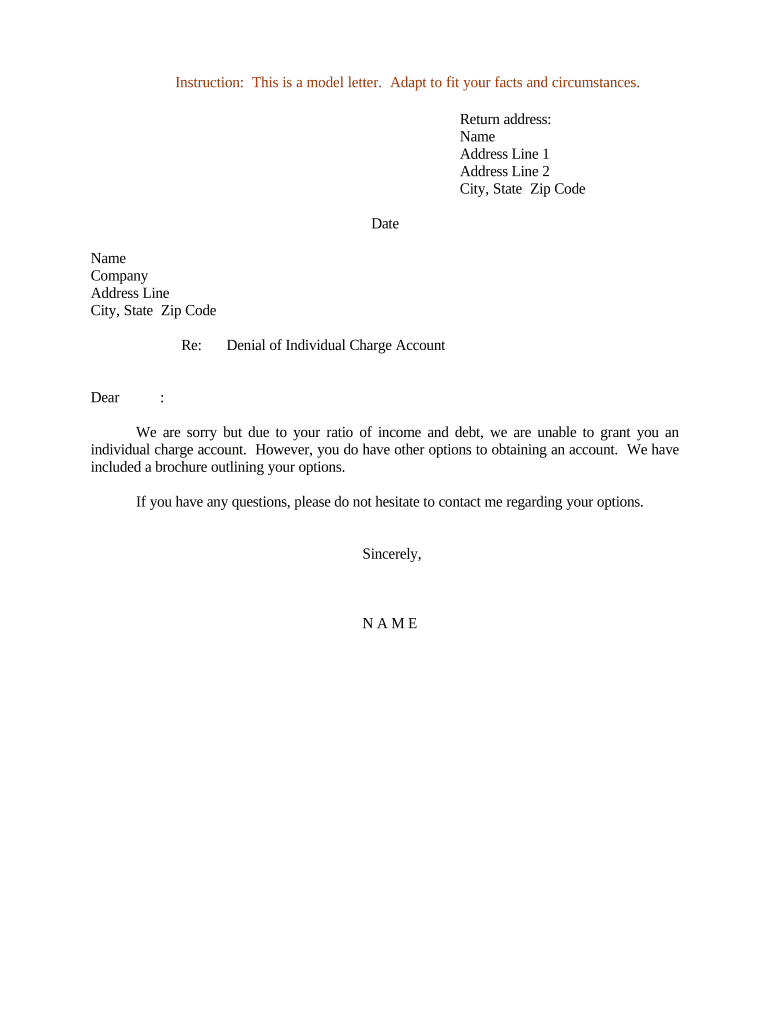
A Letter Denying Individual Charge Account is a formal written notice sent by a creditor, merchant, or account holder to inform an applicant or requestor that their application to open or be added to an individual charge account has been declined. The letter states the decision, identifies the account or application reference, summarizes the reason(s) for denial in clear, objective language, and provides contact or appeal information where required. It serves as the official record of the adverse decision and documents the date the decision was communicated to the individual.

Why an Accurate Denial Letter Matters

A clear denial letter protects both parties by documenting the decision, explaining next steps, and providing a compliance trail. It reduces disputes, supports regulatory obligations for adverse-action notices when applicable, and preserves internal audit records.

Why an Accurate Denial Letter Matters

Who Typically Prepares and Receives This Letter

Use the letter to create a permanent record of the decision, including the date sent and the staff member who reviewed the application.

  • Credit departments and account managers — Send formal denials and retain documentation for audits and customer service follow-up.
  • Compliance or legal teams — Ensure the letter meets adverse-action or consumer-notice requirements where applicable.
  • Applicants and authorized representatives — Receive the notice, review reasons, and exercise rights to request clarification or appeal.

Step-by-Step: Drafting and Sending the Denial Letter

Follow these sequential steps to ensure the denial letter is complete, compliant, and properly recorded.

  • 01
    1. Confirm Decision: Verify the denial decision internally and record the rationale in the applicant file.
  • 02
    2. Draft Letter: Populate template fields: date, recipient, reference, reason, and contact details.
  • 03
    3. Review and Approve: Have compliance or a supervisor review to check for legal or policy issues.
  • 04
    4. Send and Archive: Deliver via approved channel and save the final copy to the official record.

Core Elements to Include in a Professional Denial Letter

A well-structured letter reduces misunderstanding and supports regulatory defenses. Include the following essential components in every denial notice.

Letterhead

Use official company letterhead with address and contact details so the recipient can verify the source and reach the sender easily.
Reference Information

Add application or account numbers, submission date, and any internal case ID to tie the notice to records.

Clear Decision Statement

State the denial plainly (for example, 'Your request to open an individual charge account has been denied').

Explanation

Provide concise, objective reasons for the denial without revealing protected information or unnecessary details.

Rights and Next Steps

Explain whether the individual may appeal, provide additional documentation, or request reconsideration, and include timeframes.

Authorized Signature

Include the name, title, signature, and date of the person authorized to issue the notice.

Supporting Documents and File Exports to Keep

Attach or retain related records to document the application, decision path, and communications for compliance and dispute resolution.

Application Copy

Preserve the original application and any identity verification documents provided by the applicant.

Internal Decision Notes

Store underwriting or review notes that explain the rationale for the denial.

Delivery Proof

Keep proof of mailing, email delivery receipts, or eSignature completion certificates.

Appeal Correspondence

Archive any incoming appeal documents or follow-up communications for the record.

Typical Delivery and Recordflow for a Denial Notice

Understand the usual flow from letter creation to storage so teams can automate and audit the process.

  • Draft: Populate a validated template with the applicant’s data and the decision rationale.
  • Approval: Compliance or management signs off on language and attachments.
  • Send: Deliver by mail, secure email, or eSignature channel per policy.
  • Archive: Save the final notice, proof of delivery, and supporting files in the case record.

Configuring an Online Workflow for Denial Letters

Set up simple, repeatable workflow settings to ensure consistency and legal defensibility for every denial notice.

Field Configuration
Authentication Email link or SMS code for secure recipient verification
Delivery Method Choose mail, secure email, or eSignature with audit trail
Retention Auto-archive signed copies and proof of delivery for the retention period
Template Variables Map account ID, applicant name, denial reason, and contact info

Digital Signing and eSubmission Considerations

Ensure the platform you use meets any industry compliance needs and preserves a reproducible copy of the signed notice.

  • Authentication Options: Email link, SMS code, or stronger multi-factor methods
  • Audit Trail: Timestamp, IP, and action log for legal evidence
  • File Formats: PDF or PDF/A preferred for long-term retention

Timelines and Expected Processing Times

Adopt clear internal SLAs and communicate any statutory deadlines in the letter where required by law or company policy.

Decision Documentation:

Record decision within 1–3 business days of the underwriting outcome

Notice Delivery:

Send the denial notice within 7 business days of the final decision

Appeal Window:

Allow a standard 30-day period for applicants to request reconsideration

Retention Start:

Retention begins on the notice date or delivery confirmation

Internal Review:

Schedule an internal compliance review within 90 days for dispute-prone cases

Key Milestones from Application to Record Closure

Track these numbered milestones to ensure every denial is processed consistently and auditable.

01

Application Received

Capture submission date and initial data for verification

02

Underwriting Decision

Complete credit or eligibility evaluation and document findings

03

Notice Issued

Draft, approve, and deliver the denial notice to the applicant

04

File Closure

Archive all records and mark the case closed after retention policies applied

Common Mistakes to Avoid

  • Vague reasons that invite disputes or misinterpretation of the denial
  • Missing reference numbers that make the notice hard to reconcile with records
  • Failure to document internal rationale or approvals in the applicant file
  • Using nonsecure channels for delivery of sensitive applicant information

Risks and Consequences of an Improper Notice

Regulatory Complaints: Consumer complaints or regulator inquiries
Dispute Escalation: Increased operational costs and customer disputes
Reputational Harm: Negative public or customer perception
Legal Exposure: Potential lawsuits or enforcement actions
Record Gaps: Lost evidence for audit or litigation
Incorrect Delivery: Notice not received, creating compliance issues

Security and Compliance Checklist for Letter Handling

Encryption: TLS 1.2/1.3 in transit
Data at Rest: AES-256 encryption
Certifications: SOC 2 Type II and ISO 27001
HIPAA Support: BAA available for PHI workflows
Audit Trail: Detailed timestamped activity logs
Accessibility: WCAG 2.0 Level AA support

Real-World Examples of Denial Letter Use

These short examples illustrate how organizations implement denial letters as part of broader account and compliance workflows.

Martin Properties

Martin Properties moved to signed denial letters for applicant screening to speed communication and reduce paper

  • Reduced turnaround by eliminating manual mailing steps
  • The company retained signed PDFs and delivery receipts to demonstrate timely notice and improved recordkeeping for tenant screening audits.

Fertility Centers of Illinois

A medical practice issues denial notices when applicants cannot be approved for payment plans, ensuring privacy and clarity

  • Notices omit clinical details
  • The practice combines secure delivery with HIPAA-minded access controls and retains correspondence under medical record retention rules.

Typical eSignature Pricing and Feature Snapshot

Compare baseline pricing and common enablement features across leading eSignature vendors to select an appropriate solution for denial-letter workflows.

signNow DocuSign Adobe Sign PandaDoc HelloSign
Starting Price $8/user/mo $15/user/mo $14/user/mo $19/user/mo $15/user/mo
Free Trial Yes, 7-day Yes Yes Yes Yes
Bulk Send Yes Yes Yes Yes No
Audit Trail Yes Yes Yes Yes Yes
HIPAA Compliant Yes Yes Yes No No

Frequently Asked Questions About Denial Letters

Answers to common questions when preparing, delivering, and storing a Letter Denying Individual Charge Account.


Need help? Contact support

be ready to get more
Join over 28 million airSlate SignNow users