Establishing secure connection…Loading editor…Preparing document…

Letter for Mother's Day

This template is fully customizable. Edit the text, fill out the fields, and send it for signature. Give it a try!
Letter for Mother's Day

What a Letter for Mother's Day Is and When to Use It

A Letter for Mother's Day is a personal written message intended to express appreciation, share memories, or convey sentiments to a mother, step‑mother, guardian, or maternal figure. It can be a short note, a longer tribute, a printed keepsake, or a digitally delivered message. While most letters are informal and not legal documents, they may sometimes accompany gifts, charitable donations, or memorials and therefore benefit from clear dates, correct recipient names, and an attached signature for personalization or provenance.

Why a Thoughtful Letter Matters

A well‑crafted Letter for Mother's Day documents personal appreciation, creates a lasting keepsake, and helps avoid confusion about sender identity if preserved long term.

Why a Thoughtful Letter Matters

Who Typically Writes or Receives These Letters

Individuals and organizations send Mother's Day letters for personal, workplace, or institutional recognition; formats vary by sender and audience.

  • Family members and close friends who want a personalized, lasting message for a mother or maternal figure.
  • Employers and HR teams issuing formal appreciation notes or recognition letters for employees' family events.
  • Schools, nonprofits, and community groups sending group letters, certificates, or cards to caregivers and mothers.

Even when informal, using clear sender names, dates, and a signature ensures the message is identifiable and preserved correctly.

Core Elements of a Professional Mother's Day Letter

A clear, well‑organized letter uses a consistent layout and includes essential elements so the message is meaningful and easily archived.

Heading

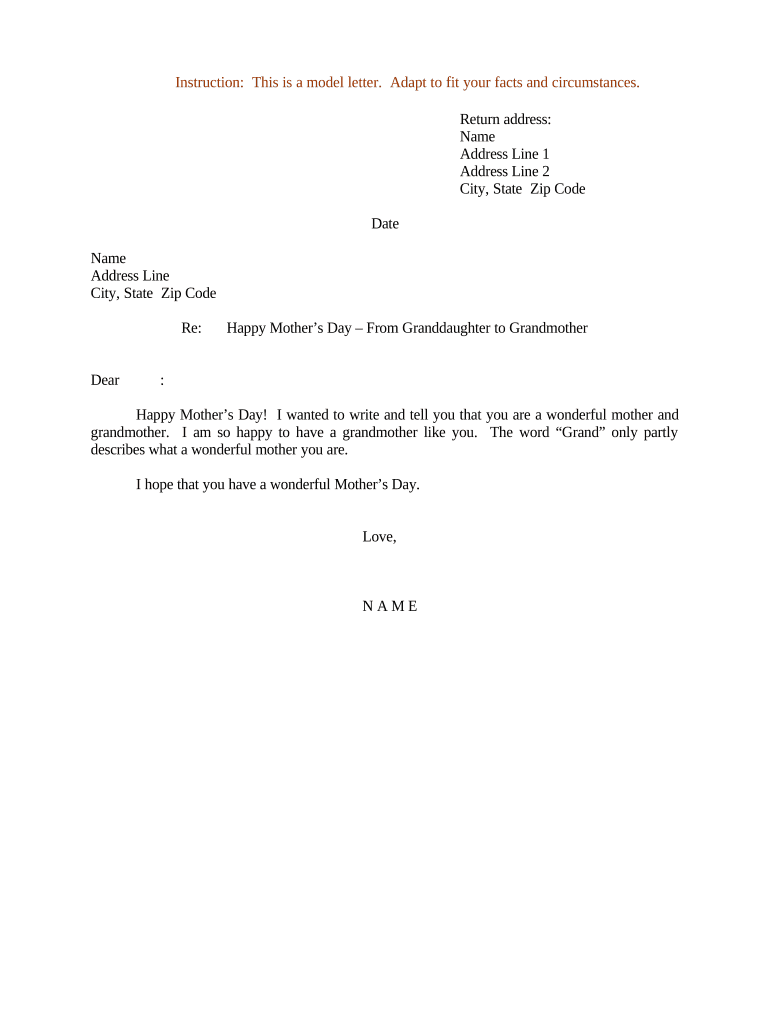
A short opening line (e.g., 'Dear Mom') sets tone and makes the recipient clear; keep it personal and direct.
Opening

Begin with a warm sentence that establishes purpose—gratitude, memory, congratulations—and invites the reader into the message.

Body

Include specific memories, reasons for gratitude, or thoughtful observations; balance length so it reads well in print or on a screen.

Closing

Finish with a personal sign‑off that reflects your relationship, such as 'With love' or 'Gratefully yours,' followed by your name.

Signature

Add a handwritten or electronic signature plus the date to personalize and provide provenance for keepsakes.

Optional Attachments

Photos, scanned keepsakes, or a short printed poem can be appended; label attachments clearly for future reference.

Step‑by‑Step: Prepare and Send Your Letter

Follow these sequential steps to draft, confirm, sign, and deliver a Letter for Mother's Day whether you send it digitally or by mail.

  • 01
    Draft: Compose the message and review for tone and accuracy.
  • 02
    Review: Check names, dates, and attachments for correctness.
  • 03
    Sign: Add a handwritten or electronic signature and date.
  • 04
    Deliver: Choose mail, print, or secure eDelivery and confirm receipt when appropriate.

How Digital Completion and Delivery Works

Digital completion reduces friction and preserves a verifiable record; these stages summarize the typical online flow for composing and delivering a letter.

  • Create: Upload a template or compose the letter in an editor.
  • Place Fields: Add name, date, and signature fields for recipients or senders.
  • Authenticate: Use email, SMS, or stronger methods to confirm identity as needed.
  • Send: Deliver via email link or download and print for physical mailing.

Technical Options for Signing and Sharing

Choose a delivery and signing approach that matches recipient access and privacy needs.

  • Simple eSign: Email link and click‑to‑sign, minimal friction.
  • Authenticated eSign: Email plus SMS or knowledge‑based checks for added assurance.
  • Printable Copy: Download as PDF for hand signing and physical delivery.

For messages that include protected health or education information, choose a platform and workflow that meet applicable privacy laws.

Common Online Configuration Settings

These typical settings guide how to configure an online letter workflow for accuracy and recipient convenience.

Field Configuration
Signature Type Simple eSign | Handwritten image or drawn signature
Authentication Email link or SMS code
Conditional Fields Show optional attachment fields if needed
File Format PDF recommended for fixed layout

How to Save and Export the Letter

Export options determine how the letter is archived, printed, or shared; choose the format that preserves layout and metadata for future reference.

PDF/A

Save as PDF/A for long‑term archival; preserves layout and is suitable for printing and secure storage with embedded metadata.

Standard PDF

Use a regular PDF to preserve appearance while allowing smaller file size and easy sharing by email or cloud storage.

DOCX

Export as DOCX to enable later editing, personalization, or batch generation of similar letters using mail merge.

Image File

Export as PNG or JPEG when creating keepsake prints or framed displays; ensure resolution is high for quality printing.

Risks to Watch When Preparing a Letter for Mother's Day

Privacy Disclosure: May reveal protected information
Defamation Risk: False statements can create legal exposure
Tax Misinterpretation: Gifts tied to tax events may require documentation
Mistaken Legal Use: Not intended as a legal affidavit
Unauthorized Signatures: Signing for others can be unlawful
Inconsistent Records: Multiple copies with different dates confuse provenance

Common Mistakes When Preparing a Mother's Day Letter

  • Using the wrong recipient name or nickname can create awkwardness and confuse heirs or family members when preserving keepsakes; always confirm the preferred name before printing or sending.
  • Including sensitive medical or financial details assumes consent and may violate privacy rules; avoid PHI in personal letters or obtain written consent before disclosure.
  • Relying on handwritten edits without updating the stored digital master causes mismatched copies; finalize and replace any editable source files after sign‑off.
  • Sending without verifying contact details or mailing addresses leads to delays; for mailed keepsakes, allow extra lead time for postal processing around holidays.

Timing Considerations for Delivery

Plan delivery and production around Mother's Day and allow extra lead time for printing, mailing, or obtaining signatures.

Print Lead Time:

Allow 3–7 business days for printing and finishing services

First‑Class Mail:

Allow 3–5 business days domestic; adjust for holidays

Remote Notary:

Schedule RON 3–5 business days in advance if required

Group Letters:

Start personalization 7–14 days before target delivery

Digital Delivery:

Email or eSign delivery typically completes within 24–48 hours

Differences Between a Personal Letter and a Legal Declaration

A Mother's Day letter is usually personal; a legal declaration has formalities that change how signatures and witnesses are handled.

Criteria Personal Letter Legal Declaration
Formality informal formal
Notary Needed often yes
Witnesses rare often required
Legal Effect sentimental binding

eSignature Pricing Comparison for Letter Completion and Signing

Prices and feature availability vary by vendor and plan; signNow is listed first for direct comparison of core pricing and common features.

signNow DocuSign Adobe Sign PandaDoc HelloSign
Starting Price $8/user/mo $15/user/mo $14/user/mo $19/user/mo $15/user/mo
Free Trial 7‑day free trial Varies Varies Varies Varies
Bulk Send Yes Yes Yes Yes No
Audit Trail Yes Yes Yes Yes Yes
HIPAA Compliant Yes Yes Yes No No

Frequently Asked Questions About Letter for Mother's Day

Answers to common questions about signing, privacy, delivery, and whether a Mother's Day letter can carry legal weight.


Need help? Contact support

be ready to get more
Join over 28 million airSlate SignNow users