Establishing secure connection…Loading editor…Preparing document…

Promotional Letter for Bicycle Shop

This template is fully customizable. Edit the text, fill out the fields, and send it for signature. Give it a try!
Promotional Letter for Bicycle Shop

What this Promotional Letter is and when to use it

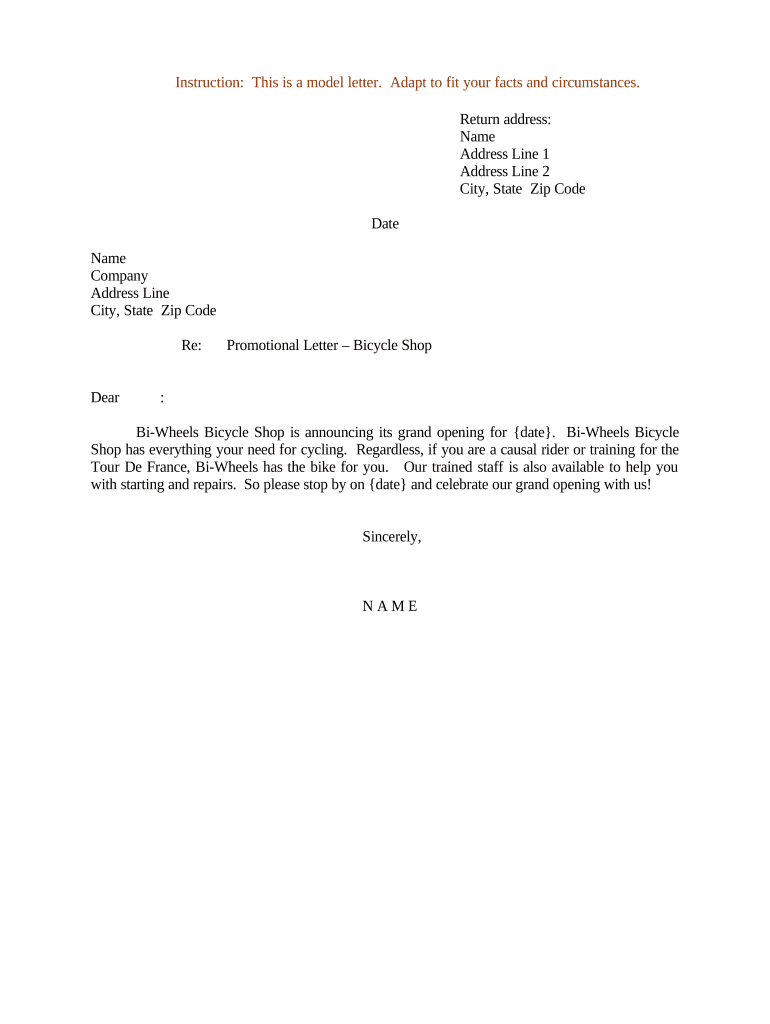
A Promotional Letter for Bicycle Shop is a written notice sent to customers, prospects, or partners to announce a sale, new product line, event, or special offer tied to a bicycle retailer. It combines clear offer details, eligibility and timing, and contact information so recipients can evaluate the promotion quickly. Use the letter for direct mail, email campaigns, in-store handouts, and as an insert for local partners; ensure the content, dates, and any legal terms are explicit and consistently recorded for tracking and compliance.

Why a clear promotional letter matters

A well-drafted promotional letter reduces customer confusion, documents the offer terms, and creates a verifiable record of communications. For consumer-facing promotions, include clear expiration dates and any opt-out or frequency disclosures required by state consumer-protection laws and the ESIGN Act when sending electronically (15 U.S.C. §7001).

Why a clear promotional letter matters

Who typically issues or receives this letter

Small and mid-size bicycle retailers, marketing teams, and community outreach coordinators commonly prepare promotional letters to announce sales, service specials, or community rides.

  • Local Bicycle Shop Owners and Managers — draft messaging, set offer limits, and approve final terms for in-store and mail campaigns.
  • Marketing Coordinators — manage templates, personalization, mailing lists, and electronic distribution tracking.
  • Partner Organizations — schools, cycling clubs, and local government agencies that co-promote events or safety programs.

Recipients include existing customers, prospect lists, community partners, and in some cases regulatory or permit-holding agencies when a public event is announced.

Quick: step-by-step to complete the letter

Follow these steps to produce a compliant, trackable promotional letter for distribution by mail or electronically.

  • 01
    Draft content: Write clear offer language, terms, and contact details.
  • 02
    Review legal terms: Confirm eligibility, refund policy, and privacy notes.
  • 03
    Add fields: Insert recipient name, dates, and signature block.
  • 04
    Distribute and track: Send via chosen channel and retain an audit record.

Elements of a professional promotional letter

A professional letter balances persuasive clarity with legal precision so recipients understand the offer and any limitations.

Clear headline

A concise headline states the promotion type (e.g., seasonal sale, trade-in credit) and sets correct customer expectations while keeping regulatory language separate from marketing copy.
Personalized greeting

Address recipients by name where possible. Personalization improves engagement but requires correct list hygiene to avoid misdirected offers.

Specific offer details

Describe exactly what is discounted, the percentage or dollar amount, any included services, model exclusions, and whether taxes or fees apply.

Dates and redemption

State precise start and end dates using MM/DD/YYYY formats and describe how customers redeem the offer (in-store, online, or by appointment).

Terms and limitations

List eligibility, limit per customer, non-transferability, return policy impacts, and any local permit conditions for events.

Contact and signature

Provide shop contact details, hours, and an authorized signature block including printed name and title to document approval and responsibility.

Key data and compliance items to record

Record retention: Store copies securely for audit and customer inquiries
Consent evidence: Document electronic consent where applicable
Signature audit: Capture timestamp, IP, and signer details
Encryption standard: Use TLS 1.2/1.3 in transit
Data at rest: Encrypt storage with AES-256
Legal frameworks: Follow ESIGN and UETA requirements

Common preparation pitfalls to avoid

  • Unclear expiration dates that cause customer disputes and refunds
  • Mismatched pricing or product codes between letter and point of sale
  • Missing eligibility details leading to inconsistent redemptions
  • Failing to document electronic consent or retention for dispute defense

Risks if the letter is incorrect or noncompliant

Consumer complaints: Refunds, disputes, and reputational damage
Contract ambiguity: Enforceability concerns in disagreements
Regulatory exposure: State consumer protection penalties possible
Accounting errors: Incorrect revenue or promotion accruals
Privacy breach: Unauthorized use of customer data
Record loss: Evidentiary gaps in disputes

How electronic distribution and signing typically works

Electronic distribution follows a simple, auditable sequence from preparation to final archive.

  • Upload letter: Place final PDF or DOCX into the e-delivery platform.
  • Place fields: Add recipient name, date, and signature placeholders.
  • Send to recipients: Distribute by email link, SMS, or bulk send list.
  • Capture audit: Record timestamps, IP addresses, and completion certificates.

Typical workflow settings for digital completion

Configure the workflow to match authentication needs and distribution method before sending the campaign.

Field Configuration
Document type PDF or DOCX with flattened fields
Recipient order Parallel or sequential signing
Authentication Email link, SMS code, or KBA
Reminders Automatic follow-ups at set intervals

Platform and file format considerations

Choose a platform that supports your file formats and integration needs for CRM, email, or POS systems.

  • File types: PDF, DOCX, and HTML are commonly supported
  • Integrations: Use CRM or Google Workspace connectors where available
  • Authentication: Select SMS or KBA for higher assurance

Confirm export options (PDF/A for long-term storage) and that the platform provides an audit trail and secure storage to meet recordkeeping needs.

Key timing items to set in the letter

Establish clear dates for offer lifecycle and operational deadlines to ensure consistent handling and measurable results.

Campaign launch date:

Date customers can first redeem the offer

Offer expiration date:

Final day for eligibility and redemption

Mailing/posting date:

When letters were sent or published

Follow-up schedule:

Timing for reminders or second mailings

Record retention start:

Date from which retention timelines run

Milestones from draft to archive

Track milestones from initial draft through approval and final retention to support audits and campaign analytics.

01

Draft completion

All offer text and terms finalized by marketing

02

Legal review

Confirm terms, refund policy, and disclosures

03

Approval sign-off

Authorized manager signs and dates the letter

04

Distribution and archive

Send to recipients and retain signed copies securely

Comparing eSignature vendor pricing and core features

Basic pricing and common features across vendors help choose an e-sign provider that matches volume, compliance, and integration needs.

signNow DocuSign Adobe Sign PandaDoc HelloSign
Starting Price $8/user/mo $15/user/mo $14/user/mo $19/user/mo $15/user/mo
Free Trial 7-day free trial Varies by vendor Varies by vendor Varies by vendor Varies by vendor
Bulk Send Yes Yes Yes Yes No
Audit Trail Yes Yes Yes Yes Yes
HIPAA Compliant Yes Yes Yes No No
Envelope Cap No envelope cap 100 envelopes/user/year Varies by plan Varies by plan Varies by plan

Frequently asked questions and solutions

Answers to common questions about validity, signatures, retention, and distribution for a promotional letter.


Need help? Contact support

be ready to get more
Join over 28 million airSlate SignNow users