Establishing secure connection…Loading editor…Preparing document…

Promotional Letter for Bridal Shop

This template is fully customizable. Edit the text, fill out the fields, and send it for signature. Give it a try!
Promotional Letter for Bridal Shop

What the Promotional Letter for Bridal Shop Is and When It’s Used

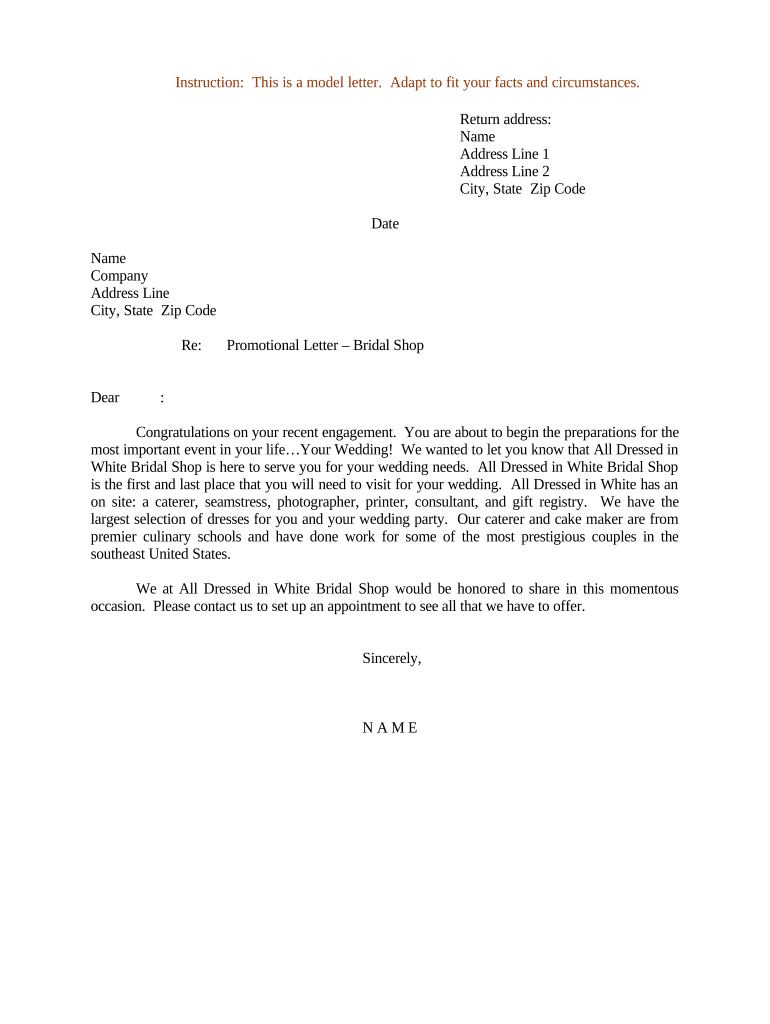
A Promotional Letter for Bridal Shop is a written communication from a bridal retailer to prospective or existing customers that announces an offer, event, discount, or new service. It typically includes a clear promotional headline, a description of the offer, eligibility or limitations, validity dates, contact information, and a signature block. These letters are used for direct mail, email campaigns, in-store handouts, and event invitations to drive appointments, fittings, trunk shows, or seasonal sales while documenting the terms of the promotion for customer service and compliance purposes.

Why a Clear Promotional Letter Matters for Bridal Operations

A concise, well-structured promotional letter reduces misunderstandings, documents the offer terms, and creates a consistent customer experience for appointments and purchases. It also serves as an evidentiary record if disputes arise over dates, pricing, or eligibility.

Why a Clear Promotional Letter Matters for Bridal Operations

Who Typically Prepares or Receives These Letters

Bridal shop owners and store managers prepare promotional letters to coordinate sales, events, and partner communications.

  • Shop Owner or Manager — prepares and approves promotional content for legal and brand accuracy.
  • Marketing Coordinator — formats messaging and chooses distribution channels (email, mail, social).
  • Local Event Partners — venues, photographers, or dressmakers who receive letters for co-marketing.

Who Has Signature Authority

Owner / Manager

An owner or store manager usually signs promotional letters that commit the shop to specific discounts or events. Their signature shows authorized business approval and is required where terms create obligations.

Marketing Director

A marketing director may sign routine promotional communications when delegated authority exists; larger commitments or financial guarantees typically require owner or manager sign-off.

Essential Elements to Include in a Professional Promotional Letter

Include clear identification, specific offer language, eligibility, validity dates, contact details, and an authorized signature so the promotion is understandable, enforceable, and actionable for customers.

Header

Shop name and logo at the top for immediate brand recognition and to establish the sender.
Offer Summary

A concise statement of the promotion (discount, free service, event) using precise percentages or dollar amounts and any quantity limits.

Eligibility

Who qualifies (new customers, past clients, brides only) and any required actions like appointments or coupon codes.

Validity Dates

Start and end dates, formatted as MM/DD/YYYY, and any blackout or appointment scheduling windows.

Contact Details

Phone, email, address, and booking link or instructions so customers can redeem the offer without confusion.

Authorized Signature

Name, title, and signature (electronic or handwritten) to confirm authorization and to provide a point of contact for disputes.

Step-by-Step: Create and Issue a Bridal Shop Promotional Letter

Follow these steps to draft, authorize, distribute, and archive a promotional letter while preserving evidence of terms and recipient consent.

  • 01
    Draft Content: Write clear offer terms, eligibility, and dates; avoid vague language that could be disputed.
  • 02
    Review Legal Terms: Confirm refund, exchange, and privacy language with counsel where required.
  • 03
    Authorize Signatures: Obtain signature from an authorized manager or owner prior to distribution.
  • 04
    Distribute & Archive: Send via chosen channels and save a signed copy with metadata (date, recipients) for records.

Typical Digital Workflow for Completing and Sending Letters

A simple, auditable workflow helps manage approvals, reduce errors, and capture proof of distribution and acceptance.

  • Create Template: Build a reusable template with fixed fields and editable offer text to ensure consistency.
  • Assign Approver: Route the draft to the owner or manager for review and signature.
  • Sign Electronically: Apply an electronic signature with an audit trail to record intent and attribution.
  • Send & Track: Deliver by email or print/mail and record distribution details for follow-up.

Suggested Configuration Settings for Digital Letter Workflows

Configure fields and routing so approvals, signatures, and storage are consistent and auditable across campaigns.

Field Configuration
Signature Field Require signer name, title, and date; enforce signature presence.
Approval Routing Set single approver (owner) or two-step approval for high-value promotions.
Retention Auto-save signed copies to secure cloud storage with access controls.
Notifications Email confirmations on signing and a copy to marketing and finance.

Delivery Options and Platform Considerations

Choose delivery channels (email, printed mail, social) and a platform that supports required authentication and file formats.

  • File Formats: PDF and DOCX are standard for templates and signed copies.
  • Integrations: Connect to CRM or calendar systems (Salesforce, Google Workspace) for recipient lists and appointments.
  • Authentication: Use email verification or SMS codes for identity assurance when needed.

Timing and Typical Deadlines for Promotional Campaigns

Plan lead time and follow-up to maximize attendance and prevent customer confusion; use firm deadlines for offer validity.

Campaign Planning Window:

6–8 weeks before an event for design, approvals, and print scheduling.

Distribution Date:

Send promotional email or mail 2–4 weeks before the event or sale start date.

RSVP / Appointment Cutoff:

Set an RSVP deadline at least 3 business days before the event.

Redemption Period:

State explicit offer end date; use MM/DD/YYYY format.

Record Retention Trigger:

Archive signed letter on distribution date for retention tracking.

Key Campaign Milestones

A sequential milestone view keeps stakeholders aligned from concept through post-event review.

01

Concept Approval

Finalize promotion idea and budget before design begins.

02

Content Signoff

Obtain legal and manager approval for terms and eligibility.

03

Distribution

Execute send or mail plans and record delivery data.

04

Post-Campaign Review

Collect results, customer feedback, and reconcile redemptions.

Common Preparation Mistakes to Avoid

  • Using vague deadlines or relative dates (e.g., 'two weeks from now') causes confusion; always use MM/DD/YYYY format.
  • Omitting eligibility details leads to disputes about who qualifies for discounts or appointments; list exclusions clearly.
  • Failing to capture an authorized signature before distribution can leave the business exposed to claims of unauthorized offers.
  • Not saving signed copies with distribution metadata makes it difficult to verify which customers received which terms.

Key Security and Compliance Considerations

Transport Encryption: TLS 1.2/1.3
Data at Rest: AES-256 encryption
Audit Trail: Timestamped action history
Regulatory Compliance: ESIGN and UETA
Privacy Standards: HIPAA (BAA available)
Certifications: SOC 2 Type II, ISO 27001

Potential Legal Risks and Financial Consequences

Misleading Claims: Consumer-protection fines
Tax Record Errors: Backup withholding triggers
Unauthorized Offers: Breach of contract exposure
Missing Records: Evidence gaps in disputes
Noncompliance: HIPAA penalty risk
I-9 Errors: Administrative fines

eSignature Pricing and Feature Comparison for Letter Workflows

Compare core pricing and capabilities to select a provider that meets authentication, bulk sending, and compliance needs for signed promotional letters.

signNow DocuSign Adobe Sign PandaDoc HelloSign
Starting Price $8/user/mo $15/user/mo $14/user/mo $19/user/mo $15/user/mo
Free Trial 7-day free trial, no card Varies Varies Varies Varies
Bulk Send Yes Yes Yes Yes No
Audit Trail Yes Yes Yes Yes Yes
Envelope Cap No cap 100 envelopes/user/year Varies Varies Varies

Frequently Asked Questions About Promotional Letters

Answers to common questions about drafting, signing, distributing, and retaining promotional letters for bridal shops.


Need help? Contact support

be ready to get more
Join over 28 million airSlate SignNow users