Establishing secure connection…Loading editor…Preparing document…

Promotional Letter for Business Services

This template is fully customizable. Edit the text, fill out the fields, and send it for signature. Give it a try!
Promotional Letter for Business Services

What a Promotional Letter for Business Services Is and When to Use It

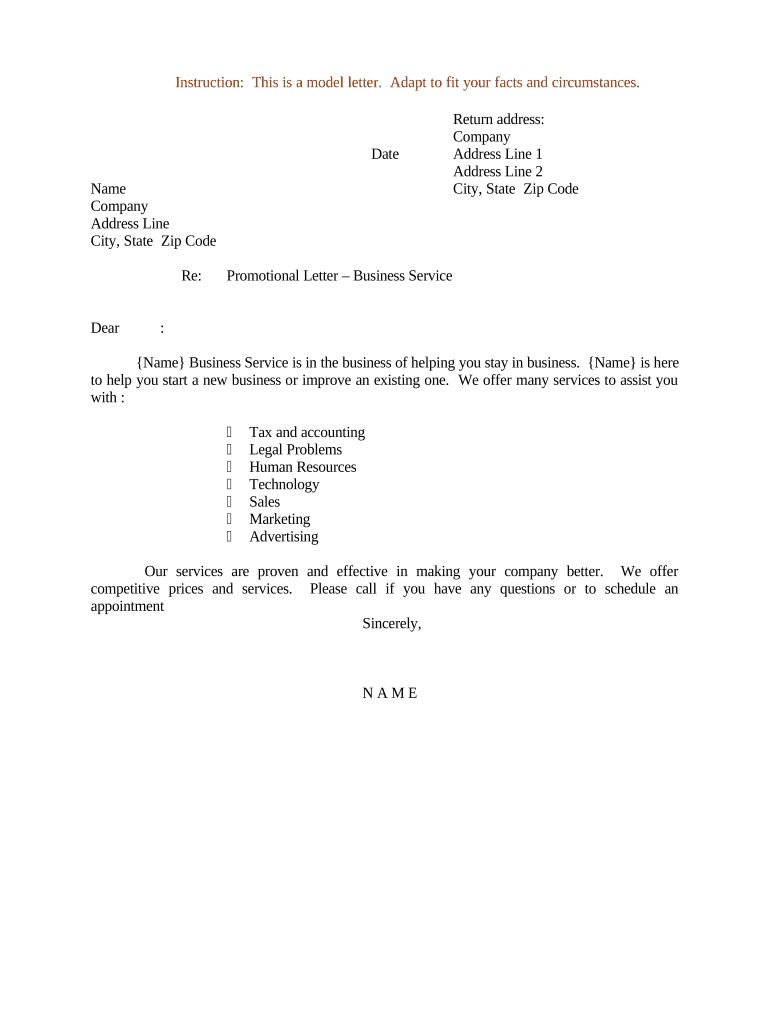
A Promotional Letter for Business Services is a written communication used by companies to introduce services, outline offerings, and request follow-up from prospective clients. It typically summarizes the service scope, pricing or engagement models, relevant credentials, and next steps for interest or scheduling. Businesses use this document for targeted outreach, proposals, or inclusion with a proposal packet. When prepared clearly, it serves as a formal, reusable record of the offer and the terms presented, and it can be distributed by mail, email, printed insert, or as a signed attachment to a client file.

Why a Clear Promotional Letter Matters for Business Outreach

A well‑crafted promotional letter communicates services concisely, reduces follow-up friction, and documents the offer for both parties. It supports consistent messaging across channels and can be retained as part of a client record when executed or acknowledged.

Why a Clear Promotional Letter Matters for Business Outreach

Who Typically Prepares and Receives These Letters

Companies and professionals across sectors use promotional letters to present services, establish expectations, and collect an acknowledgment or signature when needed.

  • Small business owners and sales teams seeking written confirmation of a service offer and terms.
  • Freelancers or consultants who need a concise, signed engagement summary before starting work.
  • Marketing or business development teams sharing standardized offers with prospects or referral partners.

Use a promotional letter when you want a repeatable, auditable statement of services that can be delivered and stored electronically or in print.

Core Elements to Include in Every Promotional Letter

Make the letter professional and consistent: include identification, scope, terms, contact details, and any next steps or response options. Keep language clear to minimize ambiguity.

Sender ID

Business name, legal entity, and contact information. Use the official entity name to avoid future matching issues with contracts or invoices.
Offer Summary

A brief description of services being offered, deliverables, and any limits or exclusions. Avoid vague phrasing so recipients understand the scope clearly.

Pricing Terms

State fees, billing model, and payment timing. Specify if pricing is estimated, time‑limited, or requires a separate proposal or invoice to finalize.

Term and Effective Date

Specify when the offer starts and how long it remains valid. Use a clear date format and explain whether acceptance requires signature or written confirmation.

Response Instructions

Detail how the recipient should accept, request changes, or decline. Include email, phone, or an electronic signature link if acceptance is required.

Legal Notices

Include confidentiality, intellectual property, or data handling notices if relevant; mention governing law when appropriate for clarity.

Step‑by‑Step: Preparing and Issuing the Letter

Follow a consistent process to prepare, review, and distribute the promotional letter to ensure accuracy and proper authorization.

  • 01
    Draft: Populate fields with accurate legal names and offer details.
  • 02
    Internal Review: Have legal or compliance review notices or pricing language as needed.
  • 03
    Obtain Approval: Get signatory authority approval before issuing the offer to a prospect.
  • 04
    Distribute: Send by email, postal mail, or eSignature link depending on recipient preference.

How Digital Completion Works for a Promotional Letter

Digital completion follows a simple sender-to-signer flow and captures an audit trail for recordkeeping and legal defensibility.

  • Upload: Sender uploads the letter as a PDF or DOCX.
  • Prepare: Place signature, date, and optional initial fields.
  • Send: Dispatch via email link or direct signer invite.
  • Complete: Signer reviews and signs; system logs time and identity evidence.

Typical Digital Workflow Settings for Electronic Delivery

Configure workflow options to match your approval, authentication, and archival requirements before distribution.

Field Configuration
Signer Authentication Email link by default; use SMS or KBA for added verification.
Routing Order Sequential or parallel signer order depending on approval needs.
Reminders Automatic reminders at configurable intervals.
Retention Set automatic archival in document management with audit trail.

Technical and Integration Considerations for eDelivery

Choose platform settings and integrations that match your security and recordkeeping requirements.

  • File Formats: PDF and DOCX supported.
  • Integrations: CRM and storage systems supported.
  • Authentication: Email, SMS, or stronger options.

Verify your platform supports the required audit trail, encryption, and any industry integrations needed for seamless storage and retrieval.

Common Timelines and Response Expectations

Set clear timeframes inside the letter for offer validity and expected responses to reduce ambiguity and speed decision-making.

Offer Validity:

Typical validity windows are 7–30 days depending on pricing stability.

Response Deadline:

Specify the date by which the recipient must accept to secure the terms.

Signature Processing:

Digital signatures are typically returned within 24–72 hours depending on recipient access.

Record Archival:

Archive signed letters promptly to preserve audit trails and compliance evidence.

Opt‑Out Handling:

Honor opt‑out requests per CAN‑SPAM timing expectations; document opt‑out actions.

Common Preparation Errors to Avoid

  • Using informal or ambiguous service descriptions that create scope disputes and slow negotiations.
  • Failing to use the exact legal entity name, leading to payment or contract matching issues.
  • Omitting a clear effective date or validity window, causing confusion over when terms apply.
  • Neglecting required notices for regulated industries, which can create compliance gaps and legal exposure.

Legal Risks and Potential Penalties

CAN‑SPAM Violations: Civil penalties apply
TCPA Exposure: Statutory damages possible
Contract Disputes: Ambiguity increases litigation risk
Privacy Breach: Data handling lapses risk fines
Misrepresentation: False claims can lead to liability
Recordkeeping Failures: Loss of evidence for disputes

Representative eSignature Vendor Pricing and Feature Comparison

A concise comparison of starting prices and common plan features to consider when selecting an eSignature platform for distribution and signing of promotional letters.

signNow DocuSign Adobe Sign PandaDoc HelloSign
Starting Price $8/user/mo $15/user/mo $14/user/mo $19/user/mo $15/user/mo
Free Trial 7‑day free trial Trial available Trial available Trial available Trial available
Bulk Send Yes Yes Yes Yes No
Audit Trail Yes Yes Yes Yes Yes
HIPAA Compliant Yes Yes Yes No No
Envelope Cap No cap 100 envelopes/user/year Varies by plan Varies by plan Varies by plan

Frequently Asked Questions About Promotional Letters and eSigning

Answers to common questions about execution, legality, distribution, and compliance when using promotional letters for business services.


Need help? Contact support

be ready to get more
Join over 28 million airSlate SignNow users