Establishing secure connection…Loading editor…Preparing document…

Letter of Recommendation for Repaired Product

This template is fully customizable. Edit the text, fill out the fields, and send it for signature. Give it a try!
Letter of Recommendation for Repaired Product

What the Letter of Recommendation for Repaired Product Is

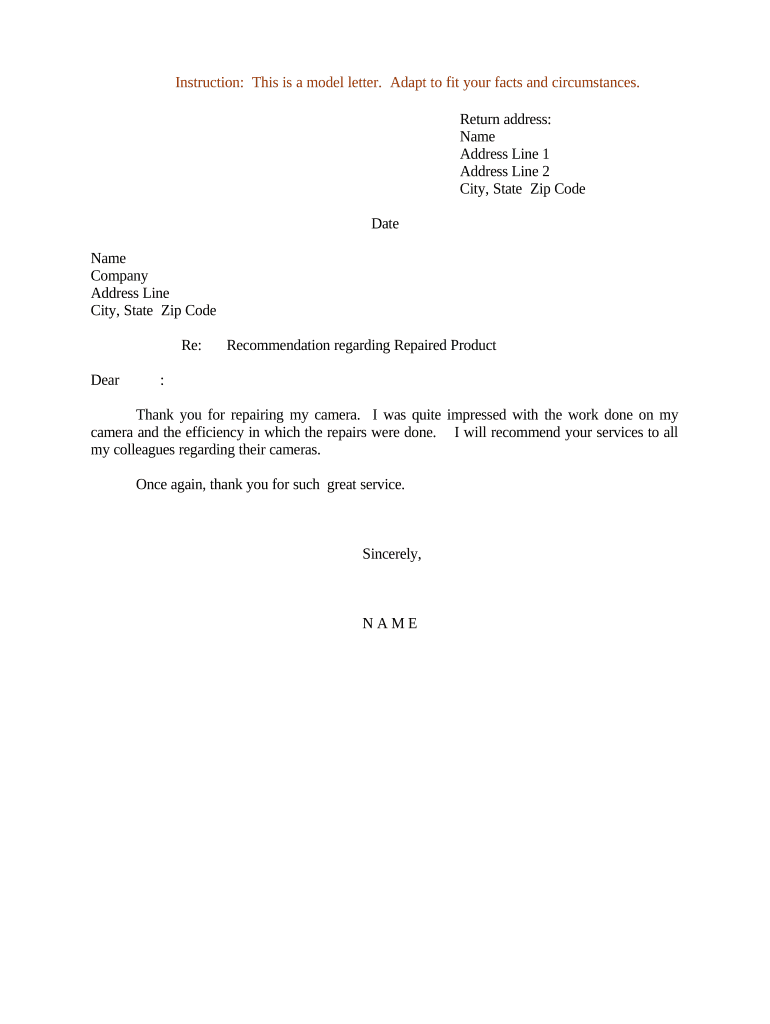
A Letter of Recommendation for Repaired Product documents that a product returned for repair was inspected, repaired, and is functioning to a specified standard. It typically states the problem reported, the repair actions taken, parts replaced, tests performed, and the technician's conclusion about the product's condition. Organizations use it for warranty claims, resale, quality control, and customer assurance. The letter creates a written record linking the repair service to product performance and can support claims, returns, or regulatory compliance where repair history is material.

Why a Clear Recommendation Letter Matters

A concise, factual recommendation letter preserves a repair history, reduces disputes, and supports warranty or resale decisions. It clarifies responsibility and documents the facts an independent reviewer or regulator may need.

Why a Clear Recommendation Letter Matters

Who Typically Prepares or Receives This Letter

Use a letter when a written, signed statement will reduce ambiguity about the repair and support downstream decisions.

  • Service centers and repair technicians providing a formal record of completed work and verification of repair quality to customers or warranty administrators.
  • Warranty administrators and claims teams who need documented evidence of repair scope, parts used, and pass/fail test results for coverage decisions.
  • Buyers, resellers, or fleet managers who require proof a repaired item meets operational standards before returning to service or resale.

Step-by-Step: Completing the Letter

Follow these sequential steps to produce a consistent, defensible recommendation letter.

  • 01
    Gather Records: Collect repair order, parts invoices, and test logs.
  • 02
    Draft Facts: Write a factual summary of fault, repair, and outcome.
  • 03
    Confirm Details: Verify serial numbers, dates, and part numbers.
  • 04
    Sign and Date: Technician signs; include contact and job title.

Common Questions About Letters of Recommendation for Repaired Product

Answers to frequent questions about use, signatures, and legal validity for repaired-product recommendation letters.


Need help? Contact support

Essential Sections to Include in the Recommendation Letter

A professional letter follows a predictable structure so readers can quickly verify repair facts and outcomes.

Header

Date, sender company, contact details, and recipient name or department for traceability.
Product Details

Model, serial number, manufacture date, and any asset tag identifiers.

Problem Reported

Brief description of symptoms or failure modes reported by the user or diagnostics.

Repair Actions

Concrete list of replacements, adjustments, calibrations, and tests performed with part numbers where applicable.

Outcome

Statement that the product passed specified tests or the nature of remaining limitations or recommendations.

Signature Block

Printed name, title, company, contact details, signature and date; include electronic signature metadata if used.

Security and Compliance Considerations

Encryption: TLS 1.2/1.3 in transit, AES-256 at rest
Audit Trail: Timestamped events and signer metadata
HIPAA: BAA required for PHI handling
ESIGN / UETA: Legal frameworks for e-signatures
SOC 2 Type II: Third-party security attestation
ISO 27001: Information security management

Key Risks of an Incorrect or Misleading Letter

False Statement: Civil liability exposure
Warranty Dispute: Coverage denial or litigation
Fraud Allegation: Regulatory or criminal risk
Customer Chargebacks: Financial disputes and reputational harm
Document Rejection: Claims denied for insufficient detail
Recordkeeping Failure: Inability to defend assertions

Common Preparation Mistakes to Avoid

  • Omitting serial or asset numbers, which breaks the link to repair records and warranty files.
  • Using vague language about repairs instead of specific parts, part numbers, and test outcomes.
  • Failing to date the letter or sign with a verifiable signature and contact information.
  • Not attaching supporting documents such as repair orders, diagnostic logs, or test certificates.

Typical Workflow for Producing and Sharing the Letter

This sequence shows how a repaired-product recommendation should move from service to recipient.

  • Record Repair: Technician logs diagnostics and parts used.
  • Draft Letter: Author composes factual repair summary.
  • Attach Evidence: Include invoices, test logs, photos.
  • Deliver: Send to customer, warranty admin, or buyer.

Configuring a Digital Workflow for the Letter

Map each workflow field to a role and automation step to reduce manual errors and speed delivery.

Field Configuration
Product Identifier Auto-populate from repair order system
Repair Description Conditional field when parts replaced
Attachments Require invoices and test logs before sign-off
Signature Elect to require signer authentication and audit trail

Digital Delivery and eSignature Considerations

Ensure the platform can retain a verifiable record of signing events and attachments for future audits.

  • Formats Supported: PDF and DOCX preferred for preservation
  • Authentication: Email link or multi-factor for higher assurance
  • Integrations: Connect to CRM or repair management systems

Timing: When to Issue and Retain the Letter

Understand the timing obligations for issuance and retention so the letter supports warranty, regulatory, and contractual needs.

Issue on Completion:

Provide the letter when repair and final testing are finished.

Customer Notification:

Send within the service-level timeframe or warranty window.

Retention for Warranty:

Keep for the active warranty period plus claim timeframes.

Regulatory Access:

Produce records promptly upon lawful request.

Record Disposal:

Follow retention policies before secure disposal.

Key Processing Milestones for a Repair Recommendation

Track these stages from intake to final record retention to ensure traceability and compliance.

01

Intake and Logging

Create the repair ticket and capture initial fault details.

02

Diagnostics and Repair

Perform tests, replace parts, and record results.

03

Final Verification

Run acceptance tests and confirm functionality.

04

Documentation and Delivery

Draft the recommendation letter and deliver to recipients.

Pricing and Feature Comparison for eSignature Platforms

Typical starting prices and key capabilities for common eSignature vendors used to sign and distribute repair recommendation letters.

signNow DocuSign Adobe Sign PandaDoc HelloSign
Starting Price $8/user/mo $15/user/mo $14/user/mo $19/user/mo $15/user/mo
Free Trial 7-day free trial Varies Varies Varies Varies
Bulk Send Yes Yes Yes Yes Varies
Audit Trail Yes Yes Yes Yes Yes
HIPAA Compliant Yes Yes Yes No No

Industry Examples Illustrating Real-World Use

These condensed examples show how organizations document repaired-product recommendations to support operations and compliance.

Martin Properties

Property manager documents appliance repair before tenant move-in.

  • Included test readings and replaced part numbers.
  • The letter ensured the appliance was accepted by the new tenant and supported a warranty claim when a related failure recurred.

Fertility Centers of Illinois

Medical lab documents calibration and repair on temperature-controlled equipment.

  • Cited validation tests and technician credentials.
  • Retained the signed letter with logs to meet internal quality audits and external regulatory review.

Practical Tips for Accurate, Efficient Letters

Follow these best practices to reduce follow-up requests and strengthen the document’s evidentiary value.

Use a Standardized Template
A consistent template ensures necessary data are always captured, minimizes omissions, and simplifies aggregation of repair metrics for quality programs.
Attach Supporting Evidence
Always include repair orders, parts receipts, test logs, and photos. Attachments substantiate claims and reduce disputes about what was performed.
Preserve Digital Audit Trails
Use a platform that records signer identity, timestamp, and IP information to help verify authenticity if contested later.
Limit Opinion Language
Stick to observable facts and test results rather than broad assurance phrases; reserve recommendations for operational decisions with defined criteria.

Typical Signers and Their Authority

Service Technician

A technician or engineer who performed the repair signs to certify the work and test results. Their signature establishes the factual repair record and should include title and direct contact information for follow-up.

Service Manager

A manager or quality lead may co-sign to confirm supervisory review and that the repair met company acceptance criteria. Managerial signature links the specific repair to organizational warranty policies.

be ready to get more
Join over 28 million airSlate SignNow users