Establishing secure connection…Loading editor…Preparing document…

Letter Requesting More Office Space

This template is fully customizable. Edit the text, fill out the fields, and send it for signature. Give it a try!
Letter Requesting More Office Space

What a Letter Requesting More Office Space Is

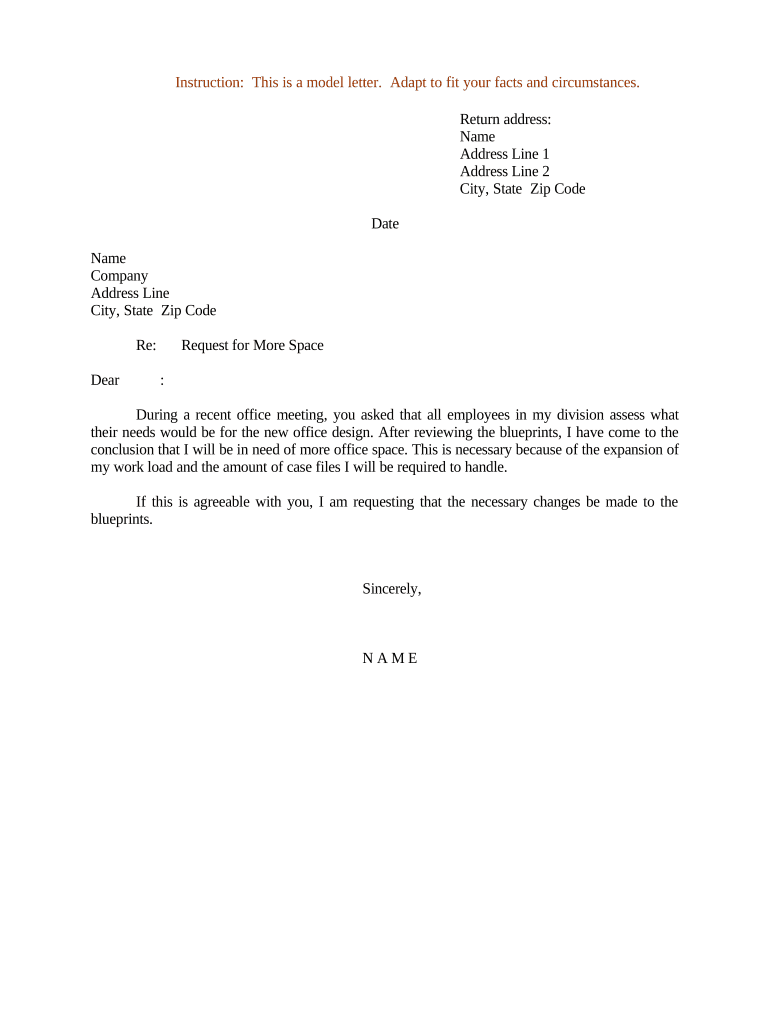
A Letter Requesting More Office Space is a formal written request from an employee, department head, or manager to facilities, real estate, or administrative leadership asking for additional workspace. The letter outlines the need, specifies the amount and type of space requested, proposes timing, and lists supporting facts such as headcount growth, equipment requirements, or operational changes. It typically attaches room layouts, budget estimates, and stakeholder approvals. The document serves as the official record that initiates review, assessment, and potential lease, move, or renovation actions within the organization.

Why a Clear Request Matters

A well-structured letter aligns stakeholders, creates an auditable record of the request, and speeds internal approvals by giving facilities and budget owners the facts they need to prioritize space. It reduces back-and-forth and documents rationale for future audits or lease negotiations.

Why a Clear Request Matters

Who Typically Submits or Reviews This Letter

Common internal roles originate and process these requests; routing depends on company size and governance.

  • Department Manager or Director: Prepares the request with headcount forecasts and business justification for facilities review.
  • Facilities or Real Estate Team: Reviews feasibility, costs, lease impacts, and coordinates space assessments.
  • Finance or Budget Owner: Verifies funding, approves capital or operating expense impact for the proposed change.

Step-by-step: Preparing and Submitting the Letter

Follow these four steps to create a complete, review-ready request that streamlines approval and scheduling.

  • 01
    Draft: Describe need, amount of space, and business justification.
  • 02
    Attach: Include headcount charts, proposed floorplan, and budget estimate.
  • 03
    Route: Send to facilities, finance, and your executive sponsor for review.
  • 04
    Track: Record approvals, dates, and next steps for facilities scheduling.

How to send and what technical details matter

Choose a submission method that captures approvals and preserves a signed record, whether email, an internal ticket system, or an eSignature workflow.

  • Accepted Formats: PDF, DOCX preferred
  • Authentication: Email verification or stronger MFA
  • Integrations: Salesforce, Google Workspace, NetSuite

Typical routing flow for review and approval

A standard routing pattern ensures each stakeholder reviews the same record in sequence and that audit logs capture actions.

  • Submit: Request originates and is uploaded to the workflow system.
  • Facilities Review: Facilities assesses feasibility and cost impact.
  • Finance Approval: Budget owner approves or requests revisions.
  • Final Sign-off: Executive sponsor signs and facilities schedules work.

Configuring an online workflow for this letter

Match form fields and routing steps to internal approvers so automation captures approvals and stores the signed record.

Field Configuration
Request Details Make required; validate square footage numeric.
Attachments Allow PDF upload; restrict to required file types.
Routing Order Facilities → Finance → Executive sponsor
Notifications Set reminders at 3 and 7 days

Essential sections to include in your letter

A professional request consistently includes specific sections so reviewers can act without repeated clarification or additional data requests.

Header

Date, to/from lines, and a concise subject line stating the request for additional office space or relocation.
Executive Summary

Two to three sentences outlining the request, the primary reason, and the immediate operational impact if not approved.

Detailed Justification

Quantify headcount changes, equipment needs, productivity improvements, or compliance factors that require the additional space.

Space Specifications

State required square footage, preferred layout, number of private offices, meeting rooms, and any special infrastructure needs.

Cost and Timing

Provide budget estimates, funding source, and proposed move or renovation timeline with milestone dates.

Signature

Include requester name, title, date, and required approver signatures or eSign audit trail references.

Required information checklist

Requester: Full name and title
Department: Department name and contact
Current Location: Building, floor, room
Space Requested: Square feet and layout
Justification: Business reason summary
Attachments: Floorplan and budget

Typical internal deadlines and expectations

Plan ahead: accurate lead times reduce lease or renovation costs and ensure facilities can schedule resources without causing business disruption.

Submission Lead Time:

Submit at least 60 days before desired move date

Budget Approval:

Allow up to 30 days for finance review

Facilities Assessment:

Expect site visit and assessment within 14 days

Renovation Scheduling:

Reserve 45 days or more depending on scope

Move Completion:

Typical completion within 60–90 days after approval

Key milestones from request to occupancy

Track these stages so stakeholders know status and next actions during the approval and move process.

01

Request Submitted

Formal letter and attachments uploaded to workflow.

02

Department Review

Manager and team confirm scope and initial funding.

03

Facilities Assessment

Site evaluation and feasibility report issued.

04

Final Approval

Finance and executive sign-off authorizes move or build.

Common preparation mistakes to avoid

  • Missing quantitative justification for headcount growth leads reviewers to reject or delay the request.
  • Submitting incomplete floorplans or unclear space measurements causes rework and extended review times.
  • Failing to identify funding source and budget impact forces finance to return the request for clarification.
  • Not routing to required approvers (facilities, finance, sponsor) creates approval gaps and scheduling conflicts.

Risks and consequences of errors

Delayed Approval: Loss of preferred timeline
Space Shortfall: Operational disruption risk
Budget Overrun: Unexpected capital expense
Lease Noncompliance: Potential landlord penalties
Security Lapse: Inadequate controls
Record Gaps: Audit or compliance issues

eSignature solution comparison for signing and routing the letter

Common vendor features and starting prices are shown to help compare basic eSignature capabilities; signNow is listed first as a comparison reference.

signNow DocuSign Adobe Sign PandaDoc HelloSign
Starting Price $8/user/mo $15/user/mo $14/user/mo $19/user/mo $15/user/mo
Free Trial 7-day free trial Varies by plan Varies by plan Varies by plan Varies by plan
Bulk Send Yes (Business Premium) Yes Yes Yes Varies
Audit Trail Yes Yes Yes Yes Yes
HIPAA Compliant Yes Yes Yes No No

Frequently asked questions about this letter and submission

Answers to common questions about preparation, routing, attachments, signatures, and what to do if a request changes after submission.


Need help? Contact support

be ready to get more
Join over 28 million airSlate SignNow users