Establishing secure connection…Loading editor…Preparing document…

Transmittal Letter

This template is fully customizable. Edit the text, fill out the fields, and send it for signature. Give it a try!
Transmittal Letter

What a Transmittal Letter Is and When to Use It

A Transmittal Letter is a concise cover document that accompanies one or more attachments to explain purpose, list enclosed materials, and record delivery details. Commonly used for proposals, bid submissions, regulatory filings, contract packages, and document exchanges between organizations, it clarifies what is included, who the sender and recipient are, and any action requested. The letter creates an administrative record that supports tracking, acceptance, and future reference without altering the substantive content of enclosed documents.

Why a Clear Transmittal Letter Matters

A well-prepared Transmittal Letter reduces processing delays, prevents lost attachments, and documents the chain of custody. It signals required next steps, clarifies responsibility for review, and establishes a simple administrative trail for audit or dispute resolution.

Why a Clear Transmittal Letter Matters

Who Typically Prepares and Receives a Transmittal Letter

Organizations and individuals use Transmittal Letters to accompany submitted documents and establish delivery context before the recipient opens attachments.

  • Procurement teams and vendors — use letters to list bid elements and reference solicitation numbers.
  • Legal and contracts departments — attach transmittals to agreements, exhibits, and supporting forms.
  • Regulatory filers and compliance officers — log submission contents and delivery method for audit records.

The sender signs or e-signs the transmittal; recipients retain it as an administrative record tied to the primary documents.

Essential Parts of a Professional Transmittal Letter

Include these components to ensure clarity, traceability, and a defensible record of what was delivered and why.

Header

Sender name, organization, mailing address, phone number, and email to identify origin and provide contact points for questions.
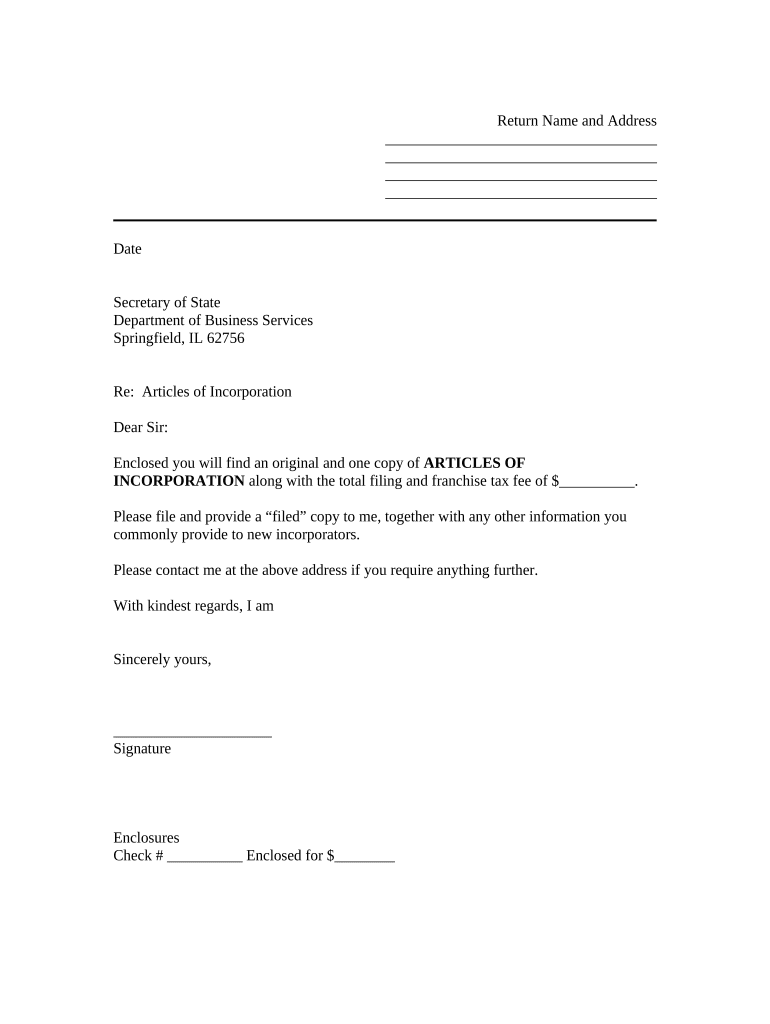
Date

Use MM/DD/YYYY format. The date establishes delivery timing and may affect deadlines or statutory timelines tied to the enclosures.

Recipient

Provide full recipient name, job title, organization, and mailing or delivery address so the package is unambiguously directed.

Purpose Statement

One or two sentences stating why materials are sent (e.g., submission, response to request, transmission of executed agreement) and any action requested.

Attachment List

Itemized list of attached documents with file names, page counts, and reference numbers to make verification and intake straightforward.

Signature Block

Printed name, job title, signature (electronic or handwritten), and date to confirm who transmitted the package and when.

Step-by-Step: Completing a Transmittal Letter

Follow these steps to prepare and deliver a clear transmittal that supports tracking and acceptance.

  • 01
    Prepare Header: Enter sender and recipient contact information.
  • 02
    State Purpose: Write one concise sentence explaining the reason for transmission.
  • 03
    List Attachments: Itemize files with names and page counts.
  • 04
    Sign and Date: Sign, then route or send via chosen distribution channel.

How to Route and Submit a Transmittal Letter

Typical routing steps for electronic or physical delivery ensure the recipient receives both the transmittal and its enclosures together.

  • Attach Documents: Combine all files or reference them in an attachment list.
  • Choose Delivery: Select email, secure portal, or physical mail as required.
  • Authenticate Sender: Use eSignature or printed signature and business contact info.
  • Confirm Delivery: Obtain read receipt, portal confirmation, or delivery tracking.

Configuring an Online Completion Workflow

Set up your electronic workflow to capture the transmittal and attachments, authenticate signers, and record a complete audit trail.

Field Configuration
Upload Document Store original PDF or DOCX; enable version control.
Signature Fields Place signature and date fields for each signer.
Authentication Configure email, SMS, or advanced signer authentication.
Attachment Handling Allow attachments and list filenames in the transmittal.

Digital Signing and Distribution Considerations

Decide whether the transmittal will be sent by email, secure portal, or certified courier based on sensitivity and recipient preference.

  • File Types: PDF, DOCX, or ZIP accepted
  • Authentication: Email link, SMS code, or MFA
  • Integrations: CRM and document management

Ensure the chosen platform records timestamps, signer identity, and an audit trail compatible with organizational retention and any regulatory obligations.

Typical eSignature Provider Pricing and Feature Snapshot

Compare common pricing and compliance features relevant to sending and signing transmittal letters. signNow is listed first per vendor-comparison convention.

signNow DocuSign Adobe Sign PandaDoc HelloSign
Starting Price $8/user/mo $15/user/mo $14/user/mo $19/user/mo $15/user/mo
Free Trial 7-day trial Varies Varies Varies Varies
Bulk Send Yes Yes Yes Yes No
Audit Trail Yes Yes Yes Yes Yes
HIPAA Compliant Yes Yes Yes No No

Required Data Elements for the Transmittal Letter

Sender: Full legal name
Recipient: Full name and title
Transmission Date: MM/DD/YYYY
Reference: Project or contract number
Attachment List: File names and page counts
Signature: Signed and dated block

Common Preparation Mistakes to Avoid

  • Omitting a clear purpose statement, which forces recipients to guess required actions and delays processing.
  • Failing to list attachments precisely, resulting in missing pages or follow-up requests from reviewers.
  • Using informal or inconsistent reference numbers that do not match the recipient's intake system.
  • Not capturing a signed delivery confirmation or audit trail when the documents are time-sensitive.

Consequences of an Incorrect or Missing Transmittal

Missed Deadlines: Late submissions risk rejection
Contract Rejection: Incomplete packages may be refused
Payment Delay: Invoices lacking transmittal details may be held
Data Exposure: Misaddressed items risk unauthorized access
Invalid Records: Unsigned transmittals weaken audit proof
Disputes: Poor documentation complicates claims

How Organizations Use Transmittal Letters in Practice

These short examples show real-world uses where a transmittal letter supported faster intake and clearer recordkeeping.

Optica Ventures — COO

Optica standardized a transmittal to accompany proposal packets to procurement reviewers, ensuring attachments were consistently named and counted.

  • Consolidated review materials and reduced follow-up requests.
  • "The interface is simple and easy-to-use for our team; more importantly, it is just as easy for our customers," said Brian Fitzgibbons, noting faster processing and clearer records.

Martin Properties — Founder

Martin Properties used transmittals for lease and closing packages to list exhibits and lien waivers, reducing missing document incidents.

  • Improved completeness checks before delivery.
  • "I can process and execute all of these documents online with 100% compliance and built-in security. Whether on mobile or working offline, I can get forms back to their necessary parties efficiently," said Tim Martin.

Practical Tips for Accurate and Efficient Transmittal Letters

Adopt consistent templates and digital checks to reduce errors and accelerate recipient processing.

Use a Standard Template
Create a single approved template with required fields and dropdowns for common reference numbers to reduce data entry errors and enforce consistency across teams.
Automate Attachment Lists
Auto-populate file names and page counts from the document repository to avoid manual mismatches and omitted attachments during transmission.
Capture Evidence of Delivery
Use platforms that provide timestamps, delivery receipts, and audit trails so you can prove when and how materials were sent and received.
Validate Signer Identity
For time-sensitive or regulated submissions, require stronger authentication (SMS, knowledge-based, or SSO) to reduce repudiation risk.

Frequently Asked Questions About Transmittal Letters

Answers to common operational and legal questions about preparing, signing, and storing transmittal letters.


Need help? Contact support

be ready to get more
Join over 28 million airSlate SignNow users