Establishing secure connection…Loading editor…Preparing document…

Solar Easement

This template is fully customizable. Edit the text, fill out the fields, and send it for signature. Give it a try!
Solar Easement

What a Solar Easement Is and how it works

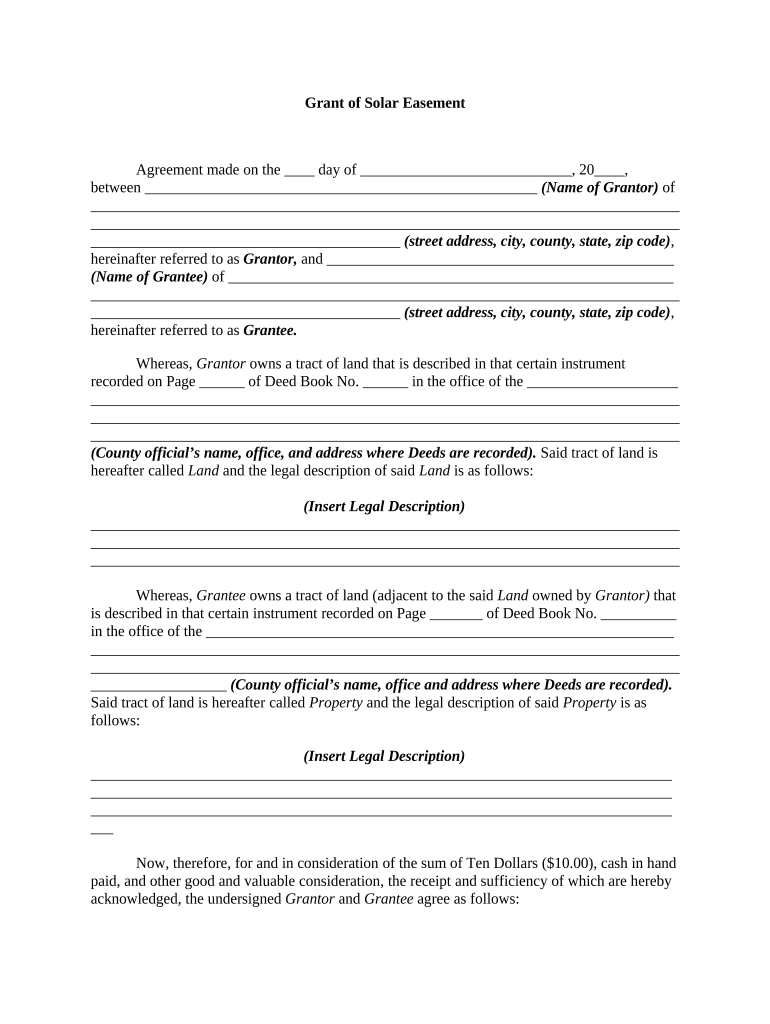
A Solar Easement is a legal instrument that grants one property the right to receive sunlight across another property to protect a solar energy system's performance. Typically recorded in the county land records, the easement limits future obstructions (buildings, vegetation) within a defined solar access zone. It runs with the land, creating binding rights on successors, and commonly includes a precise legal description, performance parameters (angles, time windows), duration, maintenance responsibilities, and remedies for interference.

Why a Solar Easement matters for property value and system performance

A properly drafted and recorded Solar Easement protects expected solar production, reduces future disputes with neighbors or successors, and clarifies maintenance and enforcement rights. It gives lenders and buyers clearer title expectations and helps ensure a planned PV system meets its financial and permitting projections.

Why a Solar Easement matters for property value and system performance

Typical parties involved in a Solar Easement

Solar Easements are used by property owners, developers, and entities that rely on predictable solar access for energy production or valuation.

  • Homeowners with rooftop or ground-mounted solar arrays seeking long-term sunlight protection.
  • Commercial developers and landlords who want to preserve system output across lot lines.
  • Local governments, utilities, or community solar operators securing rights for distributed generation.

Core elements to include in a professional Solar Easement

A comprehensive Solar Easement identifies parties, maps the solar access area, sets temporal and geometric limits, explains duration and transferability, assigns maintenance obligations, and describes remedies for interference.

Parties

Grantor and grantee legal names with mailing addresses and capacity (owner, mortgagee) clearly identified.
Legal Description

Full parcel legal description, assessor parcel number, and a referenced map or exhibit showing exact easement boundaries.

Solar Access Parameters

Horizontal and vertical angles, compass azimuths, and specified times/dates when sunlight protection is required.

Term and Transferability

Duration (fixed term or perpetual), assignment rules, and whether easement runs with the land.

Maintenance & Remedies

Obligations for trimming, removal of obstructions, monitoring procedures, and remedies for violation including injunctions or damages.

Recording & Exhibits

Instructions for county recording, referenced exhibits (site plans, solar study), and a clear notary/acknowledgement block.

Essential information every Solar Easement must list

Grantor: Owner granting the easement.
Grantee: Recipient holding solar access rights.
Property ID: Assessor parcel number or deed reference.
Easement Area: Degrees, azimuth, and time windows.
Term: Perpetual or fixed term.
Recording Info: County, book, and page or instrument number.

Step-by-step: completing a Solar Easement

Follow these sequential steps to create, sign, notarize, and record a Solar Easement that is enforceable and clear for future owners.

  • 01
    Identify parties: Confirm legal owners and mortgagee interests before drafting.
  • 02
    Define envelope: Specify geometry, azimuths, times, and any height limits.
  • 03
    Agree terms: Set duration, maintenance duties, and remedies in writing.
  • 04
    Record easement: Sign, notarize, and file with the county recorder.

Customizing an online Solar Easement workflow

When completing the form digitally, configure fields and authentication to match the parties' needs and recording requirements.

Field Configuration
Document Template Upload PDF or DOCX with mapped signature fields
Signature Order Set sequential or simultaneous signing
Authentication Choose email link, SMS code, or ID verification
Recording Package Include exhibit PDFs and printable acknowledgement

Where to sign, notarize, and record a Solar Easement

Recording binds the easement against subsequent purchasers; follow local recording procedures and notarization rules carefully.

  • Prepare Package: Assemble easement, exhibits, and title references for review.
  • Execute & Notarize: Parties sign in presence of a notary or use RON if allowed.
  • Obtain Release/Mortgage Consent: Record any lender consents if required by mortgage documents.
  • File with Recorder: Submit instrument and pay county recording fee to record title.

Sharing and e-filing options for a Solar Easement

Use secure file-sharing and e-signature tools to distribute drafts, collect signatures, and prepare a recording packet.

  • Cloud Integrations: Google Drive, Box, or NetSuite for document management
  • E-signature Formats: PDF, DOCX exports and embedded audit trails
  • Notary & RON: Support for in-person acknowledgement or remote notary workflows

Typical timelines and recording expectations

Timing varies by county and state; plan for negotiation, execution, notarization, and recording to avoid gaps that could affect enforceability.

Negotiation Window:

Complete terms before major site work or PV installation.

Execution and Notarization:

Signings and notarization usually occur within days of final draft.

County Recording:

Processing commonly takes 1–4 weeks, depending on county backlog.

RON Availability:

Over 45 states allow permanent RON; verify state notary regulations.

Mortgage Lender Review:

Allow extra time if lender consent is required.

Common mistakes to avoid when preparing a Solar Easement

  • Vague descriptions of the solar access zone that make enforcement subjective and invite disputes.
  • Failing to confirm mortgagee or lienholder consent before recording, which can create title objections.
  • Omitting a precise time window or angular specification, leading to differing interpretations of obstruction.
  • Not recording promptly after execution, allowing intervening purchasers to claim notice defenses.

Risks and consequences of an incorrect or incomplete easement

Unenforceability: Imprecise drafting risks court refusal to enforce.
Title Defect: Recording errors can cloud title and hinder sales.
Economic Loss: Reduced solar output or increased mitigation costs.
Litigation Costs: Disputes can result in significant legal fees.
Mortgage Breach: Noncompliance with lender provisions may trigger remedies.
Recording Rejection: Incorrect form or missing signatures may be rejected.

Supporting documents and download formats to include

A complete recording package includes technical exhibits, title references, and notarization details in standard, easily printable formats.

Site Plan

Attach a surveyed site plan showing parcel lines, easement boundaries, solar array location, and sun‑path profile as Exhibit A.

Solar Study

Include irradiance or shade analysis showing performance expectations and the study date to support access parameters.

Download Formats

Provide the executed package as PDF/A and a tracked-change DOCX for review; PDFs support standard recording submission.

Notary Acknowledgement

Include the completed notary acknowledgement or remote notary certificate as a separate, signed exhibit for recording.

Real-world examples of Solar Easement use

Two typical scenarios illustrate how solar easements solve access conflicts and support financing or development plans.

Residential rooftop easement

A homeowner obtains an easement from a neighboring lot to prevent future tree growth over the array

  • Narrow angular limits preserve rooftop production
  • The recorded easement enabled a solar loan because it documented expected output and reduced lender risk, simplifying financing and resale disclosure.

Commercial site easement

A developer secures cross‑lot sunlight for a carport PV array serving multiple tenants

  • Term is 30 years with automatic transferability
  • The easement was recorded with exhibits and lender consents, supporting project underwriting and protecting long‑term energy revenue.

eSignature vendor comparison for signing and recording workflows

Basic pricing and feature differences can affect how you collect signatures, bulk send packages, and meet HIPAA or recording needs.

signNow DocuSign Adobe Sign PandaDoc HelloSign
Starting Price $8/user/mo $15/user/mo $14/user/mo $19/user/mo $15/user/mo
Free Trial 7-day free trial Varies by vendor Varies by vendor Varies by vendor Varies by vendor
Bulk Send Yes Yes Yes Yes No
Audit Trail Yes Yes Yes Yes Yes
HIPAA Compliant Yes Yes Yes No No

Frequently asked questions about Solar Easements and digital workflows

Answers to common questions about enforceability, notarization, electronic signing, modification, revocation, and recording practices.


Need help? Contact support

be ready to get more
Join over 28 million airSlate SignNow users