
Fill and Sign the Standard Form 424d
Useful advice for setting up your ‘Standard Form 424d’ online
Are you fed up with the inconvenience of managing paperwork? Look no further than airSlate SignNow, the leading electronic signature solution for individuals and businesses. Bid farewell to the tedious process of printing and scanning documents. With airSlate SignNow, you can effortlessly complete and sign paperwork online. Take advantage of the comprehensive features included in this user-friendly and cost-effective platform and transform your document management experience. Whether you need to authorize forms or gather eSignatures, airSlate SignNow takes care of everything smoothly, with just a few clicks.
Follow this detailed guide:
- Log in to your account or sign up for a free trial with our service.
- Click +Create to upload a document from your device, the cloud, or our template collection.
- Open your ‘Standard Form 424d’ in the editor.
- Click Me (Fill Out Now) to prepare the document on your end.
- Insert and assign fillable fields for others (if necessary).
- Proceed with the Send Invite options to request eSignatures from others.
- Save, print your copy, or convert it into a multi-use template.
No need to be concerned if you want to work with your teammates on your Standard Form 424d or send it for notarization—our solution provides you with everything required to accomplish such tasks. Create an account with airSlate SignNow today and elevate your document management to new levels!
FAQs
-
What is the Standard Form 424d and how is it used?
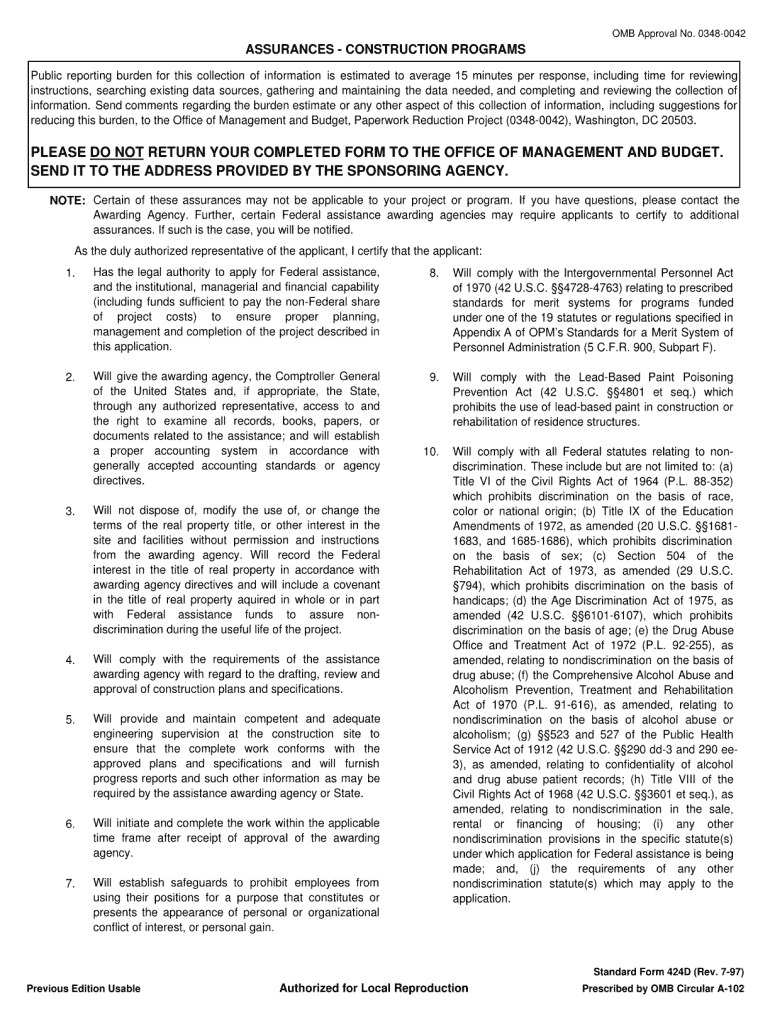
The Standard Form 424d is a government form used for applications and proposals in grant programs. It provides essential information about the project and ensures compliance with federal regulations. Businesses can utilize airSlate SignNow to easily fill, sign, and submit the Standard Form 424d digitally, streamlining the application process.
-
How does airSlate SignNow simplify the completion of the Standard Form 424d?
airSlate SignNow simplifies the completion of the Standard Form 424d by offering intuitive document editing and signing features. Users can easily input necessary information, add digital signatures, and save their progress. This user-friendly platform ensures that users can complete the form accurately and efficiently.
-
What are the pricing options for using airSlate SignNow to manage the Standard Form 424d?
airSlate SignNow offers flexible pricing plans that cater to different business needs, including options for managing the Standard Form 424d. Whether you're a small business or a large organization, airSlate SignNow provides affordable solutions that include essential features for document management and eSigning.
-
Can I integrate airSlate SignNow with other tools to handle the Standard Form 424d?
Yes, airSlate SignNow integrates seamlessly with various business tools, which can enhance your workflow when handling the Standard Form 424d. Common integrations include CRM systems, cloud storage services, and project management tools, allowing you to manage your documents efficiently.
-
What security features does airSlate SignNow offer for the Standard Form 424d?
airSlate SignNow prioritizes security, ensuring that your Standard Form 424d and other documents are protected. The platform employs encryption, secure cloud storage, and compliance with industry standards to safeguard sensitive information, giving users peace of mind when signing and sharing documents.
-
How can airSlate SignNow improve collaboration on the Standard Form 424d?
AirSlate SignNow enhances collaboration on the Standard Form 424d by allowing multiple users to review and sign documents simultaneously. This feature helps teams work together more effectively, reducing the time needed for approvals and ensuring everyone is on the same page.
-
Is it easy to track the progress of the Standard Form 424d in airSlate SignNow?
Absolutely! airSlate SignNow provides tracking features that allow you to monitor the progress of the Standard Form 424d. You'll receive notifications when the document is viewed, signed, or completed, ensuring you stay informed throughout the process.
Find out other standard form 424d
- Close deals faster
- Improve productivity
- Delight customers
- Increase revenue
- Save time & money
- Reduce payment cycles
