Establishing secure connection…Loading editor…Preparing document…

Stipulated Judgment Louisiana

This template is fully customizable. Edit the text, fill out the fields, and send it for signature. Give it a try!
Stipulated Judgment Louisiana

What a Stipulated Judgment in Louisiana Is

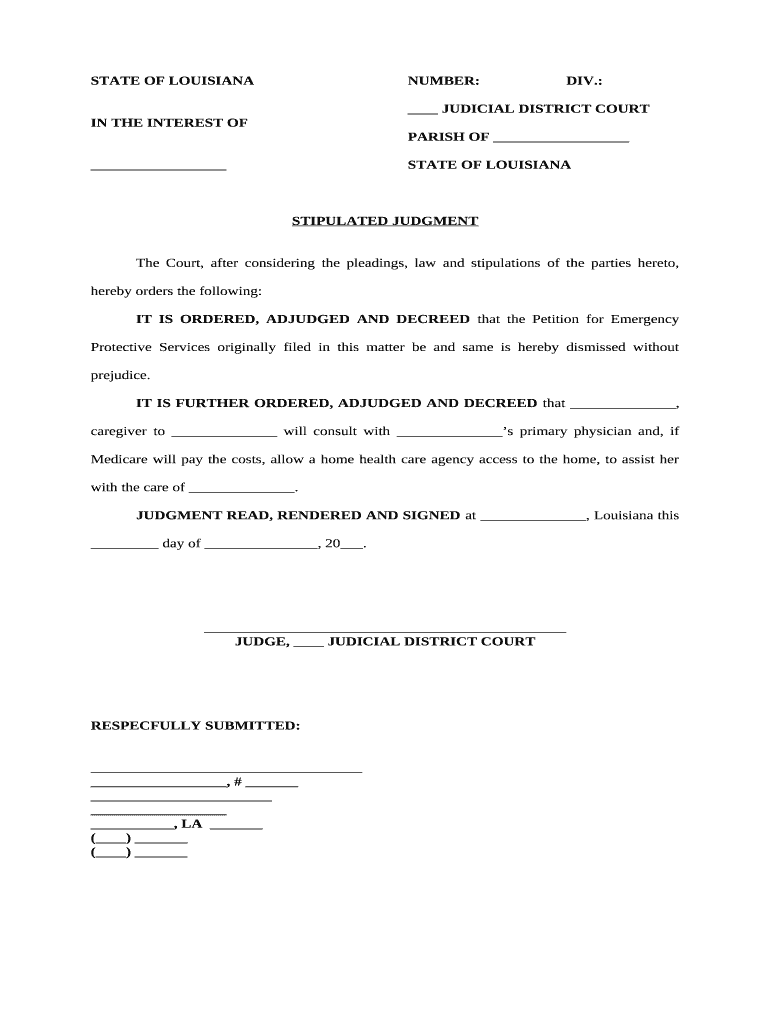
A Stipulated Judgment in Louisiana is a court order entered by agreement of the parties, usually after negotiation or mediation, that resolves a civil dispute without trial. It records the parties' mutually accepted terms, including monetary amounts, performance obligations, or settlement conditions, and once signed by the judge it has the force and effect of a regular judgment. Parties typically submit a proposed judgment or stipulation for the clerk’s approval; when entered, it becomes enforceable through normal post-judgment remedies such as execution, garnishment, or seizure under Louisiana procedure.

Why a Stipulated Judgment Matters

A stipulated judgment shortens litigation, reduces costs, and provides a clear, enforceable outcome that both parties accept. It limits future disputes by memorializing agreed terms and enables quicker collection or performance through established enforcement mechanisms.

Why a Stipulated Judgment Matters

Who Typically Prepares or Signs This Document

Parties to civil litigation, their attorneys, and court clerks commonly prepare and file stipulated judgments in Louisiana.

  • Plaintiffs and defendants in civil cases who agree to settle and request entry of judgment by the court.
  • Attorneys who draft the stipulation and present it to the court for approval and signature.
  • Clerks and judges who review, enter, and docket the judgment so it becomes enforceable.

Because rules and filing steps vary by parish and case type, counsel frequently coordinates the submission, entry, and notice process to avoid procedural defects.

Essential Parts of a Louisiana Stipulated Judgment

A professional stipulated judgment includes clear recitals, agreed terms, signatures, entry language, a judgment amount or performance schedule, and any release or reservation of claims.

Caption

Court name, docket number, and case caption identifying parties and the presiding court for precise filing and enforcement.
Recitals

Short factual background and procedural posture summarizing how parties arrived at the stipulation and why entry of judgment is requested.

Agreement Terms

Defined obligations, payment schedule, deadlines, or other performance conditions the parties mutually accept and ask the court to enforce.

Release Language

Any waiver or reservation of claims, clarifying which causes of action are discharged or preserved after entry of judgment.

Signatures

Signatures of counsel or parties; if required by local practice, notarization or verification of signatures should be included.

Entry Directive

Clear request that the court 'enter judgment' on the agreed terms and directives for docketing, costs, or post-judgment relief.

Step-by-Step: Preparing and Filing a Stipulated Judgment in Louisiana

Follow these practical steps to prepare, sign, and submit a stipulated judgment so it can be entered and enforced by the court.

  • 01
    Draft the stipulation: Translate the settlement terms into clear judgment language.
  • 02
    Obtain signatures: Collect signatures from parties or counsel, and notarize if required.
  • 03
    File with clerk: Submit proposed judgment to the appropriate parish clerk of court.
  • 04
    Judge signs and enters: Clerk dockets the judgment and issues notice of entry.

Typical Digital Workflow for Completing the Form

When completing digitally, configure the form for sequential signing and verification to match Louisiana court filing practice.

Field Configuration
Signature Order Set sequential signing: plaintiff then defendant then judge/clerk.
Authentication Use email or SMS codes for signer identity verification.
Attach Exhibits Bind settlement agreements or releases as appendices.
Audit Trail Enable full event history for court submission and records.

How Electronic Completion and Submission Works

Electronic workflows reduce turnaround when parties sign remotely; ensure the platform captures an admissible audit trail and meets legal standards.

  • Upload Document: Start by uploading the proposed judgment PDF or DOCX.
  • Place Fields: Add signature, date, and initial fields where required.
  • Invite Signers: Send secure signing links via email or SMS.
  • Capture Audit Trail: Record timestamps, IPs, and authentication details.

Digital Signing: Technical Requirements and Integrations

Use a platform that supports PDF and DOCX, audit trails, and optional advanced signer authentication for legal filings.

  • File Formats: PDF and Word DOCX supported
  • Integrations: Connects with Salesforce, NetSuite, Google Workspace
  • Security: AES-256 at rest; TLS 1.2/1.3 in transit

Confirm the court accepts electronically signed documents and follow local clerk guidance for attachments, filing method, and any required paper originals.

Consequences of Errors or Incomplete Stipulated Judgments

Procedural Rejection: Clerk may refuse filing
Unenforceability: Ambiguous terms hinder execution
Appeal Risk: Improper entry invites challenges
Sanctions: Court may sanction bad faith filings
Collection Delay: Errors can delay enforcement
Confidentiality Breach: Missing redaction risks disclosure

Common Pitfalls to Avoid

  • Using vague payment terms or undefined benchmarks that create interpretation disputes later.
  • Failing to match party names to original pleadings, which can cause clerk rejection or enforcement issues.
  • Omitting explicit release language where parties intended finality, leaving residual claims unresolved.
  • Submitting unsigned or improperly notarized copies when local rules require originals or acknowledgements.

Typical Timeframes and Deadlines to Watch

Timing varies by parish and case type; use these common deadlines as planning checkpoints and confirm with local rules.

Settlement to Draft:

Prepare the stipulation within a few days after agreement

Filing Deadline:

File promptly; delay can affect motion schedules or deadlines

Opposition Period:

Some courts allow short notice period before entry

Entry Date:

Judge signs and clerk issues official entry date

Enforcement Window:

Commence collection actions after the judgment is entered

Milestone Timeline for Entry and Enforcement

A concise sequence clarifies the path from settlement to collection so parties and counsel can coordinate actions.

01

Settlement Agreement Reached

Parties agree on terms and authorize counsel to prepare the stipulated judgment.

02

Drafting and Review

Counsel drafts proposed judgment, circulates to parties, and resolves language issues.

03

File Proposed Judgment

Submit to the parish clerk with any required filing fee or affidavit.

04

Entry and Docketing

Judge signs; clerk dockets judgment and issues writs for enforcement as appropriate.

eSignature Vendor Comparison for Completing a Stipulated Judgment

Common capability and price points across leading eSignature providers. signNow appears first to show typical plan and compliance options.

signNow DocuSign Adobe Sign PandaDoc HelloSign
Starting Price $8/user/mo $15/user/mo $14/user/mo $19/user/mo $15/user/mo
Free Trial 7-day free trial Varies by vendor Varies by vendor Varies by vendor Varies by vendor
Bulk Send Yes Yes Yes Yes No
Audit Trail Yes Yes Yes Yes Yes
HIPAA Compliant Yes Yes Yes No No

Real-World Examples of Electronic Signing for Legal Documents

Organizations use electronic signing for settlement documentation and court filings when allowed by local practice.

Optica Ventures LLC

The interface is simple and easy-to-use for our team; more importantly, it is just as easy for our customers.

  • Quick document turnaround reduced inbox delays.
  • As COO, Brian Fitzgibbons reported faster signature cycles and fewer resubmissions when documents were prepared with clear fields and audit trails.

BIS / Dan Rotelli

We felt most comfortable with airSlate SignNow given their SOC 2 certification and strict focus on ESIGN and UETA act compliance.

  • Security and compliance were decisive.
  • Dan Rotelli noted improved internal controls and reliable audit logs for legal documents that required retention and later verification.

Frequently Asked Questions About Stipulated Judgments and Electronic Signing

Answers to common legal and technical questions, including enforceability, notarization, and recordkeeping when using electronic signing for stipulated judgments.


Need help? Contact support

be ready to get more
Join over 28 million airSlate SignNow users