Establishing secure connection…Loading editor…Preparing document…

Substantial Completion Form

This template is fully customizable. Edit the text, fill out the fields, and send it for signature. Give it a try!
Substantial Completion Form

What the Substantial Completion Form Is and When It’s Used

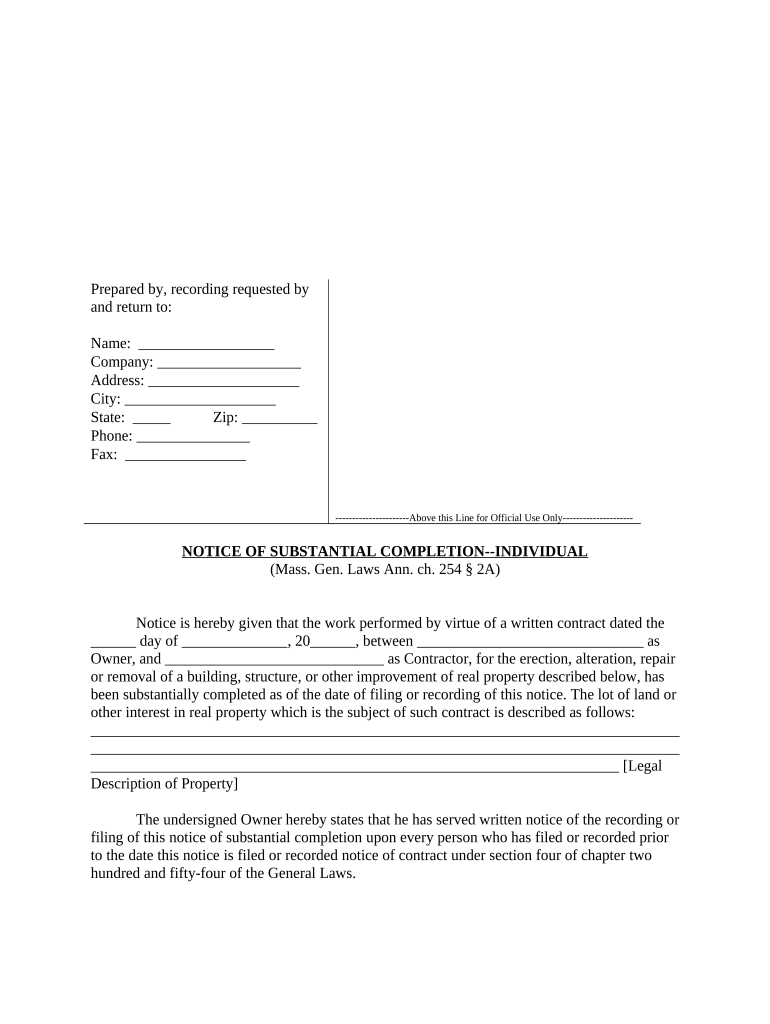
A Substantial Completion Form documents the point at which contracted work is sufficiently complete for the owner to occupy or use the project for its intended purpose, while minor items (punch list) remain. It typically records the substantial completion date, scope still outstanding, any agreed retainage or payment adjustments, and signatories from contractor, owner, and architect. The form triggers warranty periods, final payment procedures, and may affect lien rights or insurance responsibilities under the construction contract.

Why a Clear Substantial Completion Form Matters

A well-prepared Substantial Completion Form creates a clear milestone for payments, warranty start dates, and risk allocation; it reduces disputes and supports enforcement. Electronic execution is legally valid under ESIGN (15 U.S.C. §7001) and UETA where adopted, provided intent, consent, attribution, and retention are satisfied.

Why a Clear Substantial Completion Form Matters

Who Commonly Completes and Signs This Form

Multiple parties use the Substantial Completion Form to trigger contractual obligations, confirm project status, and document outstanding items.

  • General contractors and subcontractors who confirm the work status and request payment adjustments or release of retainage.
  • Owners and owner representatives who accept use or occupancy and record warranty start dates and unresolved punch list items.
  • Design professionals (architect/engineer) who certify work substantially complies with contract documents and may list outstanding items.

Primary Signers and Their Roles

Owner / Project Representative

Signs to confirm acceptance of use or occupancy, records conditions for final payment, and starts warranty obligations. Their signature can affect insurance, occupancy permits, and lien rights; ensure the signatory has delegated authority.

Contractor / General Contractor

Signs to confirm completion status, requests release of retainage or progress holdbacks, and acknowledges outstanding punch list items. The contractor’s representative must match the contract’s authorized signatory to avoid disputes.

Stepwise Process to Complete and Execute the Form

Follow these core steps to produce an enforceable Substantial Completion Form and reduce post-signing disagreements.

  • 01
    Prepare: Populate project and contract identifiers; attach relevant schedules.
  • 02
    Inspect: Conduct walkthrough and list punch items in detail.
  • 03
    Agree: Obtain written agreement on retainage and completion timeline.
  • 04
    Execute: Sign by authorized representatives and distribute certified copies.

How to Configure an Online Substantial Completion Workflow

Configure digital fields and routing to replicate contract signoff order and capture the audit trail automatically.

Field Configuration
Signature Order Set contractor → architect → owner sequential routing
Authentication Use email + SMS code or stronger signer verification as contract requires
Conditional Fields Show retainage fields only if payment clause applies
Recordkeeping Enable audit trail, download PDF/A, and store copy in project folder

Where to Send and How Submissions Flow

A typical submission path ensures proper notice and project recordkeeping while supporting payment processing and permit needs.

  • Upload: Upload final form and attachments to the project folder
  • Route: Route to architect for certification and comments
  • Sign: Obtain contractor and owner signatures in agreed order
  • Archive: Store signed copy with contracts and closeout documents

Technical Needs for eSubmission and Signing

Choose a platform that supports required signature authentication, audit trails, and standard document formats.

  • Integrations: Salesforce, NetSuite, Procore
  • Formats: PDF, DOCX, PDF/A
  • Authentication: Email, SMS, KBA as needed

Security and Compliance Checklist

Encryption: TLS 1.2/1.3 in transit; AES-256 at rest
Audit Trail: Tamper-evident logs with timestamps
HIPAA: BAA available for protected health information
21 CFR Part 11: Support for FDA-regulated records
SOC 2: SOC 2 Type II available
ISO: ISO 27001 certified controls

Core Elements to Include in a Professional Form

A complete Substantial Completion Form combines project identifiers, scope details, certification statements, signatory blocks, payment impacts, and attachments to be useful for records and enforcement.

Project ID

Contract title and number along with the project address for clear identification and linkage to project files.
Completion Date

The exact date of substantial completion in MM/DD/YYYY format that starts warranties and affects lien and insurance obligations.

Certified Scope

A concise certification from the certifying party describing work completed and any known deviations from contract documents.

Punch List

An itemized list of remaining work, responsible party for each item, and estimated completion timelines to avoid later disputes.

Payment Effects

Statements on retainage release, final payment adjustments, and any withheld amounts tied to remaining defects or incomplete work.

Signatures

Authorized signatory name, title, organization, signature, and date for contractor, owner, and certifying professional.

Practical Tips for Accurate, Efficient Completion

Adopt consistent practices to reduce errors, speed approval, and preserve contractual rights when working with Substantial Completion Forms.

Cross‑check contract terms
Compare the form’s retainage and milestone language with the original contract before signing to prevent conflicting obligations and payment delays.
Detail punch items
Provide item-level descriptions, responsible parties, and deadlines so parties share the same expectations and reduce extended disputes.
Keep supporting evidence
Attach inspection reports, photos, and test results to the form to document condition at substantial completion and avoid re-litigation.
Use reliable eSignature
Select an eSignature provider with robust audit trails and retention to meet ESIGN/UETA validation and evidentiary needs.

Common Preparation Errors to Avoid

  • Using an approximate or incorrect substantial completion date that shifts warranty and payment timelines and invites disagreement.
  • Listing vague punch list entries without responsible parties or completion windows, causing disputes about who must finish remaining work.
  • Allowing unauthorized signatories to sign, which can lead to claims the form is invalid or unenforceable under the contract.
  • Failing to attach required inspection reports or approvals, delaying payment processing and occupancy permit issuance.

Key Risks If the Form Is Incorrect or Missing

Payment Delays: Withheld or delayed final payments
Lien Exposure: Compromised lien claim timing
Warranty Disputes: Unclear warranty start dates
Permit Issues: Occupancy permit delays
Contractual Breach: Disputes over completion criteria
Record Problems: Missing evidence for claims

Typical Timing and Contract Deadlines to Watch

Contract documents set the required timing for inspections, certification, and payment; follow those schedules closely to preserve rights.

Notice to Certify:

Submit request per contract; commonly within 7–30 days of practical completion

Architect Review:

Architect or engineer typically has 7–21 days to inspect and certify work

Owner Response:

Owner acceptance or written objections usually required within 7–30 days

Payment Application:

Apply for final payment per the payment schedule after certification

Punch List Completion:

Contract specifies period to finish outstanding items; commonly 30–90 days

How Substantial Completion Differs from Final Completion

Compare the Substantial Completion Form to related completion documents used in construction closeout to choose the correct milestone instrument.

Criteria Substantial Completion Form Final Completion Certificate
Purpose occupancy/usable all work finished
Timing earlier in closeout after punch list done
Signers contractor/owner/architect contractor and owner
Payment Effect triggers partial final payments triggers final payment release

eSignature Pricing Snapshot for Document Execution

Compare starting price, trial availability, core features, and HIPAA readiness across leading eSignature providers. signNow appears first per vendor ordering rules.

signNow DocuSign Adobe Sign PandaDoc HelloSign
Starting Price $8/user/mo $15/user/mo $14/user/mo $19/user/mo $15/user/mo
Free Trial Yes, 7-day free trial Varies Varies Varies Varies
Bulk Send Yes Yes Yes Yes No
Audit Trail Yes Yes Yes Yes Yes
HIPAA Compliant Yes Yes Yes No No

Real-World Examples of Digital Closeout Workflows

These short examples show how electronic signature workflows are used in practice to complete and record construction milestones.

Martin Properties

Tim Martin’s firm moved closeout paperwork online to eliminate in-person signatures and speed handoffs

  • The team tracked punch list items digitally to ensure transparency
  • "I can process and execute all of these documents online with 100% compliance and built-in security. Whether on mobile or working offline, I can get forms back to their necessary parties efficiently."

BIS

Dan Rotelli evaluated vendors for SOC 2 and compliance and selected a secure eSignature workflow

  • That choice prioritized audit trails and legal defensibility
  • "We felt most comfortable with airSlate SignNow given their SOC 2 certification and strict focus on ESIGN and UETA act compliance."

Frequently Asked Questions About the Form and eSigning

Answers to common questions about validity, signatures, notarization, and correcting errors on Substantial Completion Forms.


Need help? Contact support

be ready to get more
Join over 28 million airSlate SignNow users