Caption
Court caption with jurisdiction, division, case number, and party names positioned at the top to correctly identify the proceeding and ensure proper docketing.
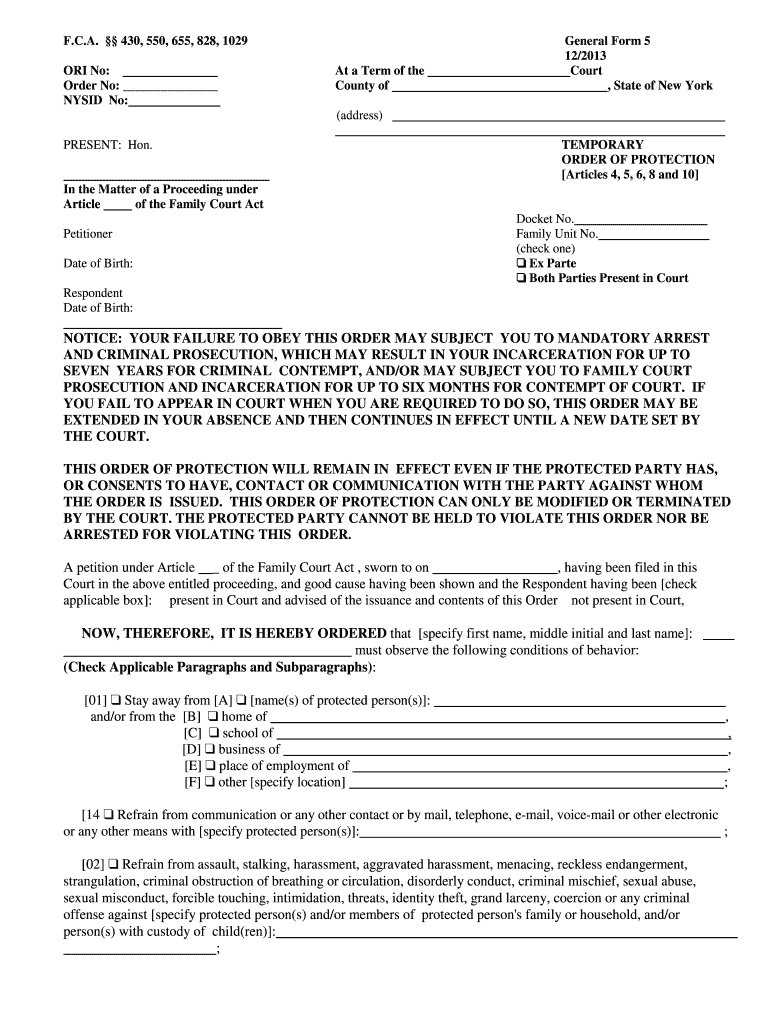
A Temporary Order of Protection creates immediate, enforceable boundaries—such as no-contact or stay-away provisions—that reduce imminent risk while preserving legal rights pending a full hearing.

Petitioners, attorneys, court clerks, and victim advocates routinely complete or assist with Temporary Order of Protection filings depending on role and urgency.
Identifying your role early ensures you follow the correct filing path, serve the respondent properly, and collect supporting evidence required by the court.
| Field | Configuration |
|---|---|
| Access | Restrict editing to petitioner, attorney, and clerk roles to prevent unauthorized changes. |
| Authentication | Use email plus SMS code or equivalent multi-factor authentication for signer verification. |
| Notary | Enable RON session recording where state law permits notarization for filings. |
| Retention | Store signed PDF with audit trail and timestamps for required retention period. |
Confirm the e-sign and e-file platform supports required formats, audit trails, and authentication for court submissions.
Court caption with jurisdiction, division, case number, and party names positioned at the top to correctly identify the proceeding and ensure proper docketing.
Full legal names, aliases, dates of birth, and contact information for petitioner and respondent to support accurate service and identity verification.
Concise factual timeline describing recent incidents, with dates, locations, witnesses, and harm to justify emergency relief to the court.
Itemized remedies requested—no contact, stay-away distances, residence exclusion, child custody limitations—phrased for enforceability by law enforcement.
Clear start and end dates, or text stating 'until hearing,' so parties and law enforcement understand the order's effective period.
Signature lines for petitioner, attorneys, and judge plus date and space for notarization or verification when required by local rules.
Attach police reports, medical records, photos, witness affidavits, and prior orders to strengthen the petition and provide the judge relevant context.
Save completed orders as PDF/A for archival and produce DOCX copies when court rules permit editable records for internal use.
Include a certificate of completion containing timestamps, IP addresses, and authentication events to support electronic signature attribution.
Prepare an affidavit or return of service and preserve RON session recordings or process server receipts as proof of lawful service.
Local property manager documents repeated threats and requests a temporary exclusion order for safety
Healthcare provider files emergency orders to restrict contact with a disruptive individual at clinic locations
File immediately after an incident; courts prioritize emergency petitions.
Many jurisdictions schedule a hearing within 7 to 14 days of filing.
Serve respondent as quickly as possible to permit enforcement.
Retain originals for the life of the case and required post-termination periods.
Time to appeal varies by state; follow the order's instructions closely.
Petitioner files the petition; clerk assigns a case number and docket entry.
Judge conducts a brief review and may issue a temporary order ex parte.
Authorized server or law enforcement delivers the signed order to the respondent.
Proof of service submitted; court schedules or holds the contested full hearing.
| signNow | DocuSign | Adobe Sign | PandaDoc | HelloSign | |
|---|---|---|---|---|---|
| Starting Price | $8/user/mo | $15/user/mo | $14/user/mo | $19/user/mo | $15/user/mo |
| Free Plan | Yes, 7-day trial | Verify | Verify | Verify | Verify |
| Bulk Send | Yes | Yes | Yes | Yes | No |
| Audit Trail | Yes | Yes | Yes | Yes | Yes |
| HIPAA Compliant | Yes | Yes | Yes | No | No |