Caption
Use the official court caption showing party names, case number, court name, and division exactly as on the original judgment to ensure clerks and judges can readily identify the case without ambiguity.
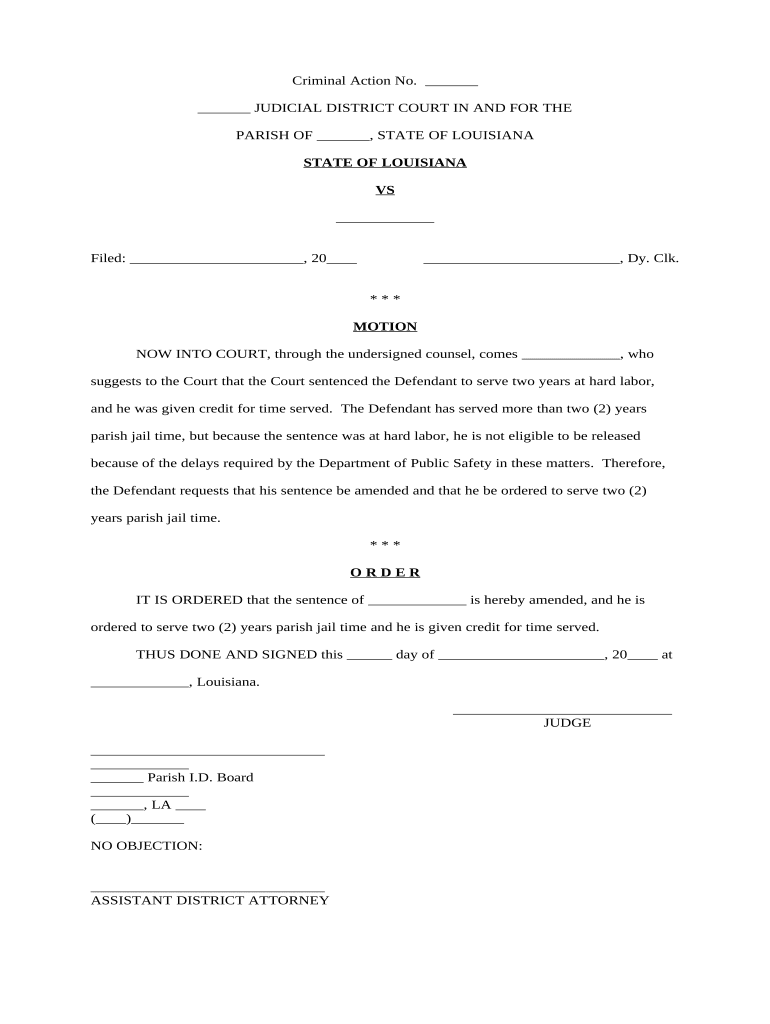
A Motion to Amend Sentence lets defendants or counsel seek correction of errors, reduction for excessiveness, or relief based on new law or facts. It preserves rights, can shorten incarceration, and clarifies records, helping courts correct sentences without full resentencing.

Typical users include defendants, appointed or retained counsel, appellate attorneys, and prosecutors seeking sentence corrections or clarifications.
| Field | Configuration |
|---|---|
| Document Type | Motion to Amend Sentence (criminal post-conviction motion) |
| Signature Method | Wet signature or eSignature per court rules. |
| Service Method | Certified mail, personal service, or electronic service per rule. |
| Filing Format | PDF with exhibits bookmarked and text-searchable. |
| Proof of Service | File return of service with dates, method, and recipient. |
Electronic filing and eSignature workflows must meet court technical requirements and authentication standards and procedures.
Clerical errors should be raised promptly to avoid record inaccuracies.
Some statutory or procedural bars limit time for certain claims.
Filing may affect or preserve appellate rights depending on timing.
Courts may set hearings weeks to months after filing.
Emergency reduction requests can be expedited in limited circumstances.
Prepare motion, exhibits, and proposed amended sentence language.
File with clerk and pay applicable filing fees or seek waiver.
Serve all parties and file proof of service promptly.
Judge reviews materials, schedules hearing, or issues written ruling.
Use the official court caption showing party names, case number, court name, and division exactly as on the original judgment to ensure clerks and judges can readily identify the case without ambiguity.
Provide a concise chronology of relevant events, sentencing facts, and dates; emphasize any newly discovered evidence or sentencing errors and link each fact to an attached exhibit or record citation.
Cite statutes, appellate authority, and rules supporting amendment; explain why relief is proper under Louisiana law and how federal constitutional principles apply if relevant to the claim.
Specify the exact modification requested, such as reducing incarceration to a stated term, correcting a clerical error in the judgment, or clarifying credit for time served.
Attach authenticated records, certified court transcripts, medical or forensic reports, or affidavits demonstrating the factual basis for the requested amendment and ensure exhibits are clearly labeled.
Include a signed certificate showing the date, method, and recipient of service to prove notice to the prosecutor and other named parties; attach a copy where required by local rule.
| Criteria | Motion to Amend Sentence | Motion for New Trial | Post-Conviction Relief (PCR) |
|---|---|---|---|
| Timing | after sentencing | post-trial | statute-limited |
| Grounds | clerical/errors/new law | jury error/new evidence | constitutional claims |
| Relief | modify sentence | retrial or acquittal | vacatur/resentencing |
| Standard | procedural/corrective | trial error | constitutional |
| signNow | DocuSign | Adobe Sign | PandaDoc | HelloSign | |
|---|---|---|---|---|---|
| Starting Price | $8/user/mo | $15/user/mo | $14/user/mo | $19/user/mo | $15/user/mo |
| Free Trial | Yes, 7-day trial | No | No | Yes, limited | Yes, limited |
| Bulk Send | Yes | Yes | Yes | Yes | No |
| Audit Trail | Yes | Yes | Yes | Yes | Yes |
| HIPAA Compliant | Yes | Yes | Yes | No | No |
A defense attorney filed a Motion to Amend Sentence after discovering sentencing credit errors in the clerk's judgment that overstated incarceration time.
A pro se defendant moved to amend sentence citing new medical reports showing that incarceration posed serious health risks.