Establishing secure connection…Loading editor…Preparing document…

Torts Form

This template is fully customizable. Edit the text, fill out the fields, and send it for signature. Give it a try!
Torts Form

What the Torts Form Is and when it's used

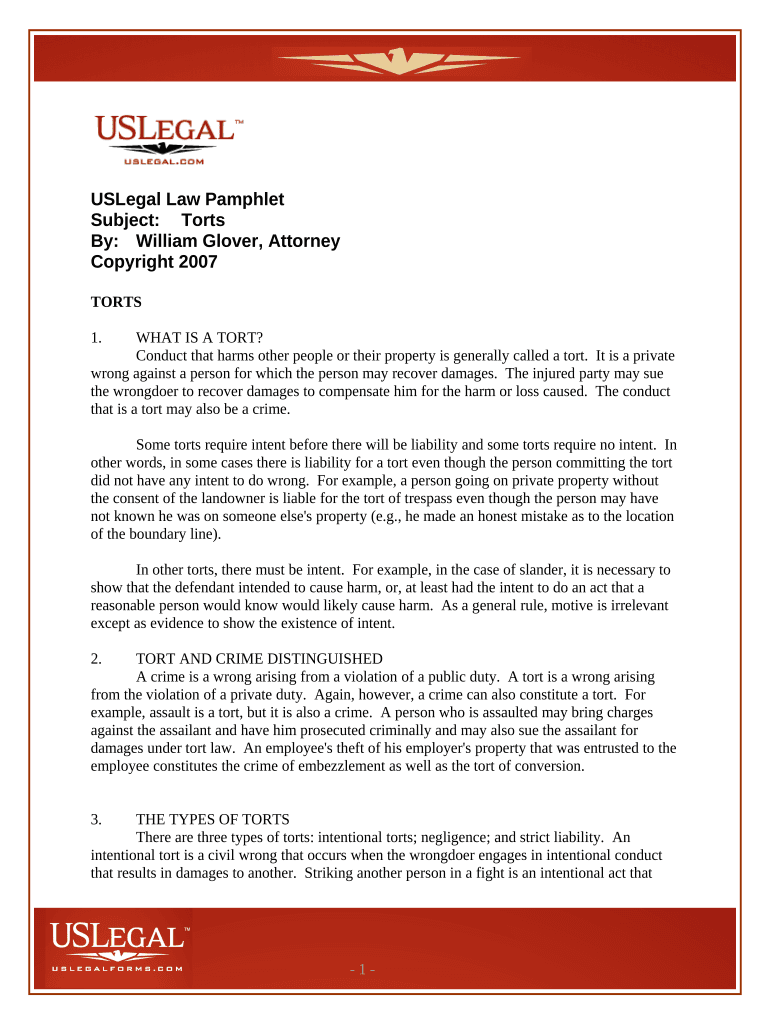
A Torts Form is a structured legal document used to report and assert claims arising from civil wrongs such as negligence, intentional torts, or strict liability. It captures claimant identification, incident details, damages claimed, and the legal basis for recovery. The form is commonly filed with insurers, opposing counsel, or as part of a court filing when initiating a civil action. Accurate completion establishes the factual and legal record needed for notice, investigation, settlement discussions, and, if required, litigation.

Why a correctly completed Torts Form matters

A clear, accurate Torts Form preserves statutory rights, supports timely notice to insurers or defendants, and reduces disputes about dates, parties, or damages. It creates a reproducible record suitable for both paper and electronic workflows under U.S. e-signature law.

Why a correctly completed Torts Form matters

Who completes and reviews a Torts Form

Typical users include claimants, their attorneys, insurance adjusters, and court clerks processing initial pleadings.

  • Claimants filing a claim: Individuals or entities reporting injury or loss who must provide facts, medical records, and damage calculations.
  • Defense counsel or insurers: Parties who review allegations, determine coverage and liability, and begin investigation and negotiation.
  • Court personnel: Clerks or filing officers who check form sufficiency for docketing and service requirements.

Core components to include in a professional Torts Form

A complete Torts Form organizes the claim into defined sections so reviewers can readily assess parties, facts, and relief sought.

Claimant Details

Full legal name, contact information, date of birth or business entity identifiers, and relationship to the injured party when applicable.
Incident Summary

Concise description of where, when, and how the event occurred, including location, witnesses, and immediate actions taken by claimant or responders.

Alleged Wrongdoer

Identify defendants by legal name, address, employer or business affiliation, and role in the incident to support service and liability analysis.

Damages Claimed

Itemize economic losses (medical, lost wages) and non-economic damages with estimated totals and supporting documents or calculations.

Legal Basis

Specify the theory of liability (e.g., negligence, battery, strict liability) and cite applicable statutes or ordinances when known.

Attachments

Include medical records, police reports, photographs, bills, and witness statements; list attachments and reference by exhibit letter or number.

Required data elements at a glance

Claimant Name: Exact legal name
Date of Incident: Use MM/DD/YYYY
Location: Street, city, state
Defendant Name: Full legal name
Damages Total: Dollar amount estimate
Supporting Docs: List exhibits included

Step-by-step: filling and preparing the Torts Form

Follow these steps in order to create a complete, review-ready Torts Form suitable for electronic or paper filing.

  • 01
    Gather evidence: Collect medical records and incident reports.
  • 02
    Complete fields: Enter claimant, incident, and defendant details.
  • 03
    Attach exhibits: Label and add all supporting documents.
  • 04
    Sign and date: Add signatures and authentication as required.

Where to send the completed Torts Form

After completion, route the form to the appropriate recipient depending on the matter's status and intended use.

  • Insurance Carrier: Submit claims and supporting documents per insurer intake instructions.
  • Defense Counsel: Provide a copy when engaging in pre-litigation settlement negotiations.
  • Court Clerk: File when initiating a civil action; follow local filing rules and fees.
  • Opposing Party: Serve per jurisdictional service rules when required.

Suggested digital workflow settings for online completion

Configure the electronic form to reduce errors and automate routing; table shows common settings used in eSignature platforms.

Field Configuration
Document Template Create reusable template with required fields locked
Authentication Level Email link or SMS code per signer sensitivity
Conditional Fields Show additional items only when applicable
Routing Order Set sequential signing for counsel, adjuster, then claimant

Digital signing and eSubmission considerations

Use an eSigning platform that preserves audit trails, supports required file types, and can meet industry compliance needs.

  • File formats: Accept PDF and DOCX
  • Authentication: Email verification and optional SMS
  • Audit trail: Capture IP, timestamp, and actions

Ensure chosen platform aligns with legal admissibility expectations and preserves an immutable audit record for future dispute resolution.

Key timing rules and filing expectations

Observe statutory deadlines and insurance notice periods; late filings can bar recovery or trigger penalties.

Statute of limitations:

Varies by state and claim type; missing it often forfeits the claim.

Insurance notice period:

Provide prompt notice per policy terms to protect coverage rights.

Court filing deadlines:

Comply with local civil procedure rules for pleading and service timelines.

Medical billing records:

Obtain contemporaneous records; delayed collection can weaken proof of damages.

Preservation of evidence:

Preserve physical and digital evidence immediately to avoid spoliation issues.

Consequences of inaccurate or late Torts Forms

Claim forfeiture: Loss of right to sue
Coverage denial: Insurer may deny benefits
Monetary fines: Administrative penalties possible
Evidentiary issues: Weakened case credibility
Service defects: Improper service may void proceedings
Perjury risk: False statements can lead to prosecution

Common mistakes to avoid when preparing a Torts Form

  • Leaving dates or locations vague, which can create disputes about the triggering event and statute of limitations.
  • Failing to attach key supporting documents such as medical bills or police reports, delaying investigation and admission of damages.
  • Using informal names or nicknames instead of legal entity names; mismatches complicate service and identity verification.
  • Skipping signature authentication steps or consumer disclosures required for electronic records in consumer-facing matters.

Comparison of eSignature pricing and capabilities relevant to Torts Form handling

Compare common vendor starting prices and capabilities for secure eSigning; signNow is listed first for reference.

signNow DocuSign Adobe Sign PandaDoc HelloSign
Starting Price $8/user/mo $15/user/mo $14/user/mo $19/user/mo $15/user/mo
Free Trial 7-day free trial Varies by plan Varies by plan Varies by plan Varies by plan
Bulk Send Yes Yes Yes Yes No
Audit Trail Yes Yes Yes Yes Yes
HIPAA Compliant Yes Yes Yes No No

Frequently asked questions about preparing and eSigning a Torts Form

Answers to common issues when completing, signing, and submitting a Torts Form, including eSignature and retention concerns.


Need help? Contact support

be ready to get more
Join over 28 million airSlate SignNow users