Establishing secure connection…Loading editor…Preparing document…

Northern District of Texas Bankruptcy Forms Package

This template is fully customizable. Edit the text, fill out the fields, and send it for signature. Give it a try!
Northern District of Texas Bankruptcy Forms Package

What the Northern District of Texas Bankruptcy Forms Package Contains

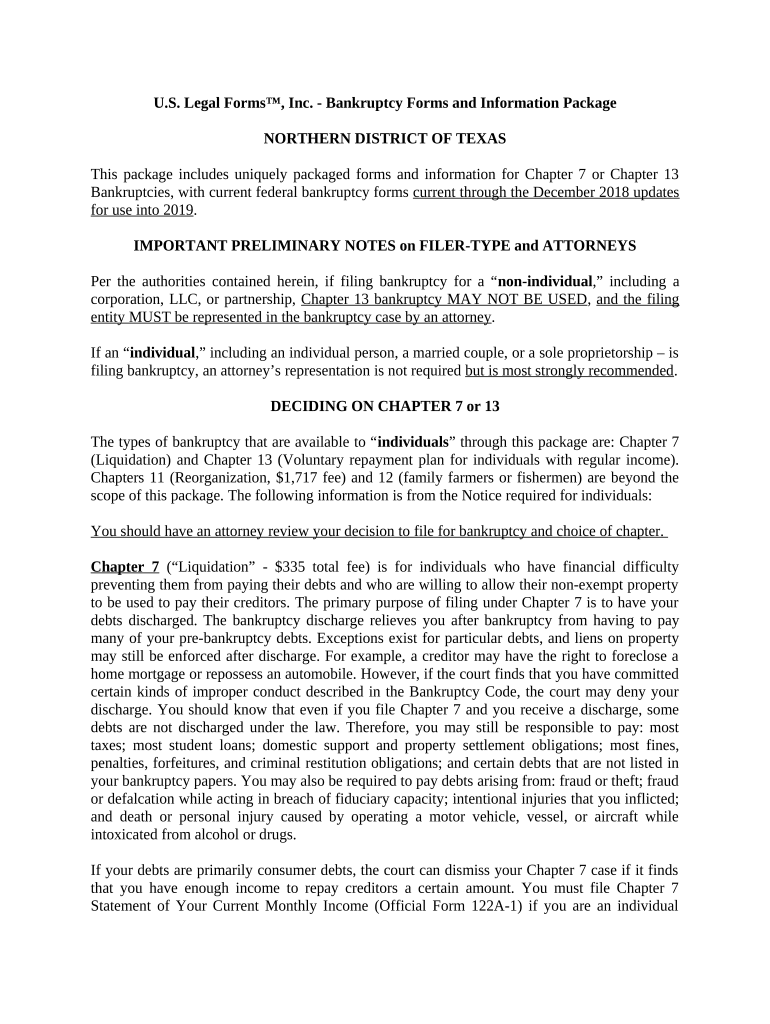
The Northern District of Texas Bankruptcy Forms Package is a set of standardized court forms and supporting documents used to open and administer consumer and business bankruptcy cases in the U.S. Bankruptcy Court for the Northern District of Texas. It typically includes the voluntary petition (B101), schedules of assets and liabilities, schedule of current income and expenditures, statement of financial affairs, matrix (creditor mailing list), chapter selection exhibits, and any local forms required by the court. Users must follow Federal Rules of Bankruptcy Procedure and the court’s local rules when assembling and filing these documents.

Why an Accurate Forms Package Matters for Bankruptcy Filings

A complete, accurate package reduces the risk of delays, continuances, or dismissal by ensuring the petition and schedules meet federal and local requirements. Properly prepared forms also help trustees and creditors evaluate the case quickly and minimize time spent on corrections or supplemental filings.

Why an Accurate Forms Package Matters for Bankruptcy Filings

Who Prepares and Signs These Bankruptcy Forms

The package is prepared and filed by debtors, debtor attorneys, bankruptcy petition preparers, and trustees; creditors and their counsel rely on it for claims and notices.

  • Debtors and individuals completing personal bankruptcy petitions and required schedules for chapter 7 or chapter 13.
  • Bankruptcy attorneys preparing the petition, schedules, and local rule addenda for electronic filing through CM/ECF.
  • Bankruptcy trustees, creditors, or claims agents reviewing the submitted schedules and statements to determine estate assets and claims.

Accurate preparation protects the debtor from procedural sanctions, reduces objections from the trustee or creditors, and supports timely case administration.

Step-by-step: Assembling a Complete Bankruptcy Forms Package

Follow a consistent sequence when preparing the package to avoid omissions and ensure local rule compliance.

  • 01
    Collect Documents: Gather paystubs, tax returns, bank statements, and lease agreements.
  • 02
    Complete Forms: Fill petition, schedules, SOFA, and creditor matrix.
  • 03
    Review Locally: Confirm required local forms and fee amounts with the clerk’s office.
  • 04
    File Electronically: Submit via CM/ECF and retain the filing receipt and docket entry.

How to Configure an Electronic Filing Workflow

Set consistent authentication, document formats, routing order, and retention rules before batch filing to minimize rejects.

Field Configuration
Authentication Email + court CM/ECF credentials
Document Format PDF/A preferred for exhibits
Routing Order Petition → Schedules → SOFA → Matrix
Notifications Send filing receipt to debtor and counsel

Where to File and How the Submission Flows

Bankruptcy filings are submitted to the U.S. Bankruptcy Court through the court’s CM/ECF electronic filing system; local procedures determine document acceptance and follow-up.

  • Prepare Package: Assemble petition, schedules, SOFA, and matrix in required order.
  • Validate PDFs: Confirm searchability, pagination, and PDF/A where required.
  • File via CM/ECF: Upload documents under appropriate event codes and include filing fee.
  • Confirm Receipt: Save docket entry and notice of filing for records and service.

Technical Requirements and Integrations for eFiling

Use platforms and tools that output court-compatible PDFs, support secure signer authentication, and integrate with your document management system.

  • File Formats: PDF, PDF/A, and flattened forms
  • Integrations: Works with Microsoft 365, Google Workspace, NetSuite
  • Authentication: Court CM/ECF credentials and optional two-factor

Ensure the platform you use preserves metadata, produces an audit trail for signatures, and stores a copy of the final signed package for retention and potential trustee review.

Common Deadlines and Timing Expectations

Observe statutory and administrative deadlines for fee payment, creditor notices, and required appearances to avoid delays or sanctions.

Filing Fee Payment:

Pay at the time of filing or request installment plan if eligible.

341 Meeting:

Trustee meeting typically scheduled 20–40 days after filing.

Creditor Bar Date:

Local notice sets bar date for proof of claim; varies by case and trustee.

Amendments:

Amend schedules promptly; late amendments may be scrutinized.

Objections:

Trustee or creditor objections follow local notice and briefing schedules.

Key Risks and Consequences of Incomplete or Incorrect Packages

Case Dismissal: Incomplete petitions may result in dismissal or requirement to refile.
Trustee Objection: Errors on schedules invite trustee motions and extended oversight.
Creditor Claims: Missed creditors due to matrix errors can lead to contested claims later.
Penalties: Willful misstatements may expose the debtor to sanctions or criminal referral.
Delay Costs: Additional attorney and administrative fees accrue with repeated corrections.
Reputation Risk: Repeated procedural errors can affect trustee and court goodwill.

Security and Compliance Considerations for Electronic Packages

Encryption: TLS 1.2/1.3 in transit
Data at Rest: AES-256 encryption
Audit Trail: Timestamped signing events and IP addresses
HIPAA Options: BAA available when required
ESIGN / UETA: Meets intent, consent, attribution, retention tests
Access Controls: Role-based access and SSO options

Practical Tips for Accurate and Efficient Package Preparation

Adopt consistent templates and a final checklist to reduce errors and speed filing.

Use Checklists
Create a local-rule checklist covering required local forms and exhibit formats.
Standardize Values
Keep consistent naming, address formats, and valuation methods across schedules.
Validate PDFs
Confirm pagination, bookmarking, and that exhibits are attached in order.
Keep Copies
Store signed originals and electronic copies with clear retention tags.

Real-World Use Cases: How the Forms Package Is Used

These short examples illustrate typical scenarios for the Northern District of Texas package.

Consumer Chapter 7

A debtor prepares petition and schedules with counsel

  • Trustee schedules a 341 meeting within 30 days
  • The accurate package allowed a straightforward liquidation and discharge, avoiding multiple amended filings and reducing trustee inquiry time.

Small Business Chapter 11

A small company files chapter 11 with exhibits and creditor matrix

  • Professionals attach cash collateral motions and local exhibits
  • Proper assembly and local-rule compliance shortened contested hearing preparation and improved creditor communications.

Comparing eSignature and eFiling Support for Bankruptcy Packages

Platforms vary in pricing, bulk send capabilities, HIPAA support, and envelope limits; choose a provider that meets security and volume needs for bankruptcy practice.

signNow DocuSign Adobe Sign PandaDoc HelloSign
Starting Price $8/user/mo $15/user/mo $14/user/mo $19/user/mo $15/user/mo
Free Trial Yes, 7-day free trial No No Yes, limited Yes, limited
Bulk Send Yes Yes Yes Yes No
Audit Trail Yes Yes Yes Yes Yes
HIPAA Compliant Yes Yes Yes No No

Frequently Asked Questions About the Bankruptcy Forms Package

Answers to common questions about preparing, signing, and filing the Northern District of Texas forms package.


Need help? Contact support

be ready to get more
Join over 28 million airSlate SignNow users