Establishing secure connection…Loading editor…Preparing document…

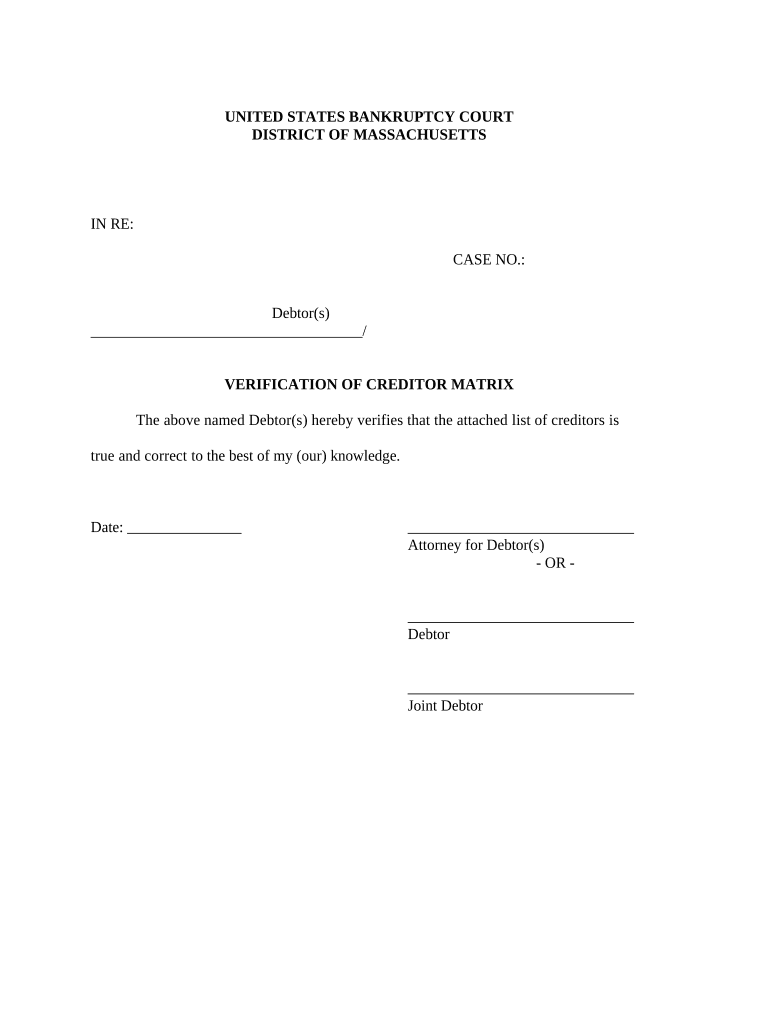
Verification of Creditors Matrix Massachusetts

This template is fully customizable. Edit the text, fill out the fields, and send it for signature. Give it a try!
Verification of Creditors Matrix Massachusetts

What the Verification of Creditors Matrix in Massachusetts Is

The Verification of Creditors Matrix Massachusetts is a structured spreadsheet or checklist used to confirm creditor identities, claim amounts, contact details, and supporting documentation for insolvency, collections, or claims-administration processes in Massachusetts. It centralizes creditor records, tracks verification status, and documents evidence used to accept, dispute, or reconcile claims. The matrix helps ensure consistent data before filings or hearings, supports auditability, and records who verified each entry, when, and by what method.

Why a Verified Creditors Matrix Matters

A verified matrix reduces dispute risk, improves accuracy in claim reconciliation, and creates an auditable trail suitable for courts or administrators. Proper verification supports compliance with electronic signature laws (ESIGN, UETA) and preserves admissible evidence of who signed or attested to creditor information.

Why a Verified Creditors Matrix Matters

Who typically completes or relies on this matrix

The matrix is used by legal, financial, and administrative professionals responsible for creditor lists and claim adjudication.

  • Bankruptcy trustees and claims administrators responsible for verifying creditor claims and preparing schedules.
  • Creditor attorneys and in-house counsel who submit or contest claim documentation during proceedings.
  • Corporate finance, accounts payable, and collections teams reconciling external claims with internal records.

Completed matrices support court filings, creditor notices, internal controls, and downstream audit or compliance reviews.

Core elements to include in a professional matrix

A complete Verification of Creditors Matrix Massachusetts contains discrete fields for identity, claim detail, evidence, status, and audit metadata so each entry can be traced and validated without ambiguity.

Creditor Identity

Legal name, DBA variants, and taxpayer identification to ensure matching against tax or court records; include preferred contact method.
Claim Details

Original claim amount, invoice or account date, currency, and any offsets or credits that affect the outstanding balance.

Supporting Documents

Attach invoice copies, contracts, account statements, assignment documents, or correspondence that substantiate the claim amount and basis.

Verification Status

Standard status values (Unverified, Verified, Disputed, Reconciled) with the verifier's name and verification date recorded.

Contact Information

Creditor mailing address, email, phone, and registered agent details where applicable for legal notices and service.

Audit Trail

Method of verification (document review, phone confirmation, third-party report), signature or attestation, and file location for evidence retention.

Step-by-step: completing the Verification of Creditors Matrix

Follow a consistent sequence to collect, confirm, and record creditor information to create a defensible verification record.

  • 01
    1. Gather Claims: Collect all claim notices, invoices, and creditor correspondence for the period in question.
  • 02
    2. Confirm Identity: Match legal name and TIN to supplier records or W-9 responses where applicable.
  • 03
    3. Attach Evidence: Upload invoices, contracts, and proof of delivery or service to the matrix entry.
  • 04
    4. Record Verification: Mark status, record verifier name, date, and method; capture an audit trail for each change.

Typical verification workflow and routing

A clear routing sequence reduces bottlenecks and assigns responsibility at each verification stage.

  • Intake: Claims received and logged into the central matrix by intake staff.
  • Preliminary Review: Assigned reviewer checks identity and documentation for completeness.
  • Verification: Verifier confirms amounts and supporting evidence and updates the status field.
  • Escalation / Finalize: Disputes routed to counsel; verified entries are locked and exported for filing.

Recommended digital workflow settings

Standardize settings before data entry to ensure consistent behavior across users and systems.

Field Configuration
Document Template Use a single matrix template with required fields enforced
Signers and Roles Assign roles: Intake Clerk | Reviewer | Verifier | Legal
Authentication Email verification with optional SMS code for higher assurance
Storage Policy Save signed PDF/A to secure archive with versioning

Technical considerations for e-signing and storage

Choose platforms that support secure PDF export, audit trails, and configurable authentication for signers.

  • File formats: PDF, DOCX supported
  • Integrations: Google Drive | NetSuite | Salesforce
  • Authentication: Email link | SMS code

Ensure any chosen platform aligns with your retention rules and provides tamper-evident signed files and a reliable audit trail for each verified entry.

Security and compliance features to require

In-transit encryption: TLS 1.2/1.3
At-rest encryption: AES-256
Audit standard: SOC 2 Type II
Health data: HIPAA (BAA required)
FDA-regulated: 21 CFR Part 11 support
International: ISO 27001

Consequences of incomplete or incorrect verification

Filing delays: Court or administrative process delays
Claim disputes: Increased creditor challenges and litigation risk
Sanctions: Potential court sanctions for false statements
Lost recoveries: Write-offs due to unverifiable claims
Regulatory fines: Possible penalties where statutes apply
Rework costs: Additional time and legal fees

Common mistakes that cause verification failures

  • Entering inconsistent creditor names or abbreviations that prevent reliable matching to legal records.
  • Recording claim amounts without specifying whether they include interest or fees, creating reconciliation gaps.
  • Omitting or misplacing supporting documents such as invoices or assignment agreements required for proof.
  • Failing to capture verifier identity, date, and method, undermining the audit trail for later review.

Practical tips for accurate and efficient completion

Adopt standardized templates, require specific evidence, and capture signer attribution to streamline verification and reduce disputes.

Use consistent naming conventions
Standardize legal names and DBAs across systems; normalize case and punctuation to improve automated matching and prevent duplicate creditor entries.
Require primary evidence
Mandate invoice or contract uploads for each claim and reject submissions missing core exhibits to reduce downstream follow-ups.
Capture signer attribution
Record verifier name, job title, date, and authentication method for each row to create a defensible audit trail for hearings or audits.
Automate exports
Schedule regular PDF/A exports and backups to secure storage to preserve signed records and enable rapid retrieval for filings.

Real-world examples of verification workflows in practice

Organizations across industries use verified matrices to speed dispute resolution and support compliant filings.

Optica Ventures — operations

Optica centralized creditor records into a single matrix to reduce duplicate entries and clarify balances.

  • Centralization simplified reconciliations and reduced disputed claims.
  • As a result, the operations team reported faster resolution timelines and clearer evidence when communicating with external counsel and creditors.

Martin Properties — property collections

Martin Properties implemented a verification template to track vendor claims and invoices.

  • The template ensured all claims were supported by contracts and delivery receipts.
  • This reduced administrative back-and-forth, improved record consistency for audit, and shortened time to final accounting for property portfolios.

Typical timelines and processing expectations

Timelines vary by matter, but defined internal SLAs prevent bottlenecks and ensure evidence is available for deadlines.

Initial Intake:

Log new claims within 2 business days of receipt

Verification Target:

Complete verification within 30 calendar days for routine claims

Escalation Window:

Escalate unresolved or disputed claims after 45 days

Court Filing Deadline:

Coordinate matrix export ahead of any scheduled filing or hearing

Record Retention Start:

Begin retention clock from verification date or filing date, as applicable

eSignature vendor comparison for verifying and signing creditor matrices

Compare baseline pricing and key capabilities relevant to high-volume verification workflows; signNow is listed first per vendor-comparison conventions.

signNow DocuSign Adobe Sign PandaDoc HelloSign
Starting Price $8/user/mo $15/user/mo $14/user/mo $19/user/mo $15/user/mo
Free Trial 7-day free trial Varies by vendor Varies by vendor Varies by vendor Varies by vendor
Bulk Send Yes Yes Yes Yes No
Audit Trail Yes Yes Yes Yes Yes
HIPAA Compliant Yes Yes Yes No No
Envelope Cap No cap 100 envelopes/user/year Varies Varies Varies

Frequently asked questions about Verification of Creditors Matrix Massachusetts

Answers to common questions about format, signatures, notarization, and post-submission corrections used by practitioners and administrators.


Need help? Contact support

be ready to get more
Join over 28 million airSlate SignNow users