Establishing secure connection…Loading editor…Preparing document…

Waiver and Release of Claims for Future Personal Injuries

This template is fully customizable. Edit the text, fill out the fields, and send it for signature. Give it a try!
Waiver and Release of Claims for Future Personal Injuries

What this Waiver and Release of Claims for Future Personal Injuries Is

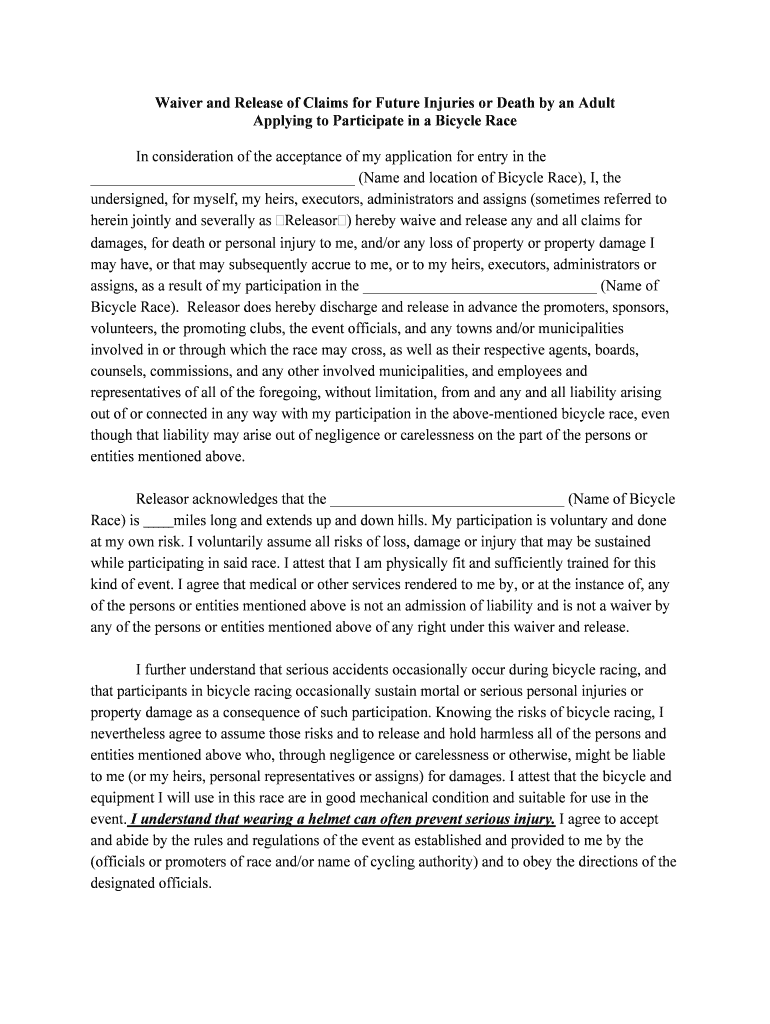
A Waiver and Release of Claims for Future Personal Injuries is a written agreement in which a participant or releasor voluntarily gives up the right to sue a property owner, organizer, or service provider for specified future bodily injuries arising from an activity or premises. The document identifies the parties, describes the covered activities, states consideration, sets the effective date, and records the signer’s informed consent and acknowledgment of risk. Properly drafted waivers clarify scope, exclusions, and governing law to improve enforceability under U.S. contract and tort principles.

Why a Clear Waiver Matters for Risk Management

A well-drafted waiver helps document informed consent, communicate foreseeable risks, and allocate responsibility between parties while reducing litigation exposure when courts enforce the agreement under applicable state law and contract principles.

Why a Clear Waiver Matters for Risk Management

Who Commonly Uses This Waiver

Organizations and individuals use this waiver where participants enter potentially hazardous activities or private premises and the host needs documented consent and risk acknowledgment.

  • Event organizers and venues that host physical activities, exhibitions, or ticketed attractions where falls or injuries are possible.
  • Fitness facilities, recreation providers, and tour operators that run classes, trips, or excursions with physical risk.
  • Property managers, contractors, and landlords who permit access to construction sites, maintenance areas, or other potentially hazardous spaces.

Essential Sections in a Professional Waiver

A professional waiver should be concise but comprehensive, using clear headings, plain language, and defined terms to reduce ambiguity and support enforcement.

Parties

Full legal names and status for releasor(s) and releasee(s), including business entity type where applicable, to avoid identity disputes.
Scope of Release

Precise description of the activities, locations, timeframes, and the categories of claims being released to limit uncertainty about what is waived.

Assumption of Risk

Clear statement that the signer understands inherent risks and voluntarily accepts them, with examples of foreseeable hazards where appropriate.

Consideration

Describe the exchange (fee waiver, reduced rate, access) that constitutes consideration; avoid vague phrases like 'good and valuable consideration.'

Governing Law

Specify the state law that will govern interpretation and venue for disputes to reduce procedural ambiguity.

Signature Block

Signature, printed name, date, and, when relevant, parent or guardian signature for minors plus witness/notary lines if required.

Step-by-step: Completing the Waiver

Follow these steps to prepare, review, and execute a waiver to reduce common execution problems and improve enforceability.

  • 01
    Draft: Create a clear, activity-specific waiver.
  • 02
    Review: Have counsel or a risk manager confirm scope and clarity.
  • 03
    Execute: Collect signature, date, and required witness or notary.
  • 04
    Store: Save signed copy securely with audit trail.

Configure an Online Signing Workflow

Set up a digital workflow that ensures proper fields, authentication, and retention for each signed waiver.

Field Configuration
Signature Field Require signer signature and date fields on final page.
Authentication Level Use email + SMS OTP or ID verification for high-risk activities.
Conditional Fields Show parent/guardian block for minor DOB entries.
Audit Trail Enable IP, timestamp, and action logging for every signer.

Where to Send and How Signatures Flow

A simple signing flow reduces friction while preserving legal evidence of execution and consent.

  • Upload Document: Upload final waiver PDF to the signing platform.
  • Place Fields: Insert signature, initials, and date fields in logical order.
  • Send to Signer: Email or share a secure signing link with authentication.
  • Receive Completed: System returns signed PDF plus completion certificate.

Digital Signing and Submission Considerations

Ensure the platform supports legal evidence, secure storage, and the authentication degree your risk profile requires.

  • File Formats: PDF and DOCX supported
  • Authentication: Email, SMS OTP, ID verification
  • Integrations: Link to CRM or document management

Required Information to Make the Waiver Effective

Signer Name: Full legal name
Signature Date: MM/DD/YYYY
Witness/Notary: If state requires
Activity Description: Specific covered activity
Consideration: Monetary or non-monetary
Governing State: Chosen jurisdiction

Timing and Key Deadlines to Watch

While private waivers are not typically subject to filing deadlines, timing of execution and related administrative tasks affects validity and risk posture.

Before Participation:

Obtain a signed waiver prior to the activity or entry to maximize enforceability

For Minors:

Collect parent/guardian signature before the minor participates

Notarization Window:

Complete any required notarization at signing; do not notarize a post-signed document

Document Retention:

Store signed copies immediately with audit trail and immutable metadata

Litigation Holds:

Preserve originals when a claim is reasonably anticipated

Key Milestones from Draft to Defense

Track milestones to ensure the waiver is drafted, signed, and preserved with evidentiary integrity.

01

Drafting Complete

Confirm scope and consideration before distribution.

02

Legal Review

Obtain counsel sign-off for state-specific enforceability concerns.

03

Execution

Collect signature, date, and any required witness or notary.

04

Secure Storage

Archive signed version with audit trail and backup.

Common Mistakes to Avoid

  • Using vague release language that courts may interpret against the drafter and limit enforceability.
  • Failing to obtain required witness or notary attestations in jurisdictions that impose them for certain releases.
  • Collecting a signature without demonstrating signer intent or consent to electronic records where a consumer disclosure is required.
  • Keeping only a scanned image without an audit trail or retention metadata to prove when and how the signature was captured.

Legal Risks and Consequences of Defective Waivers

Unenforceability: Waiver may be voided in court
HIPAA Violation: Potential penalties if PHI mishandled
Breach Claims: Third-party liability may remain
Regulatory Fines: State penalties for improper notices
Reputational Harm: Negative public response to injuries
Evidence Gaps: Missing audit trail weakens defense

Real-World Examples of Digital Waiver Use

Organizations adopt electronic waivers to reduce paperwork, improve turnaround, and maintain reproducible audit trails for future defense and compliance.

Optica Ventures (Operations)

Optica used digital waivers for event attendees to simplify check-in

  • The platform reduced manual data entry and back-office reconciliation
  • The team cited easier customer interaction and faster document turnaround while keeping records accessible for audits.

Martin Properties (Property Manager)

Martin Properties moved guest access waivers online for showings and maintenance entry

  • Mobile signing allowed on-site completion by agents
  • The firm reported consistent compliance and faster retrieval of signed waivers when disputes arose.

eSignature Vendor Pricing Snapshot for Waiver Workflows

Compare common plan starting prices and core capabilities; choose based on authentication needs, volume, and compliance requirements.

signNow DocuSign Adobe Sign PandaDoc HelloSign
Starting Price $8/user/mo $15/user/mo $14/user/mo $19/user/mo $15/user/mo
Free Trial 7-day free trial Varies by vendor Varies by vendor Varies by vendor Varies by vendor
Bulk Send Yes (Business Premium) Varies by plan Varies by plan Varies by plan Varies by plan
Audit Trail Yes Yes Yes Yes Yes
HIPAA Compliant Yes (BAA available) Yes (BAA available) Yes (BAA available) Varies No
Envelope Cap No envelope cap 100 envelopes/user/year Depends by plan Depends by plan Depends by plan

FAQs and Troubleshooting for Waiver Execution

Answers to common questions about execution, electronic validity, witnesses, and retention to help prevent routine errors.


Need help? Contact support

be ready to get more
Join over 28 million airSlate SignNow users