Establishing secure connection…Loading editor…Preparing document…

Wisconsin Guardianship

This template is fully customizable. Edit the text, fill out the fields, and send it for signature. Give it a try!
Wisconsin Guardianship

What the Wisconsin Guardianship process covers

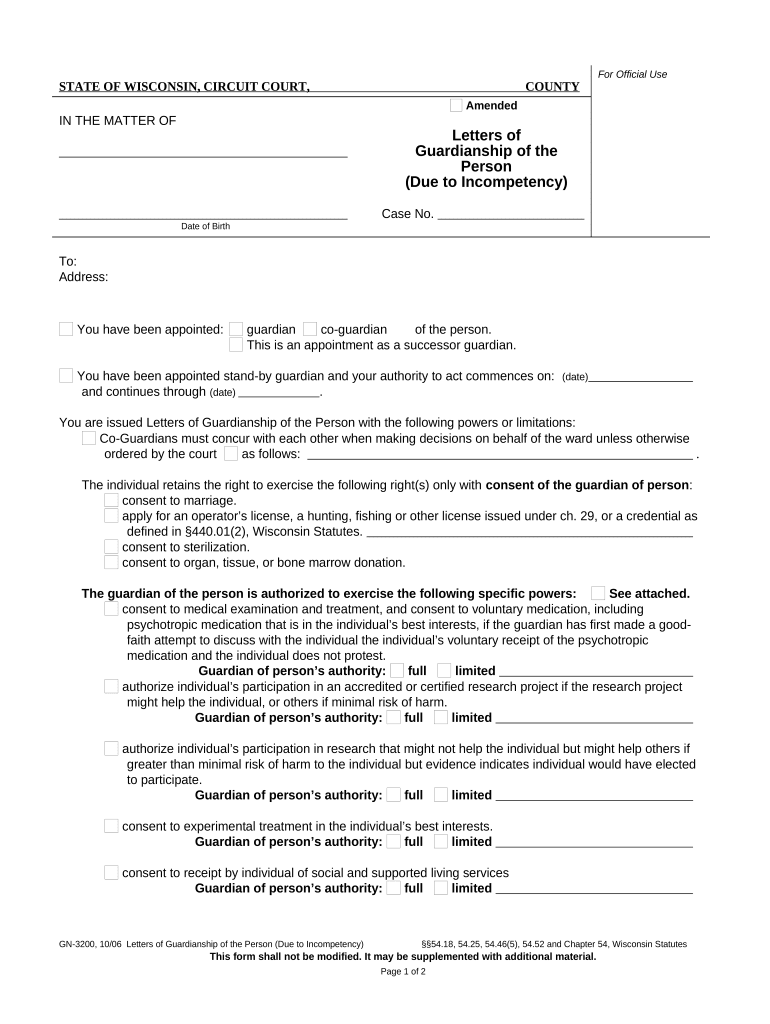
A Wisconsin Guardianship is a court-supervised legal proceeding in which a county circuit court appoints a guardian to make personal care or estate decisions for an adult found legally incapacitated. The petition explains incapacity, identifies proposed guardian and powers requested, and typically includes medical evaluations, notice to interested persons, and a hearing before a judge. Guardianship can be limited or full, and may cover personal decisions, financial affairs, or both; courts prefer the least-restrictive alternative that meets the adult’s needs while preserving autonomy where possible.

Why understanding Wisconsin Guardianship matters

Clear documentation supports lawful appointment, protects the ward’s rights, and defines the guardian’s authority and reporting duties. Properly prepared petitions and supporting reports reduce delay, limit court objections, and provide a defensible record for medical, financial, and third-party interactions under Wisconsin law.

Why understanding Wisconsin Guardianship matters

Who typically completes or requests a guardianship

Parties who initiate or complete guardianship filings often need practical guidance on paperwork, medical proof, and court timelines.

  • Family members seeking legal authority to make care or financial decisions for an incapacitated adult.
  • Attorneys or court-appointed guardians preparing petitions, inventories, and annual reports.
  • Health care providers or social workers supplying medical evaluations or testimony.

Different roles have distinct evidence and form requirements; each must follow procedural rules for notice, service, and documentation to ensure a valid appointment.

Representative user profiles

Private Individual

A spouse, adult child, or close friend petitioning for guardianship often gathers medical evaluations, a proposed care plan, and local court forms. They typically need clear instructions on completing the petition, serving notice, and preparing for the hearing to minimize delays and protect the proposed ward’s rights.

Legal Professional

An attorney or professional guardian files petitions, prepares inventories and accountings, and drafts orders tailored to grant specific powers. They manage complex estate matters, coordinate medical proof, and advise on reporting obligations, bond requirements, and periodic filings to comply with circuit court rules.

Security and compliance elements to include

Data encryption: TLS 1.2/1.3; AES-256 at rest
Audit trail: Detailed signing timestamps and IP
HIPAA-ready: BAA available when health data included
Authentication: Email, SMS, or stronger MFA
Document formats: PDF, DOCX supported
Retention controls: Secure storage and export options

Key risks of incorrect or incomplete filings

Invalid appointment: Court may deny appointment
Financial liability: Guardian may face accounting claims
Delay in care: Treatment or payments delayed
Medicaid impacts: Benefit eligibility complications
Criminal exposure: Fraud or abuse allegations
Cost increase: Additional hearings and attorney fees

Common mistakes to avoid when preparing a petition

  • Incomplete medical evidence: submitting vague or unsigned medical forms that fail to establish incapacity leads to continuances or denial.
  • Improper service: failing to serve required interested persons or creditors on time can invalidate hearings and require re-notification.
  • Overbroad powers: requesting unnecessary or unlimited authority increases opposition and invites stricter court oversight.
  • Missing inventories: neglecting timely asset inventories and accountings creates fiduciary disputes and potential surcharge actions.

Step-by-step: preparing a Wisconsin guardianship petition

Follow this sequence to prepare the petition, gather evidence, serve notice, and attend the hearing with necessary documentation.

  • 01
    Collect evidence: Obtain recent medical capacity evaluations and financial records
  • 02
    Complete petition: Fill county circuit court form with petitioner and ward details
  • 03
    Serve notice: Provide statutorily required notice to interested persons
  • 04
    Attend hearing: Present evidence and proposed order to the judge

Where to file and how the court processes your petition

Guardianship petitions are filed in the county circuit court where the proposed ward resides; clerks provide local procedures and required forms.

  • File petition: Submit completed forms to county circuit court clerk
  • Case assigned: Court assigns case number and hearing date
  • Investigations: Court or guardian ad litem may request reports
  • Final order: Judge issues guardianship order and letters

Core components of a professional guardianship filing

A complete filing organizes the petition, medical proof, proposed powers, estate inventory, notice documentation, and draft orders for the court’s review.

Petition details

Clear identification of petitioner, proposed ward, residence, relationship, and succinct factual grounds supporting the claim of incapacity for court consideration.
Medical proof

Recent, signed capacity evaluations or physician affidavits that describe the ward’s diagnosis, functional limitations, and recommended decision-making assistance level.

Powers requested

Specific description of personal care or estate powers sought, with limitations and an explanation why each power is necessary for the ward’s welfare.

Inventory and accounting

Detailed list of assets and liabilities if estate management is requested, including bank accounts, real property, and anticipated income sources.

Notice and service

Proof of service to the proposed ward, spouse, adult children, nearest relatives, and any interested parties per circuit court rules.

Draft orders

Proposed guardianship order and letters for the judge’s signature that precisely define authority, reporting frequency, and any bond requirements.

Typical timing and deadlines in the guardianship process

Key dates include petition filing, required notice windows, hearing scheduling, and recurring reporting deadlines; local rules set precise timeframes.

File petition:

Timing: as soon as incapacity is identified; no set statewide deadline

Notice period:

Service usually required several days before hearing per county rules

Hearing scheduling:

Court sets date after filing; can be expedited for emergencies

Temporary orders:

Temporary guardianship may be available immediately in urgent cases

Annual reporting:

Guardians often file periodic accountings and status reports annually

Key milestones from petition to appointment

This sequence shows the main court-processing stages from initial filing through appointment and reporting.

01

Petition Filed

Submit completed petition and attachments to the county circuit court clerk

02

Notice and Investigation

Serve interested persons and provide court-ordered investigations or guardian ad litem reports

03

Court Hearing

Judge reviews evidence, hears objections, and determines incapacity and need for guardianship

04

Order & Letters

Court issues guardianship order and letters authorizing the guardian’s specific duties

Digital signing and technical prerequisites

Use a secure eSignature platform that supports required file types, strong authentication, and retention of an auditable trail.

  • Supported formats: PDF, DOCX, HTML
  • Authentication: Email, SMS code, or advanced MFA options
  • Integrations: Salesforce, Microsoft 365, NetSuite, Google Workspace

Ensure the chosen platform complies with ESIGN and UETA, provides secure storage, and can produce an audit trail and exportable signed PDFs for court filing.

Recommended digital workflow settings for guardianship forms

Configure fields and authentication to capture intent, consent, and an auditable record compatible with court requirements and ESIGN standards.

Field Configuration
Authentication Email link or SMS code; use stronger MFA for sensitive cases
Signer order Sequential or parallel routing depending on required approvals
Notarization Enable RON session or plan in-person notarization per county rules
Retention Store signed PDF/A and audit trail for required retention period

Comparing signNow and common eSignature vendors

Basic pricing and capability differences for common eSignature vendors. signNow is listed first per comparison conventions.

signNow DocuSign Adobe Sign PandaDoc HelloSign
Starting Price $8/user/mo $15/user/mo $14/user/mo $19/user/mo $15/user/mo
Free Trial 7-day free trial Varies by vendor Varies by vendor Varies by vendor Varies by vendor
Bulk Send Yes Yes Yes Yes No
Audit Trail Yes Yes Yes Yes Yes
HIPAA Compliant Yes Yes Yes No No

Frequently asked questions about Wisconsin Guardianship

Answers to common questions about who may file, what evidence is needed, how signatures work, and how to correct typical problems.


Need help? Contact support

be ready to get more
Join over 28 million airSlate SignNow users