Aprovecha al máximo nuestras herramientas impulsadas por IA para firmar contratos digitales electrónicamente





Utiliza la efectividad de la IA en tus procesos centrados en documentos con signNow
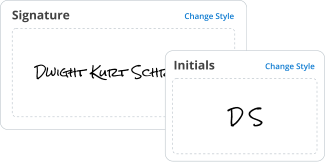
Explora la productividad de la IA para firmar contratos digitales electrónicamente
Nuestras herramientas mejoradas con IA proporcionan una experiencia de firma de formularios sin complicaciones, añadiendo facilidad y eficiencia en todos los puntos de contacto.

Logra más sobre la marcha con nuestra aplicación móvil
Agiliza tus procesos de aprobación de documentos con una aplicación robusta y fácil de usar al alcance de tu mano.
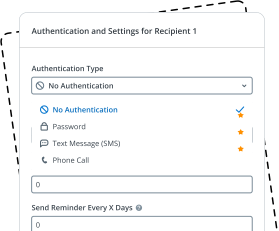
Mantente al tanto de tus flujos de trabajo de eSignature y recolección de datos
Simplifica la firma de formularios rápida y fluida, elimina cuellos de botella de ineficiencia y solicita datos importantes de manera oportuna.
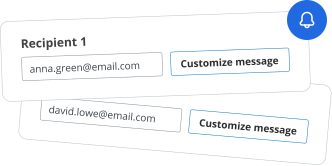
Obtén una vista general de todas tus operaciones de formularios
Gestiona y monitorea tus procesos impulsados por documentos de la A a la Z en un solo centro protegido.
We spread the word about digital transformation
signNow empowers users across every industry to embrace seamless and error-free eSignature workflows for better business outcomes.






Free 7-day trial. Choose the plan you need and try it risk-free.

Honest pricing for full-featured plans. airSlate SignNow offers subscription plans with no overages or hidden fees at renewal.

Enterprise-grade security. airSlate SignNow helps you comply with global security standards.


Place electronic signatures and send records in moments instead of hours. Our eSignatures have the identical legal power as wet-ink ones.

Take advantage of the signature tips function and improve your files without any concerns about the safety of your information.

Modify existing forms and save changes, and airSlate SignNow will immediately inform your entire crew that there are updated templates.

Place fillable areas, create or collect electronic signatures, get supplementary documents and payments, and discover different ways to boost your workflows.

Use airSlate SignNow API, the easiest way to create and collect eSignatures. Do so within your CRM systems, on your website, or even in specific apps.

Generate a public link for your template and collect signatures while not having to directly send your document to specific consumer email addresses.
Una guía rápida sobre cómo firmar contratos digitales electrónicamente aparte de AI con airSlate SignNow
En el mundo digital acelerado de hoy, firmar documentos electrónicamente es una necesidad para empresas de todos los tipos y tamaños. Las tecnologías modernas facilitan este proceso, y muchas plataformas ahora ofrecen soluciones impulsadas por robots para mejorar sus procesos y hacerlos más seguros. airSlate SignNow es una de las soluciones más robustas y confiables, proporcionando a las empresas todo lo que necesitan para flujos de trabajo de eSignature suaves y eficientes, incluso sin integraciones de AI. Así que si necesitas firmar contratos digitales electrónicamente, no hay mejor manera que hacerlo con nosotros. Descubre cómo preparar rápidamente tus documentos, colaborar con tu equipo y cerrarlos en poco tiempo sin necesidad de características impulsadas por robots.
Sigue las instrucciones a continuación para firmar contratos digitales electrónicamente con airSlate SignNow:
- Inicia sesión o crea tu cuenta y comienza a explorar nuestro servicio con una prueba gratuita.
- Haz clic en +Crear Nuevo para subir un PDF desde tu dispositivo, nube, URL o nuestra colección de formularios.
- Abre tu documento en el editor y utiliza herramientas de la derecha para completar los espacios en blanco.
- Agrega áreas rellenables adicionales para Texto, Casillas de verificación, Desplegables, Fecha y Hora, etc.
- Haz clic en cada campo para establecerlo como requerido, condicional o pre-poblado con una descripción.
- Agrega áreas de Firma con Roles asignados para todas las partes del acuerdo.
- Coloca el campo de Mi Firma en el formulario y selecciona tu opción de firma preferida.
- Guardar y Cerrar tu formulario y compártelo con otras personas a través de Invitar a Firmar o Crear Enlace de Invitación.
- Elige si deseas enviar una copia por correo electrónico, descargarla con un historial, compartirla con tu equipo, notariarla, etc.
Con nuestra solución, no necesitas AI para firmar contratos digitales electrónicamente. Mejoramos regularmente nuestra plataforma implementando características similares a robots para ayudar a tu empresa a completar tareas sin esfuerzo y de manera eficiente. Experimenta flujos de trabajo de eSignature suaves y seguros con airSlate SignNow. ¡Pruébalo hoy!
How it works


Electronic Signature Legality
What is the contracts electronically
Contracts electronically refer to legally binding agreements that are created, signed, and managed in a digital format. This process allows businesses and individuals to streamline their operations by eliminating the need for physical paperwork. With airSlate SignNow, users can create digital contracts that are easy to fill out, sign, and store securely. These electronic contracts maintain the same legal validity as traditional paper contracts, ensuring that all parties involved can trust the integrity of the agreement.
How to use the contracts electronically
Using contracts electronically with airSlate SignNow is straightforward. Users can begin by uploading a document or creating a new contract directly within the platform. Once the document is ready, it can be filled out online by entering the necessary information. After completing the form, users can send it for signature to one or multiple recipients. Each party can review and sign the document electronically, ensuring a smooth and efficient workflow.
Steps to complete the contracts electronically
Completing contracts electronically involves several key steps:
- Upload or create the contract within the airSlate SignNow platform.
- Fill in any required fields, ensuring all information is accurate.
- Use the eSignature feature to sign the document digitally.
- Send the contract to other parties for their signatures.
- Once all signatures are collected, download or store the completed document securely.
Following these steps ensures that the contract is completed efficiently and securely.
Legal use of the contracts electronically
Electronic contracts are legally recognized in the United States under the Electronic Signatures in Global and National Commerce Act (ESIGN) and the Uniform Electronic Transactions Act (UETA). These laws affirm that electronic signatures hold the same weight as handwritten signatures, provided that all parties consent to use electronic means for signing. This legal framework allows businesses to confidently use airSlate SignNow for their contract management needs.
Security & Compliance Guidelines
When managing contracts electronically, security and compliance are paramount. airSlate SignNow employs advanced encryption methods to protect sensitive information during transmission and storage. Additionally, the platform complies with industry standards and regulations, ensuring that user data is handled with the utmost care. Users should regularly review their security settings and ensure that access to documents is restricted to authorized personnel only.
Examples of using the contracts electronically
There are numerous scenarios where contracts electronically can be beneficial:
- Real estate transactions, where buyers and sellers can sign agreements remotely.
- Employment contracts, allowing HR departments to streamline onboarding processes.
- Service agreements, enabling businesses to finalize contracts with clients quickly.
- Partnership agreements, facilitating collaboration between companies without delays.
These examples illustrate the versatility and efficiency of using airSlate SignNow for electronic contracts.
 Best ROI. Our customers achieve an average 7x ROI within the first six months.
 Scales with your use cases. From SMBs to mid-market, airSlate SignNow delivers results for businesses of all sizes.
 Intuitive UI and API. Sign and send documents from your apps in minutes.
FAQs
Here is a list of the most common customer questions. If you can't find an answer to your question, please don't hesitate to reach out to us.
What are the benefits of signing contracts electronically with airSlate SignNow?
Signing contracts electronically with airSlate SignNow streamlines the process, saving time and reducing paperwork. It enhances security through encryption and provides a clear audit trail. Additionally, it allows for faster turnaround times, enabling businesses to close deals more efficiently.
How does airSlate SignNow ensure the security of electronically signed contracts?
airSlate SignNow employs advanced encryption and secure cloud storage to protect electronically signed contracts. Each document is tracked with a unique audit trail, ensuring that all actions are logged and verifiable. This level of security helps businesses maintain compliance with legal standards.
What features does airSlate SignNow offer for managing contracts electronically?
airSlate SignNow offers a variety of features for managing contracts electronically, including customizable templates, automated reminders, and real-time tracking. Users can easily collaborate with team members and clients, ensuring everyone is on the same page. The platform also integrates seamlessly with other business tools for enhanced efficiency.
Is airSlate SignNow suitable for small businesses looking to manage contracts electronically?
Yes, airSlate SignNow is designed to be cost-effective and user-friendly, making it ideal for small businesses. It provides essential features for managing contracts electronically without overwhelming users with complexity. Small businesses can benefit from the efficiency and security that airSlate SignNow offers.
What is the pricing structure for using airSlate SignNow to sign contracts electronically?
airSlate SignNow offers flexible pricing plans tailored to different business needs. Users can choose from monthly or annual subscriptions, with options that scale based on the number of users and features required. This allows businesses to find a plan that fits their budget while still managing contracts electronically.
Can I integrate airSlate SignNow with other software to manage contracts electronically?
Absolutely! airSlate SignNow integrates with a variety of popular software applications, including CRM systems and project management tools. This integration allows businesses to manage contracts electronically within their existing workflows, enhancing productivity and collaboration.
How does airSlate SignNow improve the efficiency of contract management?
By allowing users to sign contracts electronically, airSlate SignNow signNowly reduces the time spent on manual processes. Automated workflows and reminders ensure that contracts are completed promptly, while real-time tracking keeps everyone informed. This efficiency leads to faster decision-making and improved business outcomes.




airSlate SignNow is committed to protecting your sensitive information by complying with global industry-specific.

Discover powerful features with airSlate SignNow
Automated: AI-powered assistants help you make agreements and perform duties on your behalf. ... Its target till 2019 is to signNow 5 million digital signatures and ...
Easily gather electronic signatures on your online forms. Use for offer letters, contracts, medical forms, financial docs, and more. Learn more now!
Brand your agreements by adding a logo and custom URL; Create web forms and reusable e-sign templates; Receive and track multiple e-signatures by sending in ...
