Renforcez vos flux de travail avec l'IA pour un créateur de signature manuscrite en ligne gratuit





Utilisez l'efficacité de l'IA dans vos processus centrés sur les documents avec signNow
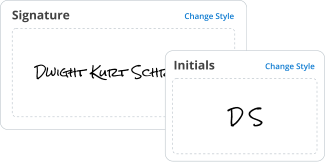
Découvrez l'efficacité de notre IA pour un créateur de signature manuscrite en ligne gratuit
Nos fonctionnalités améliorées par l'IA offrent une expérience d'approbation de documents sans tracas, ajoutant facilité et efficacité à tous les points de contact.

Accomplissez plus en un rien de temps avec notre application mobile
Rationalisez vos opérations d'approbation de formulaires avec une application robuste et conviviale à portée de main.
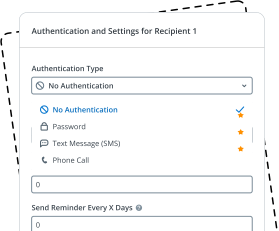
Restez au fait de vos flux de travail d'eSignature et de collecte de données
Simplifiez la signature de documents rapide et efficace, prévenez les goulets d'étranglement d'inefficacité et collectez des données importantes à temps.
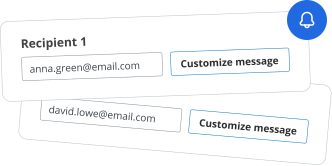
Obtenez une vue d'ensemble de toutes vos transactions de formulaires
Gérez et surveillez vos processus documentaires de A à Z dans un seul hub sécurisé.
We spread the word about digital transformation
signNow empowers users across every industry to embrace seamless and error-free eSignature workflows for better business outcomes.






Free 7-day trial. Choose the plan you need and try it risk-free.

Honest pricing for full-featured plans. airSlate SignNow offers subscription plans with no overages or hidden fees at renewal.

Enterprise-grade security. airSlate SignNow helps you comply with global security standards.


Place electronic signatures and send records in moments instead of hours. Our eSignatures have the identical legal power as wet-ink ones.

Take advantage of the signature tips function and improve your files without any concerns about the safety of your information.

Modify existing forms and save changes, and airSlate SignNow will immediately inform your entire crew that there are updated templates.

Place fillable areas, create or collect electronic signatures, get supplementary documents and payments, and discover different ways to boost your workflows.

Use airSlate SignNow API, the easiest way to create and collect eSignatures. Do so within your CRM systems, on your website, or even in specific apps.

Generate a public link for your template and collect signatures while not having to directly send your document to specific consumer email addresses.
Utilisez simplement le créateur de signature manuscrite en ligne gratuit comme si l'IA le faisait pour vous
Avec le développement du créateur de signature manuscrite en ligne gratuit, la validation des documents et la conclusion des affaires sont désormais plus efficaces qu'auparavant. Dans le cas de airSlate SignNow, son flux est si bien pensé que vous n'avez presque pas besoin de fournir d'efforts dans votre processus de signature, tout comme cela fonctionne avec l'IA. Il vous suffit d'ajouter des signatures légalement contraignantes et vous avez la possibilité de créer des flux de travail multi-utilisateurs, d'améliorer la collecte de données et d'accélérer les processus d'autorisation de documents.
Contrairement à d'autres plateformes qui dépendent sérieusement de l'IA pour les améliorations, ce service offre une fonctionnalité avancée et riche en fonctionnalités sans avoir besoin d'intégrations d'IA. Notre logiciel se tient fermement sur ses propres bases, offrant une efficacité exceptionnelle et éliminant toute dépendance à la technologie IA.
Comment utiliser le créateur de signature manuscrite en ligne gratuit sans IA
- Connectez-vous à votre compte ou inscrivez-vous. Commencez votre essai gratuit pour accéder à tous les instruments avancés du créateur de signature manuscrite en ligne gratuit.
- Ajoutez votre fichier qui nécessite une eSignature.
- Cliquez sur les champs remplissables et complétez-les si nécessaire.
- Sélectionnez l'instrument de signature et cliquez sur Remplir maintenant pour le vérifier vous-même.
- Si vous devez partager le fichier, transformez-le en modèle et distribuez-le parmi les individus.
- Conservez le fichier complété sur votre ordinateur ou dans votre historique.
Choisissez l'option la plus pratique au lieu de vous fier uniquement aux fonctionnalités de l'IA pour la confirmation des fichiers - accédez à des instruments conviviaux pour l'authentification immédiate et légalement contraignante de vos documents depuis n'importe quel appareil. Essayez l'expérience élégante du créateur de signature manuscrite en ligne gratuit par airSlate SignNow !
How it works


Electronic Signature Legality
What is the ai signature generator
The ai signature generator is a digital tool that creates unique electronic signatures using artificial intelligence technology. This tool allows users to generate signatures that resemble handwritten styles, providing a personal touch to electronic documents. By utilizing various algorithms, the ai signature generator can produce multiple signature options based on user input, ensuring that each signature is distinct and tailored to individual preferences.
How to use the ai signature generator
Using the ai signature generator is a straightforward process. Users begin by accessing the generator through airSlate SignNow's platform. Once there, they can enter their name or initials, select preferred styles, and preview different signature designs. After choosing a signature that suits their needs, users can save it for future use. The generated signature can be easily integrated into documents for eSigning, enhancing the overall digital workflow.
Steps to complete the ai signature generator
To complete the ai signature generator, follow these steps:
- Visit the airSlate SignNow platform and navigate to the ai signature generator section.
- Input your name or initials into the designated field.
- Select from various signature styles offered by the generator.
- Review the generated options and choose your preferred signature.
- Save the selected signature for use in future documents.
Legal use of the ai signature generator
The use of the ai signature generator is legally recognized in many jurisdictions across the United States. Electronic signatures created through this tool comply with the Electronic Signatures in Global and National Commerce (ESIGN) Act and the Uniform Electronic Transactions Act (UETA). Users should ensure that their use of electronic signatures aligns with relevant state laws and regulations, particularly for specific document types that may have unique requirements.
Security & Compliance Guidelines
When using the ai signature generator, it is essential to adhere to security and compliance guidelines to protect sensitive information. airSlate SignNow employs encryption protocols to safeguard data during transmission and storage. Users should also ensure that they are using secure networks when accessing the platform. Additionally, maintaining compliance with applicable regulations, such as the General Data Protection Regulation (GDPR) and the Health Insurance Portability and Accountability Act (HIPAA), is crucial for organizations handling personal or sensitive information.
Documents You Can Sign
The ai signature generator can be used to sign a wide range of documents electronically. Common document types include contracts, agreements, forms, and legal documents. By utilizing this tool, users can streamline their signing processes, reduce paper usage, and enhance efficiency in managing important documents.
Sending & Signing Methods (Web / Mobile / App)
Users can send and sign documents using the ai signature generator through various methods. On the web, documents can be uploaded directly to airSlate SignNow, where users can apply their generated signatures. The mobile app allows for on-the-go signing, enabling users to manage documents from their smartphones or tablets. Additionally, the platform supports integration with other applications, making it easy to send documents for signature from different sources.
 Best ROI. Our customers achieve an average 7x ROI within the first six months.
 Scales with your use cases. From SMBs to mid-market, airSlate SignNow delivers results for businesses of all sizes.
 Intuitive UI and API. Sign and send documents from your apps in minutes.
FAQs
Here is a list of the most common customer questions. If you can't find an answer to your question, please don't hesitate to reach out to us.
What is an AI signature generator?
An AI signature generator is a tool that uses artificial intelligence to create digital signatures for documents. With airSlate SignNow, this feature allows users to generate secure and legally binding signatures quickly and efficiently, enhancing the signing process.
How does airSlate SignNow's AI signature generator work?
The AI signature generator in airSlate SignNow analyzes user input and generates a unique digital signature that can be applied to various documents. This process is streamlined and user-friendly, ensuring that even those with minimal technical skills can create and use their signatures effortlessly.
What are the benefits of using an AI signature generator?
Using an AI signature generator like airSlate SignNow offers numerous benefits, including increased efficiency, reduced paperwork, and enhanced security. It allows businesses to expedite document signing processes while ensuring that signatures are authentic and legally valid.
Is there a cost associated with using the AI signature generator?
Yes, airSlate SignNow offers various pricing plans that include access to the AI signature generator. These plans are designed to be cost-effective, catering to businesses of all sizes, and provide excellent value for the features offered.
Can I integrate the AI signature generator with other applications?
Absolutely! airSlate SignNow's AI signature generator can be easily integrated with various applications and platforms, enhancing your workflow. This integration capability allows users to streamline their document management processes and improve overall productivity.
Is the AI signature generator secure?
Yes, security is a top priority for airSlate SignNow. The AI signature generator employs advanced encryption and authentication measures to ensure that all signatures are secure and tamper-proof, providing peace of mind for users.
Who can benefit from using an AI signature generator?
Businesses of all sizes, freelancers, and individuals can benefit from using an AI signature generator. Whether you need to sign contracts, agreements, or other documents, airSlate SignNow simplifies the process, making it accessible for everyone.




airSlate SignNow is committed to protecting your sensitive information by complying with global industry-specific.

Discover powerful features with airSlate SignNow
Oct 30, 2023 — SmashingLogo is an intuitive and hassle-free online AI logo maker that empowers users to effortlessly design custom logos without the need ...
A free signature generator is an online tool or software that allows users to create personalized digital signatures without any cost. These tools typically ...
A drawing artificial intelligence program supported by NovelAI. The production team usually calls it NovelAI Diffusion or NAI Diffusion.
