Convert PDF to fax

Discover how to easily convert PDF to fax and make the most of your documents
Create secure and intuitive eSignature workflows on any device, track the status of documents right in your account, build online fillable forms – all within a single solution.
airSlate SignNow regularly wins awards for ease of use and setup




The optimal method to Transform PDF to fax
Are you finding it difficult to locate a trustworthy service for all your document management requirements, including the feature to Transform PDF to fax? airSlate SignNow is designed to streamline your file editing and approval journey as much as possible, no matter the level of complexity. Our platform provides a comprehensive selection of professional document editing, signing, and collaboration tools that you’ll find user-friendly enough to be ideal for beginners and seasoned professionals alike.
- Visit the airSlate SignNow homepage.
- Create or sign in to your current account.
- Utilize one of the methods to upload your file.
- Access your document in our editor.
- Explore the left and top toolbar and find the option to Transform PDF to fax.
- Utilize additional tools to enhance or arrange your documents.
- Save your modifications and download the file.
Regardless of the tool you use or the actions you take, airSlate SignNow consistently ensures that your work is protected and effortless. Register for airSlate SignNow today and receive a comprehensive solution that seamlessly integrates into any workflow!
How it works
eSignatures and beyond — simplify document workflows with advanced airSlate SignNow features

-
Best ROI. Our customers achieve an average 7x ROI within the first six months.
-
Scales with your use cases. From SMBs to mid-market, airSlate SignNow delivers results for businesses of all sizes.
-
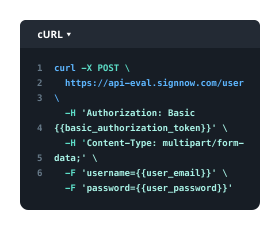
Intuitive UI and API. Sign and send documents from your apps in minutes.
Our user reviews speak for themselves












FAQs
-
How can I convert PDF to fax using airSlate SignNow?
To convert PDF to fax with airSlate SignNow, simply upload your PDF document to our platform, select the 'fax' option, and enter the recipient's fax number. Our user-friendly interface guides you through the process, ensuring a hassle-free experience. Once processed, your document will be sent as a fax securely and efficiently. -
Is there a cost to convert PDF to fax with airSlate SignNow?
airSlate SignNow offers competitive pricing for converting PDF to fax. You can choose from various subscription plans based on your usage needs. Each plan includes a set number of faxes per month, making it easy to manage your budget while enjoying our services. -
What features does airSlate SignNow offer for converting PDF to fax?
When you convert PDF to fax with airSlate SignNow, you'll benefit from features such as real-time tracking, secure document storage, and customizable fax cover sheets. Additionally, our platform supports bulk faxing, allowing you to send multiple PDFs at once, saving you time and effort. -
Can I use airSlate SignNow to convert PDF to fax internationally?
Yes, airSlate SignNow allows you to convert PDF to fax and send documents internationally. Our service supports faxing to various countries, ensuring your documents reach global recipients without any complications. Check our website for a list of supported countries.
-
Does airSlate SignNow integrate with other applications for converting PDF to fax?
Absolutely! airSlate SignNow integrates seamlessly with popular applications like Google Drive, Dropbox, and Microsoft Office. This means you can easily import your PDF files from these platforms and convert them to fax directly, streamlining your workflow. -
What are the benefits of using airSlate SignNow to convert PDF to fax?
Using airSlate SignNow to convert PDF to fax offers several benefits, including enhanced security, cost savings, and increased efficiency. Our platform ensures that your documents are transmitted securely, while our competitive pricing helps you reduce operational costs. Plus, the convenience of online faxing means you can send documents anytime, anywhere. -
Is there a mobile app for converting PDF to fax with airSlate SignNow?
Yes, airSlate SignNow provides a mobile app that allows you to convert PDF to fax on the go. The app is designed for easy navigation and functionality, enabling you to upload documents, send faxes, and manage your account from your smartphone or tablet. -
What support does airSlate SignNow offer for users converting PDF to fax?
airSlate SignNow offers comprehensive support for users needing assistance with converting PDF to fax. Our dedicated customer support team is available via chat, email, or phone to answer your questions and help resolve any issues you may encounter.