Convert PDF to JPG image with our converter

See airSlate SignNow eSignatures in action
Create secure and intuitive eSignature workflows on any device, track the status of documents right in your account, build online fillable forms – all within a single solution.
airSlate SignNow regularly wins awards for ease of use and setup




How to Transform PDF into JPG Image Using Our Converter
Are you facing difficulties in locating a trustworthy service for all your document editing and signing requirements, including the ability to Transform PDF into JPG image using our converter? airSlate SignNow is here to enhance your document editing and completion journey, ensuring it is as seamless as possible, irrespective of the complexity. Our platform provides an extensive array of business-ready document editing, signing, collaboration, and organization tools that are user-friendly enough for both novices and experienced users.
- Visit the airSlate SignNow homepage.
- Create or log into your existing account.
- Choose one of the methods to upload your document.
- Open your document in our editor.
- Navigate the left and top toolbars to find the option to Transform PDF into JPG image using our converter.
- Take advantage of additional features to enhance or organize your documents.
- Save your modifications and download the file.
No matter which tool you use or the task you undertake, airSlate SignNow consistently ensures that your work is protected and hassle-free. Register for airSlate SignNow now and access a comprehensive solution that integrates seamlessly into any workflow!
How it works
eSignatures and beyond — simplify document workflows with advanced airSlate SignNow features

-
Best ROI. Our customers achieve an average 7x ROI within the first six months.
-
Scales with your use cases. From SMBs to mid-market, airSlate SignNow delivers results for businesses of all sizes.
-
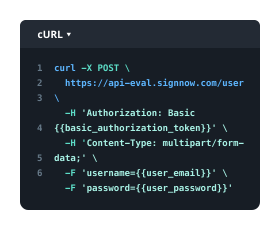
Intuitive UI and API. Sign and send documents from your apps in minutes.
Our user reviews speak for themselves












FAQs
-
How can I convert PDF to JPG image with your converter?
To convert PDF to JPG image with our converter, simply upload your PDF document, select the output format as JPG, and click on the convert button. The process is quick and user-friendly, designed to ensure you can easily transform your files without any hassle. -
Is there a cost to convert PDF to JPG image with your converter?
No, converting PDF to JPG image with our converter is completely free! We believe in providing accessible tools for everyone, so you can enjoy seamless conversions without any hidden fees or subscriptions. -
What features does the PDF to JPG conversion tool offer?
Our converter allows you to convert PDF to JPG image with our converter while maintaining high-quality output. You can also batch process multiple files at once, saving you time and effort when managing large documents. -
Can I convert scanned PDFs to JPG images using your tool?
Yes, you can convert scanned PDFs to JPG images with our converter. The tool is designed to handle various types of PDFs, including scanned documents, ensuring you get high-quality images every time.
-
What are the benefits of converting PDF to JPG image with your converter?
Converting PDF to JPG image with our converter allows for easy sharing and viewing on digital platforms. JPG images are widely compatible with various devices and applications, making it simpler for you to distribute your content. -
Is it safe to convert PDF to JPG image with your converter?
Absolutely! When you convert PDF to JPG image with our converter, we prioritize your privacy and data security. All files are processed with encryption, and we do not store your documents after conversion. -
Can I integrate your PDF to JPG converter with other tools?
Yes, our converter can easily integrate with various applications to streamline your workflow. By converting PDF to JPG image with our converter, you can enhance your document management process across different platforms. -
What devices can I use to convert PDF to JPG image with your converter?
You can convert PDF to JPG image with our converter on any device with internet access, including desktops, tablets, and smartphones. Our web-based tool is optimized for all screen sizes, providing convenience wherever you are.