Convert PPT to PDF Document and Save

Discover how to easily convert PPT to PDF document and save and make the most of your documents
Create secure and intuitive eSignature workflows on any device, track the status of documents right in your account, build online fillable forms – all within a single solution.
airSlate SignNow regularly wins awards for ease of use and setup




How to Transform PPT into PDF Document and Preserve
Are you finding it difficult to locate a reliable solution for all your document editing and signing requirements, such as the ability to Transform PPT into PDF Document and Preserve? airSlate SignNow is here to enhance your document editing and approval journey, regardless of the level of complexity. Our solution offers a comprehensive range of business-ready document editing, signing, collaboration, and organizational features that are user-friendly enough for both beginners and seasoned professionals.
- Visit the airSlate SignNow homepage.
- Create an account or log into your existing one.
- Select one of the options to upload your document.
- Access your document in our editor.
- Explore the left and top toolbar to discover the ability to Transform PPT into PDF Document and Preserve.
- Utilize additional features to enhance or organize your documents.
- Save your modifications and download the document.
Regardless of the tool you utilize or the task you undertake, airSlate SignNow consistently ensures that your work is secure and seamless. Sign up for airSlate SignNow today and receive a comprehensive solution that integrates into any workflow!
How it works
eSignatures and beyond — simplify document workflows with advanced airSlate SignNow features

-
Best ROI. Our customers achieve an average 7x ROI within the first six months.
-
Scales with your use cases. From SMBs to mid-market, airSlate SignNow delivers results for businesses of all sizes.
-
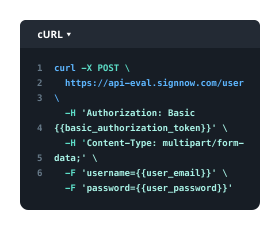
Intuitive UI and API. Sign and send documents from your apps in minutes.
Our user reviews speak for themselves












FAQs
-
How can I Convert PPT to PDF Document and Save using airSlate SignNow?
To Convert PPT to PDF Document and Save with airSlate SignNow, simply upload your PowerPoint file using our platform. The conversion process is seamless, allowing you to quickly transform your slides into a PDF format that can be easily shared or stored. After conversion, you can save the PDF directly to your device or cloud storage. -
Is there a cost associated with converting PPT to PDF Document and Saving?
airSlate SignNow offers a variety of pricing plans, including a free trial that allows you to Convert PPT to PDF Document and Save without any initial investment. Our affordable subscription plans provide additional features and functionalities, making it cost-effective for businesses of all sizes to manage their document needs. -
What features does airSlate SignNow offer for converting files?
airSlate SignNow provides a user-friendly interface that simplifies the process to Convert PPT to PDF Document and Save. Along with file conversion, our platform includes e-signature capabilities, customizable templates, and secure document storage, enhancing your overall document management experience. -
Can I Convert PPT to PDF Document and Save on mobile devices?
Yes! airSlate SignNow is designed to be mobile-friendly, allowing you to Convert PPT to PDF Document and Save directly from your smartphone or tablet. Our mobile app ensures that you can manage your documents on-the-go, making it easy to stay productive anywhere.
-
What are the benefits of using airSlate SignNow for converting documents?
Using airSlate SignNow to Convert PPT to PDF Document and Save provides numerous benefits, including time efficiency and high-quality output. The platform is designed to streamline your document workflows, reduce errors, and enhance collaboration among team members, all while maintaining a secure environment. -
Does airSlate SignNow integrate with other applications?
Absolutely! airSlate SignNow offers integrations with popular applications like Google Drive, Dropbox, and Microsoft Office. This means you can easily Convert PPT to PDF Document and Save within your existing workflows, making document management more efficient. -
Is the conversion process secure with airSlate SignNow?
Yes, security is a top priority at airSlate SignNow. When you Convert PPT to PDF Document and Save, your files are protected with encryption and secure storage protocols. We ensure that your sensitive information remains confidential throughout the conversion process. -
How do I get started with airSlate SignNow?
Getting started with airSlate SignNow is easy! Sign up for an account on our website, and you can begin to Convert PPT to PDF Document and Save right away. Our intuitive interface and helpful resources will guide you through the process, making document management a breeze.