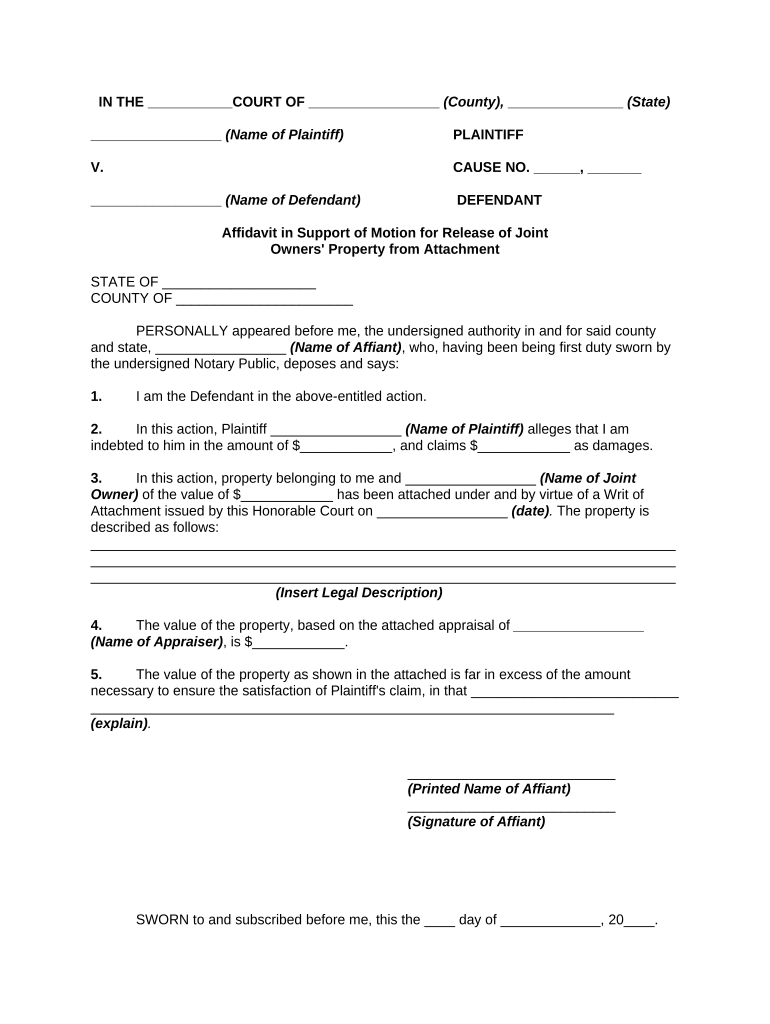
Joint Affidavit
What a Joint Affidavit Is and When it’s Used
Why a Joint Affidavit Matters in Legal and Administrative Processes
A Joint Affidavit creates a consolidated, sworn record that simplifies fact-finding and reduces duplication when multiple parties share the same statement. It helps receivers, courts, and agencies rely on a single coherent account and can speed administrative processing when properly completed and authenticated.
Who Typically Prepares and Signs Joint Affidavits
Joint Affidavits are used by parties with shared factual positions and by professionals who must document joint assertions for legal or administrative purposes.
- Co-owners and lessors completing property or title matters together to record a single sworn statement.
- Account holders and financial co-signers verifying shared information for banks, title companies, or government forms.
- Attorneys or authorized agents consolidating client statements to submit to courts or administrative agencies.
The document’s audience—courts, banks, title companies, or government agencies—determines required authentication (notary, witnesses, or RON) and any additional attachments such as IDs or supporting records.
Representative Signers and Roles
Joint Declarants
Two or more individuals or entities who share the factual assertions in the affidavit; each must provide full legal name, contact information, signature, and consent to electronic signing where used.
Authorized Representative
An attorney, corporate officer, or agent who signs on behalf of a party; include authority statement (power of attorney or corporate resolution) and attach supporting documentation.
Key Legal Risks and Consequences of Errors
Common Pitfalls to Avoid When Preparing a Joint Affidavit
- Using inconsistent names or initials for signers across pages, which can render the affidavit ambiguous or rejected by recipients.
- Omitting notarization or failing to follow the receiving jurisdiction’s witness rules, causing probate or title delays.
- Attaching unsupported assertions without verifiable exhibits, making the affidavit less persuasive or subject to challenge.
- Misplacing the effective date or using vague timing language that affects legal rights or statute of limitations calculations.
Step-by-Step: Completing a Joint Affidavit
-
01Identify Parties: Enter full legal names and capacities for all declarants.
-
02State Facts: Set out facts in numbered, chronological statements.
-
03Attach Proof: Include exhibits, IDs, or supporting documents.
-
04Authenticate: Notarize or complete RON per state requirements.
How to Configure an Electronic Signing Workflow
| Field | Configuration |
|---|---|
| Signer Order | Simultaneous or sequential routing depending on notarization needs |
| Authentication | Email link or SMS code; use KBA or ID verification for high-assurance cases |
| Notary Field | Include notary acknowledgement block for in-person or RON workflows |
| Audit Settings | Enable full audit trail, timestamping, and certificate of completion |
Typical Electronic Submission Flow for a Joint Affidavit
-
Upload Document: Sender uploads affidavit and attaches exhibits.
-
Place Fields: Add signature, date, and notarization fields.
-
Send to Signers: Notify signers by email or secure link.
-
Complete Authentication: Signers authenticate, sign, and receive final PDF with audit trail.
Technical Considerations for eSigning and eSubmission
Ensure your signing platform supports required authentication, audit trails, and the file formats accepted by the receiving party.
- File Formats: PDF and DOCX widely accepted
- Integrations: Works with Salesforce, NetSuite, Google Workspace
- RON Support: Audio-video recording and ID proofing available
Confirm the recipient’s acceptance of electronic signatures and whether a notarized paper copy, in-person notarization, or RON session is required for their process.
Timing and Typical Processing Expectations
Immediate Notarization:
Notarize at the time of signing when required to confirm oath timing.
Agency Windows:
Follow the receiving agency’s submission deadlines to avoid rejections.
RON Retention:
Audio/video records retained 5–10 years under many state RON rules
Document Copies:
Provide certified or original copies per recipient requirements
Processing Time:
Expect 1–10 business days depending on review and verification needs
Practical Examples of Joint Affidavit Use
Title Correction
Two co-owners attest to a clerical error in a deed
- Short statement of the corrected fact and dates
- The affidavit is notarized, supporting exhibits attached, and accepted by the county recorder to correct the public record.
Joint Account Verification
Account co-signers confirm a joint address and authorized signers
- Include IDs and account numbers
- Submitted to the financial institution with notarization or RON where accepted to update account records without requiring in-person visits.
eSignature Pricing and Feature Comparison Relevant to Joint Affidavits
| signNow | DocuSign | Adobe Sign | PandaDoc | HelloSign | |
|---|---|---|---|---|---|
| Starting Price | $8/user/mo | $15/user/mo | $14/user/mo | $19/user/mo | $15/user/mo |
| Free Trial | 7-day free trial | Trial available | Trial available | Trial available | Free tier available |
| Bulk Send | Yes | Yes | Yes | Yes | No |
| Audit Trail | Yes | Yes | Yes | Yes | Yes |
| HIPAA Compliant | Yes | Yes | Yes | No | No |
| Envelope Cap | No cap | 100 envelopes/user/year | No cap | No cap | No cap |
Frequently Asked Questions and Troubleshooting
-
Can a Joint Affidavit be signed electronically?
Yes. Under the ESIGN Act (15 U.S.C. ch. 96) and state UETA laws, electronic signatures are generally valid if intent, consent, attribution, and record retention are present. Confirm the recipient accepts e-signatures and follow any additional consumer-disclosure requirements for consumer-facing matters.
-
Is notarization always required?
Not necessarily. Notarization is required when the receiving party, statute, or recordable instrument (e.g., deed) mandates it. For deeds and many title matters, notarization or a notary acknowledgement is typically required by state law.
-
Can I use Remote Online Notarization (RON)?
Many states permit RON with identity proofing and audio-video recording; RON rules vary. Use a provider that supports required ID verification and retains the RON session per state rules when RON is accepted.
-
What happens if names don’t match IDs?
Mismatched names can delay acceptance, trigger identity verification failure, or require re-execution. Ensure the signer’s name matches government ID and include documentation for any name variations.
-
How should supporting exhibits be attached?
Label exhibits clearly, reference them in numbered affidavit statements, and attach them as separate, paginated exhibits. For electronic filings, combine into a single PDF or provide a clear exhibit index as required by the recipient.
-
Which eSignature plan fits high-volume notarization?
High-volume workflows may prefer usage-based Site License pricing ($1.50/signature invite) or enterprise tiers that include advanced authentication and API access; evaluate plans for RON, audit trail retention, and BAA availability if required.