Establishing secure connection…Loading editor…Preparing document…

Alimony Trust Agreement

This template is fully customizable. Edit the text, fill out the fields, and send it for signature. Give it a try!
Alimony Trust Agreement

What an Alimony Trust Agreement Is and When It’s Used

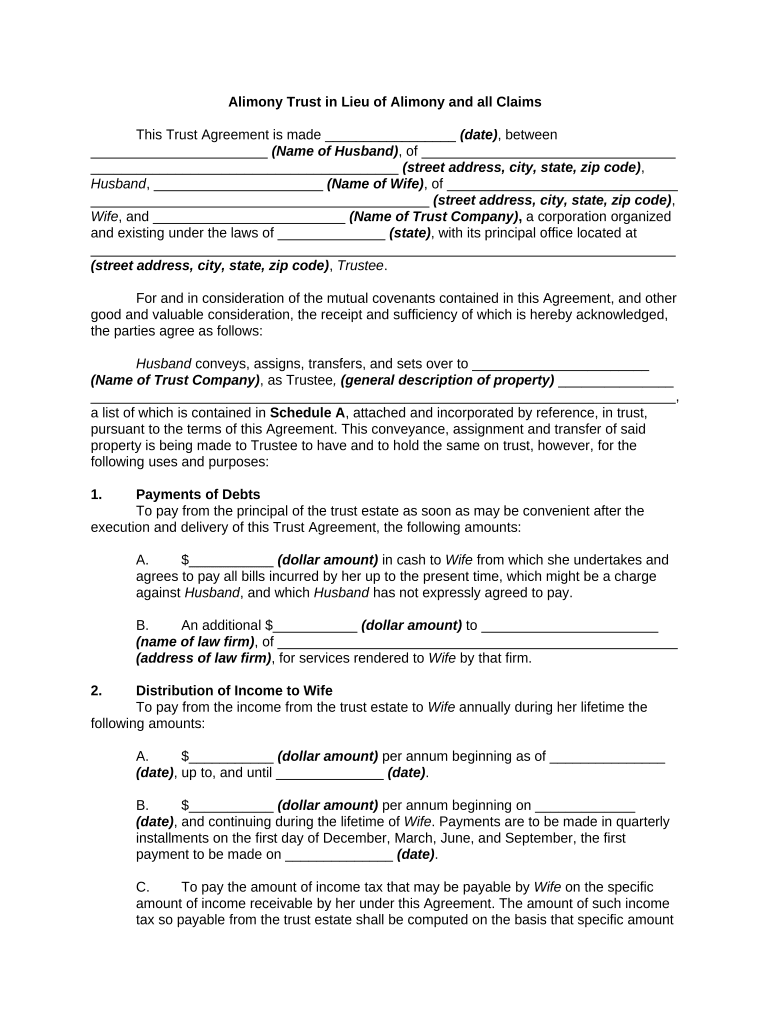
An Alimony Trust Agreement is a legally binding contract that transfers assets into a trust to secure periodic spousal support payments. It names the settlor (often a divorce litigant), a trustee who manages trust assets, beneficiaries entitled to alimony payments, and the schedule and conditions for distributions. The document clarifies trustee powers, funding mechanics, tax treatment, and dispute-resolution provisions, and is often drafted alongside divorce decrees or settlement agreements to ensure enforceable, predictable support streams.

Why an Alimony Trust Agreement Matters for Enforceable Support

A professionally drafted Alimony Trust Agreement centralizes payment terms, reduces enforcement friction in post-divorce disputes, and creates a fiduciary duty for the trustee to follow distribution rules. It also clarifies taxation, preserves creditor protections in some states, and creates a record that courts can enforce if payments are missed.

Why an Alimony Trust Agreement Matters for Enforceable Support

Who Typically Prepares and Signs an Alimony Trust Agreement

Other participants may include attorneys, financial advisors, and parties required to provide documentation for funding or tax reporting.

  • Divorcing party transferring assets — wants a reliable mechanism for court-ordered support and predictable cash flow for the recipient.
  • Beneficiary spouse — needs clear payment schedule, notice and dispute procedures, and protections against trustee mismanagement.
  • Trustee or trust company — accepts fiduciary duties and follows the agreement’s distribution and reporting rules.

Typical Signatories and Their Roles

Settlor / Grantor

The individual who transfers assets into the trust and defines payment terms; often a divorcing spouse. The settlor may retain limited powers but should avoid reserved powers that could undermine the trust’s creditor or tax treatment.

Trustee / Administrator

The person or corporate trustee responsible for investment, recordkeeping, distributions, and reporting; fiduciary duties impose standards of care and impartiality when making payments to beneficiaries.

Security, Compliance, and Record Elements to Include

Encryption: AES-256 at rest; TLS 1.2/1.3 in transit
Audit Trail: Timestamped signing events and IP logs
HIPAA BAA: Required if PHI is stored or shared
21 CFR Part 11: Needed for FDA-regulated records
ISO 27001: Information security management standard
Access Controls: Role-based permissions and MFA

Core Sections Every Alimony Trust Agreement Should Contain

A complete agreement sets out identity of parties, trust purpose, funding, trustee powers, distribution mechanics, and termination conditions; these items reduce interpretive disputes and improve enforceability.

Parties

Full legal names for settlor, trustee, and beneficiaries, including business entity identifiers where applicable, and contact and tax identification details for reporting.
Trust Purpose

Clear statement that the trust is established to hold and distribute assets for alimony or spousal support, with references to any related divorce decree or settlement.

Funding

Mechanics for transferring assets, timing of funding events, permitted asset classes, and procedures for incomplete or delayed funding.

Trustee Powers

Authority over investments, distributions, accounting, tax filings, and dispute resolution, plus any limits on discretionary distributions.

Distribution Rules

Specific schedule or formula for payments, withholding rules, conditions that trigger modification, and procedures for missed payments.

Termination

Events that end the trust (e.g., remarriage, death, end date), final accounting requirements, and asset disposition instructions.

Step-by-Step: How to Complete an Alimony Trust Agreement

Follow this sequence to prepare, sign, and fund an alimony trust with minimal administrative friction.

  • 01
    Gather documents: Collect divorce decree, asset statements, and IDs for all parties.
  • 02
    Draft terms: Define payment amounts, triggers, and trustee duties.
  • 03
    Review with counsel: Confirm tax and enforcement implications with an attorney.
  • 04
    Execute and fund: Sign, notarize if required, then transfer assets per funding clause.

How to Update or Amend an Existing Alimony Trust Agreement

Use a controlled amendment process so changes are valid and traceable; document approvals and follow notice requirements to beneficiaries and courts if applicable.

01

Review amendment clause:

Confirm whether trustee or settlor can amend terms and under what conditions.
02

Prepare amendment:

Draft concise amendment language referencing the original agreement.
03

Obtain consents:

Collect signatures from required parties and any court approval.
04

Notarize if needed:

Notarize or RON session when state or local rules require.
05

Update records:

Provide revised copies to beneficiaries and financial institutions.
06

Retain version history:

Keep prior executed versions for retention and audit purposes.

Configuring an Online Workflow for the Agreement

Set up a digital workflow that captures signatures, notarization, and audit logs while minimizing signer friction.

Template Create a reusable template with locked core clauses and editable funding fields.
Conditional Fields Show trustee fields only if corporate trustee selected to reduce confusion.
Signer Roles Assign Settlor, Trustee, Beneficiary roles with signing order.
Notarization / RON Enable remote online notarization where permitted and required.
Audit Settings Capture timestamps, IP addresses, and email authentication.

Where to Send and File the Completed Agreement

After execution, route the signed agreement to the trustee, beneficiary, attorneys, and, if required, the court or county recorder for notice or recordation.

  • Trustee: Deliver final signed copy and funding instructions.
  • Beneficiary: Provide an executed copy and payment schedule.
  • Court of Record: File when required by settlement or court order.
  • Recording Office: Record only if real property funds the trust and local rules require.

Digital Signing and Distribution Considerations

Choose a platform that preserves an unalterable audit trail, retains copies for the required retention period, and supports notarization if your jurisdiction or court requires it.

  • Integrations: Salesforce, NetSuite, Microsoft 365, Google Workspace integrations supported
  • File Formats: PDF and DOCX are standard for signed and archivable copies
  • Authentication: Email, SMS code, or advanced signer authentication options

Key Timing Rules and Deadlines to Track

Use these dates to coordinate funding, reporting, and compliance; missing a deadline can have tax and enforcement consequences.

Effective Date:

The date listed in the agreement; governs distribution start and tax year allocation.

Funding Date:

When assets must be transferred to the trustee per the funding clause.

First Distribution:

Date of the initial alimony payment as specified by schedule.

Annual Accounting:

Dates for trustee reports to beneficiaries and any court-required filings.

Termination Date:

Date or event that ends the trust and triggers final accounting.

Milestone Timeline: From Negotiation to Final Accounting

A sequential view of high-level milestones helps manage responsibilities and court expectations during implementation and wind-up of the trust.

01

Negotiation and Drafting

Parties and counsel agree on terms and funding obligations.

02

Execution and Authentication

Signatures and notarization or RON completed per jurisdictional rules.

03

Funding the Trust

Transferred assets accepted by trustee and recorded where necessary.

04

Ongoing Accounting

Periodic reports, tax filings, and distributions carried out by trustee.

Common Preparation Mistakes to Avoid

  • Using informal or ambiguous funding language that leaves timing or valuation undefined and invites disputes.
  • Failing to verify trustee acceptance and capacity, which can create delays in distributions and asset transfers.
  • Neglecting to align the trust terms with the divorce decree, resulting in conflicting obligations and court challenges.
  • Skipping notarization or jurisdictional notarization rules, which can cause the instrument to be rejected by courts or financial institutions.

Potential Legal and Tax Risks of an Incorrect Agreement

Invalid Execution: Court may refuse enforcement
Tax Misclassification: IRS audit or recharacterization risk
Trustee Breach: Liability for mismanagement
Funding Failure: Creditor claims or enforcement actions
Remarriage Trigger: Unintended termination of benefits
Privacy Exposure: HIPAA or data breach liability

Comparison: eSignature Platforms for Executing an Alimony Trust

When choosing an eSignature vendor for legal documents, compare starting price, trial availability, bulk send, audit trail, HIPAA support, and envelope limits.

signNow DocuSign Adobe Sign PandaDoc HelloSign
Starting Price $8/user/mo $15/user/mo $14/user/mo $19/user/mo $15/user/mo
Free Trial Yes, 7-day trial No No Yes, limited Yes, limited
Bulk Send Yes Yes Yes Yes No
Audit Trail Yes Yes Yes Yes Yes
HIPAA Compliant Yes Yes Yes No No
Envelope Cap No cap 100 envelopes/user/year No cap No cap No cap

Frequently Asked Questions About Alimony Trust Agreements

Answers to common execution, validity, and administrative questions about alimony trusts and their use alongside divorce settlements.


Need help? Contact support

be ready to get more
Join over 28 million airSlate SignNow users