Establishing secure connection…Loading editor…Preparing document…

Notice of Attorney-Client Privilege

This template is fully customizable. Edit the text, fill out the fields, and send it for signature. Give it a try!
Notice of Attorney-Client Privilege

What a Notice of Attorney-Client Privilege Is and When It Applies

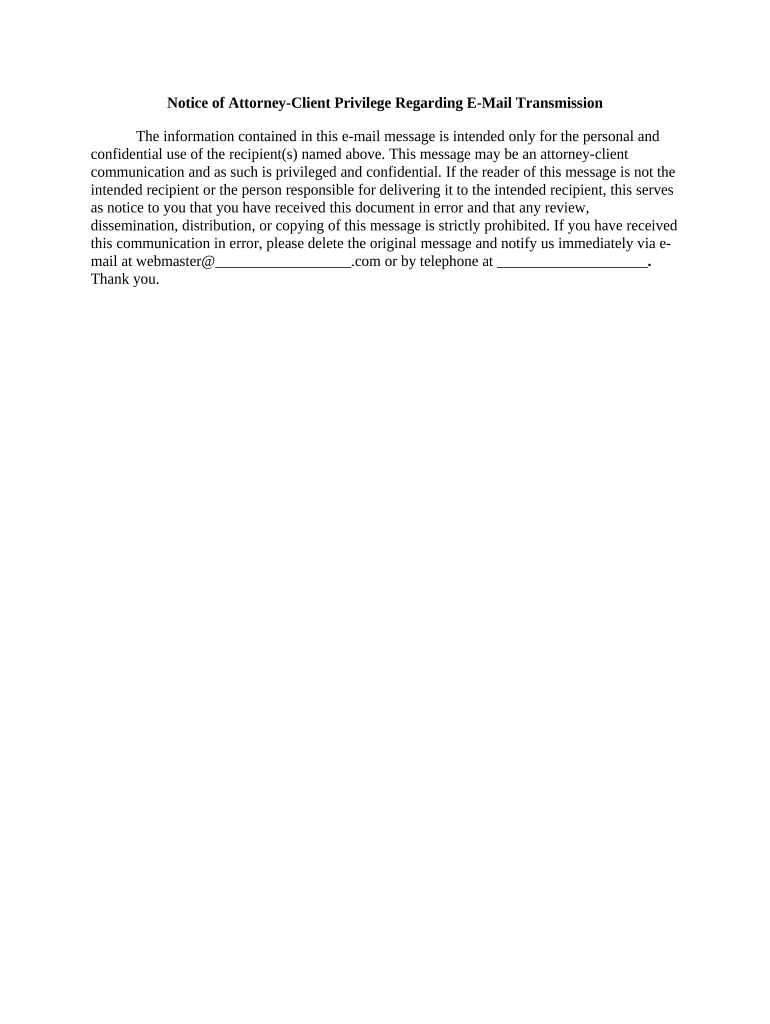
A Notice of Attorney-Client Privilege is a written assertion identifying documents or communications a party claims are protected by the attorney-client privilege or work-product doctrine. It is used when producing documents in response to discovery, a subpoena, or an information request to preserve confidentiality and to inform recipients of the asserted protection. The notice typically describes the privilege basis, identifies the privileged materials with sufficient particularity, and directs recipients on handling, return, or segregation of those materials while preserving a clear record for counsel and the court.

Why a Formal Notice Matters

A clear notice communicates privilege claims, reduces inadvertent waiver risk, and creates a documented record for meet-and-confer discussions or court proceedings. It helps recipients segregate or return materials promptly while preserving client confidentiality under governing procedural rules.

Why a Formal Notice Matters

Who Typically Prepares and Receives This Notice

Recipients should follow the instruction in the notice and consult counsel before using, copying, or disclosing flagged materials.

  • Plaintiff and defense counsel asserting privilege during discovery and document production.
  • In-house legal teams protecting sensitive communications from disclosure to regulators or counterparties.
  • Third-party vendors and litigation support teams receiving produced materials with privilege flags.

Common Signatory Profiles

Defense Attorney

A defense attorney prepares the notice to identify privileged communications produced inadvertently or intentionally. The notice documents the privilege basis, lists protected items, and instructs opposing counsel and vendors to segregate or return those materials pending resolution.

Corporate Counsel

In-house counsel issues a privilege notice during regulatory inquiries or litigation to assert client confidentiality. The notice helps preserve privilege while coordinating document holds, custodial searches, and communications with external counsel and compliance teams.

Step-by-Step: Preparing and Sending the Notice

Follow a consistent sequence to ensure the assertion is documented and defensible when challenged.

  • 01
    Identify materials: Locate privileged documents and custodians.
  • 02
    Draft notice: Describe privilege basis and items with specificity.
  • 03
    Authorize review: Have counsel approve wording and handling steps.
  • 04
    Deliver notice: Send to recipients with clear instructions and retention obligations.

Typical Flow When Asserting Privilege

A predictable workflow improves consistency across matters and helps avoid inadvertent waiver during production or review.

  • Collection: Gather potentially responsive materials for review.
  • Privilege review: Counsel determines privilege applicability and redaction needs.
  • Notice issuance: Prepare and send the written privilege notice.
  • Follow-up: Coordinate segregation, return, or clawback as instructed.

Essential Elements to Include in a Professional Notice

A well-constructed notice balances necessary detail with procedural clarity so recipients can locate and treat the asserted materials correctly without revealing privileged content.

Header

Case caption and contact details for counsel serve as the administrative identifier so recipients know which matter the notice addresses and who to contact with questions.
Privilege assertion

A concise statement asserting attorney-client privilege and/or work-product protection explains the legal basis without disclosing privileged content or attorney mental impressions.

Item description

Provide date ranges, custodians, and document types or Bates numbers so recipients can locate flagged materials without revealing substance of communications.

Handling directions

State whether recipients should segregate, quarantine, return, or destroy copies and specify any timeframes for compliance or response.

Signature block

Include the attorney's printed name, firm, and signature or electronic signature plus the date to show who asserted the privilege and when.

Reservation language

A clear reservation of rights indicates the assertion is without prejudice to additional claims of privilege or privilege logs sought later.

Configuring an Electronic Workflow for Delivery and Tracking

Set up e-delivery parameters to capture authentication, audit trail data, and retention instructions automatically.

Field name and configuration settings Field | Configuration
Signature method and authentication level Email link with optional SMS code or KBA.
Document attachment and allowed formats PDF preferred; include Bates-stamped files when available.
Retention period and regulatory legal basis Enable 6+ years retention; capture audit trail.
Audit trail and logging options Record IP, timestamp, and action history.

Technical Considerations for Electronic Notices

Maintain secure storage and an auditable record of delivery and recipient actions to support privilege assertions if challenged later.

  • File formats: Use PDF or PDF/A for long-term fidelity.
  • Authentication: Use email + SMS or platform two-factor methods.
  • Audit logs: Enable detailed logs and export capability.

Timing Triggers for Issuing a Privilege Notice

Issue notices promptly when documents are identified during discovery, in response to a subpoena, or upon production to minimize waiver risk and comply with procedural obligations.

Upon identification:

When privileged materials are found during collection, assert privilege immediately.

At production:

Provide notice concurrently with or immediately after document production.

After inadvertent disclosure:

Send a notice and clawback request as soon as disclosure is discovered.

During meet-and-confer:

Supplement notice as required during privilege negotiations with opposing counsel.

Before court filing:

Confirm privilege assertions ahead of filing motions or logs to avoid procedural objections.

Key Milestones from Review to Resolution

Track milestones so privilege claims are documented and disputes can be resolved efficiently through negotiation or court process.

01

Document review

Counsel screens documents for privilege and marks protected items.

02

Notice issuance

Attorney sends written notice with handling instructions.

03

Recipient action

Recipients segregate, return, or quarantine flagged materials.

04

Dispute resolution

Parties meet and confer or seek court guidance if needed.

Common Preparation Pitfalls to Avoid

  • Overly vague descriptions that fail to identify documents increase disputes and may lead courts to demand privilege logs.
  • Disclosing privileged substance in the notice itself can waive protection; describe categories, not content.
  • Failing to record the date and signer of the notice weakens the record if privilege is challenged later.
  • Not coordinating with opposing counsel or vendors about handling instructions can result in inconsistent treatment of materials.

Risks and Consequences of an Improper Notice

Waiver risk: Inadvertent disclosure may lead to waiver.
Sanctions exposure: Court sanctions possible for discovery misconduct.
Evidence exclusion: Privileged status may be lost for key documents.
Increased costs: Disputes raise motion and litigation expenses.
Operational delays: Hold and return processes slow production.
Metadata loss: Poor handling can destroy audit trails.

Security and Compliance Features to Track in Electronic Delivery

Encryption in transit: TLS 1.2/1.3
Encryption at rest: AES-256
Audit trail: Detailed signing and access logs
HIPAA readiness: BAA available when required
Regulatory compliance: SOC 2 Type II and ISO 27001
21 CFR support: 21 CFR Part 11 capabilities

eSignature Pricing and Feature Comparison Relevant to Notices

Compare starting prices and feature availability for common eSignature providers; signNow appears first for clarity. Feature availability and plan details vary by vendor and tier.

signNow DocuSign Adobe Sign PandaDoc HelloSign
Starting Price $8/user/mo $15/user/mo $14/user/mo $19/user/mo $15/user/mo
Free Trial 7-day free trial, no credit card Varies by vendor Varies by vendor Varies by vendor Varies by vendor
Bulk Send Yes (Business Premium) Yes Yes Yes No
Audit Trail Yes Yes Yes Yes Yes
HIPAA Compliant Yes Yes Yes No No
Envelope Cap No cap 100 envelopes/user/year Plan dependent Plan dependent Plan dependent

Real-World Examples of Using a Privilege Notice

These examples show how organizations describe and manage privileged materials during production to preserve confidentiality and limit disputes.

Optica Ventures

Optica's counsel issued a concise notice identifying privileged emails by custodian and date range

  • Counsel required return or quarantine
  • The notice reduced follow-up disputes and created a documented trail for later privilege arguments in court.

Martin Properties

A property management firm used a template notice when third-party vendors produced documents

  • The notice specified handling and retention instructions
  • Consistent template use kept vendor treatment uniform and limited inadvertent disclosures during a multi-party transaction.

Practical Tips for Accurate and Efficient Notices

Adopt repeatable templates and coordinate with discovery vendors to reduce risk and administrative burden when asserting privilege.

Standardized templates
Use a vetted template that includes required elements and handling instructions; standardization reduces drafting errors and supports defensible practice across matters.
Coordinate with vendors
Inform eDiscovery vendors and litigation support teams of handling requirements in advance so exports, BATES stamping, and metadata preservation are consistent.
Document chain of custody
Maintain logs of access, transfers, and actions taken on privileged materials to support privilege assertions if challenged.
Limit content in notice
Avoid substantive description of privileged communications; use categorical descriptions to prevent disclosure of protected substance.

Frequently Asked Questions About Notices of Attorney-Client Privilege

Answers to common questions about whether notices are required, how to assert privilege electronically, and how to respond when privilege is disputed.


Need help? Contact support

be ready to get more
Join over 28 million airSlate SignNow users