Establishing secure connection…Loading editor…Preparing document…

Attornment Agreement

This template is fully customizable. Edit the text, fill out the fields, and send it for signature. Give it a try!
Attornment Agreement

What an Attornment Agreement Is and When It Applies

An Attornment Agreement is a written acknowledgement by a tenant that their lease remains in effect when property ownership or the landlord's interest changes. It confirms the tenant will recognize a new owner or lender as landlord for purposes of rent, notices, and lease performance. Attornment is commonly used in sales, loan workouts, foreclosures, and assignments to protect purchaser or lender rights while preserving tenant obligations under the existing lease.

Why an Attornment Agreement Matters to Property Transactions

Attornment provides certainty for purchasers and lenders by documenting tenant recognition of a new landlord and clarifying rent routing.

Why an Attornment Agreement Matters to Property Transactions

Who normally completes and signs an Attornment Agreement

In some transactions attorneys, escrow agents, or title companies coordinate signatures and retention; authority to sign should be confirmed before execution.

  • Tenant: commercial or residential tenant confirming continued obligations and consent to new landlord.
  • Purchaser/Lender: acquiring party seeking acknowledgment to perfect rights and protect investment.
  • Original Landlord/Servicer: party facilitating execution and providing lease references or estoppel information.

Core elements to include in a professional Attornment Agreement

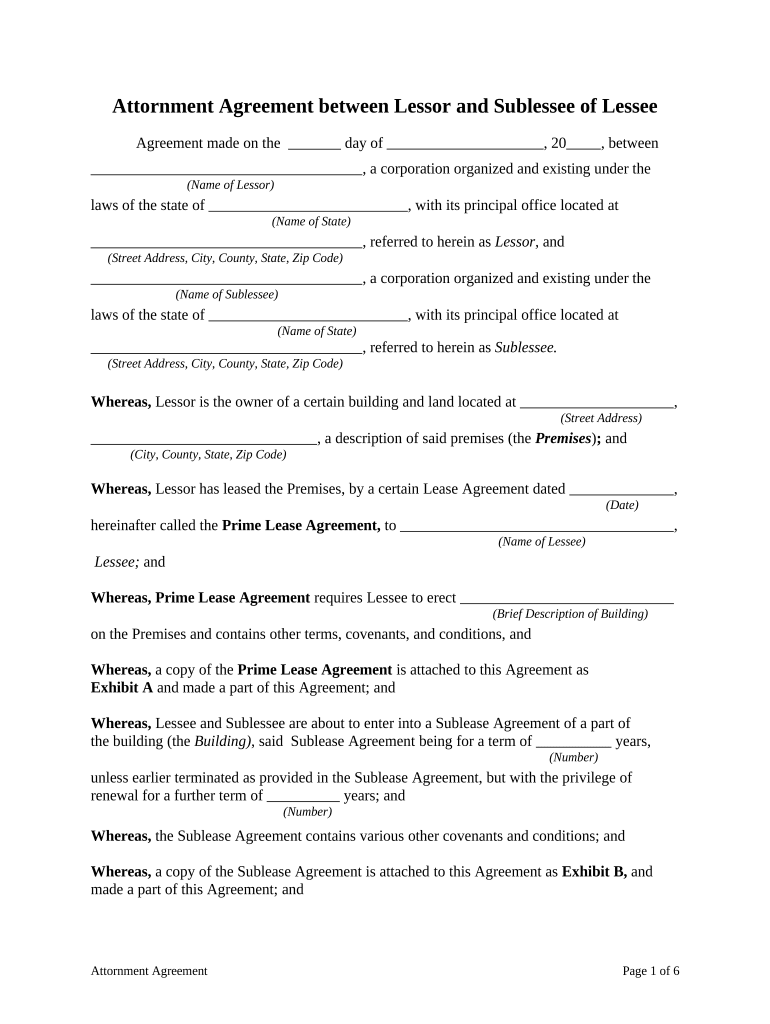
A complete Attornment Agreement cites the underlying lease, identifies parties and property, states effective date, explains rent routing, and sets governing law and execution formalities.

Parties

Full legal names of tenant, current landlord or servicer, and the new owner or lender, with entity type and signing authority.
Property

Precise property description and address or lease premises reference to eliminate ambiguity about what space the attornment covers.

Lease Reference

Identify the original lease date, landlord, tenant, lease term, and any amendments or extensions that remain in force.

Acknowledgment

Tenant statement recognizing the new party as landlord for rent and enforcement purposes, and confirming lease continuation.

Payment & Notices

Specify where rent is payable after transfer, any interim payment routing, and updated notice addresses for all parties.

Execution Formalities

Effective date, signature blocks for authorized signatories, and any notary or witness acknowledgements required by jurisdiction or parties.

Step-by-step: completing an Attornment Agreement

Follow a clear sequence to gather facts, prepare the form, verify authority, and obtain signatures to avoid delays at closing.

  • 01
    Gather Documents: Collect the lease, amendments, title or loan documents.
  • 02
    Populate Fields: Enter accurate names, dates, and property descriptions.
  • 03
    Verify Signatory: Confirm signer authority and attach corporate resolution if needed.
  • 04
    Execute & Distribute: Obtain signatures, notarize if required, and send copies to all parties.

Online workflow settings to configure before sending

Configure signer order, authentication, and storage to ensure a compliant, auditable e-signature workflow.

Template Fields Place signature, date, and initial fields to match the printed agreement.
Signer Roles & Order Set tenant, current landlord, and purchaser as distinct roles in sequence.
Authentication Use email plus SMS or KBA for higher assurance when required.
Reminders Schedule automatic reminders and expiration for pending signatures.
Storage Folder Route completed files to a secure property or transaction folder for retention.

Where to send the completed Attornment Agreement

Delivery depends on the transaction: each party should receive an executed copy and the purchaser or lender should get proof of tenant recognition.

  • To the Tenant: Signers receive their executed copy for records and compliance.
  • To the Seller/Landlord: Original landlord retains a copy for lease administration and accounting.
  • To Purchaser/Lender: Provide the executed agreement to the buyer or lender for closing files.
  • To Title/Escrow: Escrow or title company receives a copy if required for closing or recording.

Technical considerations for e-signing and eSubmission

Ensure the chosen solution provides tamper-evident signed PDFs, retention controls, and a clear certificate of completion for closing and loan files.

  • File Formats: PDF, DOCX supported
  • Authentication: Email, SMS code, KBA
  • Integrations: Salesforce, NetSuite, Box

Timing and typical deadlines to expect

Deadlines depend on transaction schedules; plan execution to align with closing and loan funding timelines to avoid delay.

Effective Date:

Set to closing date or specified transfer date.

Execution Window:

Complete before or at closing per purchase agreement.

Tenant Response:

Provide signed attornment within parties' agreed period, often days to weeks.

Escrow Delivery:

Submit executed copy to escrow or title as required at closing.

Retention Start:

Retention begins on effective date and impacts recordkeeping obligations.

Key transaction milestones for an Attornment Agreement

A sequential milestone view helps coordinate parties and ensures the attornment supports closing and loan conditions.

01

Negotiation

Agree terms and payment routing prior to drafting.

02

Preparation

Populate agreement with lease and property specifics.

03

Execution

Signatures obtained and notarization completed if required.

04

Distribution

Deliver executed copies to purchaser, lender, title, and tenant records.

Security and compliance facts to track for executed agreements

In-Transit Encryption: TLS 1.2/1.3
At-Rest Encryption: AES-256
Audit Trail: Timestamps, IP, action log
Regulatory Compliance: ESIGN, UETA support
Healthcare BAA: HIPAA available with BAA
Certifications: SOC 2 Type II, ISO 27001

Common legal and business risks from incorrect attornment

Enforceability Issues: Incorrect party names can void protections
Rent Misrouting: Wrong payment instructions cause accounting disputes
Lender Rejection: Missing lender consent may impair financing
Recording Errors: Attornment attached to recorded instruments may require additional formalities
Ineffective Authority: Unsigned corporate resolution may delay enforcement
Data Retention: Failure to retain copies risks compliance breaches

Avoid these common mistakes when preparing an Attornment Agreement

  • Using informal or abbreviated tenant or landlord names that do not match corporate formation or identification documents causes ambiguity and enforcement issues.
  • Failing to reference the correct lease date, amendment, or suite designation can leave obligations unclear and lead to disputes over rent or term.
  • Not confirming signature authority or omitting a corporate resolution for entity signers may invalidate a party's ability to bind the company.
  • Assuming attornment needs no notarization when it will be recorded; attach proper acknowledgements if the agreement will be part of public record.

Real-world scenarios where attornment is applied

Two concise examples show typical uses: property sale to an investor, and lender takeover after default.

Property Sale to Investor

A tenant receives notice of sale and is asked to acknowledge the buyer as landlord in writing.

  • Tenant confirms lease continues unchanged.
  • The executed attornment is delivered to escrow and lender, enabling closing and clarifying rent routing while preserving tenant protections under the original lease.

Lender Takeover After Default

When a lender purchases at foreclosure, it may request attornment to establish landlord status for collection and operations.

  • Tenant acknowledges lender as new landlord.
  • The attornment assures uninterrupted rent collections and provides the lender with enforceable tenant recognition, which helps stabilize cash flow and supports property management transition.

Comparing e-sign solutions for executing Attornment Agreements

Common criteria include starting price, trial availability, bulk send, audit trail, and HIPAA support; signNow is listed first for vendor comparison consistency.

signNow DocuSign Adobe Sign PandaDoc HelloSign
Starting Price $8/user/mo $15/user/mo $14/user/mo $19/user/mo $15/user/mo
Free Trial 7-day free trial Varies Varies Varies Varies
Bulk Send Yes Yes Yes Yes No
Audit Trail Yes Yes Yes Yes Yes
HIPAA Compliant Yes Yes Yes No No

Frequently asked questions about Attornment Agreements

Answers to common questions on enforceability, e-signatures, signature authority, notarization, and revocation to help avoid execution errors.


Need help? Contact support

be ready to get more
Join over 28 million airSlate SignNow users