Establishing secure connection…Loading editor…Preparing document…

Letter Enclosing Judgment and Certificate of Death

This template is fully customizable. Edit the text, fill out the fields, and send it for signature. Give it a try!
Letter Enclosing Judgment and Certificate of Death

What the Letter Enclosing Judgment and Certificate of Death Is

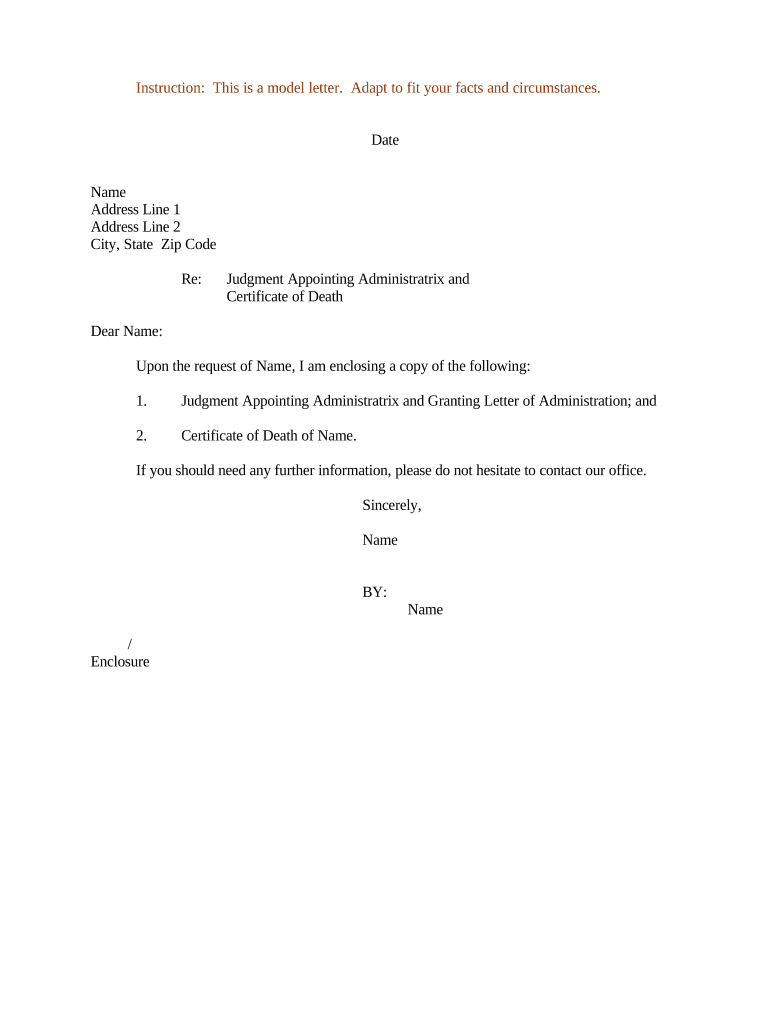
A Letter Enclosing Judgment and Certificate of Death is a formal cover letter used to transmit a certified court judgment alongside an official death certificate to a recorder, title company, or other authority. It explains the legal basis for record changes, identifies the decedent and relevant case number, and lists attached documents so clerks or title officers can process probate, title transfer, or lien removal requests efficiently.

Why a Clear Enclosing Letter Matters

A concise enclosing letter reduces processing delays by clarifying the purpose of submitted documents, citing the judgment and case information, and providing contact details for follow-up. Properly prepared letters help county recorders and title departments accept and index the judgment and death certificate with fewer questions or rejections.

Why a Clear Enclosing Letter Matters

Who Typically Prepares and Receives This Package

Parties involved in submitting a judgment and death certificate often include fiduciaries, attorneys, title officers, and county clerks; the letter explains the submission and next steps.

  • Estate representatives and personal representatives preparing probate filings or title changes.
  • Real estate title companies and county recorders receiving documents for property record updates.
  • Attorneys and paralegals coordinating judgments, liens, and beneficiary transfers.

Use a professional, factual tone and include contact information, the court case number, and a clear inventory of enclosed documents to speed processing.

Step-by-Step: Assemble and Submit the Package

Follow these sequential steps to prepare a correct submission and reduce the chance of rejection.

  • 01
    Confirm Documents: Obtain certified copies of the judgment and death certificate.
  • 02
    Draft Enclosing Letter: State purpose, case number, and list attachments.
  • 03
    Notarize When Required: Add acknowledgments or notarization per local rules.
  • 04
    Submit and Track: File with the recorder or court and keep proof of delivery.

Typical Processing Flow for the Enclosed Materials

This overview describes the common routing from submission to recordation and confirmation.

  • Submission: Sender mails or e-files the package to the recorder or title company.
  • Intake Review: Clerk checks attachments, certifications, and fees.
  • Recording: Recorder indexes documents and updates property records as applicable.
  • Confirmation: Recorder issues a stamped copy or recording number for the submitter.

How to Configure a Digital Submission Workflow

Set up an online workflow to collect signatures, attach certified documents, and preserve an audit trail for each submission.

Field Configuration
Signer Authentication Email + SMS code or advanced auth for sensitive records
Attachment Rules Require PDF/A certified attachments and label as 'Certified Copy'
Audit Trail Capture timestamp, IP, and signer actions
Delivery Method Choose certified mail, courier, or secure e-filing

Digital Submission and eSignature Considerations

Electronic workflows must meet identity, security, and retention requirements for court and recorder acceptance.

  • Identity Proofing: Use email+code or multi-factor authentication for signer attribution
  • Document Format: PDF/A preferred for long-term preservation
  • Integration Options: Connectors for case management and title systems reduce manual steps

Verify local court and recorder rules before e-submitting; if remote notarization is used, retain required audio-video records per jurisdiction.

Core Elements to Include in a Professional Enclosing Letter

A well-structured letter ensures recipients can process the judgment and death certificate with minimal follow-up. Include the following elements in order.

Header

Sender name, address, phone, email, and date so recipient can return queries or confirmations.
Recipient Details

Name, department, office, and mailing or e-file address of the county recorder or title company receiving the package.

Case Reference

Court name, docket number, and date of judgment to precisely identify the underlying record.

Purpose Statement

One-sentence summary explaining why the judgment and death certificate are being submitted and what action is requested.

Attachments Inventory

Numbered list of each certified document and the number of pages to speed verification and indexing.

Signature Block

Printed name, title, organization, and signature of submitting party with a date and contact phone/email.

Security and Compliance Elements to Note

Record Encryption: AES-256 at rest
Transport Security: TLS 1.2/1.3 in transit
HIPAA Support: BAA required for PHI
Audit Trail: Timestamps and IP addresses
Regulatory Standards: ESIGN and UETA compliant
Access Controls: Role-based permissions

Consequences of Errors or Missing Information

Recording Delay: Processing may be postponed
Rejection: Clerk may refuse incomplete packages
Additional Fees: Re-submission or correction fees
Title Issues: Unresolved liens or ownership gaps
Probate Complications: Extended estate administration
Privacy Risk: Improper PHI handling

Common Mistakes to Avoid When Preparing the Letter

  • Using an uncertified or photocopied death certificate instead of a certified copy, which most recorders will not accept.
  • Omitting the exact court docket number or misnaming the issuing court, causing difficulty matching the judgment to case files.
  • Failing to include a clear attachments list and page counts, which slows intake clerks who must inventory documents manually.
  • Neglecting jurisdiction-specific notarization or witness requirements, leading to the need for affidavits or re-submission.

Typical Timelines and Processing Expectations

Processing times depend on court and county workloads; plan for administrative steps and potential requests for supplementary information.

Probate Proceedings:

Probate filings and judgments often take 4–12 weeks depending on court backlog

Recorder Processing:

County recorder indexing typically takes 7–30 business days

Notary Retention:

If RON used, audio-video and journal retention rules apply per state

Response Time:

Expect clerks to request clarifications within 10–30 days

Expedited Options:

Some counties offer faster recording for an additional fee

How This Package Differs from Other Document Types

Compare key attributes of a Letter Enclosing Judgment and Certificate of Death with similar submissions to understand unique requirements.

Criteria Judgment Letter Death Certificate Only
Purpose record title changes proof of death only
Required Certification certified court record required certified vital record
Notarization often not required but common notarization usually not required
Use Case title or lien actions benefit or insurance claims

eSignature Provider Comparison for Document Assembly and Submission

High-level pricing and feature availability for eSignature vendors commonly used to prepare and transmit judgment and death certificate packages.

signNow DocuSign Adobe Sign PandaDoc HelloSign
Starting Price $8/user/mo $15/user/mo $14/user/mo $19/user/mo $15/user/mo
Free Trial 7-day free trial Varies by vendor Varies by vendor Varies by vendor Varies by vendor
Bulk Send Yes Yes Yes Yes No
Audit Trail Yes Yes Yes Yes Yes
HIPAA Compliant Yes Yes Yes No No

FAQs and Troubleshooting for Common Submission Issues

Answers to frequent questions about assembling, certifying, and submitting a judgment with a death certificate to recorders and title companies.


Need help? Contact support

be ready to get more
Join over 28 million airSlate SignNow users