Establishing secure connection…Loading editor…Preparing document…

Massachusetts Will Instructions

This template is fully customizable. Edit the text, fill out the fields, and send it for signature. Give it a try!
Massachusetts Will Instructions

What the Massachusetts Will Instructions cover

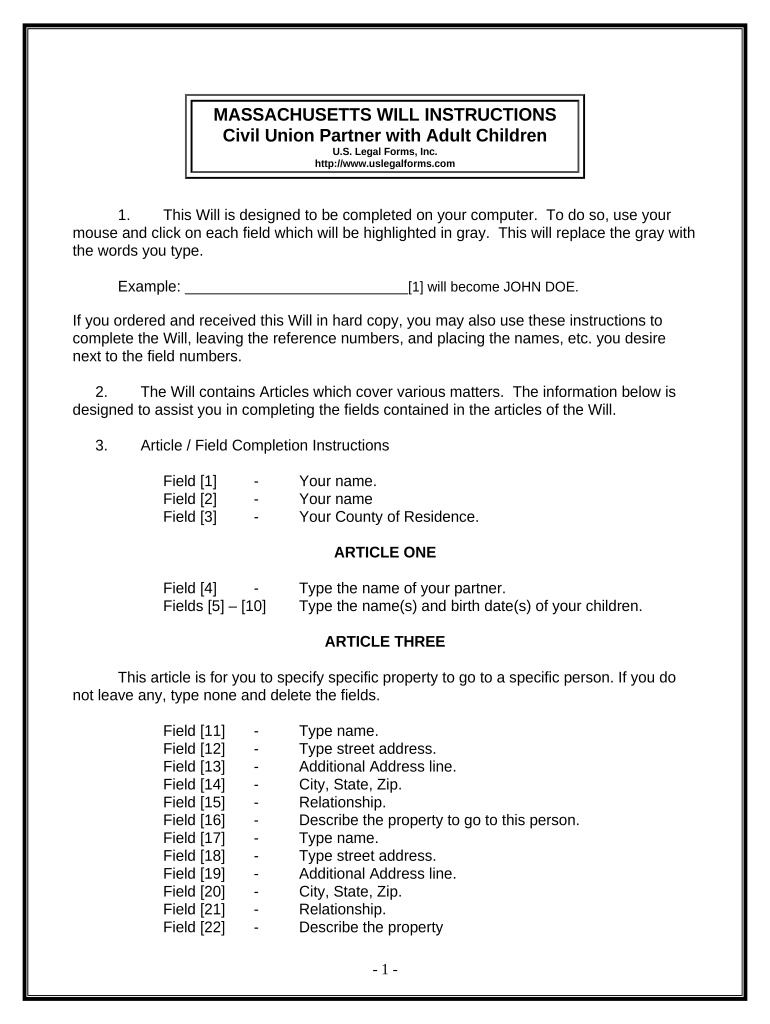
The Massachusetts Will Instructions provide step-by-step guidance for preparing a valid last will and testament under Massachusetts law. They describe required information for the testator, appointment of an executor, beneficiary designations, specific gifts, residuary provisions, and provisions for guardianship of minor children. The instructions explain witness and notary formalities, how to create a self-proving affidavit, and options for securely storing the original. They clarify common pitfalls that can lead to probate delays or will contests and indicate when to consult an attorney.

Why clear Will instructions matter in Massachusetts

Precise instructions reduce the risk of invalid execution, probate disputes, and unintended intestacy. They help testators name executors and guardians correctly, describe specific gifts clearly, and ensure witnesses and the notary follow statutory formality. Clear instructions also make a self-proving affidavit available, which streamlines probate by avoiding live witness testimony.

Why clear Will instructions matter in Massachusetts

Who typically uses these instructions

These instructions serve both individuals preparing their own wills and professionals assisting them.

  • Individuals preparing a simple will who want to ensure valid execution and clear beneficiary designations.
  • Estate or probate attorneys who need a checklist to confirm statutory formalities and self-proving affidavits.
  • Executors and family members who must locate, validate, and submit the original will to probate court.

Primary signatories and acting parties

Testator

The individual making the will. Must be of sound mind and at least 18 years old (or otherwise competent under state law). The testator signs in the physical presence of the required number of witnesses and may sign before a notary for a self-proving affidavit.

Executor / Personal Representative

Person appointed to carry out the will's terms after death. The executor accepts appointment through probate and is responsible for filing the will, paying debts and taxes, and distributing assets according to the will.

Step-by-step: preparing and executing the will

Follow these four stages to create a properly executed will and reduce the risk of probate complications.

  • 01
    Gather information: Collect full names, DOBs, asset list, and guardian choices.
  • 02
    Draft provisions: Write clear dispositions, alternate beneficiaries, and residuary clause.
  • 03
    Execute with witnesses: Sign in presence of required witnesses; add notary for self-proving affidavit.
  • 04
    Store original: Place the signed original with attorney, secure safe, or probate court per state guidance.

Key parts included in professional Massachusetts Will Instructions

A complete instruction set covers testator identification, appointment of fiduciaries, distribution language, guardianship, execution formalities, and storage recommendations.

Testator Identity

Full legal name, date of birth, and residence address to clearly identify the person whose estate is being disposed of under the will.
Executor Appointment

Name a primary and alternate executor, specify powers and bond waiver preferences, and provide contact details for smooth probate administration.

Specific Bequests

List discrete gifts with precise descriptions and alternate recipients where appropriate to avoid partial intestacy if a beneficiary predeceases the testator.

Residuary Clause

A clear residuary clause disposes of remaining estate assets and prevents accidental intestacy if named gifts exhaust the estate.

Guardianship

If minors are involved, nominate guardians with alternates and include any conditions or preferences for their care and education.

Execution & Attestation

Instructions for physical signing, witness attestation, and adding a self-proving affidavit to expedite probate and remove the need for live witness testimony.

Security and compliance considerations for will documents

Encryption: TLS 1.2/1.3 in transit; AES-256 at rest
Certifications: SOC 2 Type II; ISO 27001
HIPAA: BAA available where required
ESIGN/UETA: Compliant with ESIGN and UETA
Audit Trail: Tamper-evident logs and timestamps
Access Controls: Role-based permissions and MFA options

Consequences of incorrect or incomplete instructions

Invalid execution: Will may be denied probate
Ambiguous bequests: Leads to disputes and litigation
Missing witnesses: Execution formalities not satisfied
Outdated beneficiaries: Assets may pass contrary to intent
Tax exposure: Poor planning can increase estate taxes
Guardianship gaps: Court appointment required for minors

Common mistakes when preparing a Massachusetts will

  • Using initials or nicknames instead of the testator's full legal name, which can create identity disputes in probate proceedings.
  • Failing to include alternate beneficiaries or contingent language, causing partial intestacy if a primary beneficiary predeceases the testator.
  • Omitting witness signatures or using witnesses who are also beneficiaries, which can render the will void or contested under state rules.
  • Not updating the will after major life events such as marriage, divorce, births, or significant changes in assets, causing unintended distributions.

How execution and submission typically work

This high-level flow shows how a completed will moves from drafting to probate-ready form; note electronic execution options are limited for wills.

  • Drafting: Create clear dispositions and name fiduciaries.
  • Execution: Sign in presence of required witnesses.
  • Notarization: Add self-proving affidavit with notary if desired.
  • Probate Filing: Submit original will to the probate court after death.

Configuring an online completion workflow

Map fields and roles to reduce errors when preparing a will digitally and when collecting ancillary acknowledgements.

Field Configuration
Signature Block Require handwritten sign or witnessed attestation; avoid remote-only signature for core execution
Witness Fields Two witness name and signature fields placed adjacent to testator signature
Notary Acknowledgement Include notary block for self-proving affidavit when executing before a notary
Document Storage Secure original upload and controlled access for executor and attorney

Digital signing and technical needs

Electronic tools can assist with drafting, templates, and secure transmission of will-related documents.

  • Integrations: PDF, Word DOCX, cloud storage platforms
  • Authentication: Email, SMS code, or stronger signer ID as needed
  • Recordkeeping: Tamper-evident audit trails and encrypted storage

Tips to complete Massachusetts Will Instructions accurately

Adopt these practices to reduce ambiguity and ensure the will is probate-ready.

Use full legal names consistently
Always enter full legal names, addresses, and dates; avoid initials or nicknames. Consistent identification reduces challenges in probate and prevents disputes over beneficiary identity.
Add alternates for key roles
Name alternate executors and guardians to cover incapacity or predecease of primary appointees, minimizing the need for court intervention.
Create a self-proving affidavit
Execute the will before a notary and have witnesses sign a self-proving affidavit to remove the need for live witness testimony at probate.
Store the original securely
Keep the signed original in a safe location (attorney trust box or secure home safe) and provide executor access instructions.

Real-world examples of digital workflows for estate documents

These examples show how organizations use digital tools for document execution, storage, and administrative workflows related to estate and real estate matters.

Tim Martin, Founder

Preparing estate-related documents online improves turnaround and compliance

  • Used secure execution and storage for property transfer paperwork
  • "I can process and execute all of these documents online with 100% compliance and built-in security. Whether on mobile or working offline, I can get forms back to their necessary parties efficiently."

Brian Fitzgibbons, COO

Streamlined paperwork for investment and estate-adjacent documents

  • Easier for internal teams and external signers
  • "The interface is simple and easy-to-use for our team; more importantly, it is just as easy for our customers."

Comparing eSignature vendors for related estate document workflows

This comparison highlights basic pricing and capability differences for common eSignature providers. signNow appears first for reference to its reported plan tiers and compliance posture.

signNow DocuSign Adobe Sign PandaDoc HelloSign
Starting Price $8/user/mo $15/user/mo $14/user/mo $19/user/mo $15/user/mo
Free Trial 7-day free trial, no credit card Yes, trial available Yes, trial available Yes, limited plan Yes, limited plan
Bulk Send Yes (Business Premium) Yes Yes Yes No
Audit Trail Yes Yes Yes Yes Yes
HIPAA Compliant Yes Yes Yes No No

FAQs: common questions about Massachusetts Will Instructions

Quick answers to frequent questions about execution, witnesses, electronic options, and updating a will in Massachusetts.


Need help? Contact support

be ready to get more
Join over 28 million airSlate SignNow users