Establishing secure connection…Loading editor…Preparing document…

Closing an Estate

This template is fully customizable. Edit the text, fill out the fields, and send it for signature. Give it a try!
Closing an Estate

What Closing an Estate Means and When It Applies

Closing an estate is the formal process by which a personal representative or executor finalizes the decedent's affairs: inventorying assets, paying creditors and taxes, distributing property to beneficiaries, and filing a final accounting with the probate court when required. The closing package typically includes a final accounting, receipts and releases from beneficiaries, and any court filings needed to obtain a discharge of the personal representative. Most ancillary administrative documents can be executed electronically under ESIGN (15 U.S.C. ch. 96, 2000) and UETA (1999), but testamentary instruments such as wills often remain subject to stricter in-person or witness rules.

Why a Clear Closing Package Matters

A complete Closing an Estate package reduces personal liability for the executor, documents final distributions, and creates a clear audit trail for courts, taxing authorities, and beneficiaries. Using validated e-signature workflows and properly notarized receipts speeds completion while preserving legal enforceability under ESIGN and state electronic transaction laws.

Why a Clear Closing Package Matters

Who Prepares and Signs a Closing an Estate

Typical participants include the estate's personal representative, probate attorney, and beneficiaries; each party has a defined role in approval and signature.

  • Personal representative or executor: prepares accounting, authorizes distributions, and signs releases on behalf of the estate.
  • Estate or probate attorney: reviews accounting, prepares petitions or filings, and certifies compliance with local probate rules.
  • Beneficiaries and creditors: sign receipts, releases, or settlement agreements to acknowledge distributions or resolved claims.

Step-by-Step: Completing a Closing an Estate Package

Follow a consistent sequence to reduce errors, satisfy creditors, and provide a defensible record to the court and beneficiaries.

  • 01
    Gather Records: Collect death certificate, will, asset inventories, and creditor statements.
  • 02
    Prepare Accounting: Compile receipts, disbursements, taxes paid, and proposed distributions.
  • 03
    Obtain Signatures: Send releases to beneficiaries and creditors for signature and notarization when required.
  • 04
    File and Close: File final accounting with probate court and request discharge or file required court forms.

Typical Digital Workflow for an Estate Closing

Digital workflows streamline document placement, signer routing, and the capture of audit details for each executed form.

  • Assemble Package: Combine accounting, receipts, release forms, and any court petitions into a single packet.
  • Add Fields: Place signature, date, and initial fields where each party must act.
  • Send to Signers: Route in order: executor, attorney, beneficiaries/creditors as required.
  • Archive Executed: Capture completed PDF with audit trail and store per retention policy.

Key Digital Settings for Closing Workflows

Configure authentication, signing order, and retention before sending to reduce reworks and ensure admissibility.

Field Configuration
Authentication Email plus SMS code or higher, depending on court or creditor requirements
Signing Order Executor first, then attorney, followed by beneficiaries and creditors
Notarization Choose RON or in-person notarization per state rules
Retention Store executed copies and audit trails for the full retention period

What a Professional Closing Package Should Include

A complete package groups essential documents so courts and beneficiaries can verify compliance, payments, and authority for distributions.

Final Accounting

Detailed ledger of receipts and disbursements showing assets at opening, conversions, expenses, taxes paid, and net distributable estate values.
Receipt & Release

Signed acknowledgements from beneficiaries confirming receipt of distributions and releasing the executor from further claims for those items.

Creditor Notices

Documentation of creditor notifications, claims received, and evidence of resolution or payment to satisfy obligations.

Court Petition

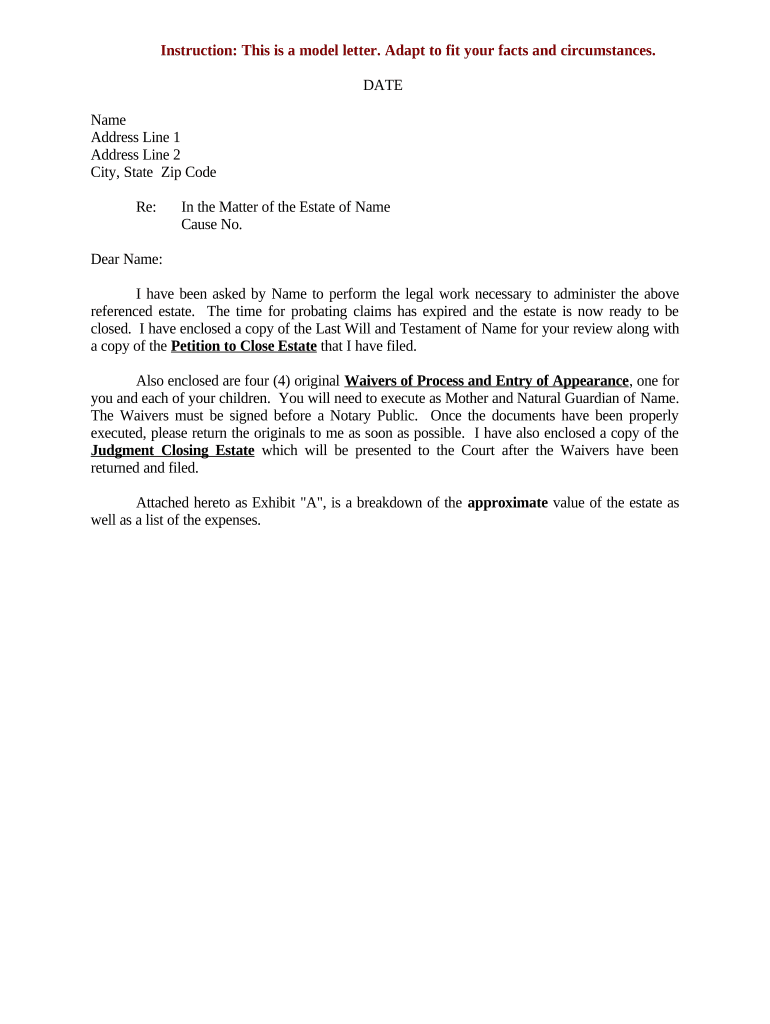
If required, the petition to close estate or executor discharge form, prepared to local probate court formatting and signature requirements.

Tax Filings

Copies of estate income and estate tax returns, receipts for taxes paid, and tax clearance letters where applicable.

Supporting Exhibits

Affidavits, appraisals, title documents, and inventories that substantiate asset valuations and distributions in the accounting.

Essential Data Elements to Capture

Decedent Name: Full legal name
Date of Death: MM/DD/YYYY
Estate Case No.: Probate docket number
Executor Details: Name and contact
Beneficiary Info: Full names and addresses
Asset Inventory: Description and values

Common Legal Risks and Penalties to Avoid

Tax Penalties: Late or incorrect estate filings can trigger IRS penalties under IRC §6721 and other rules
Creditor Claims: Failure to properly notify or resolve creditor claims can lead to personal liability for the executor
Improper Distribution: Distributing assets before creditor resolution may require recovery or personal exposure
Invalid Signatures: Missing notarization or improper e-sign authentication can affect enforceability
Incomplete Accounting: Courts may reject final accounts and delay discharge of the personal representative
Record Loss: Lost documents hinder audits and may extend administration timelines

Frequent Preparation Mistakes

  • Using inconsistent beneficiary names or addresses, which causes payment delays and additional verification steps by banks or title companies.
  • Failing to allow the statutory creditor claim period to expire or resolving claims informally before proper notice was provided.
  • Overlooking tax obligations, including final income and any estate tax returns, which can result in IRC penalties and interest.
  • Not capturing notarized releases or reliable electronic audit trails, weakening the proof of distribution for court review.

Key Filing and Tax Deadlines to Track

Timely filings and observance of statutory claim periods reduce penalty risk and avoid reopening of the estate.

Probate Opening:

File petition soon after death; timelines vary by state and local practice

Creditor Claim Period:

Typically months to a year; state statutes determine claim deadlines for notice

Final Income Return:

Form 1040 due April 15 for the decedent's final year (IRS schedule applies)

Estate Tax Return:

Form 706 generally due nine months after date of death; extensions may be available

Distribution Timing:

Do not distribute until accounting and creditor issues are resolved or court approves

Milestone Timeline for Closing an Estate

A sequential milestone view helps the executor plan tasks, legal filings, and expected completion checkpoints.

01

Open Probate

File petition and obtain letters testamentary or letters of administration.

02

Inventory Assets

Prepare and file inventory with values and appraisals if required by the court.

03

Address Claims

Notify creditors, receive and resolve claims within statutory periods.

04

Final Distribution

File final accounting and distribute assets after approvals or court order.

Technical Considerations for Digital Execution

Ensure the signing platform supports required authentication, file formats, and integrations with case management or accounting systems.

  • Integrations: Salesforce, NetSuite, Microsoft 365, Google Workspace support
  • File Formats: PDF, DOCX, HTML supported for upload and export
  • Security: TLS 1.2/1.3 in transit; AES‑256 at rest

eSignature Pricing Snapshot for Estate Closings

Basic plan costs and feature availability vary; signNow is listed first to show starting price and typical compliance features used in estate workflows.

signNow DocuSign Adobe Sign PandaDoc HelloSign
Starting Price $8/user/mo $15/user/mo $14/user/mo $19/user/mo $15/user/mo
Free Trial Yes, 7-day free trial Varies by vendor Varies by vendor Varies by vendor Varies by vendor
Bulk Send Yes (Business Premium+) Yes Yes Yes Limited
Audit Trail Yes Yes Yes Yes Yes
HIPAA Compliant Yes Yes Yes No No
Envelope Cap No envelope cap 100 envelopes/user/year Varies by plan Varies by plan Varies by plan

Frequently Asked Questions About Closing an Estate

Answers to common legal and technical questions about signatures, notarization, and recordkeeping for estate closings.


Need help? Contact support

be ready to get more
Join over 28 million airSlate SignNow users