Colorado Motion Form
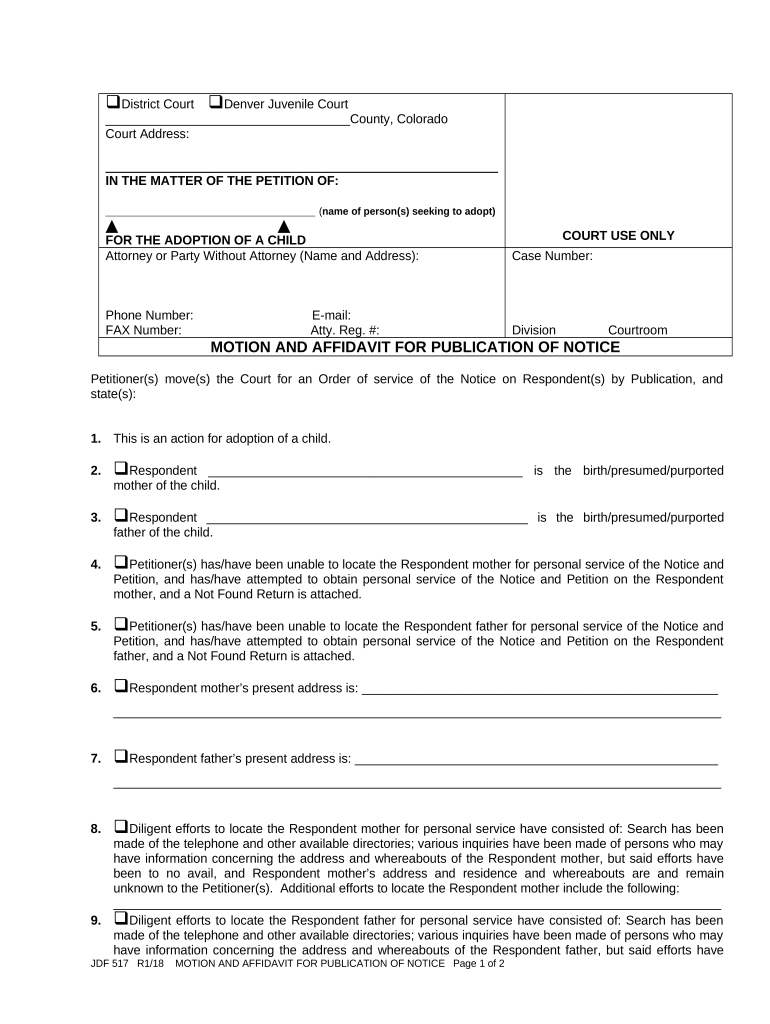
What the Colorado Motion Form Is and when it's used
Why a properly prepared Colorado Motion Form matters
A clear, rule-compliant motion improves the chance the court will grant requested relief on the first submission and reduces the risk of procedural rejection or sanctions. Accurate forms save time for counsel, clerks, and opposing parties while preserving rights under applicable deadlines and rules.

Who prepares and files Colorado Motion Forms
Typical users include litigants, attorneys, paralegals, court clerks, and self-represented parties who need to request court action.
- Attorneys and law firms preparing motions under applicable court rules.
- Self-represented litigants filing simple procedural or emergency motions.
- Court clerks and support staff who validate format and docket filings.
Step-by-step: completing a Colorado Motion Form
-
01Prepare caption: Enter court, division, case number, and party names exactly as on the docket.
-
02State relief: Clearly describe the precise action you request from the court.
-
03Provide facts: Summarize relevant facts concisely with supporting references or exhibits.
-
04Sign and serve: Sign per rule, file with clerk, and serve opposing parties according to local rules.
Typical filing workflow for a Colorado Motion Form
-
Draft motion: Prepare motion and exhibits locally or in a case management system.
-
File with court: E-file or submit paper copy per court's filing rules.
-
Serve parties: Serve opposing counsel or parties in the method required by rule.
-
Judge rules: Judge issues order, sets hearing, or denies; result entered on docket.
Configuring an e-file and e-service workflow
| Field | Configuration |
|---|---|
| Document type | Select 'Motion' or specific motion subtype |
| Filing method | E-file where available; choose paper if court requires |
| Service method | Email for counsel, certified mail or personal service if required |
| Retention | Store signed copy and certificate of service in case file |
Technical considerations for e-filing and e-signing
Confirm the court's accepted file types, e-filing portal requirements, and any mandated metadata before electronic submission.
- Accepted formats: PDF/A preferred
- Authentication: Email or two-factor
- Audit trail: Timestamp and IP recorded
How a Colorado motion differs from a petition or complaint
| Criteria | Colorado Motion | Colorado Petition |
|---|---|---|
| When used | procedural relief | initiates claim |
| Primary content | requested action | factual claim |
| Typical timing | during case | at case start |
| Notarization |
Key timing rules and deadlines to watch for
Response time:
Typically 7–21 days; verify local rule
Hearing notice:
Hearing dates set per court docket availability
Filing windows:
Some emergency motions accepted any time
Service deadlines:
Serve opposing parties before hearing per rule
Appeal timing:
Post-order deadlines governed by Colorado appellate rules
Consequences of incorrect or incomplete motion filings
Common preparation pitfalls to avoid
- Using an incorrect case caption or number that prevents docketing
- Failing to attach or label supporting exhibits clearly
- Omitting certificate of service or incorrect service method
- Missing required local formatting or page limits imposed by rule
Practical tips for accurate and efficient motion preparation
Pricing snapshot for eSignature platforms suitable for motion workflows
| signNow | DocuSign | Adobe Sign | PandaDoc | HelloSign | |
|---|---|---|---|---|---|
| Starting Price | $8/user/mo | $15/user/mo | $14/user/mo | $19/user/mo | $15/user/mo |
| Free Trial | 7-day free trial | Varies by plan | Varies by plan | Varies by plan | Varies by plan |
| Bulk Send | Yes | Yes | Yes | Yes | No |
| Audit Trail | Yes | Yes | Yes | Yes | Yes |
| HIPAA Compliant | Yes | Yes | Yes | No | No |
Frequently asked questions about Colorado Motion Forms
-
Can a motion be e-signed?
Yes, electronic signatures are generally valid under the federal ESIGN Act (15 U.S.C. ch. 96) and UETA where adopted; ensure the signature method demonstrates intent, attribution, consent, and retention.
-
Does a motion need a notary?
Most motions do not require notarization. Notarization is typically reserved for affidavits, declarations, or other sworn statements attached to a motion.
-
What if my filing is rejected?
Review the clerk's rejection reason, correct formatting or caption errors, re-file promptly, and preserve proof of the original filing attempt and any clerk communications.
-
How should exhibits be attached?
Label exhibits sequentially (Exhibit A, B, etc.), reference them in the motion text, and include an exhibit index if multiple supporting documents are submitted.
-
Are there limits on page counts or fonts?
Many courts impose page and font requirements in local rules; verify the court's local rules and judge-specific preferences before filing to avoid rejection.
-
Can I withdraw or amend a motion after filing?
Yes, motions can generally be withdrawn or amended by filing a notice or amended motion; check local procedural rules and advise opposing parties of the change.