Establishing secure connection…Loading editor…Preparing document…

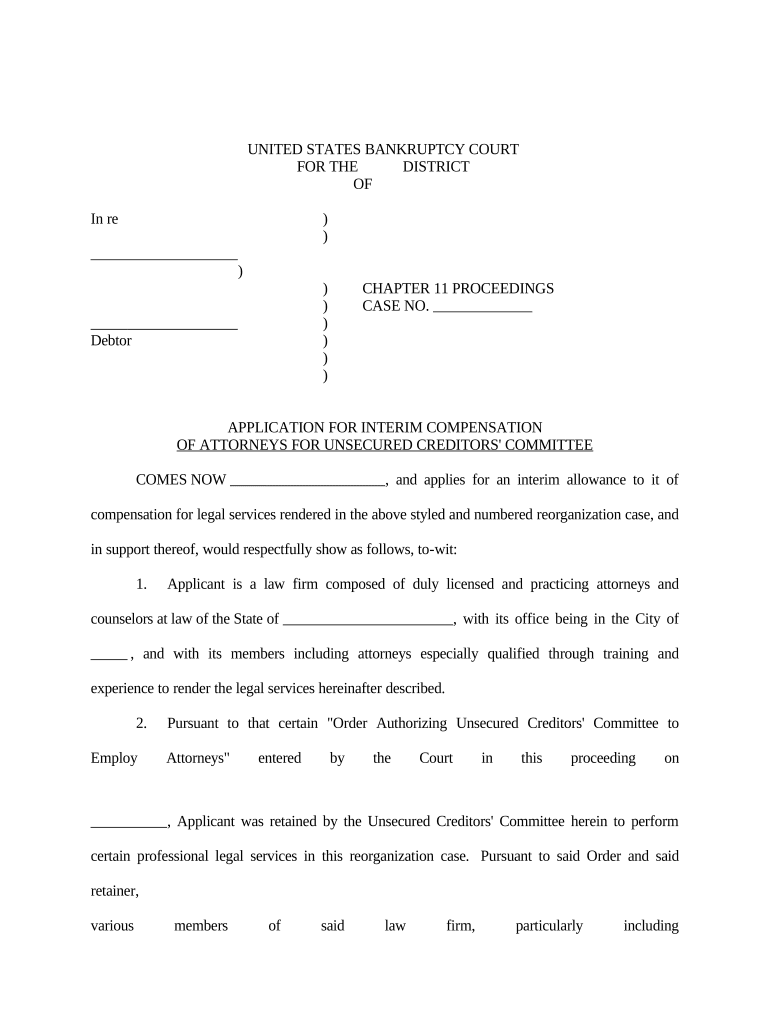
Application for Interim Compensation of Attorneys for Unsecured Creditors' Committee

This template is fully customizable. Edit the text, fill out the fields, and send it for signature. Give it a try!
Application for Interim Compensation of Attorneys for Unsecured Creditors' Committee

What this interim compensation application is and when it’s used

The Application for Interim Compensation of Attorneys for Unsecured Creditors' Committee is a formal petition filed in bankruptcy court requesting partial payment of legal fees and reimbursable expenses incurred while representing the unsecured creditors' committee. The application aggregates time entries, expense detail, a narrative description of services, and any required statutory statements, and is served and filed according to the court’s local rules and the Bankruptcy Code.

Why interim compensation matters in chapter cases

Interim applications provide liquidity to firms and allow courts to review reasonableness before final allowance; they operate alongside applicable electronic signature laws such as the ESIGN Act (15 U.S.C. ch. 96) and UETA where adopted.

Why interim compensation matters in chapter cases

Who typically prepares and files this application

These applications are prepared by counsel and administrative staff for committee representation and billing reconciliation.

  • Lead bankruptcy counsel preparing consolidated time and expense statements for the committee.
  • Firm billing manager compiling detailed timekeeper entries and supporting invoices.
  • Local counsel or pro hac vice attorneys coordinating service and local rule compliance.

Signatory roles and typical document owners

Lead Counsel

The attorney of record signs the fee declaration and certifies time and expense accuracy, often providing a narrative of services and compliance with Bankruptcy Rule and local requirements.

Firm Administrator

Responsible for assembling time entries, expense receipts, and the exhibits required by local rule and forwarding the completed application for counsel signature and e-filing.

Key data elements and security notes

Case Caption: Debtor name, court, docket number
Fee Period: Start date — end date
Time Entries: Hourly breakdown by timekeeper
Expense Detail: Receipts and purpose
Declaration: Signed attorney certification
Audit Trail: Signature timestamp and IP

Consequences of incomplete or inaccurate applications

Fee Denial: Court may refuse payment
Fee Reduction: Allowances can be reduced
Expense Disallowance: Costs may be rejected
Sanctions: Potential monetary sanctions
Delayed Payment: Processing and approval delay
Recordkeeping Risk: Tax or audit exposure

Common preparation pitfalls to avoid

  • Incomplete time entries lacking task-specific descriptions that justify hours billed and the reasonableness of the time.
  • Missing receipts or vague expense descriptions that prevent clear linkage between expense and case necessity.
  • Applying incorrect billing rates without contemporaneous timekeeper rate documentation or court-approved retainers.
  • Failure to serve all required parties or to follow local service protocols, producing objections or defective service.

Step-by-step: preparing and submitting an interim fee application

Follow a consistent sequence: prepare, review, sign, serve, file, and monitor for objections to streamline court approval.

  • 01
    Assemble Records: Collect time entries, invoices, and supporting receipts.
  • 02
    Draft Narrative: Explain services, results, and reasonableness.
  • 03
    Sign Declaration: Lead counsel signs and dates the declaration.
  • 04
    Serve and File: Serve parties and e-file per CM/ECF rules.

Typical e-submission flow for fee applications

Electronic workflows reduce manual handling: convert to a court-ready PDF, attach exhibits, sign the declaration electronically where permitted, and file via CM/ECF.

  • Document Prep: Finalize PDF/A and consolidate exhibits.
  • E-Signature: Apply attorney signature with audit trail.
  • CM/ECF Upload: Submit the application as the appropriate docket entry.
  • Service: Serve electronic notice per local rule.

Essential sections every professional application should include

A professional interim fee application is modular and transparent: it presents a fee statement, detailed timekeeping, expense backup, a reasoned narrative, certification, and proof of service to satisfy court and stakeholder review.

Caption

Complete case caption including court, debtor, chapter, and docket number to ensure proper docketing and linkage to the case file.
Fee Statement

A concise summary of total fees sought by period and cumulative fees previously allowed and paid to provide a clear funding request.

Timekeeper Detail

Line-item entries by date, timekeeper, hours, rate, and task description to support the reasonableness of hours billed.

Expense Backup

Itemized reimbursable expenses with receipts and purpose statements demonstrating necessity to the bankruptcy estate.

Attorney Declaration

A signed statement certifying compliance with applicable rules, fee guidelines, and that entries are contemporaneous and accurate.

Certificate of Service

Proof of service showing how and when the application was served on the U.S. Trustee, debtor, and other parties in interest.

Recommended e-submission settings and workflow configuration

Configure your e-sign and court-filing workflow to ensure authentication, proper attachments, and retention before filing to reduce objections and clerical rejections.

Field Configuration
Authentication Method Email link plus SMS code
Routing Order Counsel sign, then firm administrator
Attachments Required Time entries, receipts, invoices
Court e-filing Format PDF/A with flattened signatures

Technical considerations for e-sign and e-filing platforms

Choose a platform that outputs court-ready PDF/A, records an audit trail, and integrates with your document management and email systems.

  • File Formats: PDF, PDF/A, DOCX supported
  • Integrations: Works with Google Workspace and NetSuite
  • Audit Trail: Timestamps, IP, signer identity

Ensure the chosen setup enforces signer authentication, preserves an immutable audit trail, and stores final signed PDFs per your retention policy.

Typical deadlines and response expectations

Deadlines vary by district and local rule; confirm all timing requirements with the court’s local rules and the clerk before serving and filing any interim compensation request.

Billing Period Frequency:

Commonly monthly or quarterly, depending on firm practice

Objection Window:

Local rules often provide a 14–21 day period for objections

Hearing Scheduling:

Hearing date set by court or on regular fee calendar

Service Timing:

Serve promptly to allow the objection period to run

Final Fee Deadline:

Final allowance occurs at the end of the case or by court order

Milestone timeline from preparation to allowance

A clear milestone sequence helps manage internal approvals and court timing for each interim application cycle.

01

Prepare Application

Assemble time entries and expenses for the billing period.

02

Internal Review

Senior counsel reviews accuracy and policy compliance.

03

File and Serve

E-file via CM/ECF and serve required parties.

04

Monitor Objections

Address any timely objections before hearing.

Representative eSignature vendor pricing and capability snapshot

Compare basic pricing and feature availability for common eSignature solutions; signNow is listed first to align platform comparisons and requirements for legal workflows.

signNow DocuSign Adobe Sign PandaDoc HelloSign
Starting Price $8/user/mo $15/user/mo $14/user/mo $19/user/mo $15/user/mo
Free Trial 7-day free trial Varies Varies Varies Varies
Bulk Send Yes Yes Yes Yes Yes
Audit Trail Yes Yes Yes Yes Yes
HIPAA Compliant Yes Yes Yes No No
Envelope Cap No envelope cap 100 envelopes/user/year Varies by plan Varies by plan Varies by plan

Frequently asked questions and troubleshooting tips

Answers to common questions about preparing, signing, serving, and e-filing interim compensation requests for committee counsel.


Need help? Contact support

be ready to get more
Join over 28 million airSlate SignNow users