Establishing secure connection…Loading editor…Preparing document…

Habeas Complaint

This template is fully customizable. Edit the text, fill out the fields, and send it for signature. Give it a try!
Habeas Complaint

What a Habeas Complaint Is and When It’s Used

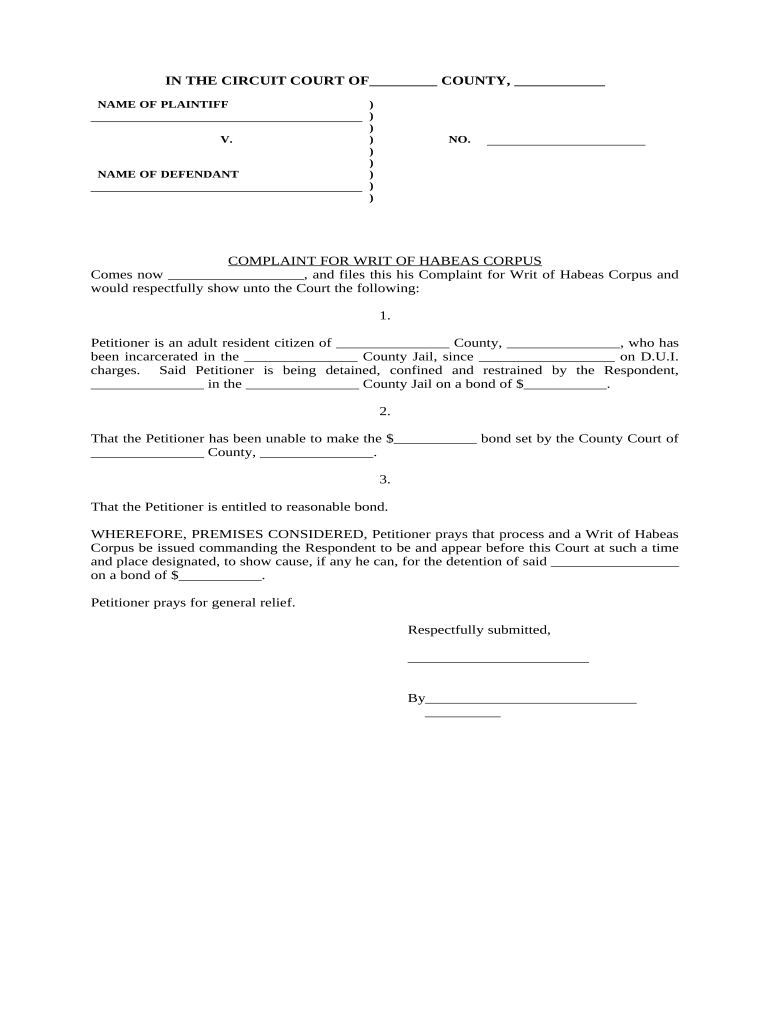
A Habeas Complaint (petition for a writ of habeas corpus) is a formal legal filing used to challenge the lawfulness of a person's detention or imprisonment in U.S. state or federal court. It sets out the facts, legal grounds, and supporting exhibits asserting constitutional or statutory violations and asks a court for release or other corrective relief. Habeas petitions commonly address pretrial detention, post-conviction errors, jurisdictional defects, or ineffective assistance of counsel, and they are subject to strict procedural rules, exhaustion doctrines, and statutory timing limits.

Why a Clear Habeas Complaint Matters

A well prepared Habeas Complaint clarifies claims, preserves time-sensitive rights, and enables efficient judicial screening. Precise allegations and complete exhibits reduce procedural dismissals and speed consideration on the merits when courts evaluate requests for release or corrective relief.

Why a Clear Habeas Complaint Matters

Typical Filers and Practitioners

Defense attorneys, public defenders, pro se petitioners, and legal aid organizations commonly prepare and file Habeas Complaints in U.S. courts.

  • Private criminal defense attorneys preparing post-conviction relief petitions and procedural claims.
  • Public defenders and federal defenders filing petitions on behalf of indigent clients.
  • Individuals representing themselves (pro se) who meet filing and service requirements.

Who Signs and Files

Petitioner (Pro Se)

An individual representing themselves files the Habeas Complaint when asserting unlawful detention. They must follow local rules for formatting, service, and deadlines, and often require help obtaining records such as jail logs, trial transcripts, and counsel performance evidence.

Petitioner's Counsel

Licensed attorneys draft Habeas Complaints to preserve constitutional claims, assemble the record, and present legal argument. Counsel handle exhibits, request transcripts, and address exhaustion and timeliness issues required by federal and state habeas practice.

Essential Elements of a Professional Habeas Complaint

A professional Habeas Complaint includes factual narrative, precise grounds, legal authorities, supporting exhibits, jurisdictional statements, procedural history, and clear relief requests.

Factual Narrative

Provide a concise, chronological account of facts relevant to detention, including dates, locations, actions by authorities, and material omissions or errors. Clarity aids court assessment of constitutional or statutory violations.
Legal Claims

Cite specific constitutional provisions and statutory authority supporting each claim, explain how the facts meet the legal standard, and reference controlling precedent where applicable to frame the court's analysis.

Jurisdictional Basis

State the court's authority to hear the petition, identify whether it is state or federal habeas, and explain any concurrent remedies or exhaustion status under relevant law.

Record & Exhibits

Attach certified transcripts, sentencing orders, judgments, affidavits, and other documents. Label exhibits clearly and reference them in the narrative to support factual and legal assertions.

Relief Requested

Specify precise relief sought, such as immediate release, new trial, resentencing, or an evidentiary hearing, and provide proposed order language or alternative remedies for judicial clarity.

Procedural History

Summarize prior appeals, state post-conviction petitions, dates of filings and rulings, and any procedural defaults or tolling arguments to contextualize timeliness and exhaustion.

Step-by-Step Filing Checklist

Follow these steps to prepare and file a Habeas Complaint accurately and in the correct court.

  • 01
    Identify Relief: State whether release, a new trial, or other relief is requested.
  • 02
    Jurisdiction: Determine proper federal or state court and correct venue.
  • 03
    Exhaustion: Demonstrate that state remedies were exhausted or identify exceptions.
  • 04
    Attach Record: Include transcripts, judgments, and exhibits supporting the claims.

Setting Up an Online Filing and eSubmission Workflow

Use this checklist when configuring an online submission process and e-filing workflow for a Habeas Complaint.

Field Configuration
Document Type Habeas Complaint PDF; include petition for writ format
Signers Petitioner and counsel listed; pro se as signer when applicable
Authentication Email plus SMS code; consider KBA where higher assurance needed
Attachments Trial transcript, judgment, affidavits, and exhibits in PDF
Delivery File with court by e-filing and serve opposing counsel

How the Filing Process Typically Flows

Filing typically involves drafting the petition, assembling records, serving respondents, and scheduling hearings under local rules.

  • Draft Petition: Detail facts, legal claims, and relief sought.
  • Assemble Record: Attach transcripts, sentencing orders, and exhibits.
  • Service: Serve the respondent and file proof of service.
  • Court Review: Court screens petition and issues response deadlines.

Technical Requirements for Digital Preparation and Submission

Choose platforms that support secure uploads, detailed audit trails, and produce court-ready PDF output compatible with electronic filing systems.

  • Document Formats: PDF/A and DOCX accepted for court conversion
  • Integrations: Cloud storage, e-filing, and court portals
  • Authentication: Email, SMS, and optional KBA or 2FA

Key Timing Rules and Deadlines to Verify

Key filing deadlines and timing rules for Habeas Complaints vary by statute, court, and case facts—verify local rules and statutory limitations promptly.

AEDPA Limit:

One-year statute of limitations may apply after conviction

State Variations:

State courts set different deadlines and tolling rules

Tolling Mechanisms:

Equitable tolling requires timely motion and supporting facts

Service Deadlines:

Respondents have set periods to answer or respond

Extension Options:

Limited extensions require court motion and good cause

Key Milestones from Filing to Final Decision

Typical processing stages for a Habeas Complaint cover filing, court screening, briefing and evidentiary review, then disposition or appeal.

01

Filing and Service

Petitioner files petition and serves respondent per local rule.

02

Preliminary Review

Court screens for jurisdiction, timeliness, and procedural sufficiency.

03

Merits Briefing

Parties submit briefs and evidence for adjudication.

04

Decision or Appeal

Court issues ruling; losing party may appeal or seek further relief.

Common Preparation Pitfalls to Avoid

  • Filing in the wrong court or jurisdiction causes immediate dismissal and wastes petitioner resources; always confirm whether state or federal habeas review is appropriate.
  • Failing to exhaust state remedies or raise issues on direct appeal can lead to procedural default and statutory bars to federal review under AEDPA.
  • Incomplete record attachments, missing transcripts, or unsigned affidavits delay proceedings and may prevent courts from addressing the merits of constitutional claims.
  • Late filing after the statutory limitation or failure to seek equitable tolling promptly often results in denial despite substantive merit.

Consequences of Procedural Errors

Dismissal Risk: Procedural defects can result in dismissal
Procedural Default: Failure to exhaust state remedies bars relief
Statute of Limitations: AEDPA one-year limitations may apply
Sanctions: Court may impose costs or sanctions
Custody Status: Relief may be limited to custody changes
Evidentiary Hurdles: Hearsay limits and record preservation issues

Best Practices for Clear, Efficient Habeas Pleadings

Follow procedural best practices to preserve claims, streamline review, and reduce dismissal risk in habeas litigation.

Confirm proper venue and filing rules
Before filing, verify whether state or federal habeas is appropriate, confirm local form requirements and page limits, and review e-filing rules. Filing in the wrong venue can cause immediate dismissal and loss of rights.
Assemble complete certified trial and sentencing records
Order and attach certified transcripts, judgments, plea agreements, sentencing minutes, and any relevant trial exhibits. A complete record is essential for meaningful judicial review; missing materials often delay proceedings.
Explain timeliness and tolling facts clearly
Provide precise date calculations, identify triggering events, and state any reasons for equitable tolling with supporting facts. Courts apply strict limitations; ambiguous timelines frequently result in procedural defaults.
Use lucid pleading and supporting citations
Write clear, non-repetitive claims with pinpoint citations to statutes and case law. Attach short legal memoranda when complex constitutional standards apply to assist judicial screening.

Representative Habeas Petition Examples

Concrete examples show how practitioners and individuals use Habeas Complaints in pretrial and post-conviction contexts to seek release or corrective relief.

State Post-Conviction

A state prisoner alleged ineffective assistance of counsel following a guilty plea and presented newly discovered evidence after sentencing.

  • Exhaustion completed; petition timely filed and verified.
  • On federal review, the court evaluated the trial record under Strickland, found counsel's errors prejudicial, and ordered relief limited to resentencing and record correction to prevent future constitutional harm.

Pretrial Detention

A detained defendant claimed prolonged pretrial custody violated due process because of unreasonable delay in bringing charges.

  • Requested immediate release pending new charging decision.
  • The habeas petition prompted judicial review and expedited hearings, resulting in either release or a court order directing prompt prosecution or dismissal.

eSignature Platform Pricing Snapshot for Legal Filings

Platform pricing and core capabilities vary; below is a concise comparison to help evaluate eSignature options for legal submissions and internal approvals.

signNow DocuSign Adobe Sign PandaDoc HelloSign
Starting Price $8/user/mo $15/user/mo $14/user/mo $19/user/mo $15/user/mo
Free Trial 7-day free trial, no credit card required No No Yes, limited Yes, limited
Bulk Send Yes Yes Yes Yes No
Audit Trail Yes Yes Yes Yes Yes
HIPAA Compliant Yes Yes Yes No No

Security and Compliance Considerations for Electronic Submissions

Encryption: TLS 1.2/1.3 in transit; AES-256 at rest
Audit Trail: Time-stamped events, IP addresses, action log
HIPAA: HIPAA-compliant handling available with a BAA
21 CFR Part 11: Supports Part 11 controls for FDA-regulated records
ESIGN/UETA: Meets ESIGN Act and UETA legal tests
Access Controls: Role-based access, SSO, and two-factor authentication

State Habeas vs Federal Habeas: Quick Comparison

Compare core differences between state and federal habeas petitions to determine proper filing strategy and procedural expectations.

Criteria State Habeas Federal Habeas
Availability
Exhaustion Required varies yes, generally
Statute of Limitations varies by state one-year (aedpa)
Filing Venue state court federal district court

Frequently Asked Questions About Habeas Complaints

Answers to common questions about preparing, signing, and filing a Habeas Complaint, including deadlines, signature methods, supporting records, and cost options.


Need help? Contact support

be ready to get more
Join over 28 million airSlate SignNow users