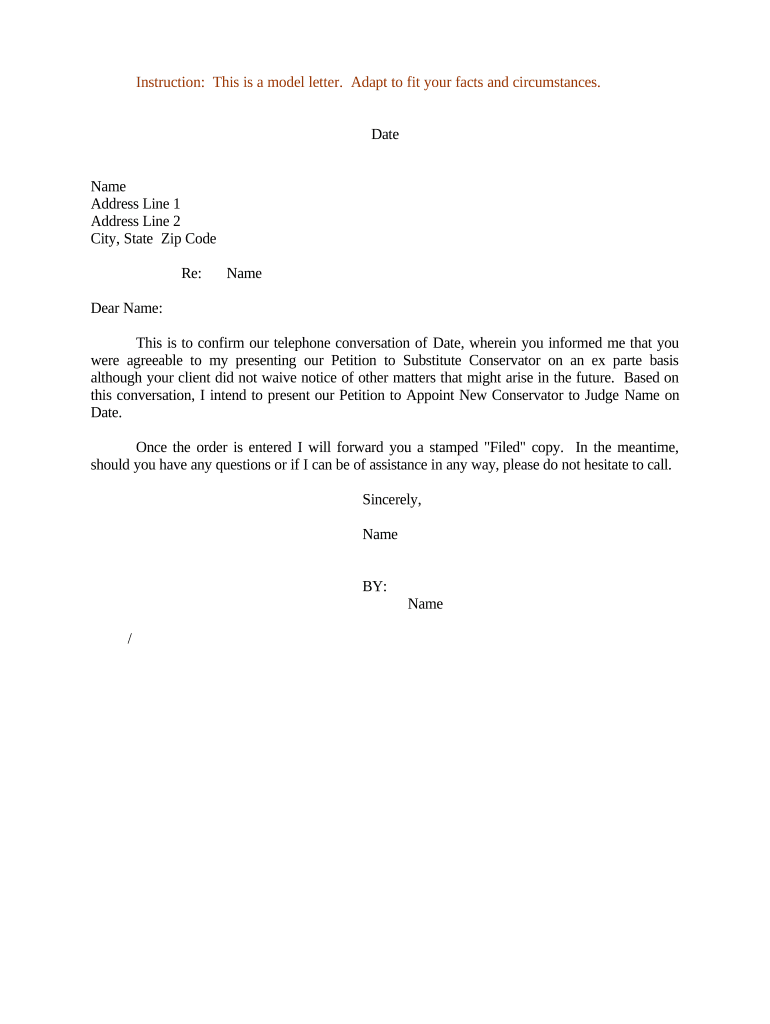
Letter Confirming Petition to Appoint New Conservator
What the Letter Confirming Petition to Appoint New Conservator Is
Why This Letter Matters for Conservatorship Proceedings
The letter creates a clear written record of the petition and helps ensure affected parties receive timely notice, supporting due-process requirements and efficient court review. It also centralizes key facts and exhibits for judges and clerks.
Who Typically Prepares or Receives This Letter
Common preparers and recipients include legal counsel, family members, and court staff involved in guardianship or conservatorship matters.
- Petitioning family member or guardian: provides contact details and reasoning for seeking a new conservator, often initiating the filing.
- Probate or guardianship attorney: drafts the letter to meet court formatting, evidence listing, and service requirements.
- Court clerk and identified interested parties: receives notice so hearings can be scheduled and objections can be submitted.
Step-by-Step: Preparing the Letter Confirming Petition
-
01Draft Basics: State case caption, court name, and index number if available.
-
02Identify Parties: List petitioner, proposed conservator, and conserved person details.
-
03Summarize Grounds: Concise statement of incapacity and factual support.
-
04Attach Evidence: Include medical declarations, consent forms, and supporting affidavits.
How the Letter Fits Into the Conservatorship Workflow
-
Prepare Petition: Complete petition forms required by the local probate court.
-
Create Letter: Summarize petition purpose and list exhibits for court and parties.
-
Serve Parties: Provide copies to interested parties per state service rules.
-
File with Court: Submit petition, letter, and proof of service to the clerk.
Online Setup: Configure the Document and Routing
| Field | Configuration |
|---|---|
| Template | Create a reusable template with required fields and attachment placeholders. |
| Signer Roles | Assign petitioner and attorney signer roles with signing order. |
| Authentication | Enable email or SMS verification; require stronger ID where court rules demand it. |
| Attachments | Make medical reports and affidavits required uploads before submission. |
Technical Requirements and Integration Options
Confirm platform capabilities with the court clerk for acceptable file formats and authentication levels before e-filing.
- Integrations: Salesforce, NetSuite, Google Workspace, Microsoft 365
- Formats: PDF, DOCX, PDF/A for long-term retention
- Security: TLS 1.2/1.3 and AES-256 encryption
Typical Timelines and Deadlines to Expect
Filing the Petition:
File as soon as practicable after establishing grounds; local court sets scheduling.
Notice Period:
Courts commonly require 14–30 days' notice to interested parties before a hearing.
Hearing Scheduling:
Hearing may be scheduled weeks to months after filing depending on court calendar.
Inventory Deadline:
If conservator appointed, inventory and appraisal often due within 30–90 days.
Annual Reporting:
Conservator typically files annual accountings and reports to the court.
Key Milestones from Petition to Appointment
Petition Filed
Clerk accepts petition and assigns case number; prepares docket entry.
Service of Notice
Interested parties are served with the petition and confirmation letter per local rules.
Hearing Held
Court reviews evidence, hears objections, and evaluates proposed conservator.
Order Entered
If granted, judge signs order appointing a new conservator and specifies duties.
Common Preparation Pitfalls to Avoid
- Missing attachments can delay hearings and force continuances.
- Inaccurate names or dates may defeat proper service and judicial acceptance.
- Insufficient medical evidence may result in denial of the petition.
- Improper service procedures can invalidate subsequent court actions.
Consequences of Errors or Noncompliance
eSignature Pricing Comparison Relevant to Conservatorship Documents
| signNow | DocuSign | Adobe Sign | PandaDoc | HelloSign | |
|---|---|---|---|---|---|
| Starting Price | $8/user/mo | $15/user/mo | $14/user/mo | $19/user/mo | $15/user/mo |
| Free Trial | 7-day free trial | No | No | Yes, limited | Yes, limited |
| Bulk Send | Yes | Yes | Yes | Yes | No |
| Audit Trail | Yes | Yes | Yes | Yes | Yes |
| Envelope Cap | No cap | 100 envelopes/user/year | Varies | Varies | Varies |
Examples: How the Letter Is Used in Real Cases
Family-Initiated Petition
A daughter files the petition with medical declarations supporting incapacity
- court requested a physician declaration
- the letter listed exhibits, provided service details, and shortened time to hearing by clarifying urgency and attachments.
Attorney-Filed Contested Matter
An attorney files a petition where family disputes competence
- opposing counsel objects to proposed conservator
- the letter enumerated evidence and witnesses and helped the court schedule evidentiary hearing efficiently.
Practical Tips for Accurate and Efficient Completion
Frequently Asked Questions About Preparing This Letter
-
Is an electronic signature valid on this letter?
Yes. Electronic signatures meet legal validity if they satisfy the ESIGN Act and UETA four-prong test: intent, consent, attribution, and retention. Courts may require stronger authentication or original wet signatures in limited circumstances.
-
Do I need a notary or witnesses for the letter?
Notarization and witness requirements depend on state rules and the nature of attached documents. Some states require notarized declarations or specific witness counts; verify local probate rules before finalizing the package.
-
What happens if I omit required attachments?
Omitting essential medical reports, declarations, or proof of service can cause the court to continue or dismiss the hearing. Include an exhibit index to reduce the risk of omission.
-
Can I serve the letter electronically?
Many jurisdictions accept electronic service if parties consent and local rules permit it, but some require personal or mailed service. Confirm acceptable service methods with the clerk.
-
How should sensitive medical records be shared?
Share only required medical summaries in the letter and provide full records under sealed or restricted access if the court permits; ensure HIPAA-compliant transmission and obtain authorizations when needed.
-
Who should review the letter before filing?
Have an attorney or experienced probate clerk review the letter for sufficiency, proper captioning, and compliance with local filing and service rules to minimize procedural defects.