Caption
Complete case caption, court name, case number and parties. Accurate captioning ensures the clerk assigns the petition to the correct file and avoids rejection for procedural defects.
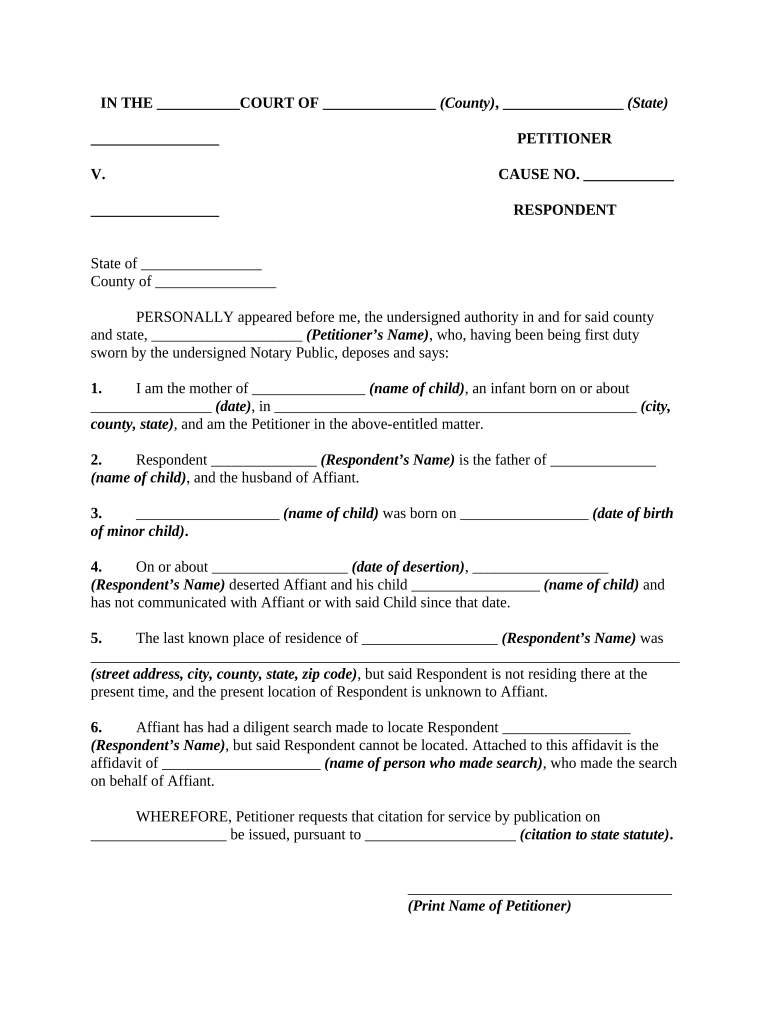
When personal service is impracticable, the petition preserves the plaintiff’s ability to proceed by creating constructive notice once a judge approves publication; it protects due process by documenting efforts to locate the party and specifying the public notice method.

The petition is most often used by parties who need judicial permission to notify an absent or unknown defendant and cannot complete personal service despite reasonable efforts.
An attorney of record signs and files the petition on behalf of the plaintiff, certifies the diligence efforts, and may present the matter at a hearing; courts expect an attorney to follow local filing and service rules.
The court clerk accepts the filing and enters the request on the docket; after judicial approval the clerk may issue an order prescribing the publication period and any required steps for proof of publication.
Complete case caption, court name, case number and parties. Accurate captioning ensures the clerk assigns the petition to the correct file and avoids rejection for procedural defects.
Detailed sworn statement describing the specific steps taken to locate the party, including searches, mailings, and inquiries; the affidavit must be factual and date-stamped to support the court's finding of due diligence.
Exact notice language to be published, including caption, short statement of the claim, relief sought, time to respond, and where to file a response; courts often require concise, unambiguous text.
Proposed dates and frequency for publication and the chosen newspaper or official medium; provide justification for the selected publication based on where the defendant likely receives notice.
A draft order for the judge to sign that authorizes publication and specifies the publication period, service effect, and deadline for filing proof of publication.
After publication, submit the newspaper affidavit or publisher’s certificate showing dates run and a copy of the published notice to establish constructive service.
| Field | Configuration |
|---|---|
| E-filing Portal | Point to the court's accepted e-file system |
| Document Format | Use PDF/A for stable court submission |
| Signature Method | Use audit-trail e-signature or notarized wet signature |
| Retention Policy | Archive final PDF and publisher affidavit |
Courts and clerks may accept electronically signed petitions, but local rules vary; confirm the court's e-filing and signature acceptance policies before relying solely on e-signatures.
Date judge considers petition and signs order
Begin publication per the court-authorized schedule
Publisher-specific frequency (weekly, daily, or as ordered)
Final run date as specified by the order
Date by which publisher's affidavit must be returned
Clerk accepts petition and schedules review
Judge authorizes publication and sets dates
Publisher runs notice as ordered
Submit publisher affidavit to the court docket
A lender cannot locate an absent mortgagor despite skip-trace and certified mail attempts.
An estate has unknown heirs whose addresses are not discoverable after genealogical and public-record searches.
| signNow | DocuSign | Adobe Sign | PandaDoc | HelloSign | |
|---|---|---|---|---|---|
| Starting Price | $8/user/mo | $15/user/mo | $14/user/mo | $19/user/mo | $15/user/mo |
| Free Trial | 7-day trial | Varies | Varies | Varies | Varies |
| Bulk Send | Yes | Yes | Yes | Yes | No |
| Audit Trail | Yes | Yes | Yes | Yes | Yes |
| HIPAA Compliant | Yes | Yes | Yes | No | No |